
Sticky

Calculators 1.5 - a MAP to new treasures!

  • April 27, 2026
  • 9 comments
  • 224 views

david.tosoff
Forum|alt.badge.img+1

Hello calculator users,

Today brings us version 1.5 of the Official Veeam Calculators!


Alongside a number of internal & UI tweaks/patches, this release delivers:

  • Universal Importer!
    • 📚 XLSX for entire scenario, or
    • 📗 CSV for individual workloads
  • New visual relationship/interactive maps:
    • 🛜 Ports map
    • ↔️ Source-to-target map
  • 💾 CDP target storage usage for short-term and long-term retention policies.
  • 🪟 Version 13.0.1 support for Windows-based VBR (non-VSA)

Read more on these new features below (and check the release notes on the bottom right of the tool for a complete list of changes)


Cheers,

Veeam Calculators Team 🧮


--


Scenario Builder: Universal Importer

Have a hypervisor other than VMware? Want to collect data with a tool other than RVTools? Got your own scripts? Want to send a worksheet to be filled out by a customer/partner/department?

Well, do I have something for you: Universal Importer.

With Universal Importer, you can generate a structured XLSX sheet to collect input data for your whole scenario [or a CSV per workload] that can be populated programmatically/manually outside of Scenario Builder.

To use it, simply…

  1. Location the new Universal Import button…
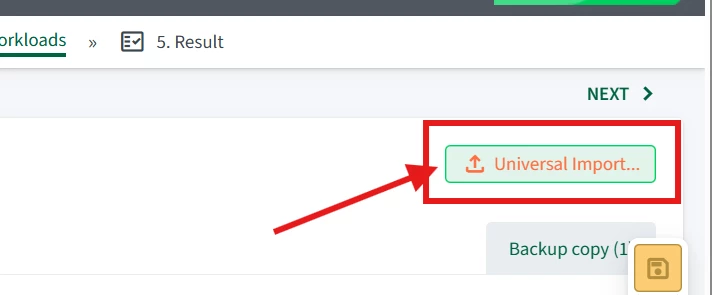
    New Universal Import button shows at top right of the “Build Workloads" step...
  2. Read the instructions and generate a full scenario template…
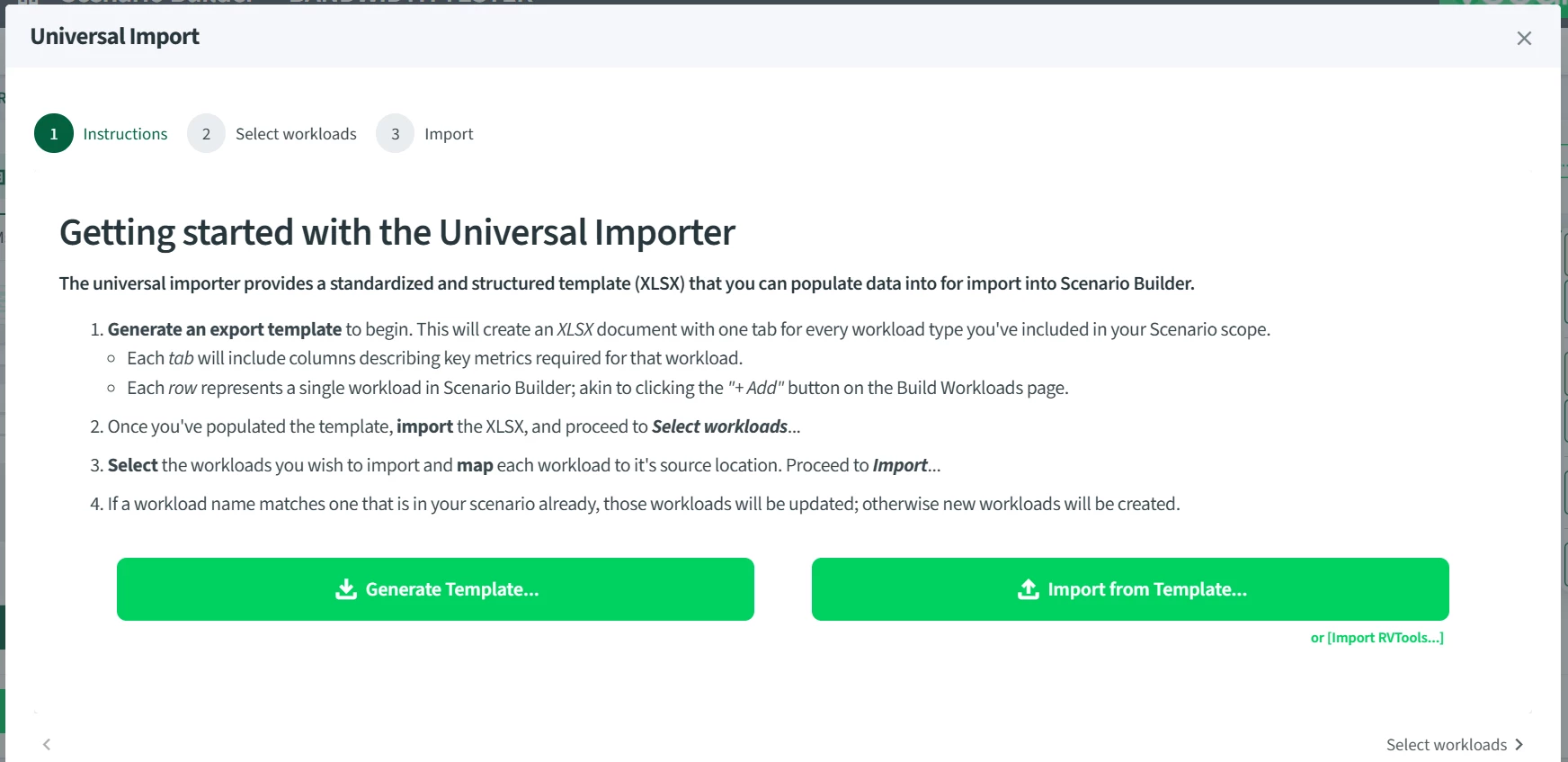
  3. Fill out the workbook as needed…
    Fill out the XLSC [or CSV] as required
  1. Once the sheet/csv is filled out, simply import it by selecting the workloads you'd like to import and assigning their location…
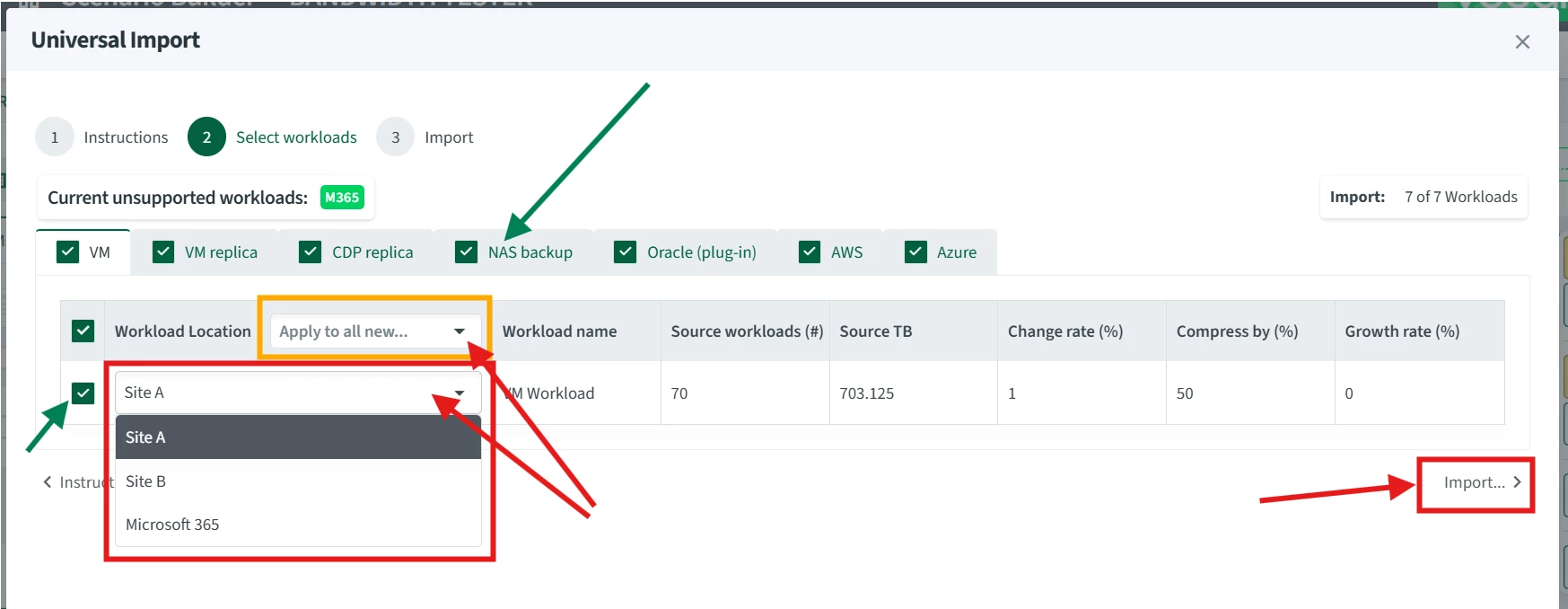
    Assign each location or all at once. Select or exclude workloads and scopes...

Voila!

[Bonus: If you have existing workloads, their inputs will be exported when you create the template and they'll also be updated if you choose to import them -- Note: if you select them for import, they *will* override the current inputs...]

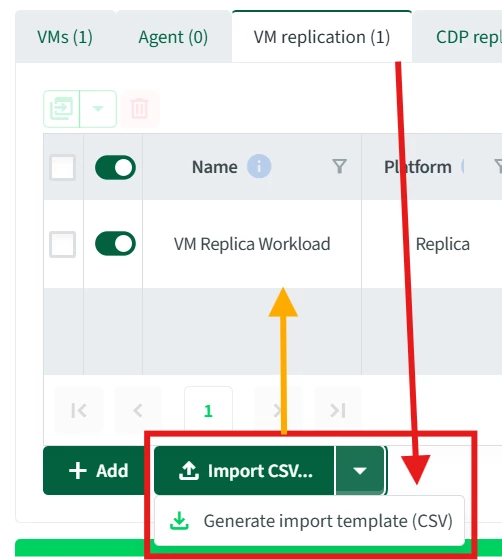
Also, as mentioned, you can also do this template+import process via CSV from each specific workload scope:


Interactive Maps

* Disclaimer on these next two: While we try to maintain this tool with the most up-to-date information, keep in mind that [as with anything Veeam] the Help Center is your ultimate "North Star" for the latest and most accurate supported workloads/targets and port rules.
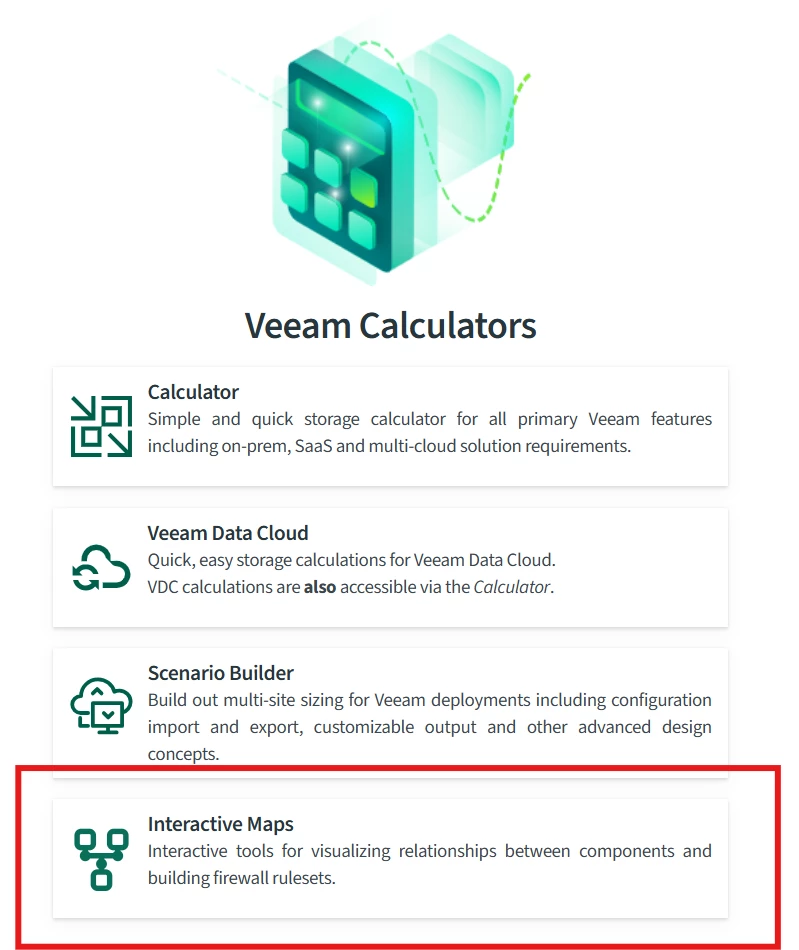


Port Map [and Server Planner]

Want to visualize and plan out your Veeam firewall rules? Port Map lets you select which Veeam components talk to which infrastructure over which ports.

Simply select the Veeam and infrastructure components in-scope and you'll get a visual and tabular summary of the connections...
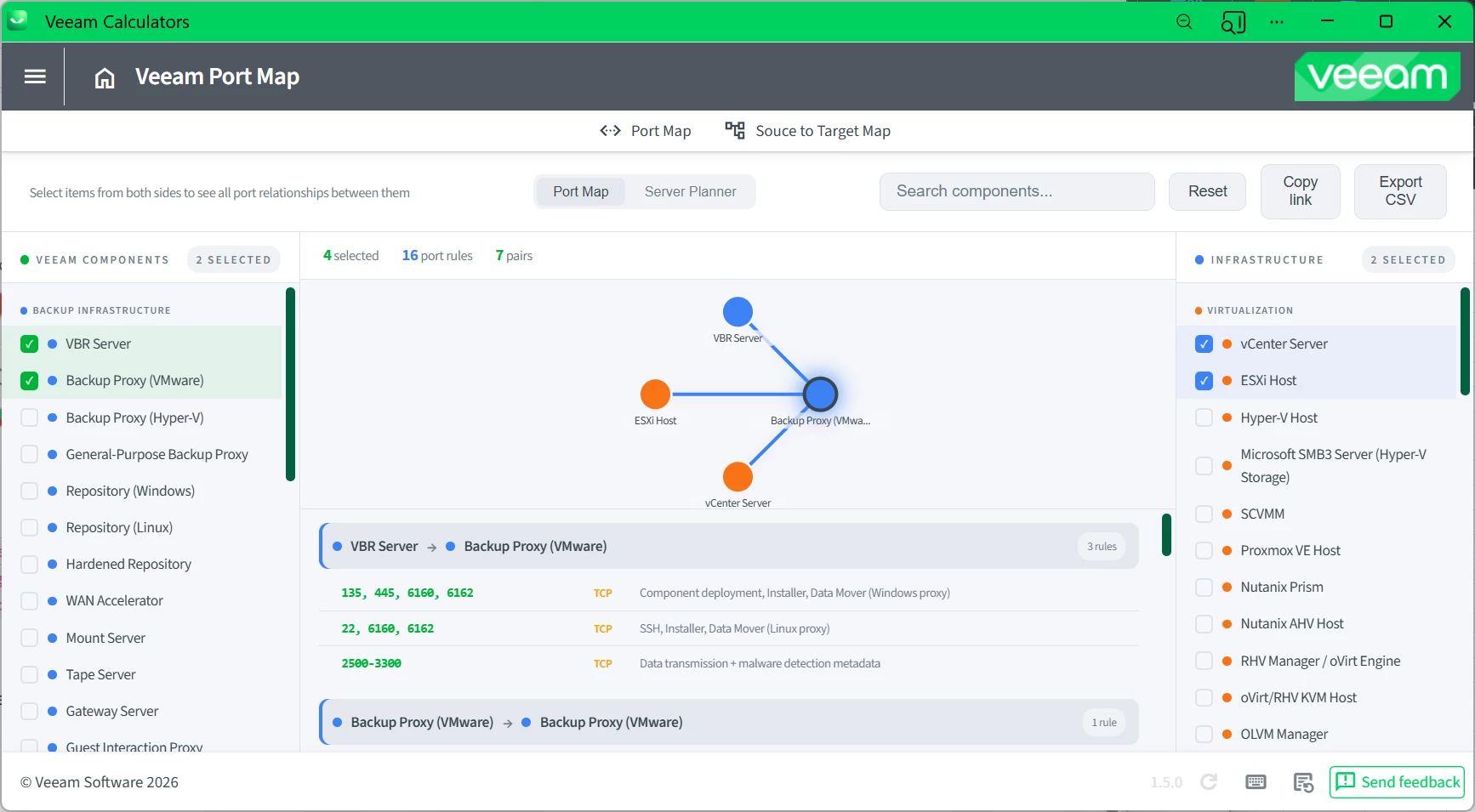
You can also share this as a link, and/or export to CSV.


Want to take it a step further and build a physical design? Try the Server Planner.
With Server Planner, you can define a server with multiple components and visualize the interplay between them.
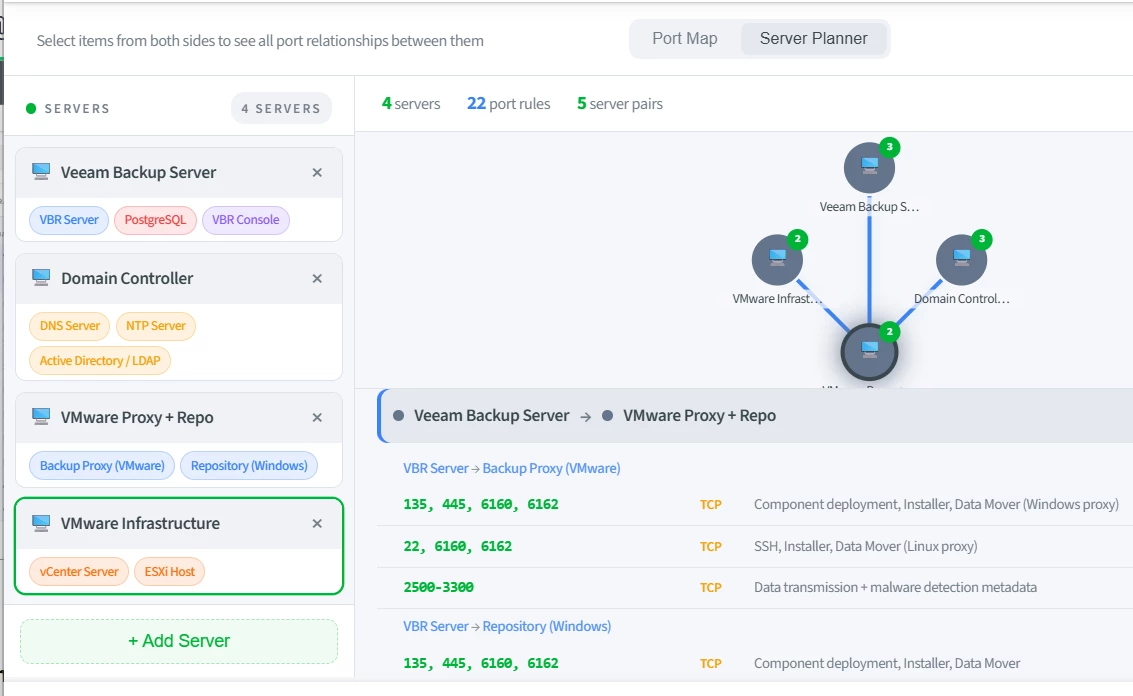
 

This can also be exported as CSV and shared with a network team.


Source-to-target Map

Ever wonder which workloads can land on which destinations? Source-to-Target Map serves are your guide!

Choose a source and it will show you which targets will support it.
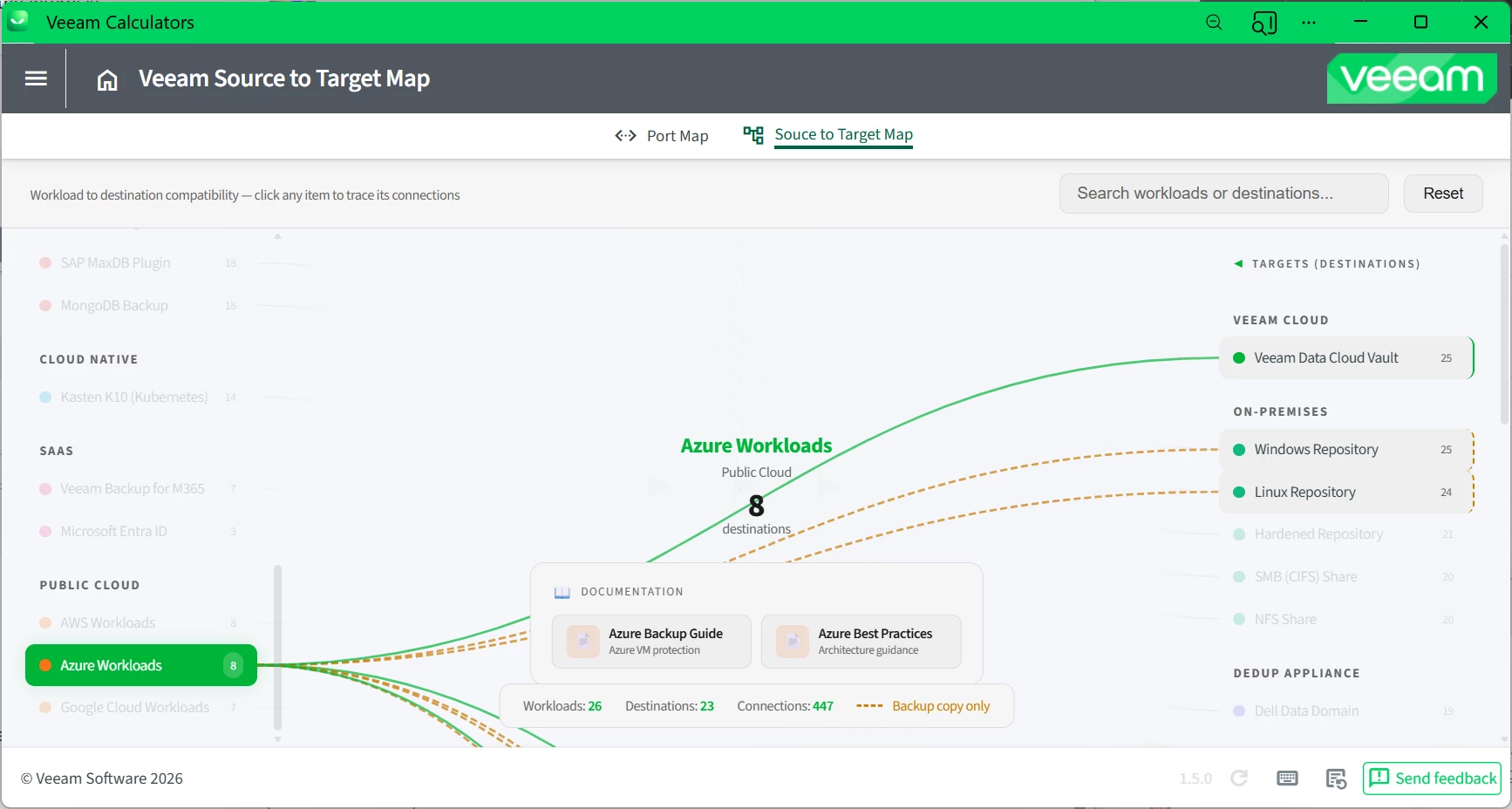

Or, choose a target and it will show you which sources it supports.
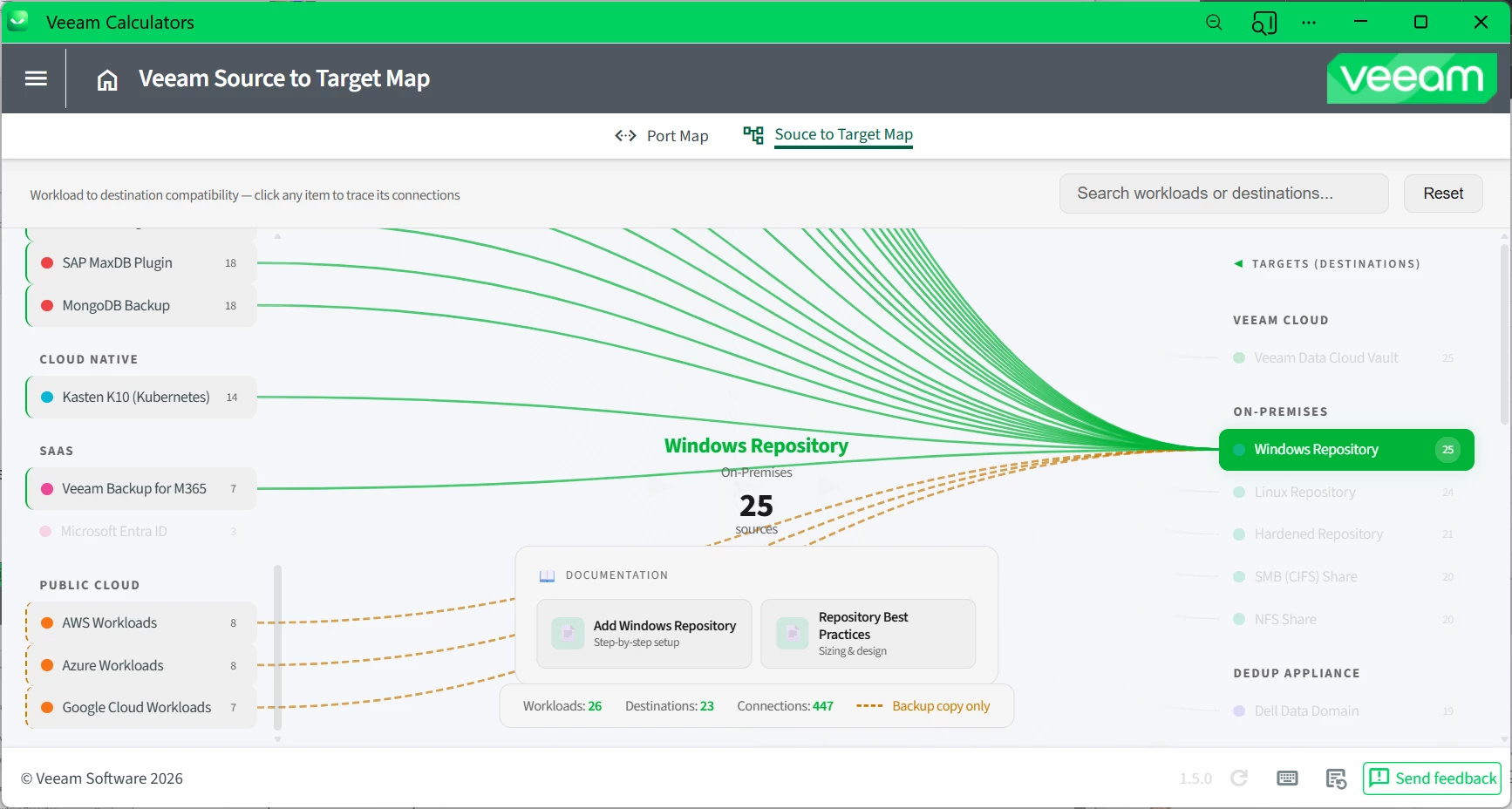

It even provides you a quick link to the help center in the center pane…
 

CDP Target Datastore Estimate

This one is pretty straight-forward. Just a minor feature improvment for CDP that now includes estimates beyond proxy & throughput to include storage (target datastore usage) based on your short and long-term retentions...
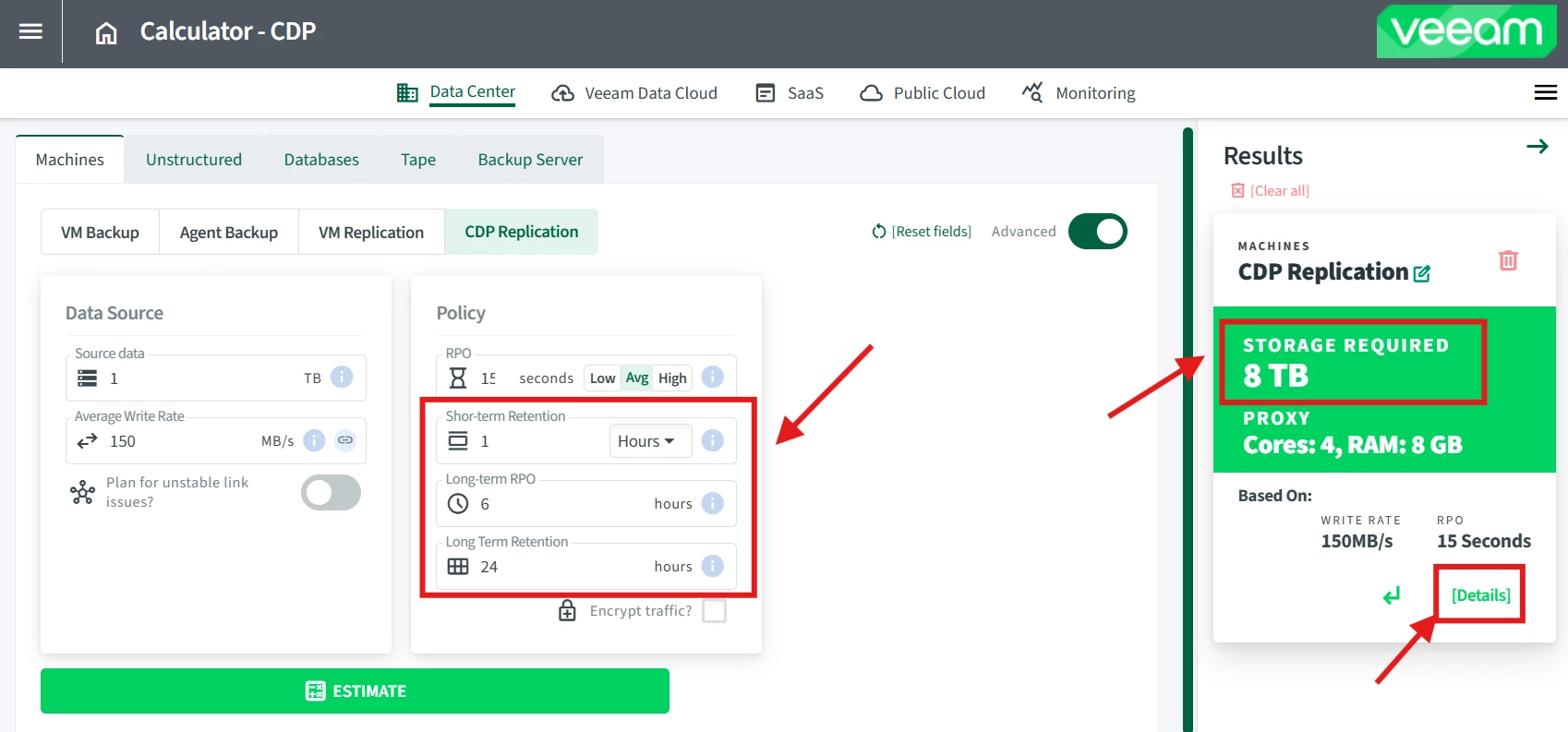
Be sure to check the “[Details]” section for a complete breakdown.


---


That’s all for now. As with always, we love to hear your feedback on how we can make these tools even better. Otherwise, stay tuned & happy calculating!

🧮

9 comments

Chris.Childerhose
Forum|alt.badge.img+21

These are some great enhancements.  Time to check them out. 


DaveR_NZ
Forum|alt.badge.img
  • Comes here often
  • April 27, 2026

This is awesome, the port mapping is something that has been a pain point for years! Nice work team, A+++.


Jason Orchard-ingram micro
Forum|alt.badge.img+2

That's some cool looking upgrades 


david.tosoff
Forum|alt.badge.img+1
  • Author
  • Veeam MVP
  • April 27, 2026

Thanks folks. We look forward to hearing your feedback :)


  • Not a newbie anymore
  • April 28, 2026

Thanks folks. We look forward to hearing your feedback :)

Hello Mr David.

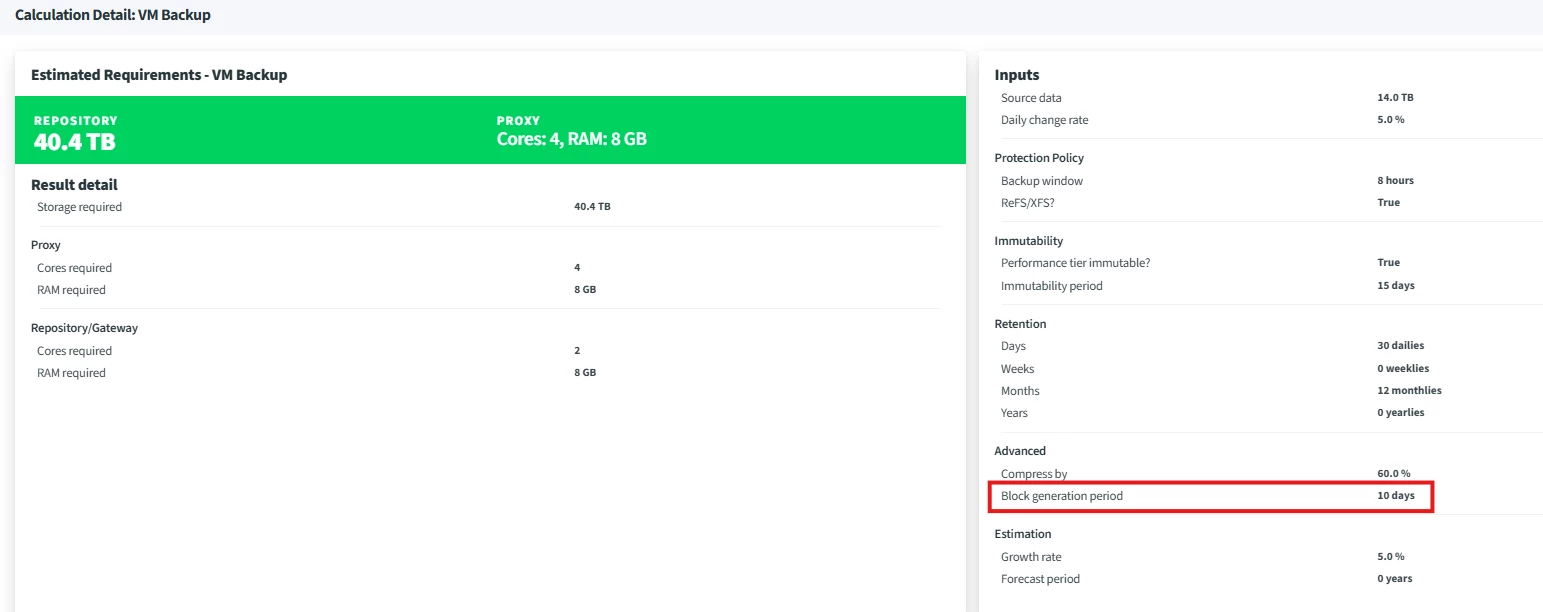
I see you folks did what we talked about on the other post about immutability on regular repo and block generation period, that is very nice of you, is thoughtful, thank you very much for your attention to detail is very trustworthy.


I find the MAP new thing the most impressive. This is very nice. We had been having some trouble recently with a case of a customer that has a self-hardened Proxmox setup, so they kinda cut a lot of things, installed sudo changed many things on sudoers, modified PATH for each new user, lots of changes to basesystem, and we had some connectivity issues naturally, had to dig through docs a little while to find the specifics. This map wouldnt have answered the question but it would have been a more direct start and it is a move into a direction that makes sense, hopefully in the future we can also get, for example: URLs that Worker Appliance must be able to reach to: Fedora/RHEL Repos


In regards to feedback:

I would like to help out by pointing out that it does show up on the summary, even though performance/object tier not selected.


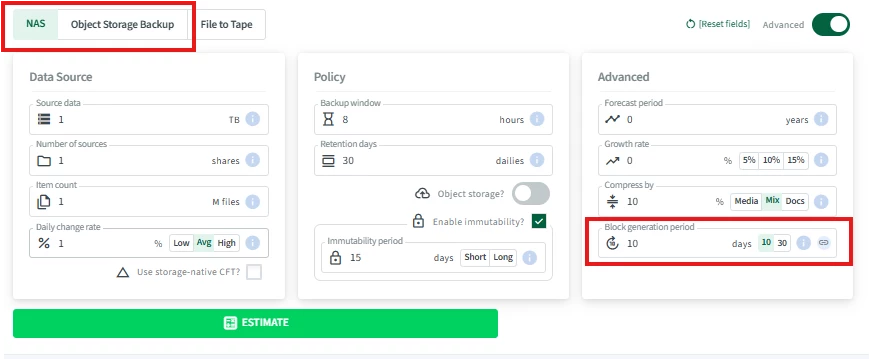
Also Unstructured backup is showing Block Generation Period when immutability active, for NAS or the other two, I believe the intended behavior is for it not to show right? Because these are still backups that may go to traditional repo thats why it has a flag to turn on object storage specifically right?


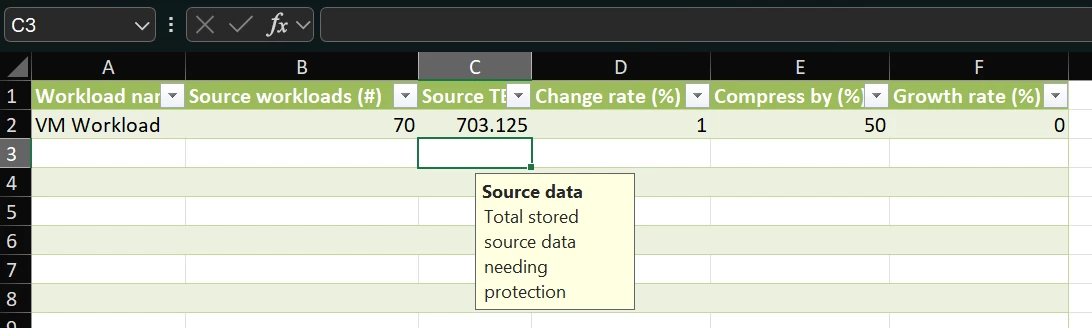
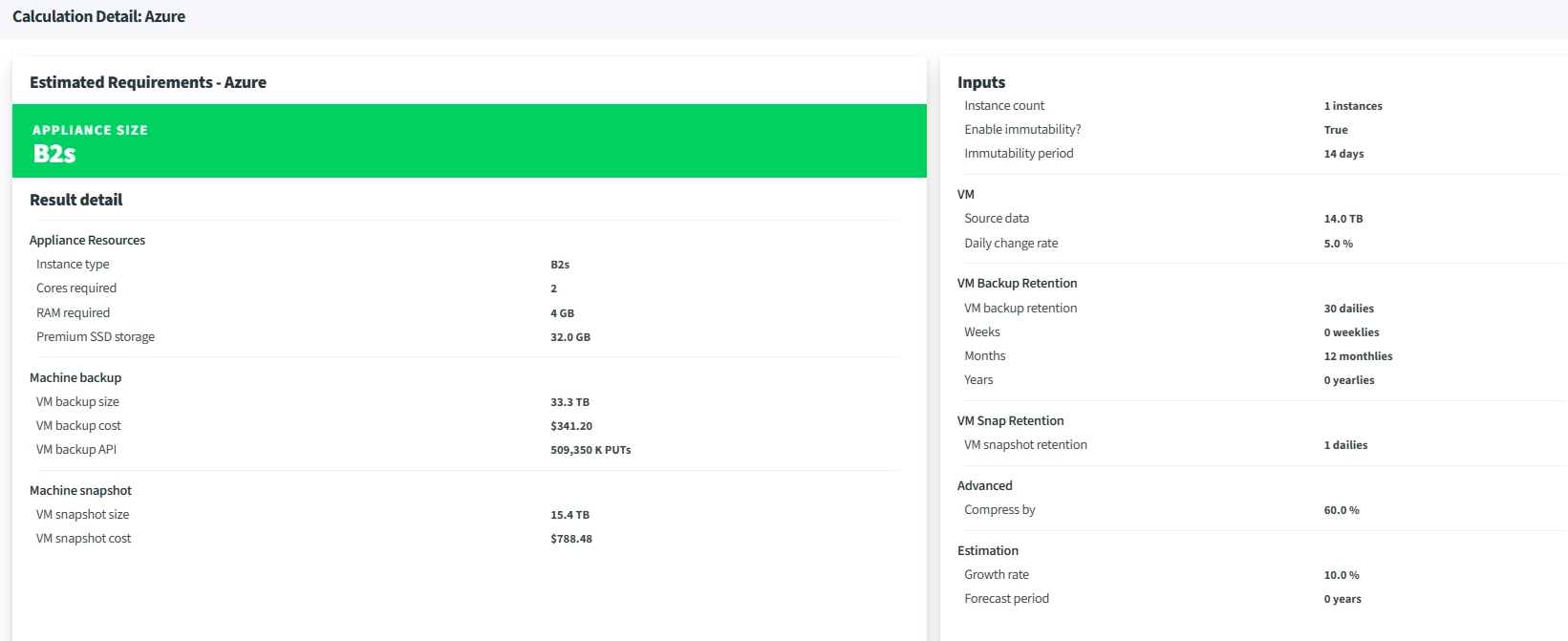
Lastly I have a question, I dont get why these two next tries give out so fundamentally different calculations (7TB difference is a whole HDD), it looks so similar to me, I know different things, but why though cause it pretty much the same amount of data to me looking from outside, also no specification of immutable days available on the Azure calculation, is fixed to 14 days of immutability on the calc why is that, why would Azure compress “more” my data than is compressible just because, AWS, Google, the same happen so it is not a matter of calculation of Azure it is how you are doing it on your end:


I saw some other things as well that make noise to me, that I would like it to make more sense but feels like Im working for Veeam now…

Are you in need of manual UX/UI testers sir?

We can hook you up with local Latam Resources on good price they are very fidgety like me and poke around things for tiny gaps.


Thank you very much for your attention, Mr David I hope you have a very nice rest of your week.


Chris.Childerhose
Forum|alt.badge.img+21

@david.tosoff - would it be possible for the port mapping section under Management on the left side where VEM and VBR Console are to add VSPC (Veeam Service Provider Console)?

This would be a great addition for Service Providers for mapping ports.  I am going through an exercise now with FW changes to allow communication from the VSPC to a new VSA Appliance.

And saying that, does VBR cover the VSA Appliance or should that have its own entry under the Backup Infrastructure section?


Tommy O'Shea
Forum|alt.badge.img+5
  • Veeam Legend
  • April 29, 2026

That map functionality is incredible. I will definitely be making use of that often.


Adrian.Lowe
Forum|alt.badge.img+4
  • Veeam MVP
  • April 30, 2026

@david.tosoff - would it be possible for the port mapping section under Management on the left side where VEM and VBR Console are to add VSPC (Veeam Service Provider Console)?

This would be a great addition for Service Providers for mapping ports.  I am going through an exercise now with FW changes to allow communication from the VSPC to a new VSA Appliance.

And saying that, does VBR cover the VSA Appliance or should that have its own entry under the Backup Infrastructure section?

I second this - let me know if and when VSPC, VCC etc will be added and I’ll get sharing amongst the UK VSPCs

Awesome 


Michael Melter
Forum|alt.badge.img+12

Great to see the calculator being improved. Especially the port tool set is highly appreciated! Fantastic stuff. 😎