Intro
This is the second post of my series about the new VeeamONE Essentials training on Veeam University. The first one can be found here.
Today I wrapped up Modules 1–4 of the 12 modules in total of the VeeamONE Essentials course on VeeamUniversity.com — which means one third of the course is now completed.
As the name already suggests, VeeamONE Essentials is designed as an introductory course. It’s clearly aimed at users who are either new to VeeamONE or want to build a solid foundation before going deeper. And that’s exactly what it delivers so far.
Getting Started: Installation, Monitoring & Initial Configuration
The course starts in a very practical way:
- Module 1 focuses on the installation of VeeamONE. Instead of abstract slides, you’re guided step by step through a real setup. This immediately sets the tone: this is a hands-on course.
- Module 2 introduces the basic monitoring capabilities of VeeamONE and walks you through the initial configuration. You quickly get a feel for how VeeamONE observes your environment and what kind of insights it can provide right out of the box.
What I really appreciate here is that the course doesn’t assume prior VeeamONE experience. It truly takes you by the hand and explains how the different components work together. But keep that in mind, if you’re already an expert on VeeamONE. There will be some redundancies.
Alarms Done Right (and Less Mailbox Pain)
In Module 3, the focus shifts to alarms.
Even as a VMCT, I picked up some useful insights — especially around grouping alarms effectively. This is a great way to reduce noise and, more importantly, to avoid flooding mailboxes with alerts that could be consolidated.
These are the kinds of best practices that are often learned over time, so seeing them addressed explicitly was a nice bonus.
Business-View: The Often Overlooked Feature
Module 4 dives into Business-View, which is, in my opinion, one of the most overlooked features of VeeamONE.
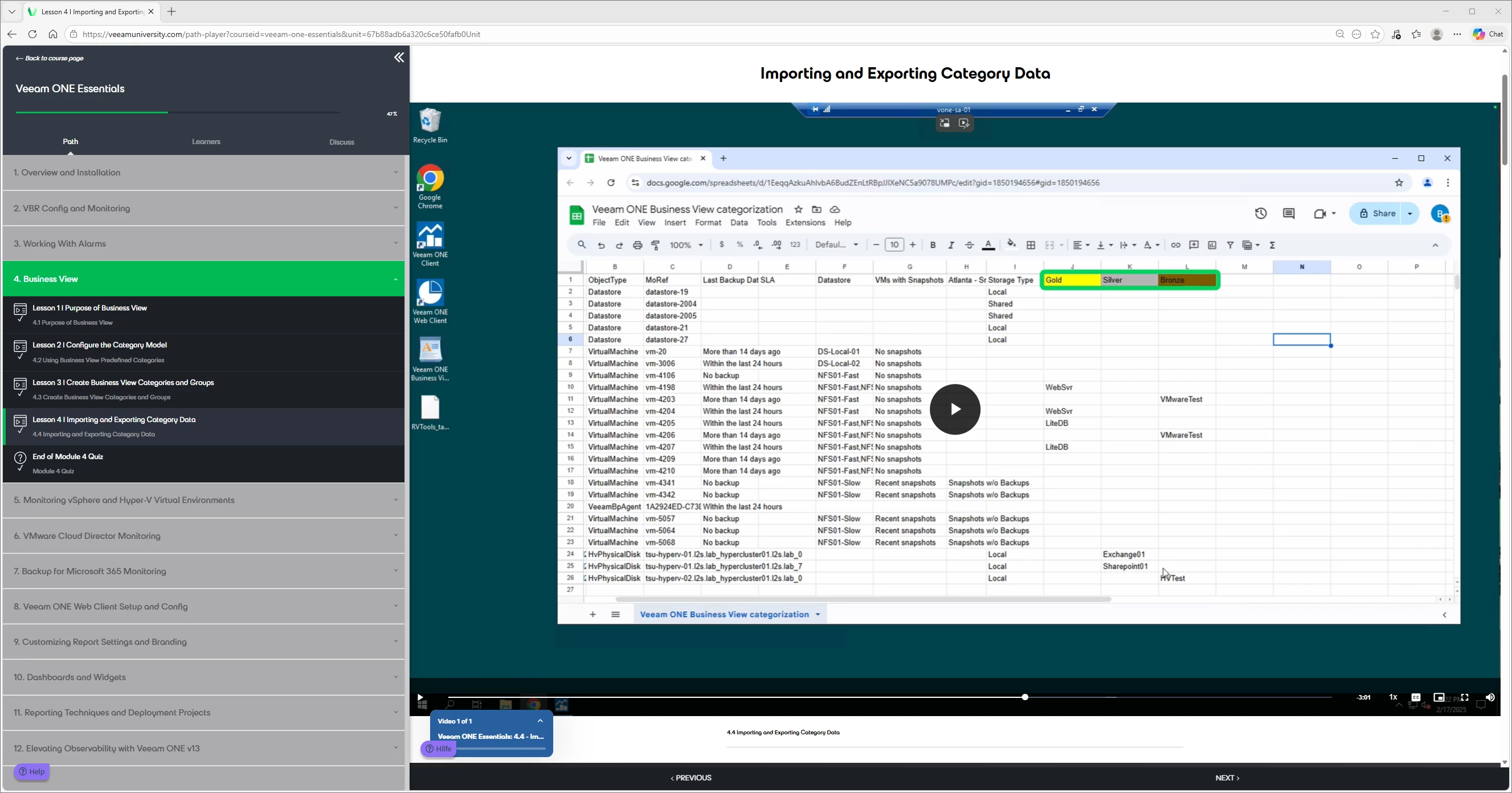
This module had a real “how did I miss that?” moment for me: Importing categories from CSV files
Combined with vSphere tags, this allows you to pre-fill Business-View classifications from a simple Excel sheet — without any scripting at all.
For environments with a structured tagging strategy, this is extremely powerful and can save a lot of manual effort.
Overall Impression After Modules 1–4
After completing the first four of twelve modules, a few things stand out clearly:
- The course is much more hands-on than a traditional instructor-led training.
- It’s very well suited for first-time VeeamONE users, as it covers installation, configuration, and daily usage step by step.
- There are no slide decks with walls of text, which keeps the training engaging.
That said, for more ambitious or advanced learners, a bit more theoretical background here and there could add additional value.
What’s Next?
I’ll continue with the remaining modules and will share my impressions as I go.
Look out for more posts here on the Veeam Community Hub as I continue my journey through the remaining VeeamONE Essentials modules.