Veeam Backup for Microsoft Azure: Repository Backup has Failed

  • July 26, 2022
  • 12 comments
  • 4241 views

MicoolPaul
Forum|alt.badge.img+23


Ever had your backups fail? I sure have! But it’s all part of the fun & games of learning exactly how these systems work.

Recently I spun up another instance of Veeam Backup for Microsoft Azure, and as part of my security mindset, I configured some elements of hardening to my infrastructure. Well, I missed a setting that I’m going to share with you today.


Worker Job Completed with Error


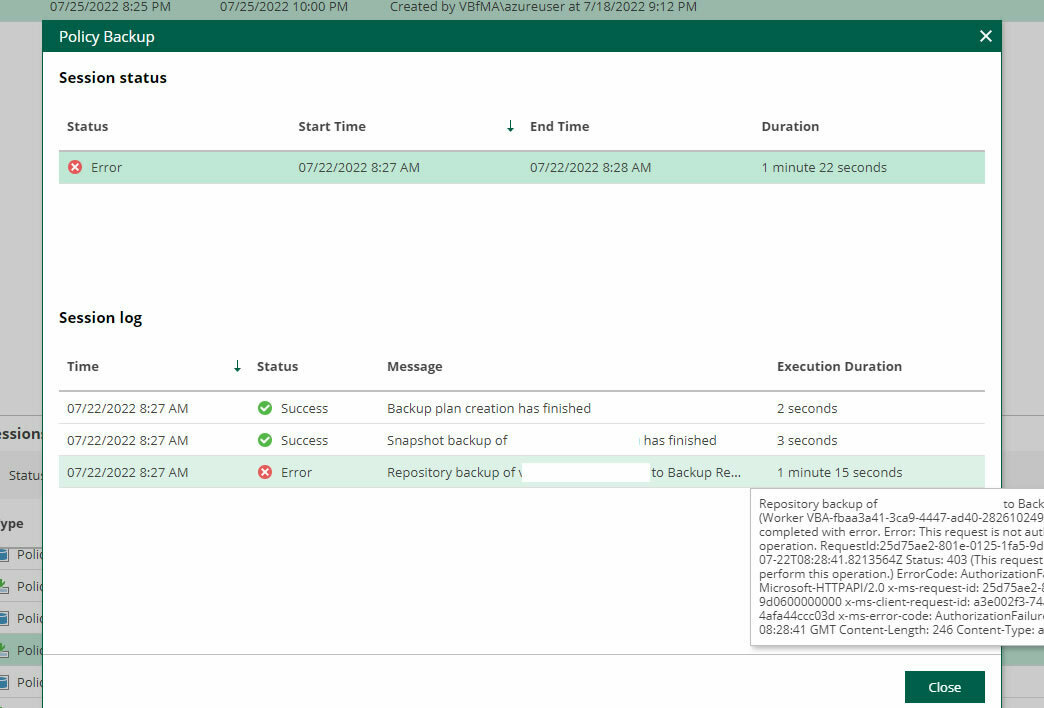
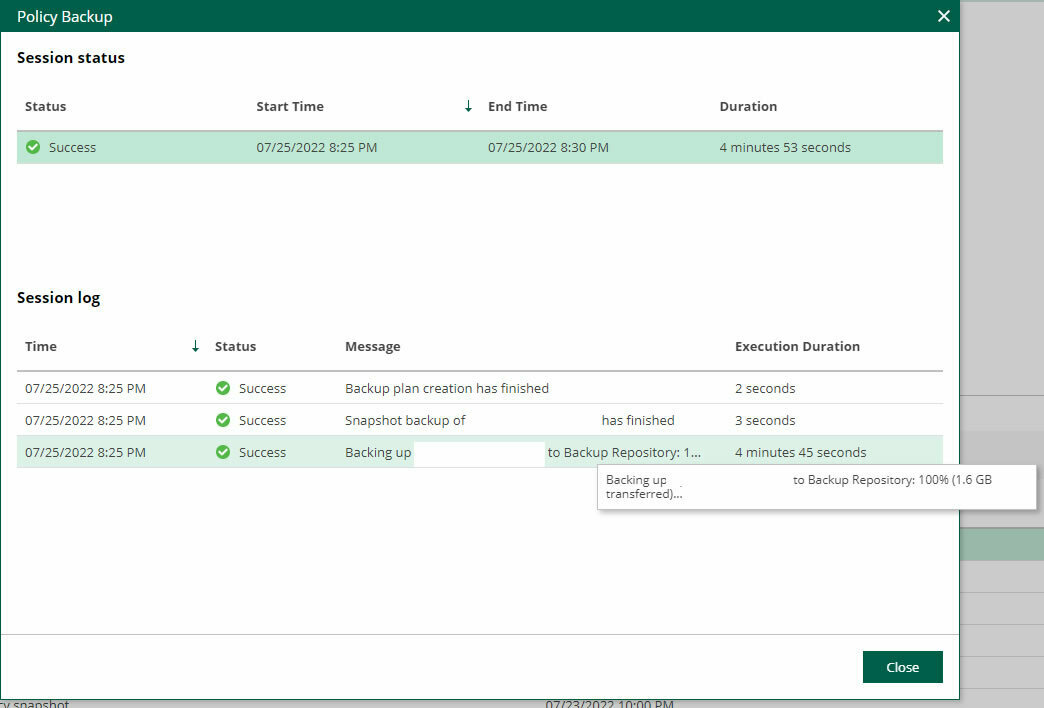
So, I had Veeam Backup for Microsoft Azure working, my daily snapshot job was also running fine, but it was the daily backup that wasn’t working. Some of the key terms I could pick out from the logs were ‘Worker: <Resource Name> (IP Address:Port): job completed with error’, ‘Error: This request is not authorised to perform this operation’, ‘Status 403’, and ‘ErrorCode AuthorizationFailure’ were the error messages I was being greeted with.
 

Dissecting the Errors


The key hint here was the job task ‘Backing up <VM Name> to Backup Repository. Followed by the worker not being authorised.

Within Veeam Backup for Microsoft Azure, backups are stored on storage accounts, so I started here. I’d configured my storage account to only be accessible from my VNETs and from the public IP address of my Veeam Backup for Microsoft Azure virtual machine, so I was quite confident I’d done everything right, but this was where I was mistaken.


The Root Cause: Worker Permissions


Unfortunately, whilst I had set the relevant permissions, my worker VM needed to interact with this storage account, but it didn’t exist at runtime. When Veeam Backup for Microsoft Azure creates the worker VMs, it creates appropriate VNETs for them within their region, and because I’d configured my security permissions prior to the creation of the worker VM, I’d never included the worker VM’s VNET into my networking security rules for access to my storage account!
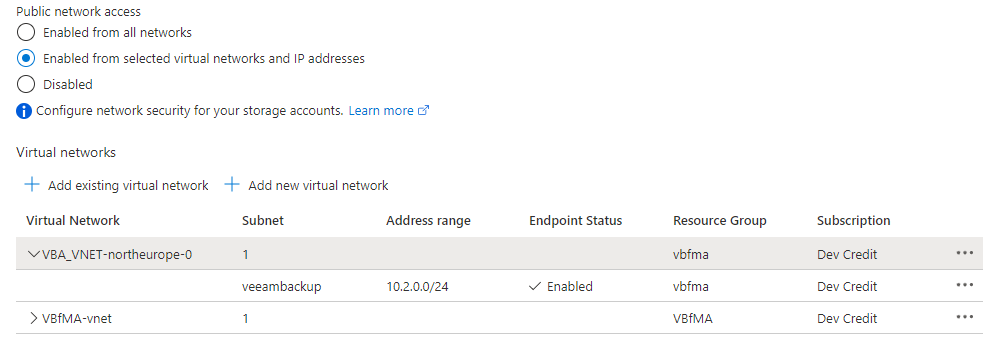
Once this rule was added, it worked!

 

12 comments

Chris.Childerhose
Forum|alt.badge.img+21

Always enjoy reading these posts to gain some knowledge on other pieces of Veeam. 👍


marcofabbri
Forum|alt.badge.img+12
  • On the path to Greatness
  • July 26, 2022

Nice one @MicoolPaul :)


Great post! Pointed me directly to the solution I was looking for :)


Chris.Childerhose
Forum|alt.badge.img+21

Great post! Pointed me directly to the solution I was looking for :)

That is great to hear and nice to see the community helping as always.  😁


  • New Here
  • September 11, 2024

So if there’s anyone out there running into this error with close to 0 Azure experience like me, here is what you need to do.

  • In Azure, you previously created a storage account to use as repository, click on that.
  • Choose Networking (you can search the menu points on the left).
  • In the Virtual Networks section click Add virtual network.
  • On the newly opening page, click on the drop-down under Virtual Networks.
  • Here, you will see a list of all your networks, find the one which belongs to the resource group of your Veeam Azure appliance, if you created your appliance using Veeam Backup and Replication, it will start with veeam-.... Now, HERE will you see what is on the teeny-tiny screenshot in the article: a network with a name starting with VBA_VNET… This is what you’ll need to add.

  After this, the job will run fine.

Peace, m


Chris.Childerhose
Forum|alt.badge.img+21
  • Veeam Legend, Veeam Vanguard
  • September 11, 2024

So if there’s anyone out there running into this error with close to 0 Azure experience like me, here is what you need to do.

  • In Azure, you previously created a storage account to use as repository, click on that.
  • Choose Networking (you can search the menu points on the left).
  • In the Virtual Networks section click Add virtual network.
  • On the newly opening page, click on the drop-down under Virtual Networks.
  • Here, you will see a list of all your networks, find the one which belongs to the resource group of your Veeam Azure appliance, if you created your appliance using Veeam Backup and Replication, it will start with veeam-.... Now, HERE will you see what is on the teeny-tiny screenshot in the article: a network with a name starting with VBA_VNET… This is what you’ll need to add.

  After this, the job will run fine.

Peace, m

Thanks for posting this fix @madradena and hopefully it helps others.


  • New Here
  • December 17, 2025

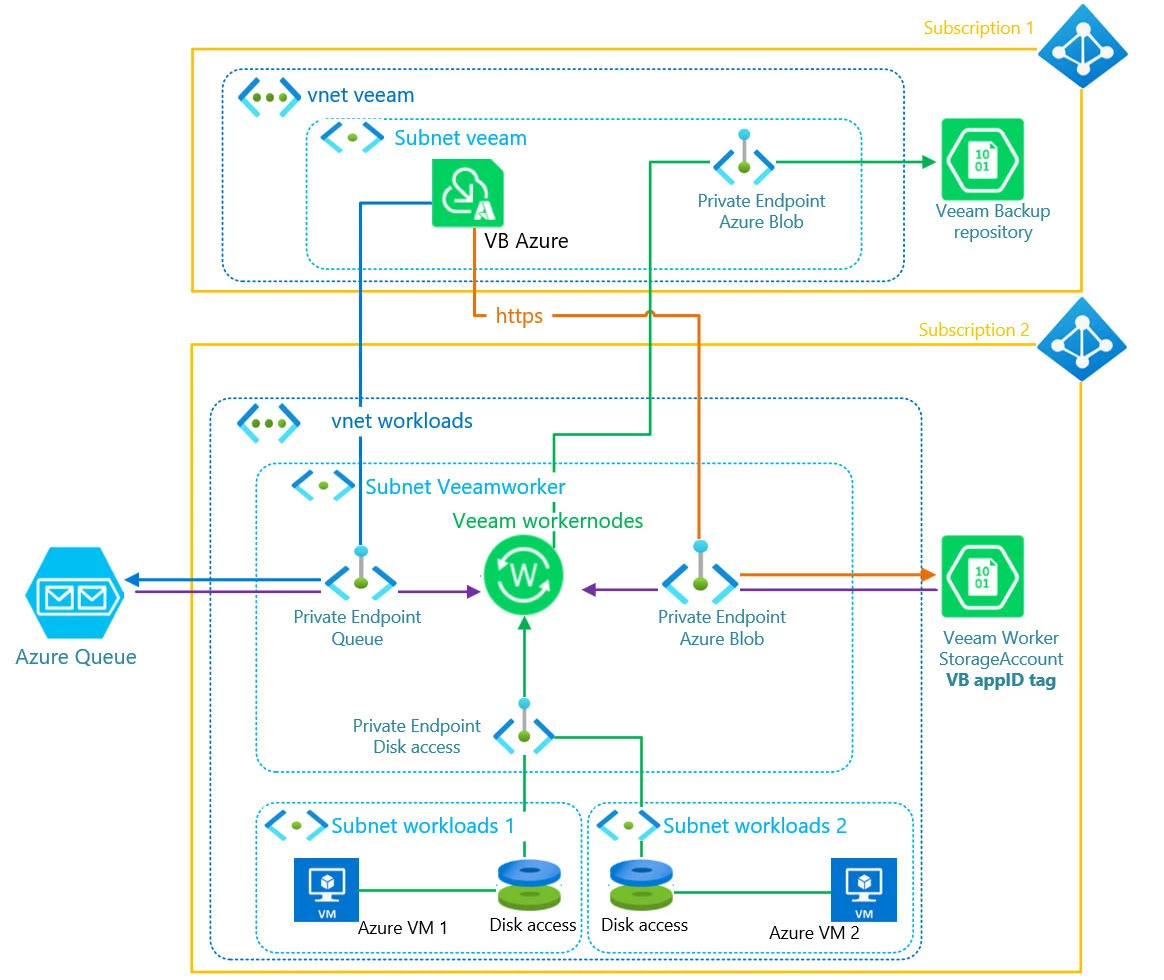
I have a similar issue/challenge and not sure how I can solve this. I want to do backups for Azure-VMs, which are in another subscription than the Veeam Backup Azure appliance (but in the same region). VB Azure is configured to work in a private environment in this case. Therefore my idea is, to have a subnet with Veeam workernodes and other subnets in the same subscription where the Azure-VMs are running. This picture shall give an overview on this plan:

  • Questions:
    • is it possible to have the Azure Blob private endpoint of the veeam repository in the Subscription with the VB Azure appliance? Are the workernodes able to send data to this endpoint or do I have to open “Subnet Veeamworker” as allowed network for this Private Endpoint of the repository?
    • is my above plan complete wrong and not working?

Chris.Childerhose
Forum|alt.badge.img+21
  • Veeam Legend, Veeam Vanguard
  • December 17, 2025

As long as all components can talk to each other you should be able to use the Blob endpoint with the worker nodes.  Based on your diagram there is connectivity there but you will not know for sure until you test this out.


wesmrt
Forum|alt.badge.img+4
  • Veeam MVP
  • December 17, 2025

I have a similar issue/challenge and not sure how I can solve this. I want to do backups for Azure-VMs, which are in another subscription than the Veeam Backup Azure appliance (but in the same region). VB Azure is configured to work in a private environment in this case. Therefore my idea is, to have a subnet with Veeam workernodes and other subnets in the same subscription where the Azure-VMs are running. This picture shall give an overview on this plan:

  • Questions:
    • is it possible to have the Azure Blob private endpoint of the veeam repository in the Subscription with the VB Azure appliance? Are the workernodes able to send data to this endpoint or do I have to open “Subnet Veeamworker” as allowed network for this Private Endpoint of the repository?
    • is my above plan complete wrong and not working?

In this scenario the Workers will always be created in the same subscription where the appliance belongs, so all the communication will happen in the same subscription which changes is the region. If you have VMs on multiple regions a veeam storage account will be created on each region where VMs are being protected.

The only thing that will be created in the same subscription where the VM belongs are the Snapshots.

https://helpcenter.veeam.com/docs/vbazure/guide/worker_instances.html?ver=8.1


  • New Here
  • December 17, 2025

wesmrt wrote: In this scenario the Workers will always be created in the same subscription where the appliance belongs, so all the communication will happen in the same subscription 

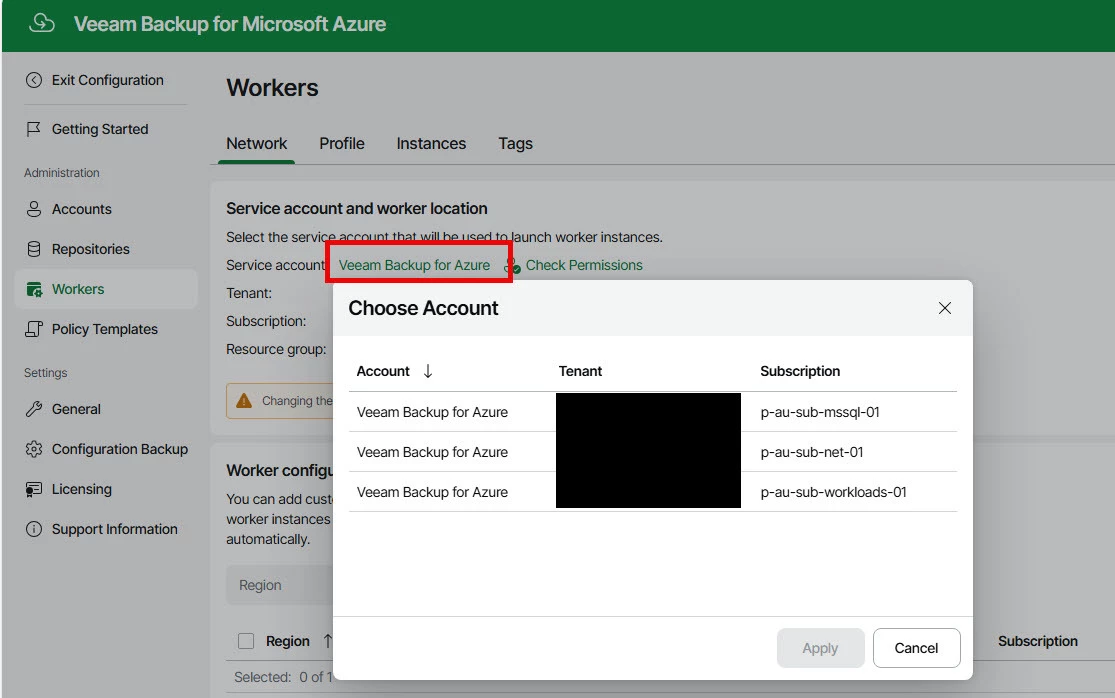
I’m able to choose the subscription, if I click on the service account in following screenshot, i can choose the subscription (all subscriptions visible, where this account has permission):

Otherwise it wouldn’t be possible to create a backup of resources of other subscription, or am I wrong?


wesmrt
Forum|alt.badge.img+4
  • Veeam MVP
  • December 17, 2025

Oh you can do that, but you can choose just one. If the subscription where the VBAzure belongs will be used just for that, then it's ok :)


  • New Here
  • December 17, 2025

I thought I could choose another one, than the one where VBAzure belongs to, but based on your answer thats not possible unfortunately.

Therefore my next question: If my workernodes are in same subscription as VBAzure (Subscription 1 in my picture above), am I able to backup Azure-VM of other subscriptions (subscription 2) anyway? And if so, in which subscription would the private endpoint for disk access be, Subscription 1 or 2?