



I recently had an issue after updating both my VBR v12 Servers to the latest patch v12.3.2.4465. As most of you know, Veeam released a Vulnerability KB back on 12 March. See below:
From this page, there is a link to direct you to VDP v12.3 Release information:
https://www.veeam.com/kb4696 , which provides the download to the latest VDP v12 Patch. A few weeks ago, I downloaded the small patch and updated both my VBR servers. All good. But, with this patch, there is a bug. And let me be more specific here, a non-functional disruption bug. (i.e. more cosmetic than anything; Jobs are unaffected)
Issue
The bug is on how VBR detects the latest update/release information. Even after I installed the Patch, upon logging into the VBR Console, I was prompted to get the latest VBR Update. I checked the Help > About section, as well as the notification bar on the bottom of the Console, and both show I’m on the latest VBR v12 Build. So why would the Console prompt me to update after I just installed the latest one? Head scratcher. 🤔
The resolution is easy enough. From the Backup Infrastructure View/Node > Managed Servers > Missing Updates , rt-click on your VBR server on the right and select Missing updates…
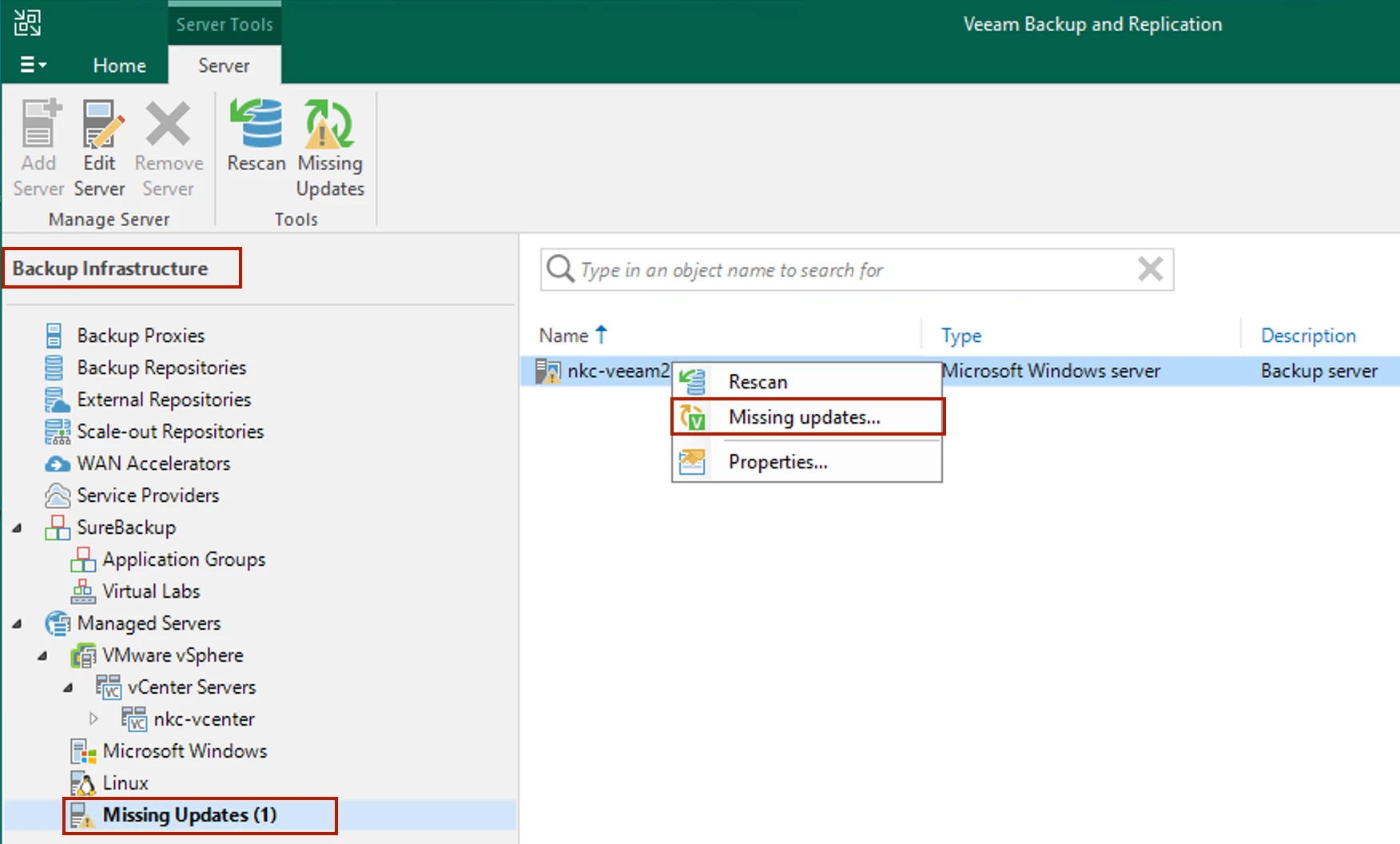
From here, a Missing Updates window will display. Select the Update(s) in the list and you can simply click the Dismiss or Dismiss All buttons. You will no longer get prompted upon logging into the Console about missing updates.
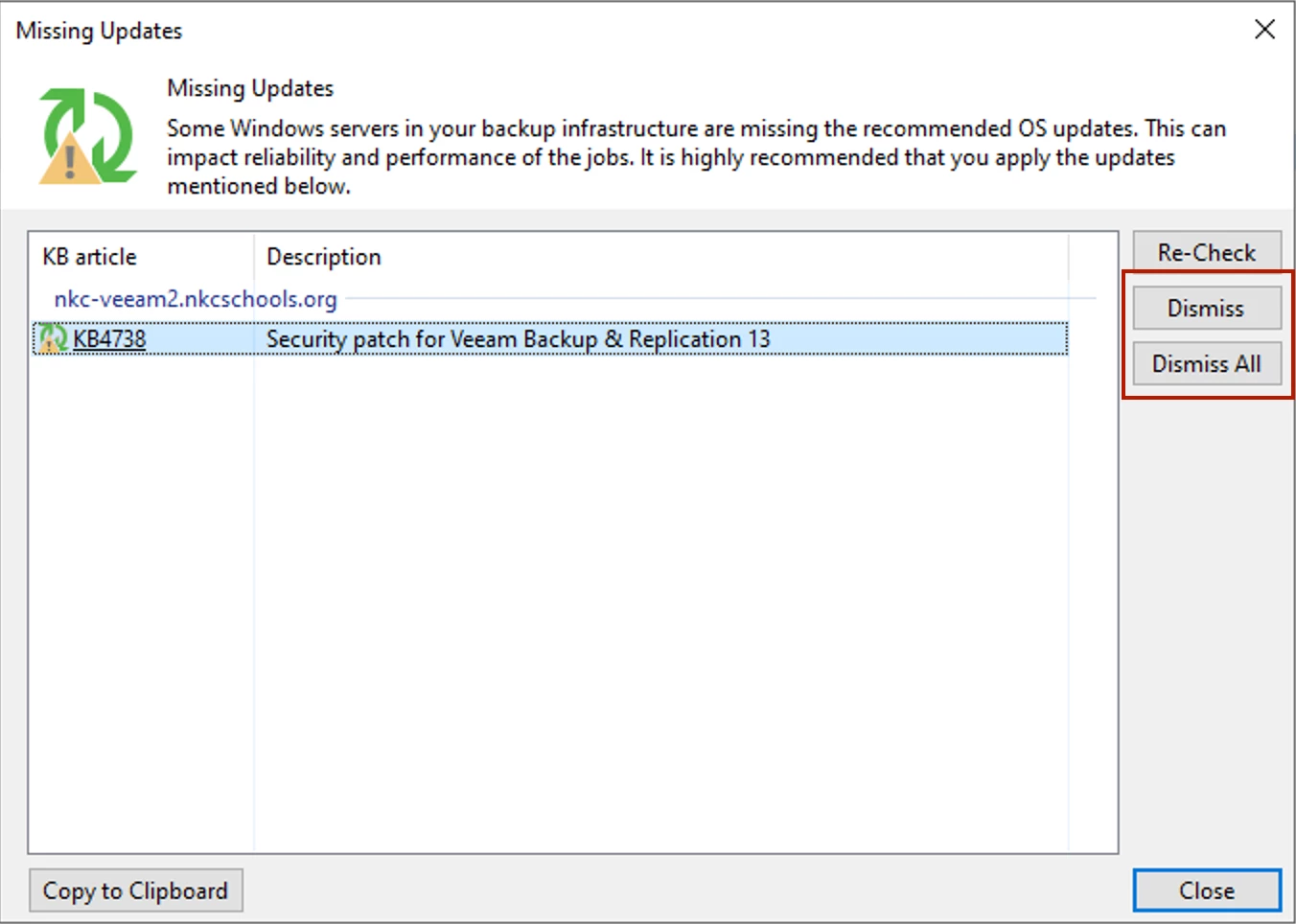
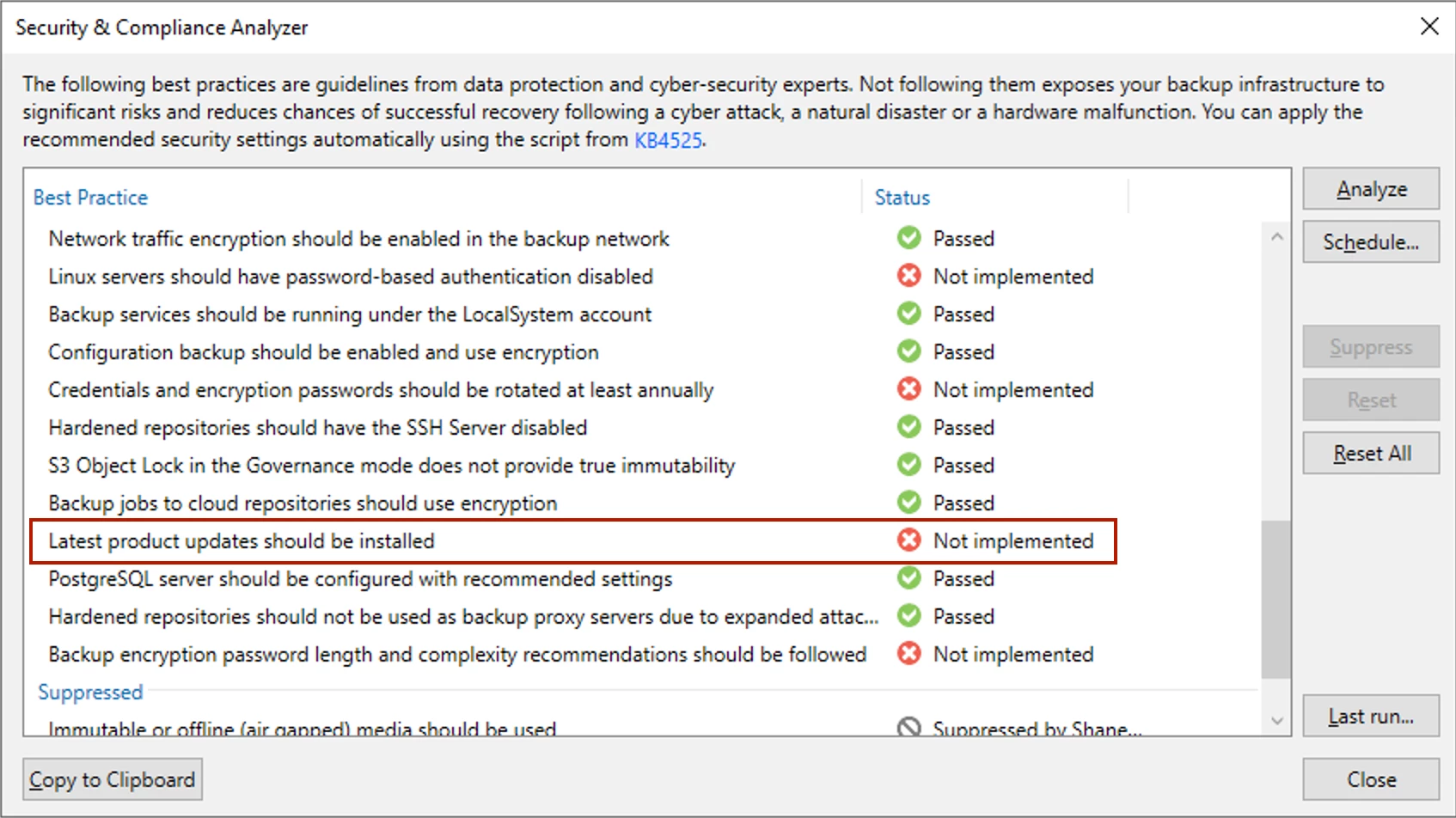
All good, but this is really just a bandaid to an underlying bug. Notice the Description above? As I shared initially, my environment is still on VBR v12, so the listed Description stating “Security patch for Veeam Backup & Replication 13” is a problem. This issue is slightly more than cosmetic sadly. This issue has a cascade effect. How? Well, not only is the VBR Console prompting you to update after logging in each time, the Security & Compliance Analyzer (S&CA) will also show your VBR is not up to date.
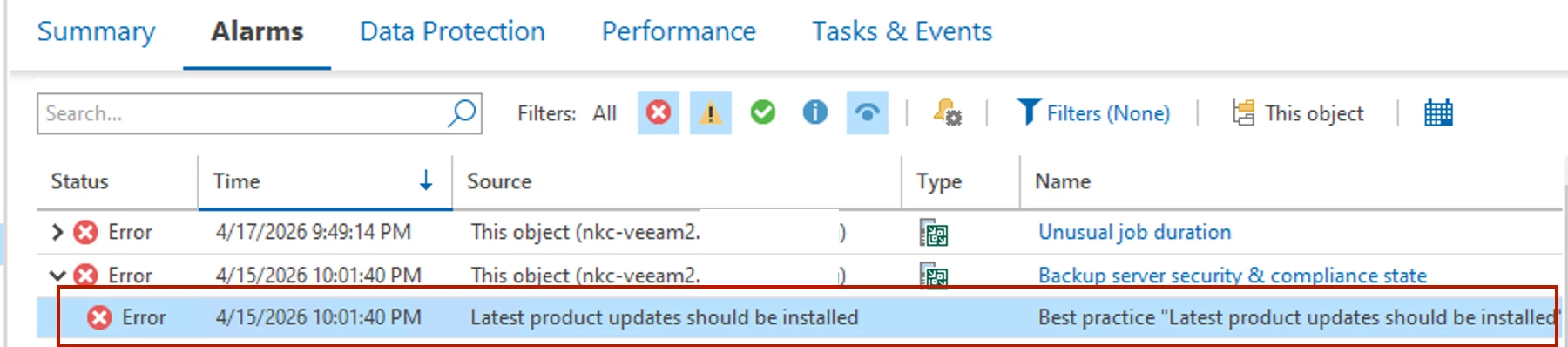
And then from there, when in VeeamONE, you will also get error Alarms for your added VBR Servers that they do not have the latest update installed, because VONE pulls this information from the VBR S&CA:
Resolution
The fix is fairly simple, but does require modifying the VBR Configuration Database. NOTE - the fix I provide is for PSSQL. I’m not sure if the issue occurs with VBR v12 Servers running SQL. I assume it does. If you are running your VBR with SQL and see the behavior I shared above, reach out to Veeam Support to get the underlying Config DB Table needing modified and the SQL Query syntax.
WARNING: Do not modify your production VBR Configuration Database without the recommendation and assistance from Veeam Support. You could destroy your backup environment.
Take an ad-hoc backup of your Configuration Database, and take a snapshot of your VBR VM (if it’s virtual), before making any changes.
The fix requires retrieving an Update ID from the Job.BestPracticeAnalyzer.log file in the following directory on the VBR Server: C:\ProgramData\Veeam\Backup\<log-file>
Open the log file and from the Edit menu do a “Find” for the following text:[CBestPracticesAnalyzer] Update found:

What you’re specifically needing is the ID in brackets after the words “update found”. This is needed for the below PSSQL Query command. If you don’t have pgAdmin installed on your VBR Server, do so now as you will need this PSSQL Management Tool to search and modify the Configuration Database. Also note, when I installed this tool, it hung my VBR Servers and I had to reboot them. So do the install during a maintenance window and when no Jobs are running.
Open pgAdmin, click the Tools menu and select the Query Tool. In the Query Tool window on the right, run the following Query, inserting the ID you found in the Job.BestPracticesAnalyzer.log file:SELECT * FROM public."backup.model.hostupdates" where update_id = '<id-number-from-log-file'
There should be an entry for this ID displayed at the bottom. If so, select this line then click the Delete icon (middle “trash can” icon). Once deleted, select the Save icon next to the Trash icon. Close pgAdmin then reboot your VBR server. You should then no longer get prompted for missing updates, and the S&CA should now show your VBR is all updated. Your VONE Server should also no longer display an Alarm error that your VBR Server(s) do not have the latest updates.
Hope this helps someone. Again...this issue doesn’t disrupt any VBR function. It’s more about unwanted (unneeded) notifications, alarm errors, and various metrics this effects.




