



When working with tape environments in Veeam Backup for Tape, cleaning is often treated as a routine task.
However, in practice, it plays a much bigger role than most people expect.
Over time, I’ve seen stable environments suddenly start presenting errors, performance degradation, or unexpected behavior — and in many of these cases, the root cause was simply a lack of proper tape drive cleaning.
In this post, I’ll share how tape drive cleaning actually works in practice, what is often overlooked, and why this small maintenance task can have a major impact on reliability.
What Is a Cleaning Tape
At first glance, a cleaning tape looks just like a regular data cartridge.
It follows the same physical format but uses a specific label, typically CLN or CLNU, depending on the vendor.
The difference is internal.
Instead of storing data, the cartridge contains a specialized cleaning material — typically a controlled, non-abrasive fabric — designed to safely interact with the drive’s read/write heads.
From an operational perspective, it behaves like a normal tape:
- it is loaded into the drive
- the cleaning cycle runs automatically
- and the tape is ejected
Even though the process is simple, what happens during this cycle is critical for drive health.
How Tape Drive Cleaning Works
When a cleaning tape is inserted, the drive initiates a controlled cleaning cycle.
During this process, the cleaning media makes precise contact with the read/write heads, removing microscopic residue and fine oxide particles that accumulate over time.
This debris can originate from:
- normal media wear
- environmental contamination
- handling and storage conditions
Even in well-controlled datacenter environments, fine particles can still be present.
As this residue accumulates, it increases the effective spacing between the tape and the head surface.
This directly impacts signal quality and forces the drive to perform additional read retries and correction operations, which can reduce throughput and lead to instability during backup operations.
This becomes even more critical in newer generations such as LTO-9, where higher track density makes the drive significantly more sensitive to even minimal contamination.
Cleaning Tapes Have a Limited Lifecycle
Cleaning cartridges are not reusable indefinitely.
Each cleaning tape supports a limited number of cleaning cycles.
As a general reference:
- most cleaning tapes support around 50 uses
After reaching this limit, the cartridge is marked as expired and will no longer perform the cleaning operation.
Depending on the drive behavior, the cleaning cycle may be rejected entirely.
At that point, cleaning simply does not occur, which can directly impact the health of the environment if not addressed.

When Does a Drive Actually Require Cleaning
Tape drives do not request cleaning randomly.
They rely on internal monitoring and industry-standard alerts.
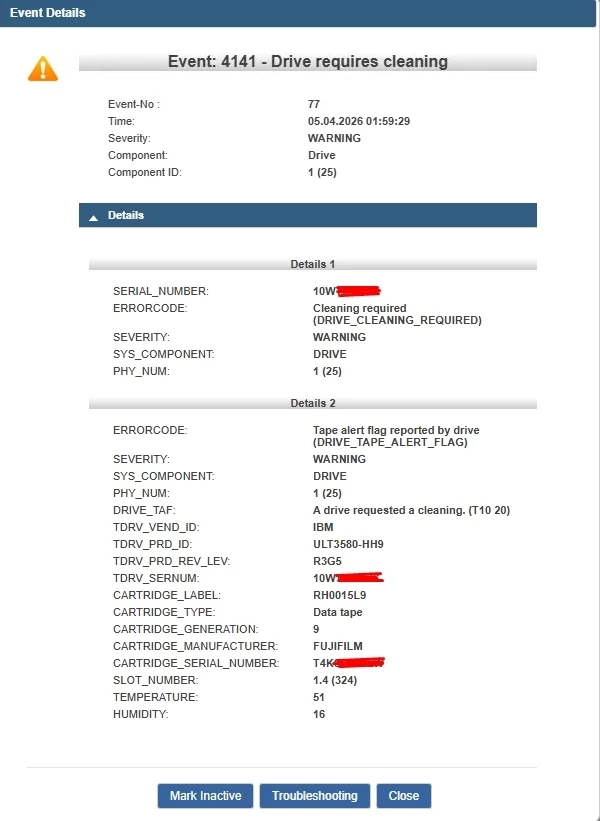
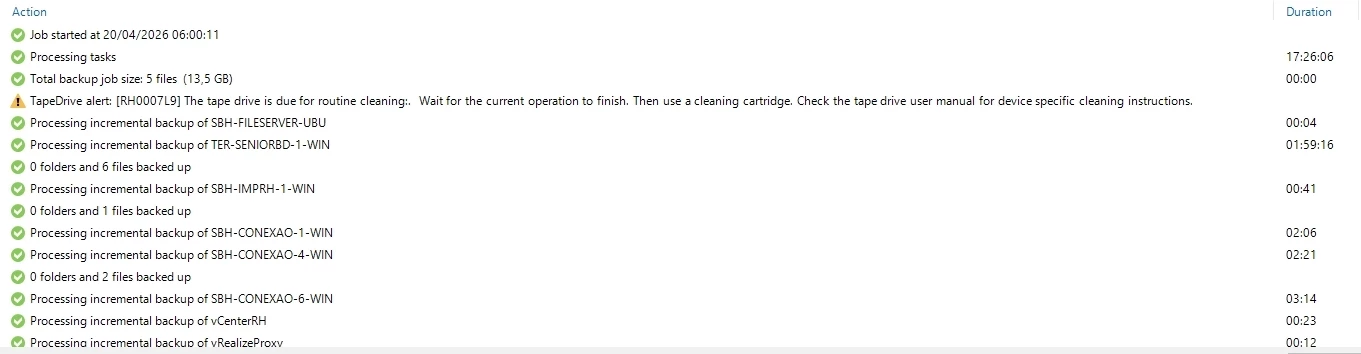
In most environments, this is exposed through TapeAlert flags, such as:
- Clean Required (Flag 20)
- Clean Periodic (Flag 21)
These alerts can often be observed directly in backup software logs, including Veeam job sessions and tape library events.
Ignoring these warnings can lead to progressive degradation in performance and reliability.
Automatic Cleaning vs Real-World Behavior
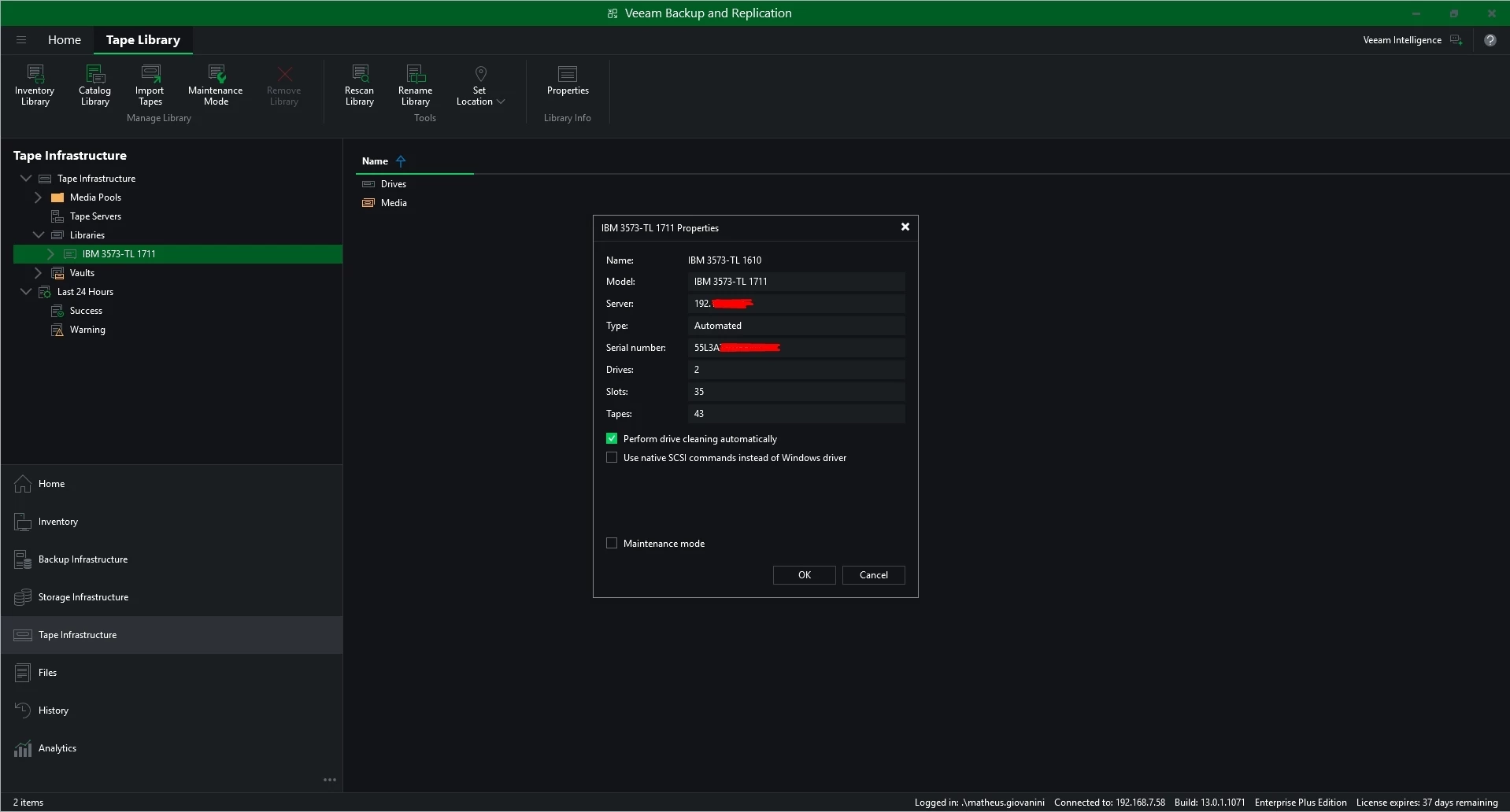
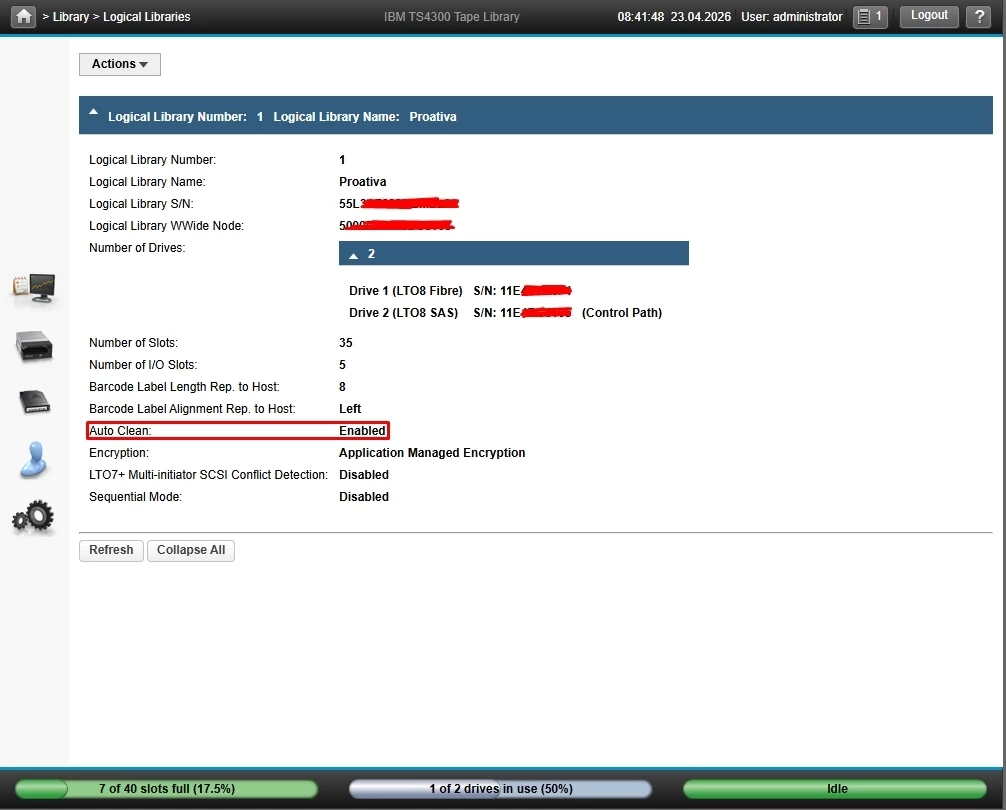
Most tape drives and libraries support automatic cleaning.
In theory, this simplifies maintenance.
In practice, however, this does not always behave as expected.
I’ve seen multiple scenarios where cleaning did not occur:
- environments where a tape remains loaded in the drive for extended periods (continuous or idle mode)
- backup operations running continuously with no idle window
- multiple jobs preventing maintenance cycles
In these situations, even with auto-clean enabled, the cleaning process may not be triggered.
Because of that, relying solely on automation is not always sufficient.
Monitoring and occasional manual intervention are often required.
Real-World Example: Environmental Impact
One case I experienced illustrates this clearly.
In an environment located near an operation handling lime — a very fine white powder — even with a well-isolated datacenter, small particles still made their way into the environment.
In practice, this resulted in a much higher cleaning frequency than expected.
On average, one cleaning tape was consumed every two months.
This scenario highlights how external factors can directly influence tape reliability, even in environments that appear to be well controlled.
Why Tape Drive Cleaning Is Critical
Skipping or delaying cleaning can lead to several issues over time.
The most common include:
- read and write inconsistencies
- performance degradation
- tapes being incorrectly flagged as bad
- increased wear on both media and drive
- tape misfeeds or physical damage inside the drive
In Veeam environments, this often appears as I/O errors, unexpected job failures, or unstable throughput.
Because tape drives operate with extremely tight tolerances, even minimal contamination can impact how data is written and read.
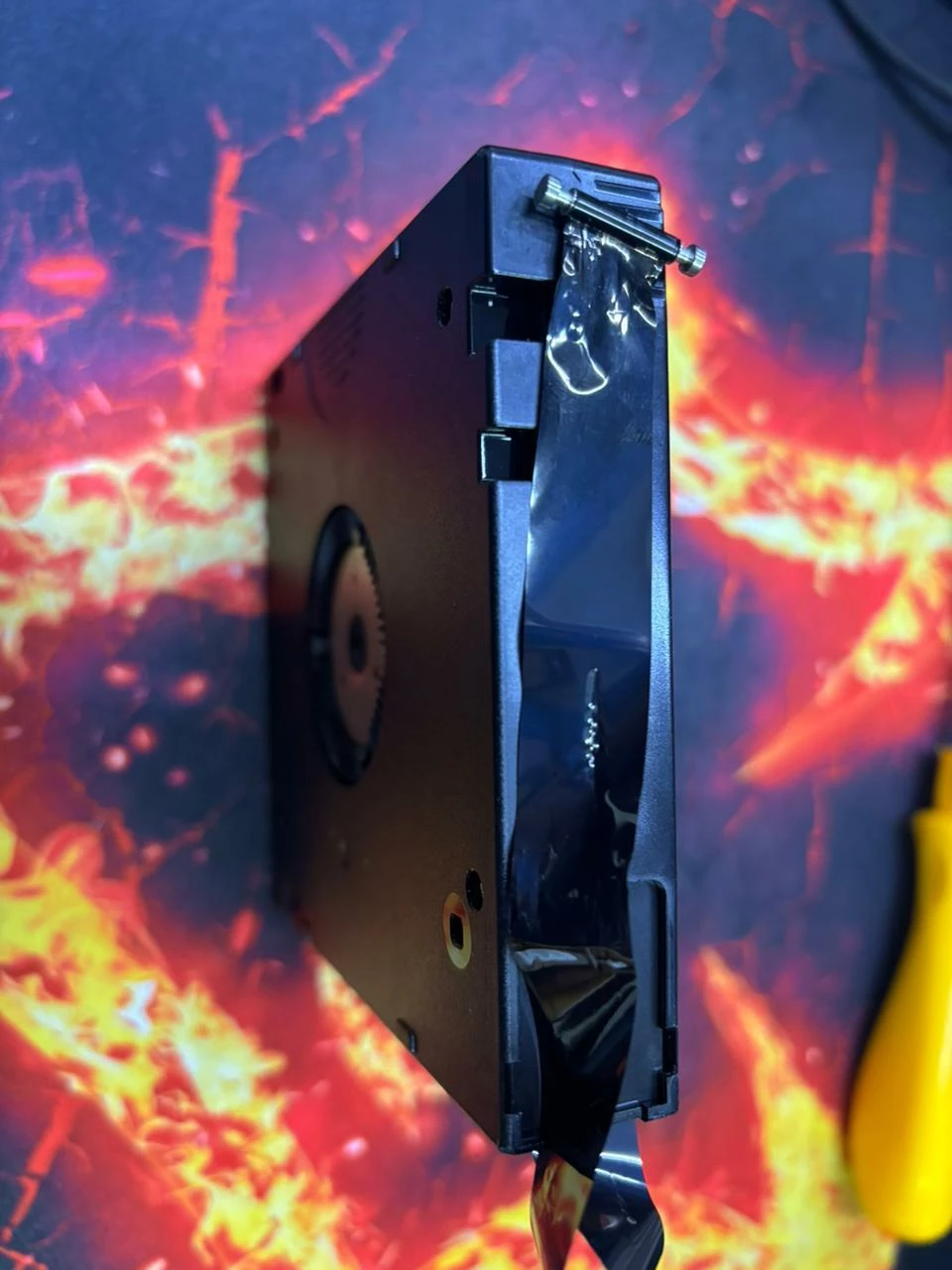
In more severe cases, debris buildup or tension issues can cause the tape to lose proper tracking, leading to misfeeds inside the drive.
In extreme scenarios, the tape can become tangled or damaged inside the mechanism, requiring manual intervention.
Cleaning Tape vs Data Tape: Key Differences
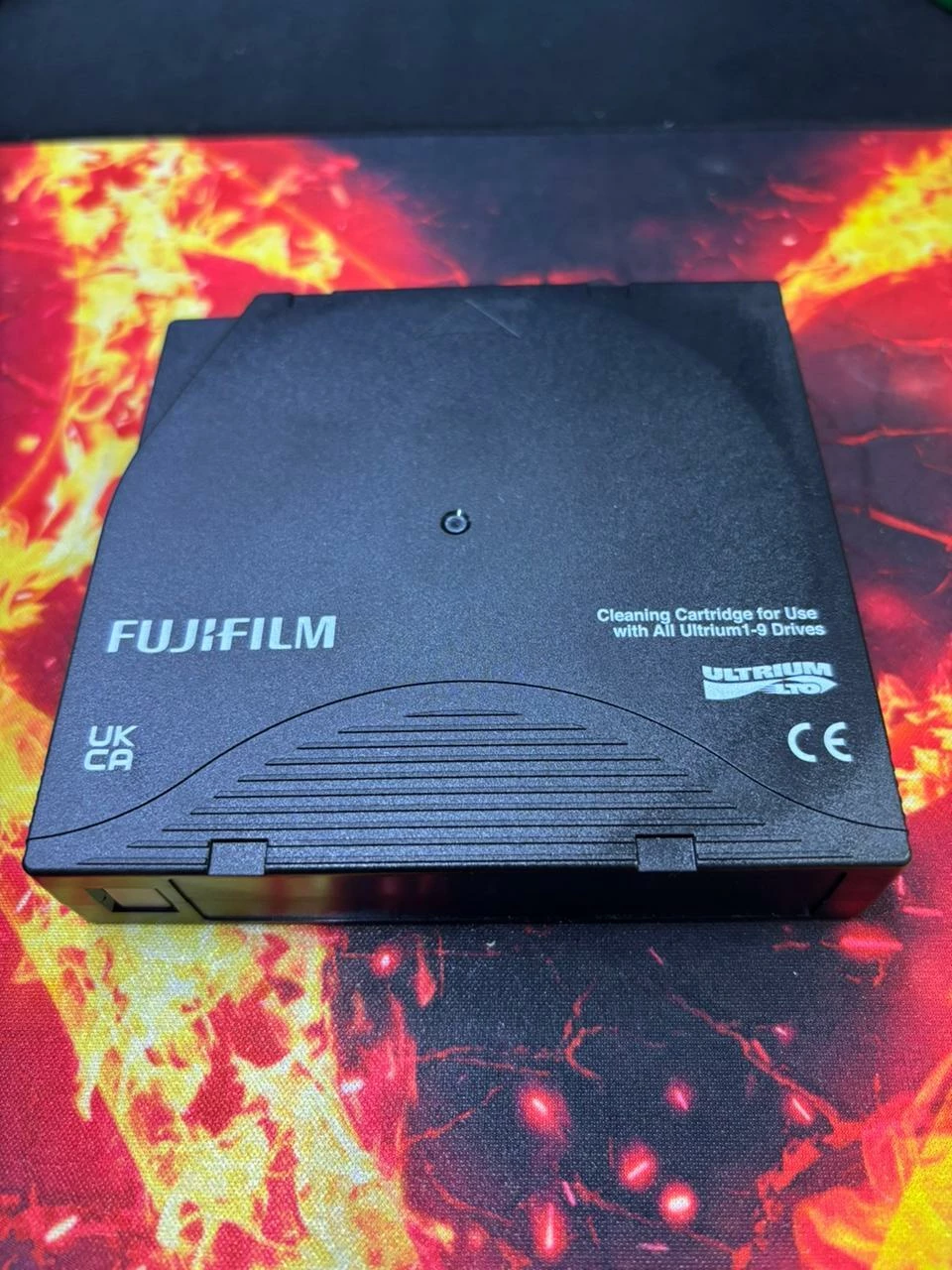
Although they look identical externally, they serve completely different purposes.
A data tape:
- stores information in magnetic tracks
- uses high-density magnetic media
- is optimized for continuous read/write operations
A cleaning tape:
- does not store data
- uses a specialized cleaning material (engineered fabric, not abrasive in the traditional sense)
- is designed exclusively for maintenance cycles
- must be compatible with the drive generation
Understanding this distinction helps avoid confusion when managing tape media.
Common Mistakes to Avoid
Some mistakes are more common than expected:
- ignoring repeated cleaning alerts
- relying entirely on automatic cleaning
- delaying replacement of expired cleaning cartridges
- attempting manual cleaning using cotton swabs or alcohol
Modern tape drives are extremely sensitive, and improper manual cleaning can cause permanent damage.
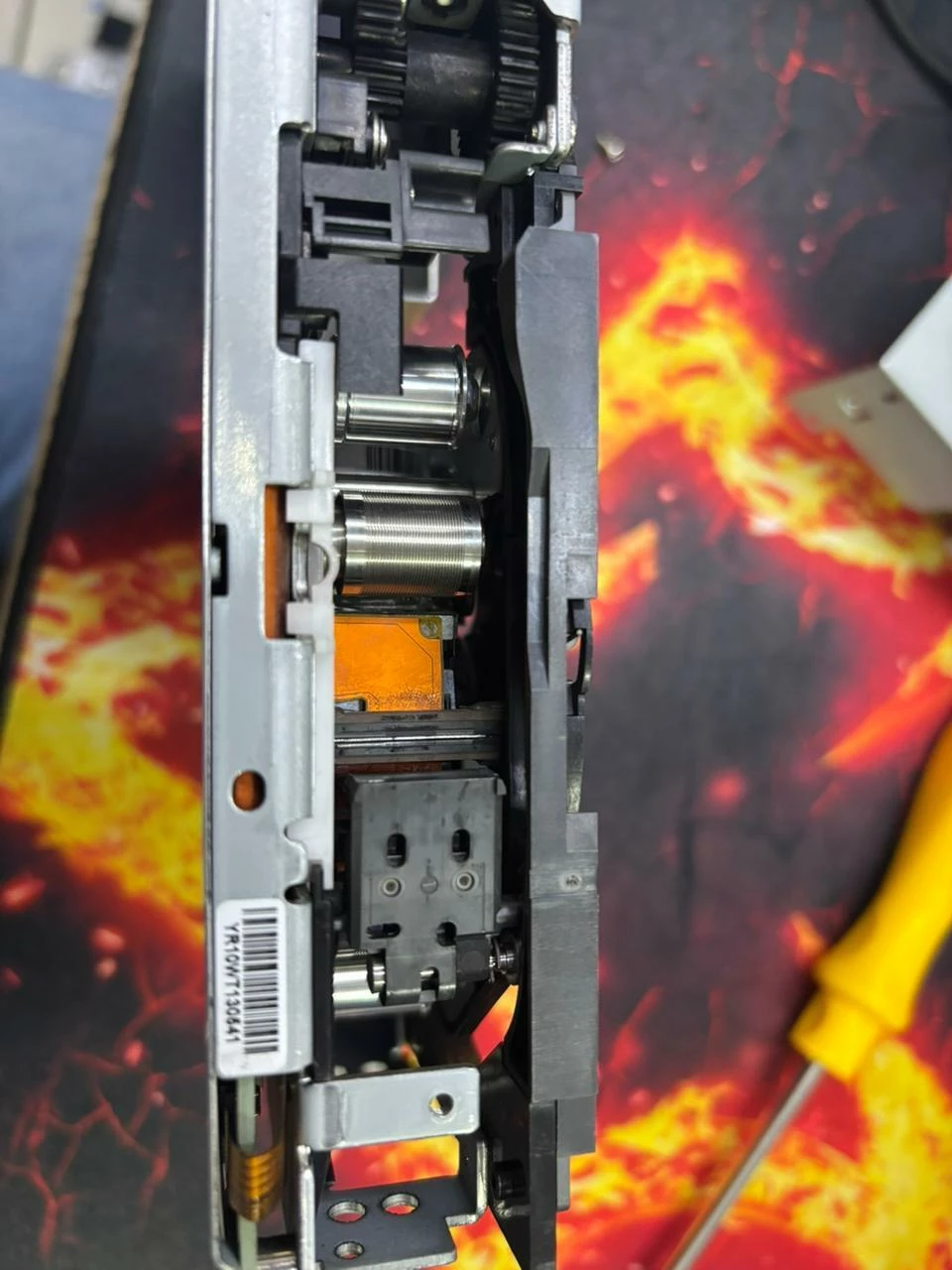
In some scenarios, contamination inside the drive can even be visually noticeable during inspection.
As shown in the example below, even small amounts of residue near the tape path can impact tape movement, tracking, and overall reliability.
Best Practices for Tape Drive Cleaning
Based on real-world experience:
- monitor cleaning alerts and TapeAlert flags
- track cleaning tape usage
- ensure maintenance windows exist
- consider environmental factors
- store and handle media properly
These small actions have a direct impact on reliability and long-term stability.
Final Thoughts
Tape drive cleaning may seem like a minor task, but in practice, it is one of the key factors in maintaining a stable environment.
Most issues are not caused by major failures, but by small details that accumulate over time.
In Veeam environments, many “mysterious” tape issues are not software-related — they are the result of physical conditions that are often overlooked.
Keeping the drive clean is one of the simplest and most effective ways to prevent problems before they occur.



