


I speak with customers all the time about Disaster Recovery and if they test. Most of the time, the answer is no. In a recent customer demo, they were looking for just that. How would you simulate a Disaster Recovery with Veeam? This is what I presented to them
Let’s be honest—most disaster recovery plans look great on paper. That's if you have a Disaster Recovery Plan available. I ask my customers and most don't have one. What's even worse is they don't test their restores.
Diagrams are clean. Runbooks are written. Backups are “successful.”
But until you simulate a real disaster, you don’t actually know if any of it works.
And the worst time to find out is when production is already down.
This is how to simulate a disaster recovery (DR) event step-by-step using Veeam—the same way you’d handle it in the real world, just without the panic.
What You’re Trying to Prove
A DR test isn’t just “can I restore a VM.”
You’re validating:
- Can we recover critical systems in the right order?
- Do we meet RTO/RPO expectations?
- Does the environment actually function after recovery?
- Do we know what we’re doing under pressure?
If your DR test is just restoring one VM, you’re missing the point.
Step 1: Define the Disaster Scenario
Don’t just say “simulate a failure.”
Pick something realistic:
- Full site outage
- Ransomware event
- Storage failure
- Network collapse
Example scenario:
“Primary data center is unavailable. All production VMs are offline.”
This defines how you test—and what success looks like.
Step 2: Identify Critical Systems & Dependencies
Not everything needs to come back first.
Map out:
- Domain controllers
- DNS
- Databases
- Core applications
- Supporting services
Create a recovery order:
- Identity (AD/DNS)
- Database tier
- Application tier
- Supporting systems
This is where most DR plans fall apart—no one defines dependencies.
Step 3: Use SureBackup to Simulate Safely
This is where Veeam really shines. I've tested this in my lab and communicate to my customers on how to do it.
With SureBackup, you can:
- Spin up VMs in an isolated lab environment
- Test recovery without touching production
- Validate services automatically
What to do:
- Create a SureBackup job
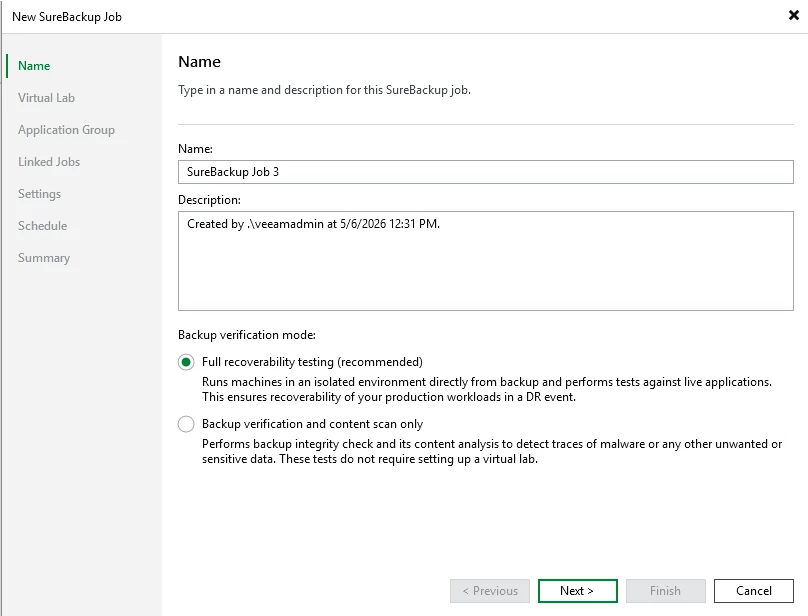
- Define virtual lab networking
You’re not just testing restore—you’re testing functionality.
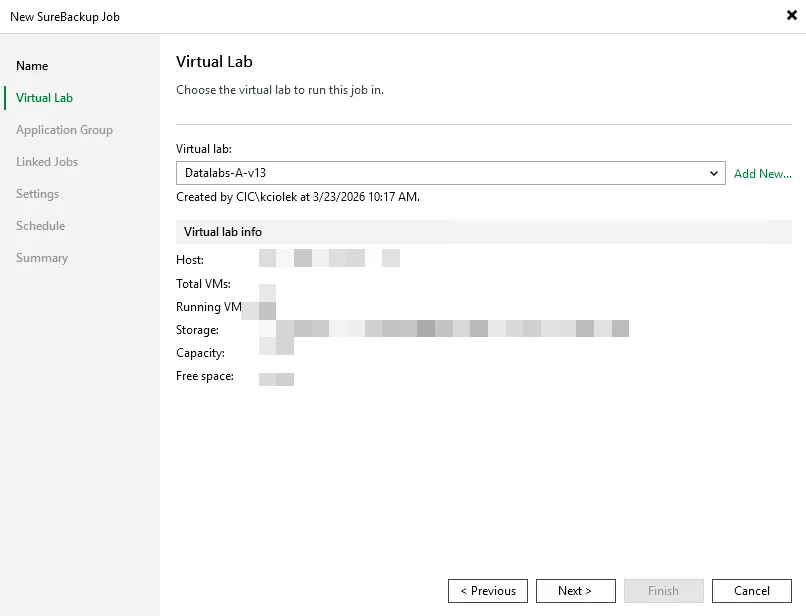
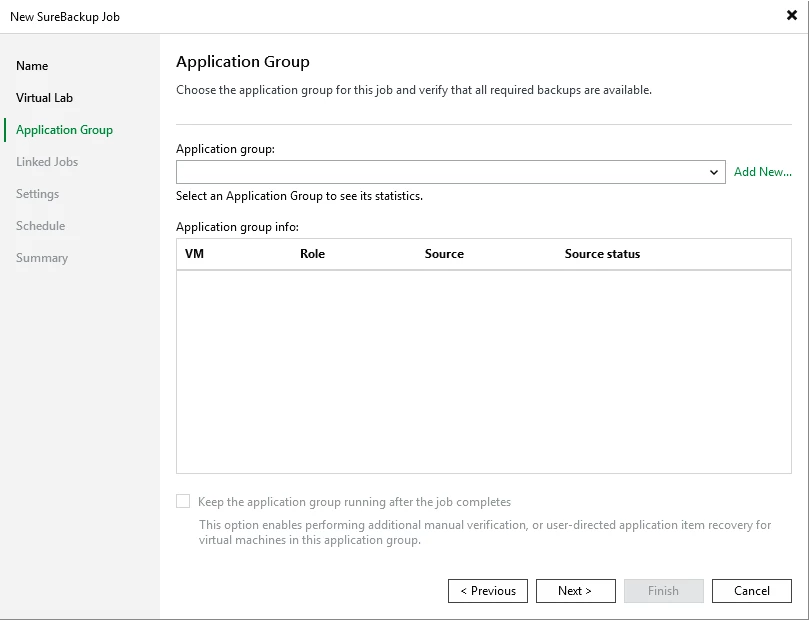
Add application groups (based on dependencies)
Step 4: Simulate the Failure
Now commit to the scenario.
- Assume production is down
- Do NOT rely on live systems
- Follow your runbook
This is where things get real:
- Are instructions clear?
- Does everyone know their role?
- Are there gaps?
If you’re improvising during a test, you’ll definitely improvise during a real outage.
Step 5: Perform Recovery (Like It’s Real)
Now run the recovery process.
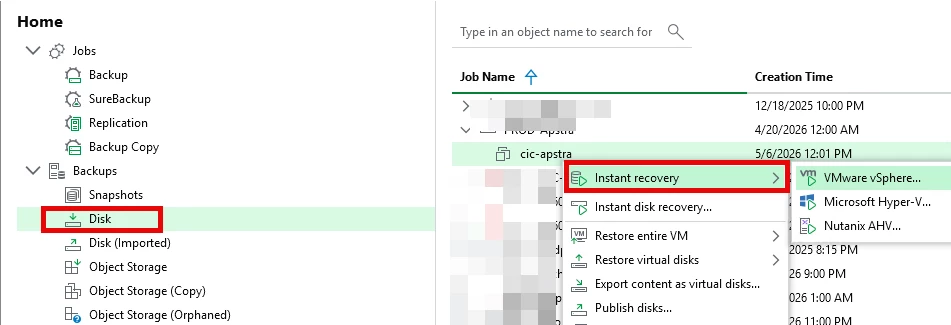
Option A: Instant Recovery
- Start critical VMs directly from backup
- Measure time to availability
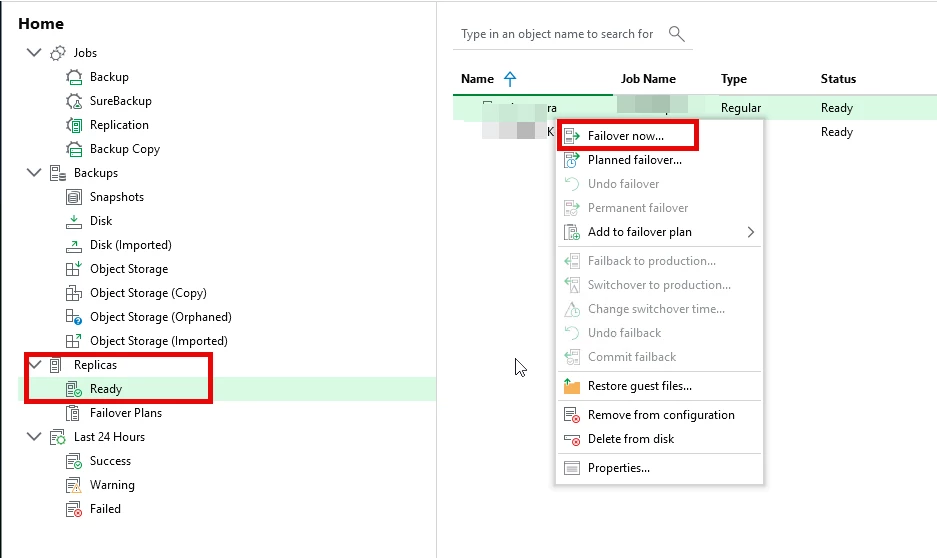
Option B: Replica Failover (if configured)
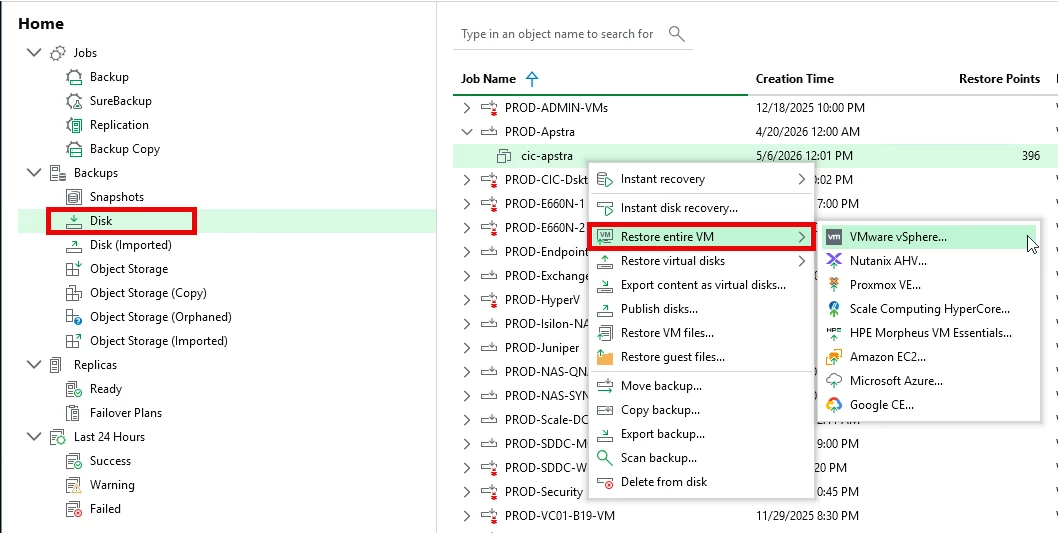
Option C: Full Restore
- Restore systems to alternate infrastructure
Track:
- Recovery time (RTO)
- Data loss (RPO)
- Order of recovery
Step 6: Validate the Environment
This is the step most people rush—and regret.
Check:
- Can users log in?
- Are applications functional?
- Is data consistent?
- Do services communicate properly?
Go beyond “it boots.”
A VM running doesn’t mean your business is.
Step 7: Measure Results
Now compare reality vs expectations:
- Did you meet RTO?
- Did you meet RPO?
- Were there delays?
- Did anything fail?
Document everything.
Step 8: Fix What Broke
Something will break. That’s the point.
Common issues:
- Missing dependencies
- Slow recovery times
- Misconfigured networking
- Incomplete documentation
Fix them now—not later.
Step 9: Update Your Runbook
Take what you learned and improve:
- Step-by-step recovery instructions
- Clear ownership
- Updated priorities
Your DR plan should evolve after every test.
Step 10: Repeat Regularly
One test isn’t enough.
Run DR simulations:
- Quarterly (minimum)
- After major infrastructure changes
- After incidents
DR isn’t a project. It’s a process.
Common DR Testing Mistakes
Let’s call these out:
- Testing only one VM
- Skipping validation
- Not tracking RTO/RPO
- Ignoring dependencies
- Treating tests like a checkbox
What a Good DR Test Looks Like
At the end of this, you should know:
- How long recovery actually takes
- What systems must come first
- Where your bottlenecks are
- That your backups are usable
And most importantly:
👉 You’re not guessing anymore.
Final Thoughts
Disaster recovery isn’t about having a plan.
It’s about knowing the plan works.
Veeam gives you the tools to simulate real failures safely—but the value comes from actually using them.
Because when a real disaster hits, you won’t have time to think.
You’ll execute what you’ve already practiced.