



In this article, I will talk about Recovering Fast after a Ransomware attack using Veeam. I have tested this in my lab and educated my customers on every demo on the importance of having this all-in place. You would be amazed at the responses I get and how unimportant backups seem to everyone until they're needed
Ransomware doesn’t give you time to think.
One minute everything’s running fine. The next, files are encrypted, systems are offline, and someone is asking how long recovery will take.
That’s the moment where your backup strategy stops being theory—and becomes reality.
If you want to recover fast, you need more than backups. You need a recovery plan that actually works under pressure.
Let’s walk through what that looks like using Veeam.
Step 1: Contain the Damage (Immediately)
Before you recover anything, stop the spread.
What to do:
- Isolate infected systems from the network
- Disable compromised accounts
- Shut down affected workloads if needed
Why it matters:
If ransomware is still active, it can encrypt:
- Your restored systems
- Your backups
- Anything you bring back online
Fast recovery doesn’t matter if you’re restoring into an active attack.
Step 2: Identify Clean Restore Points
Here’s where things get real.
Not every backup is usable—especially if the infection has been sitting quietly for days.
What to look for:
- Backups from before the infection window
- Clean, unmodified restore points
- Verified backups (if you’ve tested them)
Using Veeam:
- Browse restore points quickly - they can be snapshot, disk, and object storage
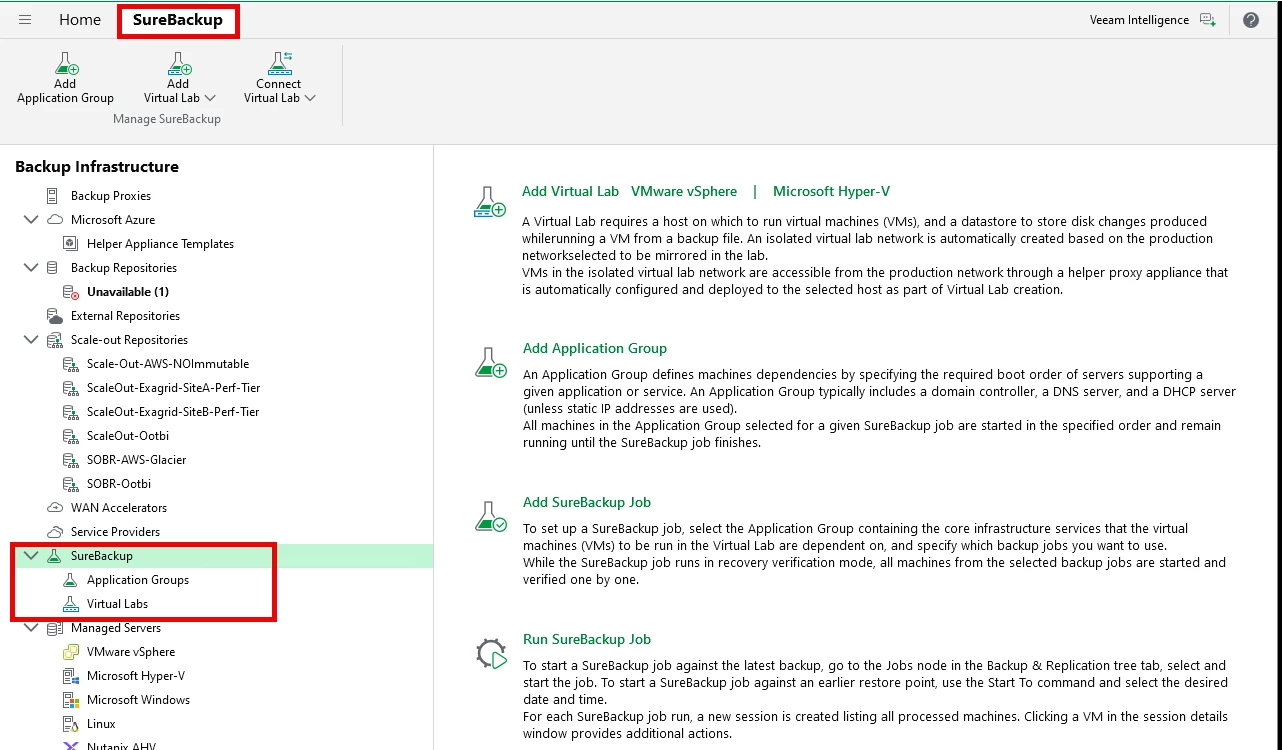
- Use SureBackup (if configured) to verify recoverability
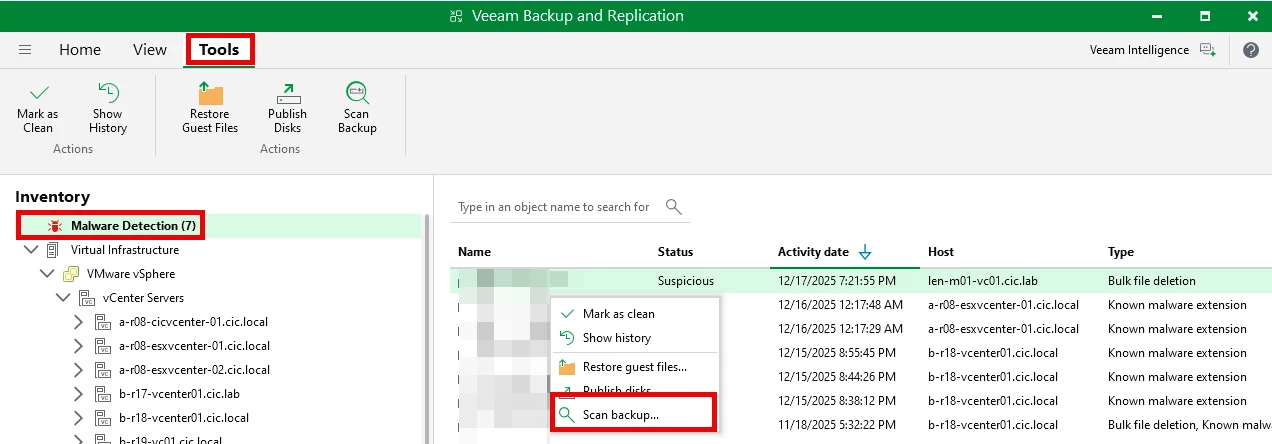
- Scan backups for malware before restoring
-
This is where most teams realize they don’t actually know when the attack started.
Step 3: Use Instant Recovery for Critical Systems
This is where speed comes in.
Instead of waiting hours for full restores, Instant Recovery lets you:
- Start VMs directly from backups
- Get critical services online in minutes
- Buy time for full recovery later
Best use cases:
- Domain controllers
- Core applications
- Customer-facing systems
Instant Recovery isn’t the final state—it’s how you get breathing room fast.
Step 4: Restore from Immutable Backups
If ransomware hit your backup environment, this step determines everything.
The reality:
Attackers often try to:
- Delete backups
- Encrypt repositories
- Corrupt restore points
The fix:
Use immutable backups:
- Hardened Linux repositories
- Object storage with immutability (Object First Ootbi, Data Domain with Retention lock, and Exagrid)
These ensure your backups cannot be altered—even by admins or attackers.
With Veeam, immutability is one of the strongest defenses you have.
Step 5: Perform Full Recovery in the Background
Once critical systems are running via Instant Recovery:
- Migrate workloads back to production storage
- Rebuild clean infrastructure where needed
- Validate application integrity
This is where you move from temporary uptime → stable operations.
Step 6: Verify Before You Declare Victory
Just because systems are back online doesn’t mean you’re done.
You need to confirm:
- Data integrity
- Application functionality
- No lingering malware
What helps:
- Test application-level recovery
- Validate user access
- Monitor for unusual behavior
Recovery isn’t complete until you trust the environment again.
Step 7: Fix the Gaps (Post-Incident)
Every ransomware event exposes weaknesses.
Use it.
Common gaps:
- No immutability
- No restore testing
- Poor segmentation
- Weak backup security
What to improve with Veeam:
- Enable immutability everywhere possible
- Automate backup testing
- Harden the backup infrastructure
- Implement offsite copies
Common Mistakes That Slow Recovery
Let’s be honest—this is where things usually go wrong:
- No tested restores → delays and failures
- Single backup location → total loss risk
- Backups not isolated → encrypted along with production
- No runbooks → chaos during recovery
- Trying to restore everything at once → bottlenecks
Fast recovery isn’t about doing everything—it’s about restoring the right things first.
What “Fast Recovery” Actually Looks Like
With a properly designed Veeam environment:
- Critical systems restored in minutes (Instant Recovery)
- Full environment stabilized in hours, not days
- Minimal data loss (aligned with RPO)
- Confidence in clean recovery
Final Thoughts
Ransomware recovery isn’t just about having backups.
It’s about:
- Knowing where your clean data is
- Being able to restore it quickly
- And trusting that it will work when it matters
Veeam gives you the tools—but speed comes from preparation, testing, and design.
Because when ransomware hits, you don’t rise to the occasion…
You fall back to how well your recovery plan actually works.



