




Microsoft protects its cloud services like any other cloud and service provider worldwide. One of its Quality of Service protection mechanisms is API throttling, which helps prevent overload and ensures service quality for all customers. These limits affect all backup solutions based on the Microsoft Graph API, which naturally aim to achieve maximum backup throughput.
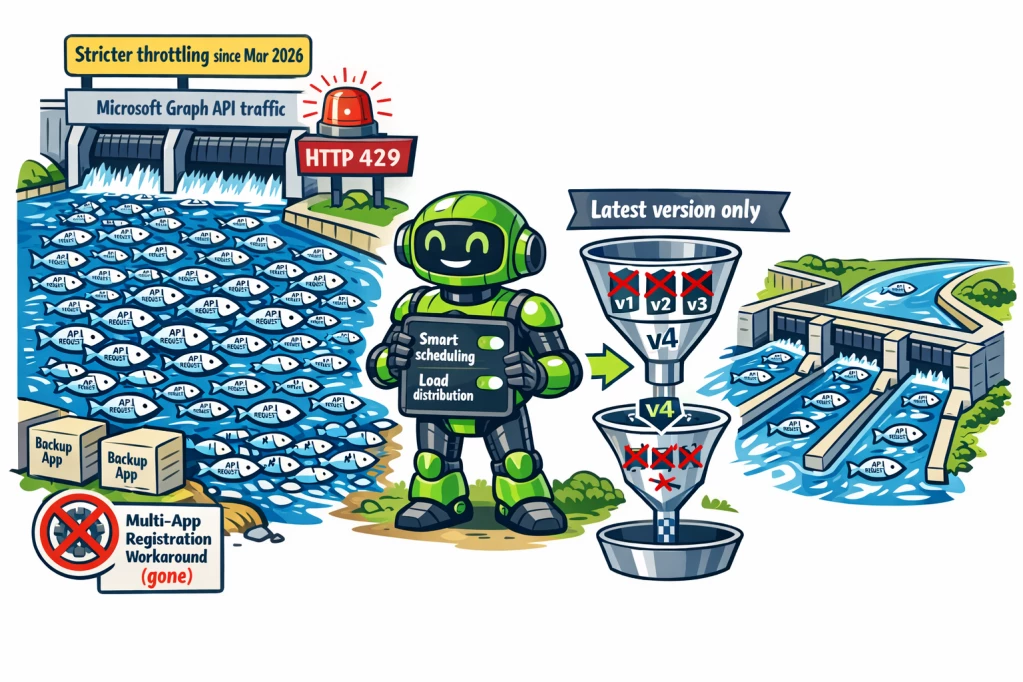
Veeam Backup for Microsoft 365 and Veeam Data Cloud (VDC) must also operate within Microsoft’s technological constraints for backup. Since Microsoft recently actively removed the former workaround (multiple app registrations to bypass the limits) as of March 1, 2026, backup vendors are facing new challenges.
See: Support Statement – Microsoft 365 Changes to Throttling Enforcement (24.2.2026)
In this article, I explain Microsoft’s throttling mechanism, the former workaround using multiple registered applications, the impact of the new Microsoft policy, and I take a look at the future of M365 backup — because Veeam has already implemented a first set of new optimizations.
Microsoft throttling: basics and limits
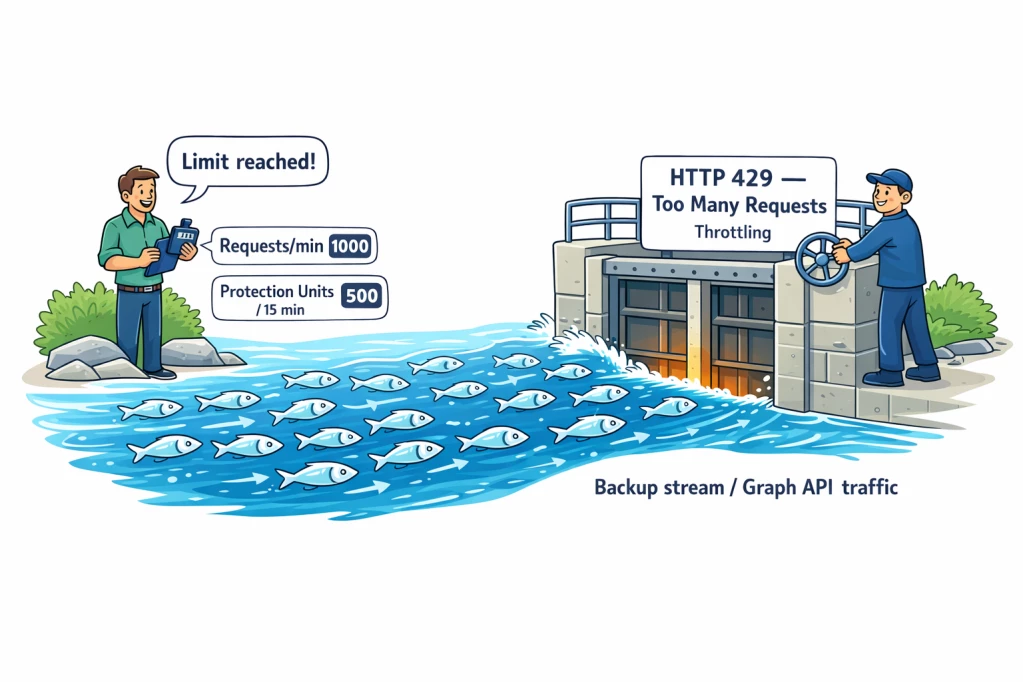
Microsoft restricts access to the Graph API using multiple layers of throttling:
- Per-minute limits: Number of allowed API requests per minute per tenant
- Daily limits: Total number of allowed “Resource Units” per 24 hours
- Ingress/Egress limits: Data volume per hour (upload/download)
- Special limits for specific API groups, e.g., Sharing APIs
- Protection Units per 15 Minutes
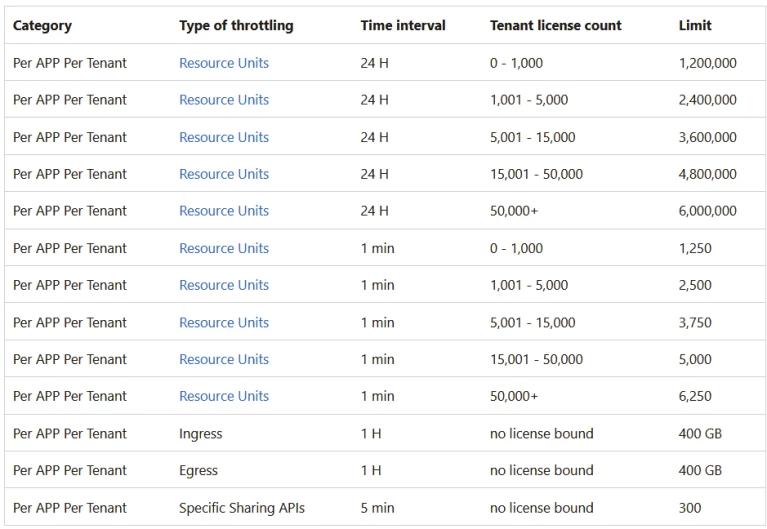
As of April 2026, egress and ingress traffic per hour are limited to 400 GB each, and a maximum of 4,000 Protection Units per minute may be consumed by a backup (1 Protection Unit = 1 mailbox, 1 SharePoint site, 1 OneDrive).
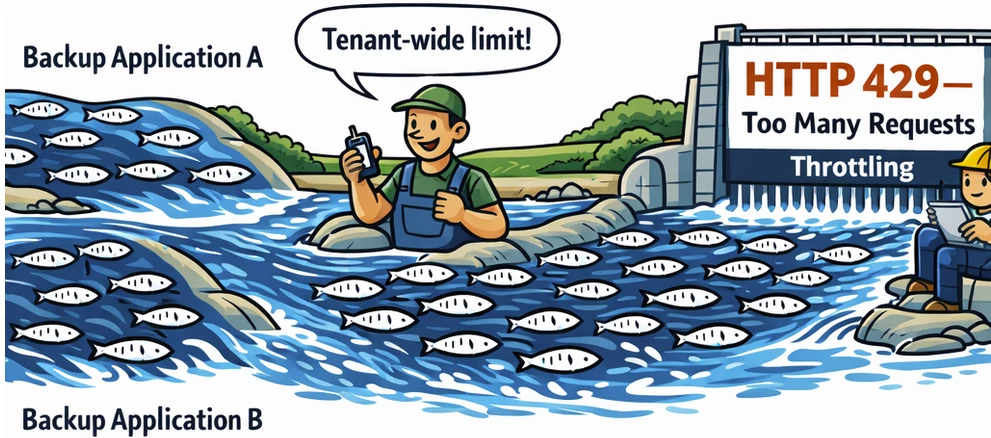
If you hit an API limit, you receive an HTTP 429 error. This indicates that the M365 service API limit has been exceeded—this is not a backup software bug, but a standard Microsoft protection mechanism.
The limits are tenant-wide and apply cumulatively across all registered applications. Since March 1, 2026, there is therefore no workaround anymore that bypasses limits by using multiple app registrations.
These limits are also relevant when considering RPO and RTO in a disaster scenario and should be taken into account depending on company size. For significantly better RPO and RTO, there is the Veeam VDC M365 SaaS solution in the “Premium” edition (which brings many advantages for larger companies, including backup and restore performance, because it uses the Microsoft-designed Backup API instead of the traditional Graph API; therefore it is not API-limited in the same way and also achieves much higher data transfer rates). In this blog article, however, we will focus on the on-prem Foundation variant and save the faster Premium variant for a future article.
There used to be a workaround that enabled faster backups—how did it work?
Former workaround: multiple app registrations to bypass limits
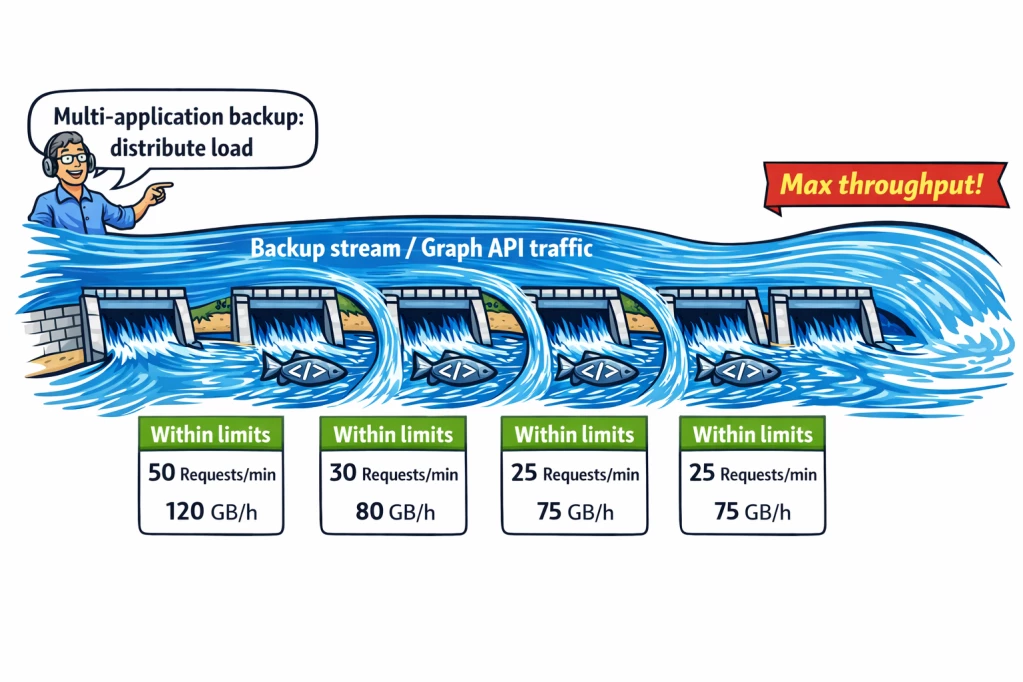
Before March 1, 2026, the API limit applied per registered application (app) in a tenant. You could therefore register multiple applications to distribute API requests across multiple apps and thus increase the effective limits. Many backup vendors used this method to achieve optimal backup speed.
Microsoft removed this option: since March 1, 2026, limits are aggregated tenant-wide cumulatively across all registered apps. A workaround using multiple app registrations may still be technically possible, but it no longer provides any performance benefits.
Impact on backup software and APIs
Because throttling affects the entire Microsoft Graph API—which can be used freely without additional cost—all backup vendors are subject to the tenant-wide limits.
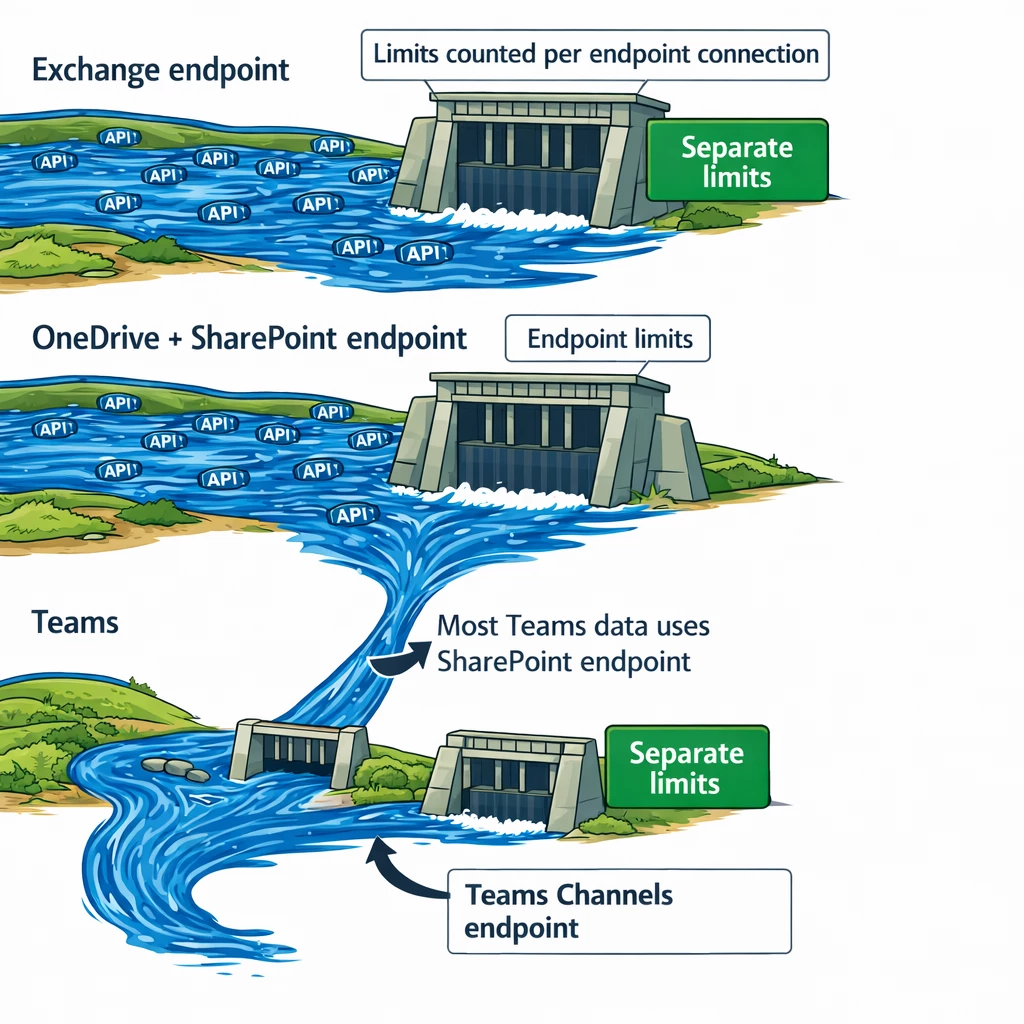
What’s important here is that API limits are counted per endpoint connection, and services partially use different API endpoints:
– Exchange (dedicated endpoint)
– OneDrive & SharePoint (shared endpoint)
– Teams (dedicated endpoint + SharePoint endpoint*)
*Teams channels have their own endpoint, but for other things in Teams the same endpoint as SharePoint often applies, because a lot of data is stored in SharePoint and only “linked” in Teams.
By using these endpoints in parallel, you can optimize the limits because they are handled separately—and backup jobs should be configured accordingly.
Limits also improve in a Multi-Geo setup, because additional Geos outside the primary location receive extra resources. This can be taken into account in the backup configuration.
Backup optimization in the SaaS and on-prem versions
The Veeam VDC SaaS service is of course aware of the possible optimizations and therefore chooses an optimal job control and schedule configuration to leverage Microsoft’s API capacity as efficiently as possible. In on-prem environments, this knowledge should be applied manually in the configuration of backup jobs. I will likely publish one or more articles about this as well.
New feature in Veeam M365 Backup – “Files Protection Versions” (04-2026)
In Veeam Data Cloud (early April 2026) and in the on-prem version Veeam Backup for Microsoft 365 8.4 (released on April 16, 2026), a new feature has been available since 04/2026 that helps you achieve better backup performance, i.e., reduces the likelihood of running into Microsoft 365 API throttling.
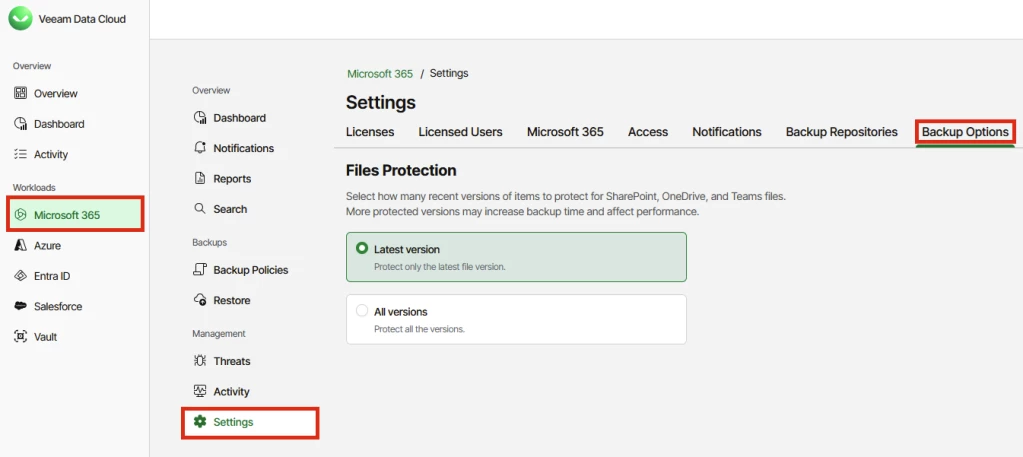
You can find the new feature in your VDC environment under:
„Microsoft 365“ –> Settings –> Backup Options –> Files Protection
In the on-prem version, you can enable this feature via REST API or PowerShell.
REST API:
# Shows the current setting:GET /v8/organizations/{organizationId}/versionBackupOptions# You can set it to "All" or "Latest"; "All" is the 8.3 behaviorPUT /v8/organizations/{organizationId}/versionBackupOptionsContent-Type: application/json{"sharePointBackupMode": "Latest"}
PowerShell:
# Shows the current setting:$org = Get-VBOOrganization -Name "Your Organization Name"Get-VBOVersionBackupOptions -Organization $org# You can set it to "All" or "Latest"; "All" is the 8.3 behaviorSet-VBOVersionBackupOptions -Organization $org -SharePointBackupMode Latest
In the latest release (04-2026), you have two possible settings:
– Latest version (Latest)
– All version (All)
Previously, all Veeam backup jobs were executed with the “All versions” option. Now you have a choice. But what exactly does that mean?
In SharePoint, OneDrive, and Teams, an object or file often has multiple versions, because the file changes constantly with user edits and Microsoft services inherently maintain this change history. This has the advantage that you can review changes to a file or page individually and also revert a change in the history or go back to another point in time within that file/page.
If we look at classic file, server, or VM backup, backups are usually not performed in this way (with exceptions such as databases using transaction logs outside the backup). At a given backup time, a full or incremental backup is created that contains all files at that point in time. If a backup is taken every day at 12:00 noon and a file is modified multiple times between backup windows, that intermediate history is not contained in the backup—only the file with its content/status at the time of the backup is.
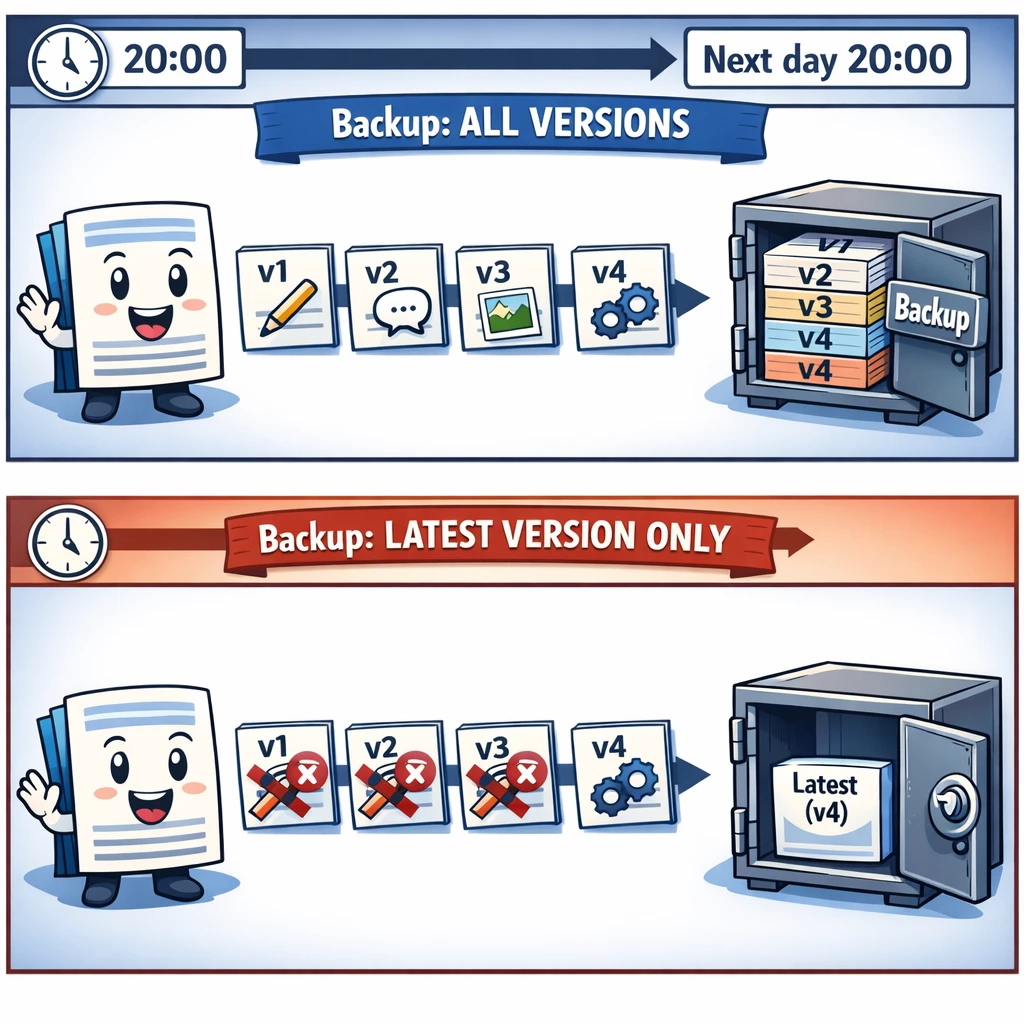
So it’s up to you whether, in M365, you switch to this familiar mode and back up only the latest version during a backup run (which causes significantly fewer API requests), or whether you continue to include all versions of that file/page in the backup (which of course consumes more APIs because X versions of that object have to be backed up).
What about the onprem version?
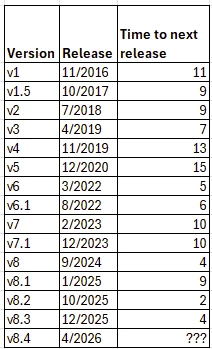
Across virtually all software and service providers worldwide, the rule nowadays is that the online service is always up to date. As a result, customers benefited from new product features as of April 1, while the on-prem version gained the same functionality 15 days later with version 8.4 (released on April 16, 2026).
By the way, a major release usually takes about 9–12 months, while patch and minor releases may have only a few months in between (see Releases and Build Numbers).
Summary
Microsoft tightened its throttling policy starting in March 2026, and this affects all M365 backup solutions on the market. While the former workaround (multi app registration) is no longer available, Veeam provides smart scheduling and load distribution solutions as well as a new feature available since April 1 (VDC M365) and April 16, 2026 (VBM365 v8.4), which further reduces API load by considering only the latest version of an object during a backup run. This allows you to tailor your backup to your needs while taking RPO/RTO and Microsoft throttling into account.
Links:
Microsoft API Terms of Use:
https://learn.microsoft.com/en-us/legal/microsoft-apis/terms-of-use
Microsoft Throttling Policy (SharePoint Online):
https://learn.microsoft.com/en-us/sharepoint/dev/general-development/how-to-avoid-getting-throttled-or-blocked-in-sharepoint-online
Microsoft Graph throttling guidance
https://learn.microsoft.com/en-us/graph/throttling
Veeam KB4821:
https://www.veeam.com/kb4821
Veeam KB4816:
https://www.veeam.com/kb4816
Veeam VDC Service 4-2026
https://www.veeam.com/kb4816
Veeam Backup for Microsoft 365 8.4
https://helpcenter.veeam.com/rn/veeam_backup_m365_8_4_release_notes.html#installing-veeam-backup-for-microsoft-365

