Deleting old tape backups from VBR ?

  • February 25, 2026
  • 6 comments
  • 37 views

Stabz
Forum|alt.badge.img+9

Hello everyone,

We have some old tape backups in the VBR software under “Backups”.
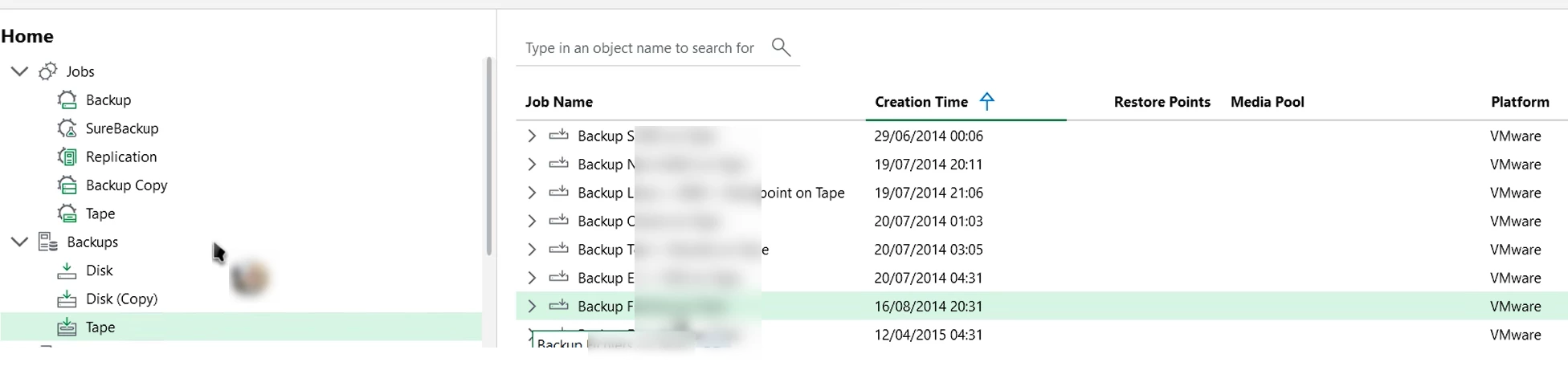

We would like to delete them (or at least remove them from the view) but I can't find an option to do this.
This backup was on old tapes and this tapes are no longer available.

Can you help me further? Otherwise I ll open a support ticket.

Thanks.

6 comments

AndrePulia
Forum|alt.badge.img+9
  • Veeam Vanguard
  • February 25, 2026

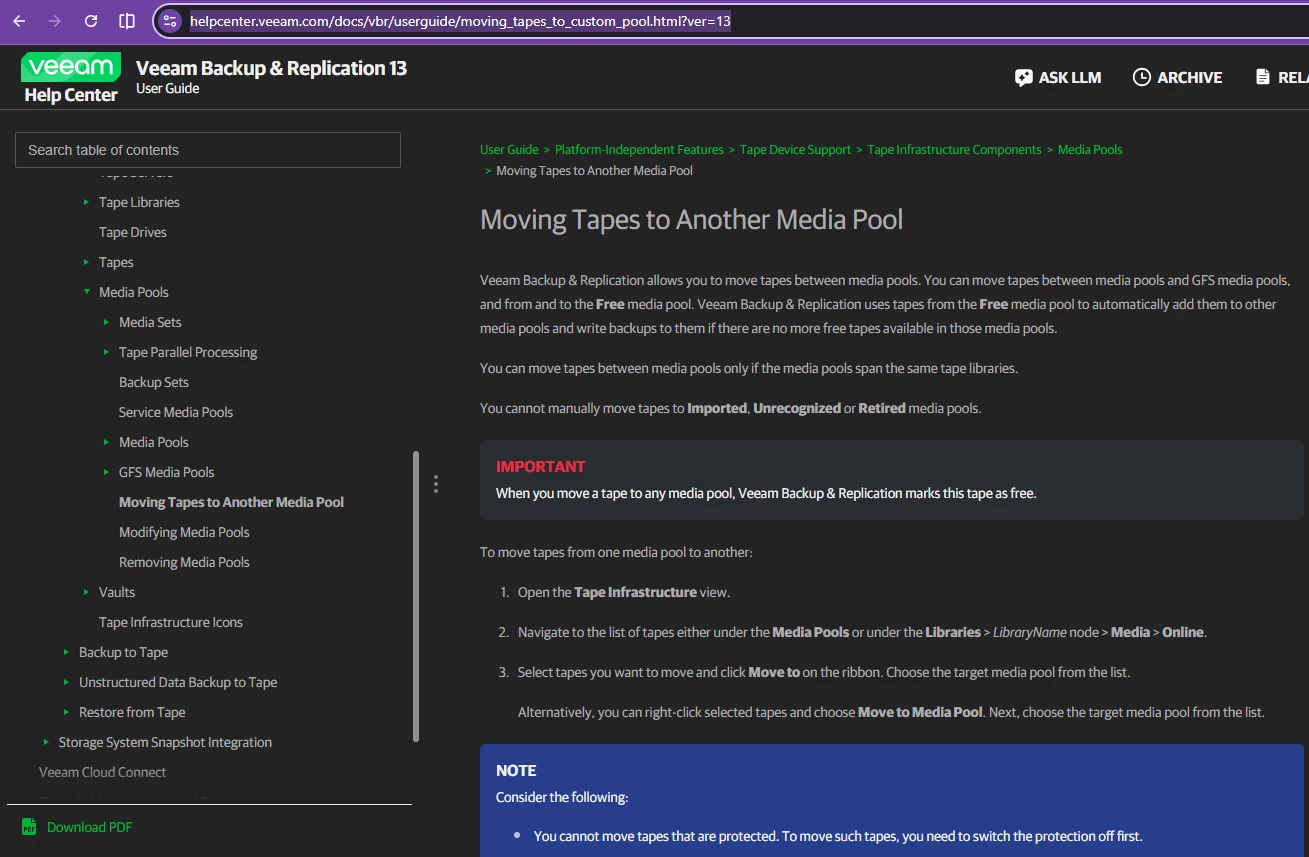
@Stabz You can follow the procedure from this URL: https://helpcenter.veeam.com/docs/vbr/userguide/moving_tapes_to_custom_pool.html?ver=13

I think it will help you


Tommy O'Shea
Forum|alt.badge.img+5
  • Veeam Legend
  • February 25, 2026

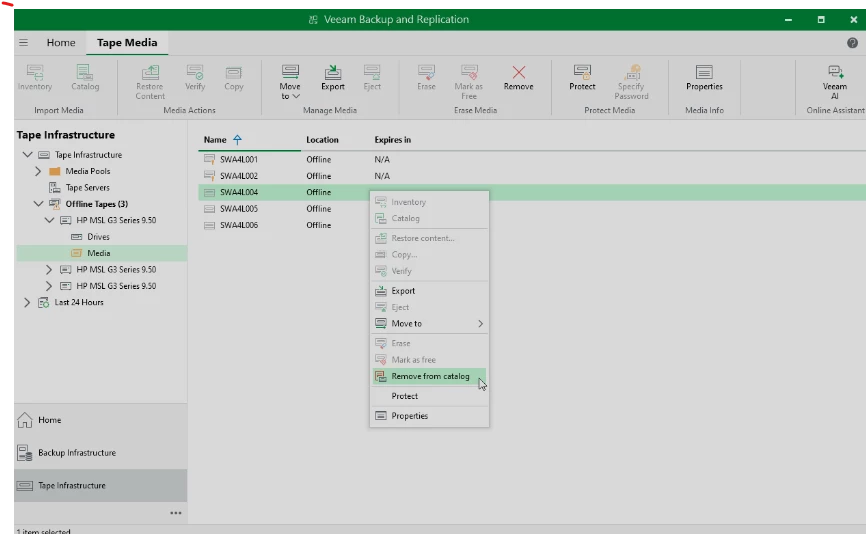
When you say the tapes are unavailable do you mean they just aren’t physically available to you, but their still in the media pools? You will need to go to the Tape Infrastructure, find the tape server or library, open the Media folder, right click on the tape those backup are on, then click “Remove from Catalog”.

You can see more about that here: https://helpcenter.veeam.com/docs/vbr/userguide/removing_tapes_from_catalog.html?ver=13


Stabz
Forum|alt.badge.img+9
  • Author
  • Veeam Legend
  • February 25, 2026

There are not presents in any mediapool and also not physically available 😆


Chris.Childerhose
Forum|alt.badge.img+21
  • Veeam Legend, Veeam Vanguard
  • February 25, 2026

There are not presents in any mediapool and also not physically available 😆
 

Then a support case to have them help you clean up the DB is probably the way forward.


Stabz
Forum|alt.badge.img+9
  • Author
  • Veeam Legend
  • February 25, 2026

Yep let’s go for a new one 


Scott
Forum|alt.badge.img+10
  • Veeam Legend
  • February 27, 2026

Even if they are in the library you can’t delete them from there. 


You’ll want to go under Tape Infrastructure.

From there you can select a media pool with the tapes you are talking about.  

You can Erase tapes and mark them as free. I always recommend a quick erase to not have Veeam want to scan them and import them if the database ever gets restored as it can take a LONG time and it finds many very old backups. 

Erasing Tapes - Veeam Backup & Replication User Guide


In your case, the tapes might be showing as offline or in a vault as they are not in the library you said. If they are configured as Protected, you will have to turn that off first. 

Removing Tapes from Catalog - Veeam Backup & Replication User Guide


If you are feeling brave, you can remove tapes and data written from the catalog and DB, I recommend support first or the first time you use this or try in a lab.

Remove-VBRTapeMedium - Veeam Backup & Replication Veeam PowerShell Reference