Question

Migrating backups from LTO-5 to LTO-8 between two different Veeam servers

  • April 24, 2026
  • 1 comment
  • 31 views

I am looking for advice on the best way to migrate my legacy backups from an older tape environment to a newer one. Here is my current setup:

Source: A Veeam Backup & Replication server with an LTO-5 drive attached.

Target: A separate Veeam Backup & Replication server with an LTO-8 drive attached.

Since LTO-8 drives cannot physically read LTO-5 tapes, I know I cannot simply move the tapes to the new library. I need to move the data from the LTO-5 media to the LTO-8 media.

What is the most efficient and reliable workflow for this migration?

Should I restore the backups to a temporary staging repository (Disk) first and then run a "File to Tape" job on the new server?

Is there a way to automate this process within Veeam without having a massive amount of interim disk space?

Are there any specific considerations for the Veeam Catalog when moving data between two separate VBR servers?

 

1 comment

Michael Melter
Forum|alt.badge.img+12

For the scenario you described - two VBR servers, one owning the old drives and one owning the new drives - there is only the option to stage all the data on disk and backup that data to tape from the other server independently. Two VBR servers can never interact directly in any way.


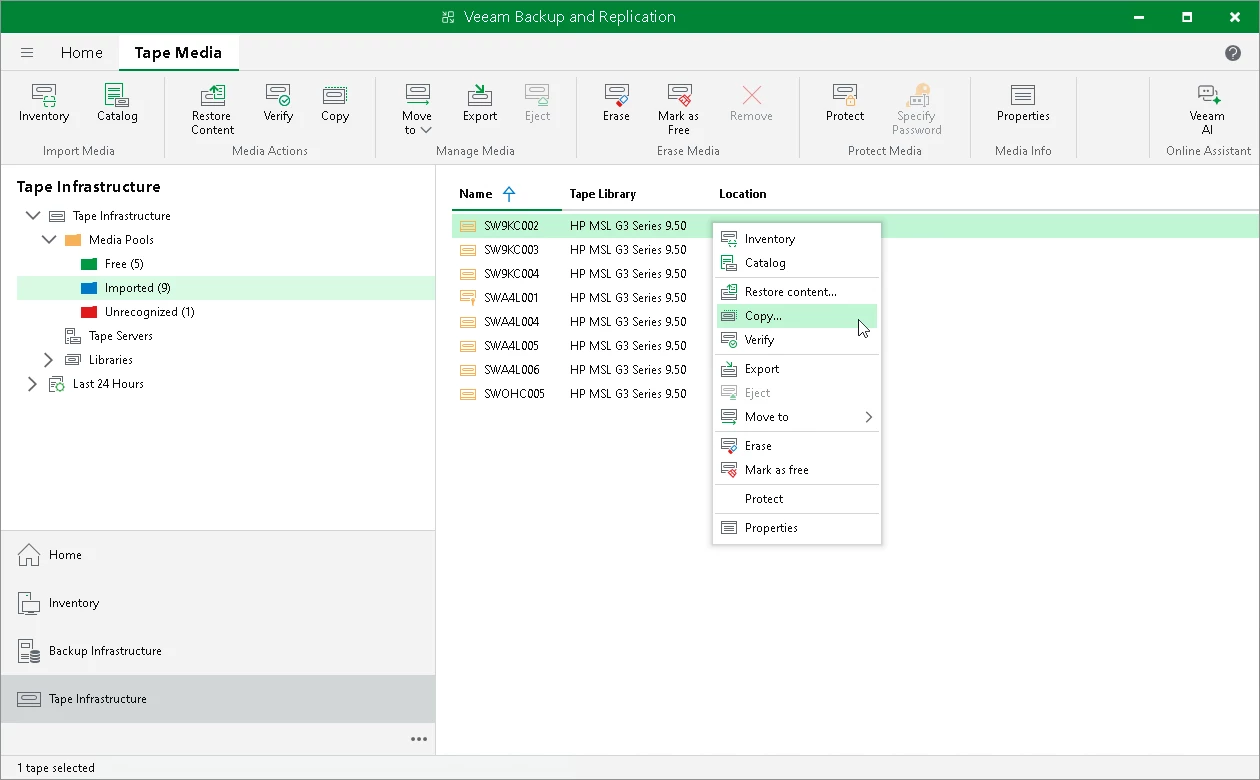
But there is another option that would be my recommendation: Have both libraries attached to the same VBR server - at least temporarily. Then you can use the tape copy functionality to push the data directly from LTO-5 to LTO-8 massively reducing the amount of tapes needed for your backups.

The prerequisite is, you need the tape catalog of the filled LTO-5 tapes inside this VBR to be able to do the copy. Best would be to migrate the VBR configuration to the new system first and temporarily attach the old library for the copy process. Then, the catalog for the new LTO-8 tapes will be build and retained during the process as you want to have that inside you VBR afterwards to continue with the new setup.

https://helpcenter.veeam.com/docs/vbr/userguide/copying_tapes.html?ver=13

Hope this helps.