


Dear All, Greeting!!!, I hope every thing is fine.
I am facing this issue while i am open Veeam Backup Enterprise Manager
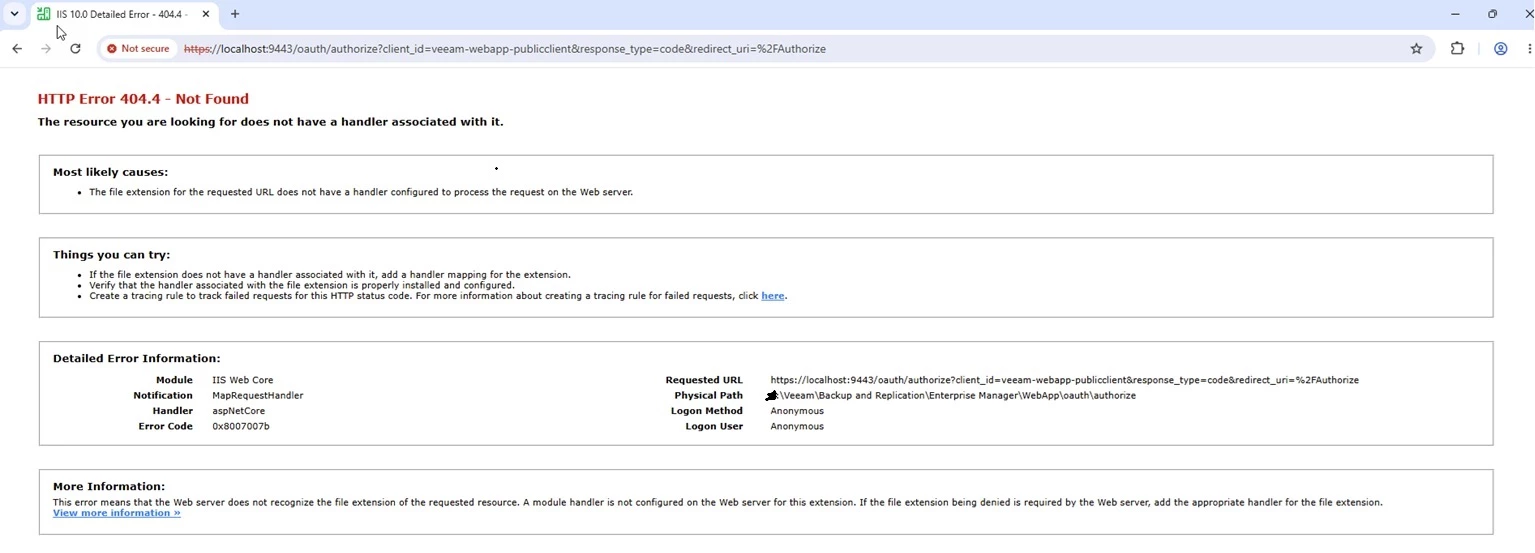
HTTP Error 404.4 - Not Found ‘The resource you are looking for does not have a handler associated with it. Most likely causes: + The file extension for the requested URL does not have a handler configured to process the request on the Web server: ‘Things you can try: + Ifthe fle extension does not have a handler associated witht, add a handier mapping for the extension. 2 Verify that the handle associated with the Fle extension is propery nctaed and conigured. © Create a tracing rue to track failed requests for this HTTP status cods. For mare information about creating a racing ule fo failed requests, cick here. Detailed Error Information: Module 11S Web Core Requested URL hitps:/localhost:3443/oauth/authorze?chient_id=veeam-ebapp-publicclientaresponse type=codearedirect_uri="%2FAuthorize. Notification HapRequestHandier Physical Path F:\Veeam\Backup and Replicaton\Enterprise Manager\WebApp\oauth\authorize Handler ssphetCore Logon Method Anonymous Error Code 0x80070075 Logon User Anonymous More Information: This error means that the Web server does not recognize th fil extension of the requested resource. A module handler i not configured on the Web server for this extension. If the file extension being denied is required by the Web server, 3d the appropriate handle fo the fie extension.




