Question

VBR - File Backup with GFS

  • May 27, 2026
  • 9 comments
  • 77 views

Hi,

I am looking for a solution for the long-term retention of SQL backups.

Our SQL Servers are saving SQL dumps (FULL+LOG) to a share on the Veeam Backup Server.

An hourly File Backup Job copies the changes to out Hardened Repository.

An additional requirement is to retain the FULL backups of specific databases for a longer period - ideally using GFS retention policies, i.e. 4 weekly and 12 monthly.

Due to the limited capacity of the Hardened Repository we would like to use our HPE StoreOnce Deduplication Appliance for this purpose initially, maybe to replace or extend this using Azure Blob Storage.

I tried around a lot, but I didn’t find a solution yet.

Ideas are welcome!

Oliver.

------------------

Hallo,

ich suche nach einer Lösung für die langfristige Aufbewahrung von SQL-Backups.

Unsere SQL-Server speichern SQL-Dumps (FULL + LOG) auf einer Freigabe auf dem Veeam Backup Server.

Ein stündlicher File Backup Job die Änderungen auf unser Hardened Repository.

Eine zusätzliche Anforderung besteht nun darin, die FULL-Backups bestimmter Datenbanken über einen längeren Zeitraum aufzubewahren – idealerweise unter Verwendung von GFS-Aufbewahrungsrichtlinien, d.h. z.B. 4 wöchentliche und 12 monatliche Backups.

Aufgrund der begrenzten Kapazität des Hardened Repositorys möchten wir für diesen Zweck zunächst unsere HPE StoreOnce Deduplizierungs-Appliance nutzen und diese eventuell später durch Azure Blob Storage ersetzen oder ergänzen.

Ich habe viel experimentiert, aber bisher noch keine Lösung gefunden.

Ideen sind herzlich willkommen!

Oliver.
9 comments

MatzeB
Forum|alt.badge.img+6
  • Veeam Vanguard
  • May 27, 2026

Hi, nutzt du tatsächlich einen “NAS Backup Job/Unstructured Data Job” ? Und keinen alten File Copy Job mehr korrekt?


Unstructured Data unterstützt aktuell noch kein GFS - das wird mit dem nächsten Release 13.1 kommen. Erfüllt das dann deine Anforderungen?


Matze


  • Author
  • Not a newbie anymore
  • May 27, 2026

Hi Matze,

das ist eine interessante Information!

Ja, ich nutze die neue Variante “File Backup Job”.

Dort gibt es zwar die Option der Archivierung, aber diese sichert ja JEDE Version, ist also kein brauchbarer GFS Ersatz.

Woher hast Du die Info zur 13.1 und weißt Du vielleicht, ob es schon ein Release Datum gibt?


Olli


MatzeB
Forum|alt.badge.img+6
  • Veeam Vanguard
  • May 27, 2026

Von der Veeam User Group in Köln - dort wurden kommende Features geteasered.

Wie immer bei Veeam - when it’s ready - aber war mal von Sommer die Rede…..


Gibts eigentlich Gründe weshalb ihr Dumps nutzt und nicht über ein Veeam Backup mit SQL Integration bzw. das SQL Plugin geht?

Matze


Andanet
Forum|alt.badge.img+12
  • Veeam Legend
  • May 27, 2026

Hi ​@OGeissler 
It’s not recommended to have a share on your VBR. Why not use Veeam's backup features instead of SQL Server's? 
I don’t know if the SQL Server is virtual or physical, but either way, you could do an Application-Aware backup of SQL to your Hardened repository and use StoreOnce for long-term storage, as long as you've it. 
Start Here if SQL is a VM, or here if is a physical server.

Veeam 13.1 will be release this summer (we don’t have a specific date). 


  • Author
  • Not a newbie anymore
  • May 27, 2026

Hi Matze,

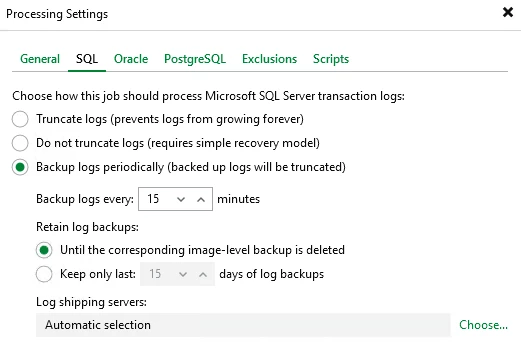
Du sprichst die Option der Verarbeitung von Transaktionsprotokollen an?

Die Hoheit der SQL Datenbanken und deren (Primär-)Backup und Recovery liegt bei uns im ERP Team.

Wir im ITOPS stellen lediglich weitere Backups und Recovery Points bereit und ein Thema ist halt aktuell die Langzeitaufbewahrung.

Ob das für SQL DBs aus dem ERP System sinnhaft ist, steht außen vor :-)

PS: Köln, ebenfalls interessant :-) ich sitze gerade im HO in Neuss, arbeite aber in Köln. 

Hättest Du Interesse mal Kontaktdaten auszutauschen? 

Vielleicht ergeben sich thematisch ja mal weitere Überschneidungen :-)


  • Author
  • Not a newbie anymore
  • May 27, 2026

Hello @Andanet,

responsibility for the SQL databases - including their primary backup and recovery - lies with our ERP team.

We at ITOPS merely provide additional backups and recovery points; one of our current key focus areas in this regard is long-term archiving.

Whether this makes sense for SQL databases from the ERP system is beside the point. :-)

The SQL servers are VMs; however, we back up only the operating system disks - the database, log, and backup disks are excluded from this backup job.


Andanet
Forum|alt.badge.img+12
  • Veeam Legend
  • May 27, 2026

I was just wondering if is it possible that your ERP team write the dumps (full + log) to the same SQL server and then, using a Windows agent, backup them to the Hardened Repo and then use StoreOnce for the GFSs?


  • Author
  • Not a newbie anymore
  • May 27, 2026

@Andanet

That sounds like a good idea. I'll check with the team to find out exactly where the files are being written.Currently, the VMs are being backed up using VMware Backup.Do I understand the approach correctly to mean that, in addition to this, we would deploy the Veeam Agent to the SQL VMs and then—using a File-Level Backup - specifically target and back up the required directories to the Hardened Repository, and subsequently use Backup Copy with GFS to write them to the StoreOnce?That way, we could skip the additional copy to the backup server, couldn't we?

PeteSteven
Forum|alt.badge.img+5
  • Veeam Vanguard
  • May 28, 2026

Eine Alternative wäre noch das “Veeam Plugin for SQL”. Das installiert ihr direkt auf dem SQL Server und es ist dann im SQL Management Studio integriert und legt euch nur SQL Agent Jobs an und stellt die Verbindung zum Repo her. Heißt euer ERP Team hat weiterhin die vollen Rechte, kann die Jobs steuern, Retentions festlegen… das Veeam Repo nimmt dann nur die Daten an, alles weitere wird über SQL Boardmittel gemacht.
Einen Nachteil gibt es aber. Wenn man Backup Copys nutzen möchte, gibt es leider keine Unterscheidung zwischen Logs und DBs und GFS ist über den weiteren Backup Copy Job dementsprechend nicht möglich.

Die Idee mit dem Agent ist an sich auch nicht schlecht, wenn man direkt dumpen will.
Ihr installiert den auf dem SQL Server und richtet dann die Sicherung z.B. auf Ordner Ebene ein. 
Ja, ihr würdet euch die Kopie der Daten auf den Backupserver sparen.