Answer

Backup Local HDD to OneDrive

  • December 8, 2021
  • 2 comments
  • 138 views

yy.fu
  • Not a newbie anymore

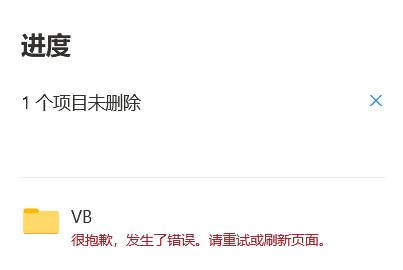
Does anyone meet an issue when deleting the ‘Veeam Backup’ folder on OneDrive? Looks there are thousands of files there…


The senerio is after stopped the local HDD backup to Microsoft OneDrive, when deleting the online backup folder, it goes wrong.


From: Local Hard Disk (OS: windows)

To: Microsoft OneDrive


Issue: Can’t delete the ‘Veeam Backup’ folder on OneDrive

Client: Veeam agent for Microsoft Windows 5.0.0.4301



Best answer by yy.fu

I will say that in the next release this will be a deprecated (removed) capability. It has been a fiddlesome feature. 

Thx Rick, It’s done... after 46 hours to sync from local desktop onedrive app to the cloud.

To fix this issue just need to download all the files back to the local computer and delete the ‘Veeam Backup’ folder manually on local disk, then let the new hierarchy sync to onedrive.

It takes me 46 hours for all 495,277 file changes take effect, thank GOD!


Good luck for others until this feature is deprecated.

2 comments

Rick Vanover
Forum|alt.badge.img+10
  • RICKATRON
  • December 8, 2021

I will say that in the next release this will be a deprecated (removed) capability. It has been a fiddlesome feature. 


yy.fu
  • Author
  • Not a newbie anymore
  • Answer
  • December 9, 2021

I will say that in the next release this will be a deprecated (removed) capability. It has been a fiddlesome feature. 

Thx Rick, It’s done... after 46 hours to sync from local desktop onedrive app to the cloud.

To fix this issue just need to download all the files back to the local computer and delete the ‘Veeam Backup’ folder manually on local disk, then let the new hierarchy sync to onedrive.

It takes me 46 hours for all 495,277 file changes take effect, thank GOD!


Good luck for others until this feature is deprecated.