Question

MFA in Veeam Host Management.

  • April 9, 2026
  • 1 comment
  • 44 views

Hello everyone,

I have a question regarding MFA in Veeam Host Management.

During the initial installation, I enabled MFA on the default veeamadmin account. However, my goal is to use veeamadmin only as a break-glass account and instead create separate admin accounts with MFA enabled.

The issue I’m facing is the following:
When I enable MFA on another admin account, either:

  • the verification code is sent to the veeamadmin account, or
  • the MFA validation fails completely.

This prevents me from properly configuring MFA for individual admin users.

Has anyone encountered this behavior?
Is there a recommended way to configure MFA for multiple admin accounts while keeping veeamadmin as a fallback account?

Thanks in advance for your help.

1 comment

Michael Melter
Forum|alt.badge.img+12

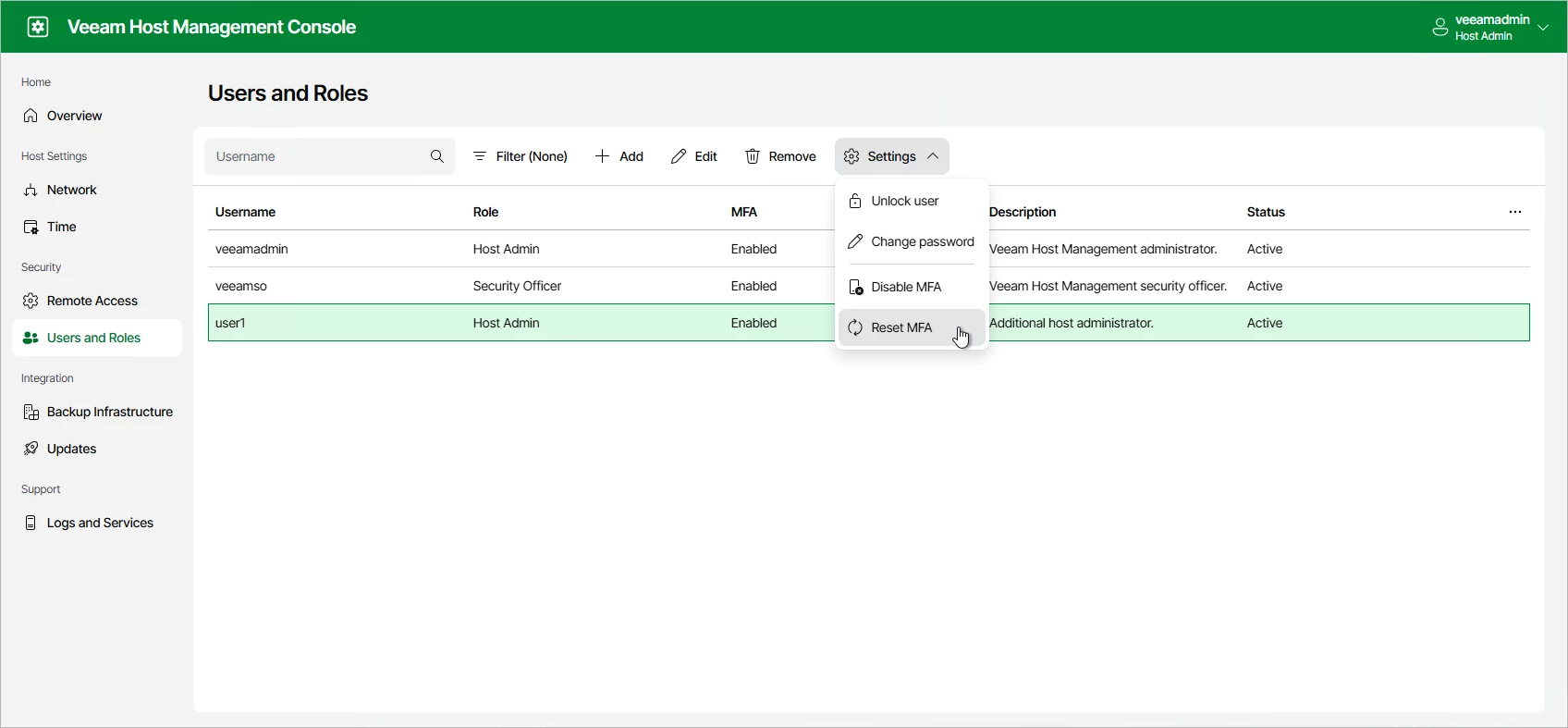
You can enable/disable MFA in the Host Management Console on a per-user basis. If you reset MFA, no email is sent but the user will be allowed to anew device during next login. Only for a security officer you cannot reset MFA or change the PW, even being admin.

So, it should be possible to disable it for your “veeamadmin” again. Just keep in mind that this leaves an entry-point to a crucial part of your system. Host Managment Console can do nasty things as e.g. enable SSH. I would recommend to keep it enabled for all users. There is an option, with full access to the VIA, to reset MFA for all users. You would need the Veeam Live OS for it. This should be the “break glass” functionality IMHO.

Sources: KB4761: How to use Veeam Live OS ISOManaging User Authentication - Veeam Backup & Replication Veeam Backup Enterprise Manager Guide