
Backup and recovery move fast and the stakes are high. Additionally, every environment has its own mix of platforms, workloads, policies, and pressure points. For example, one team may be protecting a handful of critical virtual machines (VMs). Another may be juggling physical servers, cloud workloads, and strict retention requirements across multiple sites. That’s exactly why we at Veeam offer so many ways to protect and recover your data.
However, this flexibility comes with choices, and you don’t have to choose on your own.
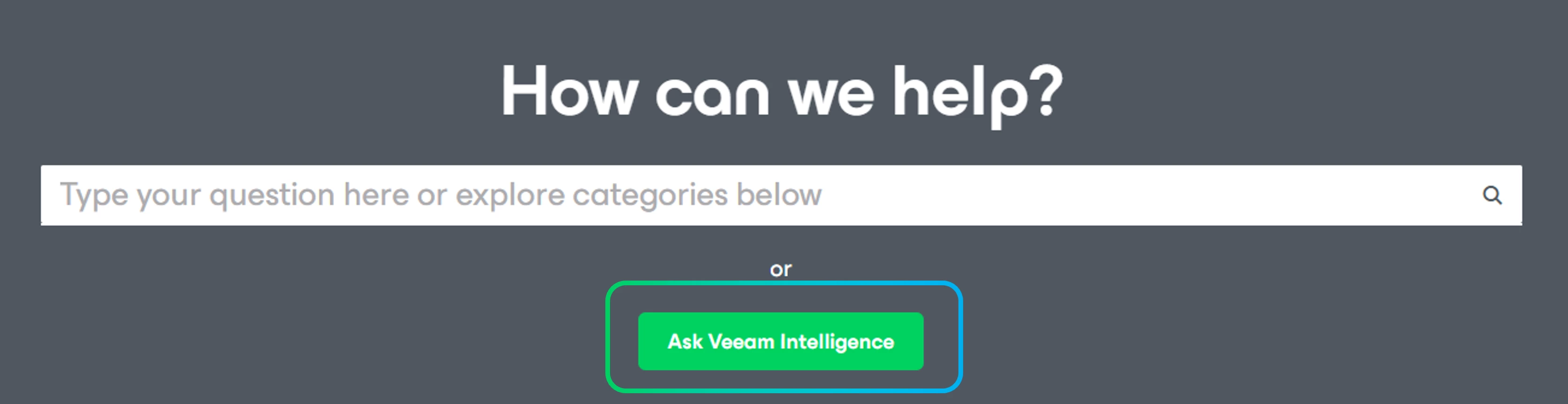
Veeam Intelligence an AI-powered assistant layer embedded within Veeam products and technical documentation that’s designed to help you quickly find the right path for your environment. Whether you’re setting up a new deployment, reviewing best practices, comparing feature options, or trying to figure out your next steps, it gives you practical guidance that fits whatever you’re working with.
You can access Veeam Intelligence within your product and within Veeam technical documentation, which makes it easier to get help in the moment instead of hunting for answers across tabs and documents.
Veeam Intelligence works in two modes:
- Basic mode is useful when you want a quick answer, a simple recommendation, or a fast-starting point.
- Advanced mode (included in Veeam Data Platform (Advanced & Premium editions) and Service Provider Console) is better when you need more tailored guidance based on your environment, your goals, and your constraints.
Wondering how to get the most value from this functionality?
That’s where prompts come in!
A good prompt doesn’t need to be long or overly technical; it just needs enough context to point Veeam Intelligence in the right direction. In most cases, that means stating your role, what you’re protecting, what you want to achieve, and what outcome matters most to you. If there are important limitations, like recovery point objectives (RPOs), recovery time objectives (RTOs), retention, storage, or compliance, include those too. Then ask for an output in the format that will actually help you — this might look like a checklist, a step-by-step plan, a comparison table, or a script.
For example, a very simple (but solid) prompt could be:
“I’m new to Veeam. What’s the simplest way to protect 20 VMware VMs and test my first restore?”
That’s enough to get to a practical starting point.
If you want more tailored guidance, you can add a little more detail, like this:
“I’m a backup admin protecting 50 Microsoft Hyper-V VMs. I want the simplest setup with immutable storage and a four-hour RPO. Give me a deployment checklist and the key design tradeoffs.”
Now the answer can take your priorities into account.
You can also use Veeam Intelligence for operational questions, not just initial setup. For example:
“I’m planning an upgrade to Veeam Data Platform Advanced Edition. What should I validate first to reduce disruption?”
“Compare the best recovery options for a deleted file versus a full VM failure and explain when to use each.”
“Review my backup design for 100 remote office workloads and suggest the top three improvements for resilience.”
The pattern is simple. The more clearly you describe the situation, the more useful the answer becomes. That usually leads to clearer designs, fewer surprises, and faster troubleshooting.
If you’re not sure how to structure your prompt, here’s an easy recipe:
- Start with your role, whether you’re a new engineer, backup admin, compliance lead, or architect.
- Add your environment, including what you’re protecting and roughly how much of it there is.
- State your goal, like protecting critical workloads, improving restore times, hardening security, or preparing for an audit.
- Note your preference. Do you want the simplest set up, the most resilient approach, or the lowest-cost option?
- Include the constraints that actually matter and ask for the output you want.
That can be as straightforward as:
“I’m a compliance lead protecting Microsoft 365 data for 2,000 users. I need a resilient backup approach that supports long-term retention. Show me the main design options, with pros and cons.”
“I’m a junior admin protecting physical servers and NAS shares. Give me a step-by-step setup plan and a checklist for testing recovery.”
If you’d rather not build prompts from scratch, you don’t have to! We’ve already amassed some recommended prompts that you can explore in the Veeam Intelligence prompt library.
And now we're now expanding it with a specific focus: onboarding and product adoption. Think first-time setup, getting familiar with key features, and moving from "we have the product" to "we're actually using it well".
The prompts in the comments are a starting point, but we know the best ones come from people doing this work every day. That's where you come in!
👉 Try the prompts below and see what works in your environment.
💬 Share your own in the comments — we'll curate the best ones into the prompts library.
Go Veeam Community: The more we share, the better the library gets for everyone 🙌🏻
Irina Dorokhova,
Customer Marketing Manager, Veeam Data Platform
P.S. Never used Veeam Intelligence before? Start with the one built into the Veeam Help Center at helpcenter.veeam.com — no setup needed, just ask your first question.