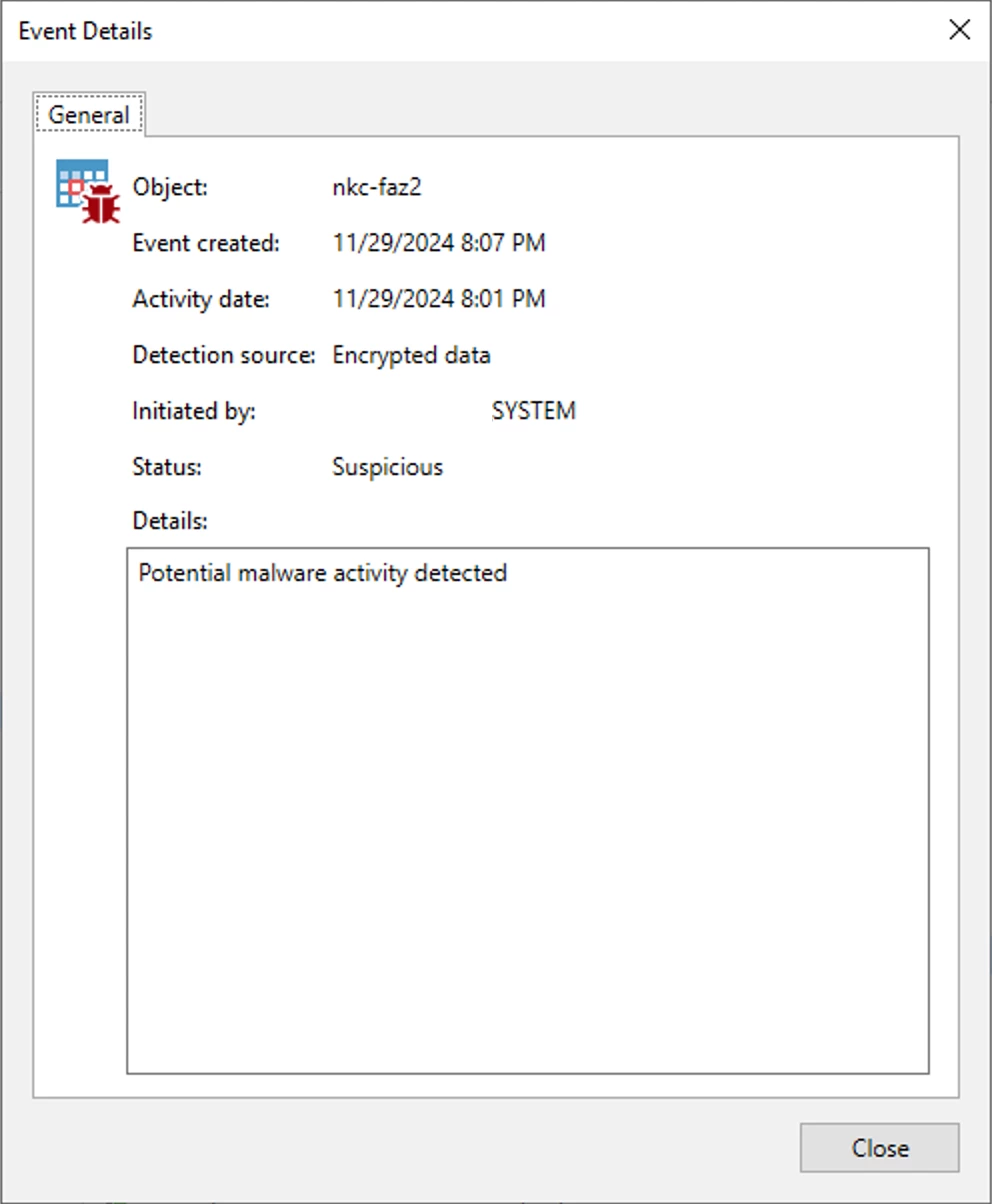
We have Fortinet Fortimanager and Fortianalyzer running as VMs. Up until last week, these got backup up absolutely fine. We upgraded these from 7.2.11 to v.7.4.8. Since then, the backups have been marked as suspicous with potential malware activity detected.
I’m wondering what is going on. It may just be a coincidence but I don’t believe there is any malware.
If I mark the backups as clean, the next backup just gets flagged as suspicious. This only happens on these 2 VMs. All other backups are running fine.
Has anyone come across this sort of issue before? Or am I missing something somewhere?
Thanks Roy
Best answer by coolsport00
Hi @roysm -
Yes...this is more than likely “normal” and can be marked as a false positive in your VBR. I use the Inline Entropy scan option (not guest indexing scan option), and whenever we perform update of packages or OS on Linux-based VMs (and FAZ is a Linux appliance), the next VBR backup run for those VMs come back as “potential malware activity detected” as the Encrypted Data type. I have fotianalyzer VMs as well and this event surfaced for me just a year ago when we upgraded ours:
I did a post on performing forensics on events, but unfortunately for Linux appliances, there’s not much you can do as typically you don’t have sudo/root creds to do any investigating. But, you can read my post if you’d like to gain some insight if needed:
Yes I have seen this with my laptop agent backup being marked as suspicious. If you know they are not then just exclude them from the Malware scanner altogether. Otherwise due to the activity and changes is what is triggering this.
Yes...this is more than likely “normal” and can be marked as a false positive in your VBR. I use the Inline Entropy scan option (not guest indexing scan option), and whenever we perform update of packages or OS on Linux-based VMs (and FAZ is a Linux appliance), the next VBR backup run for those VMs come back as “potential malware activity detected” as the Encrypted Data type. I have fotianalyzer VMs as well and this event surfaced for me just a year ago when we upgraded ours:
I did a post on performing forensics on events, but unfortunately for Linux appliances, there’s not much you can do as typically you don’t have sudo/root creds to do any investigating. But, you can read my post if you’d like to gain some insight if needed:
Excluding the VM seems to be the best option. Good to see others have seen similar issues. Looks like something we will need to keep an eye on when we do future upgrades.
Yeah...just make sure someone did indeed perform updates. At the very least, for non-appliance Linux VMs you can run a YARA scan, but honestly, I haven’t been able to find a .yar rule to scan for the encrypted files VBR message; so it’s really more of a manual process...unfortunately.