Solved

Veeam Backup Enterprise Manager Users

  • December 15, 2025
  • 8 comments
  • 26 views

hs08
Forum|alt.badge.img+1
  • Comes here often

HI..

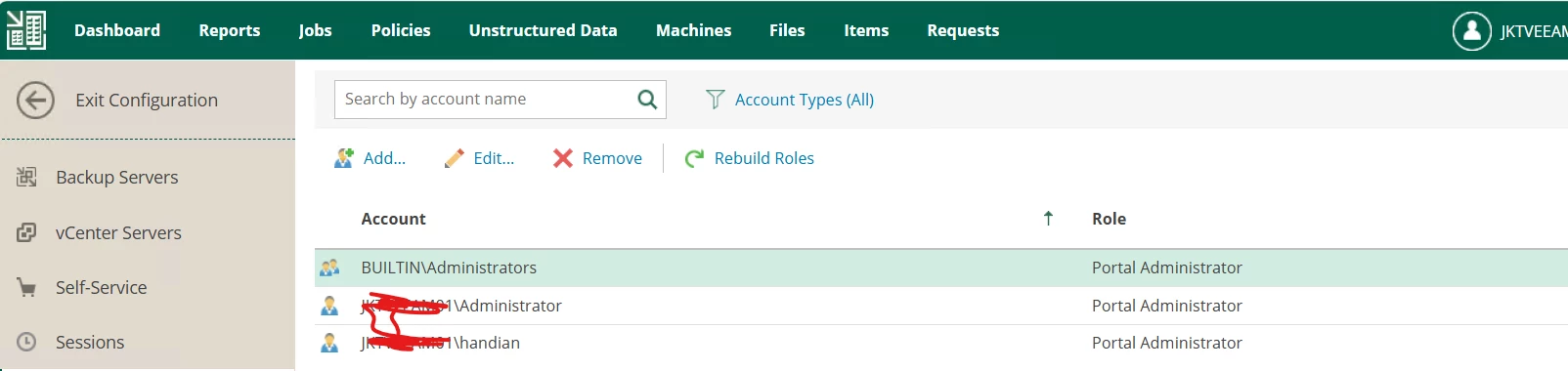
I create user account for myself in Enterprise Manager
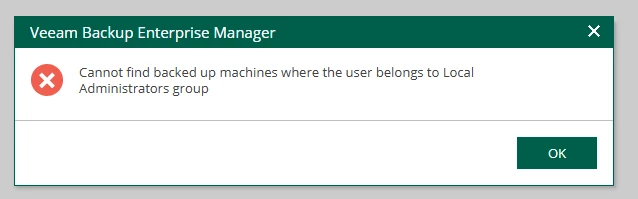
but when i logon using my account why i got error ‘Cannot find backed up machines where the user belongs to Local Administrators group’

 

Best answer by hs08

hi ​@Chris.Childerhose , after i add my user into VEM then the VEM server should be rebooted and now i can access using my account without any error.

8 comments

Chris.Childerhose
Forum|alt.badge.img+21
  • Veeam Legend, Veeam Vanguard
  • December 15, 2025

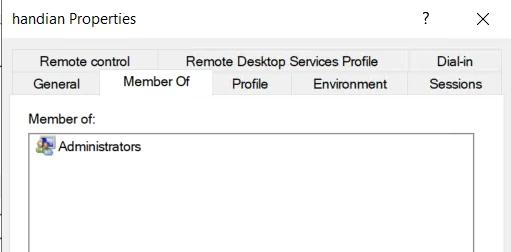
Is your user account in the local administrators group on the VEM server?


hs08
Forum|alt.badge.img+1
  • Author
  • Comes here often
  • December 15, 2025

yes of course


Chris.Childerhose
Forum|alt.badge.img+21
  • Veeam Legend, Veeam Vanguard
  • December 15, 2025

Not sure then. I would suggest opening a support case on that one never seen it before.


hs08
Forum|alt.badge.img+1
  • Author
  • Comes here often
  • December 15, 2025

yes, i already open ticket and will share the solution here after my issue solved


hs08
Forum|alt.badge.img+1
  • Author
  • Comes here often
  • Answer
  • December 15, 2025

hi ​@Chris.Childerhose , after i add my user into VEM then the VEM server should be rebooted and now i can access using my account without any error.


Chris.Childerhose
Forum|alt.badge.img+21
  • Veeam Legend, Veeam Vanguard
  • December 15, 2025

Glad to hear. 👍


waqasali
Forum|alt.badge.img+4
  • On the path to Greatness
  • December 15, 2025

This error occurs because EM does not rely solely on local administrator rights. Even if you created a user account for yourself in EM.   


Iams3le
Forum|alt.badge.img+11
  • Veeam Legend
  • December 17, 2025

hi ​@Chris.Childerhose , after i add my user into VEM then the VEM server should be rebooted and now i can access using my account without any error.

Hi ​@hs08, just to explain why the reboot worked for you: it led to a refresh of your security token and group memberships in this case. The existing token did not see the new membership, so Enterprise Manager thought “this user is not a local admin on any backed‑up machines” and showed that error.

For the future, a logoff/sign‑out and logon is normally enough to get a new token with updated group memberships; a full reboot is not strictly required for this. However, rebooting is also a good decision, as it forces all users to log off, recreates tokens, and re‑evaluates permissions.