Question

Veeam 12.3.2.4854 - problem starting job


Hi everyone,
I updated Veeam B&R to version 12.3.2.4854 following a known security issue.
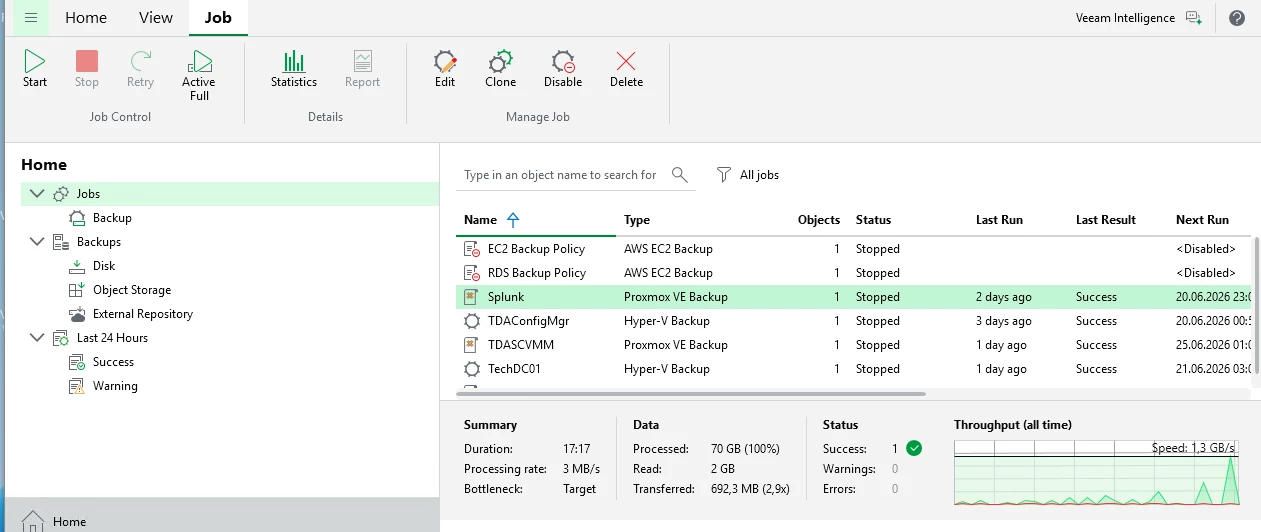
After the update, all jobs no longer start automatically, even though they are correctly scheduled.
Even new jobs don't start automatically.
If started manually, the jobs run correctly.
All Veeam services are up and running correctly.
Could anyone give me some advice on how to resolve this?

Thanks to anyone who can help.

10 comments

Andanet
Forum|alt.badge.img+13
  • Veeam Legend
  • June 19, 2026

hi ​@antonio paradiso have you tried a reboot of your VBR Server? 


Chris.Childerhose
Forum|alt.badge.img+22

If the reboot does not work try editing the job and just clicking through it then see if the jobs run.  You might need a support ticket to fix this one as I have never seen it before after an update.


Hi Andanet, yes of course. But unfortunately the jobs still don't start automatically.


If the reboot does not work try editing the job and just clicking through it then see if the jobs run.  You might need a support ticket to fix this one as I have never seen it before after an update.

Hi Chris Childerhose, 
unfortunately, even following your instructions, the jobs don't start automatically.
The same thing happens even if I create a new job.


Iams3le
Forum|alt.badge.img+14
  • June 19, 2026

Hi ​@antonio paradiso,

Unfortunately, you do not have a screenshoot to support your job overview. I had simialr issue recently, and I had to disable and re-enable the job


Chris.Childerhose
Forum|alt.badge.img+22

I would try what ​@Iams3le said otherwise you will need to get in touch with support to get this resolved.


coolsport00
Forum|alt.badge.img+23
  • Veeam Legend
  • June 19, 2026

Hi ​@antonio paradiso - there was a similar issue noted a few months back. Looks like his issue was database related. Support gave a script to run to ‘clean it up’. Something similar may be needed in your case.

As suggested above, getting ahold of Support seems to be the way to go.


  • Author
  • Not a newbie anymore
  • June 19, 2026

Hi ​@antonio paradiso,

Unfortunately, you do not have a screenshoot to support your job overview. I had simialr issue recently, and I had to disable and re-enable the job


Hi Iams3le,
I had already tried disabling and re-enabling it, even before posting in the community. That didn't work either.


coolsport00
Forum|alt.badge.img+23
  • Veeam Legend
  • June 19, 2026

If all that was suggested thus far didn’t resolve, again..your best bet is to contact Support ​@antonio paradiso . If you can, keep us posted what they do to get your issue resolved. 

Thanks.


Iams3le
Forum|alt.badge.img+14
  • June 19, 2026

Hi ​@antonio paradiso,

Unfortunately, you do not have a screenshoot to support your job overview. I had simialr issue recently, and I had to disable and re-enable the job

Hi Iams3le,
I had already tried disabling and re-enabling it, even before posting in the community. That didn't work either.

Okay! In this case, I would advise you apply the tip shared in the guide referenced by ​@coolsport00 or get in contact with the support as suggested by ​@Chris.Childerhose