Question

Surebackup Results: unable to perform Domain Controller restore from a crash-consistent backup.

  • April 22, 2026
  • 7 comments
  • 43 views

I have A DC that is being backed up, the backups complete successfully, but when I try to test it with surebackup it errors out with “Results: unable to perform Domain Controller restore from a crash-consistent backup. Be sure application-aware processing is enabled in the backup job settings”

For the backup job on the server I have “Enable Application Aware Processing” ticked under guest processing. Is there some place else I need to look? I’ve tried unchecking the application aware processing, saving the job, and the re-checking it and saving then re-running the backup, but the surebackup still fails with the same error message. 



7 comments

coolsport00
Forum|alt.badge.img+22
  • Veeam Legend
  • April 22, 2026

Hi ​@cday - Welcome to the Community.

Have you followed the VBR User Guide here, I assume?

https://helpcenter.veeam.com/docs/vbr/userguide/surebackup_hiw.html?ver=13

Have you added the DC into an Application Group? Is that where you’re having the issue? You can check logs in: %ProgramData%\Veeam\Backup\<surebackup-job-log> to see if anything further shows there. And of course...Veeam Support is always recommended as a first resort to troubleshoot your issues.


  • Author
  • New Here
  • April 22, 2026

Yes, its in an application group. I’ll check the logs and if they don’t shine any light on it for me I’ll open a ticket with support. Thanks for pointing me in the right direction. 


coolsport00
Forum|alt.badge.img+22
  • Veeam Legend
  • April 22, 2026

No problem ​@cday . Keep us posted if you can.


lukas.k
Forum|alt.badge.img+13
  • Influencer
  • April 22, 2026

Hi ​@cday,

In general, you need the following things (please refer to the manual / helpcenter link shared above for details):

Once that is done, you don’t want to see an error or a warning running the job. Then you should be good to test via SureBackup. Please also make sure to assign the DC role and the service account in the application group as well.


Best

Lukas


Chris.Childerhose
Forum|alt.badge.img+21

Another thing to check on your DCs is the VSS Writers to ensure when the backup job runs AAP can create the proper backups.

Run this - 

vssadmin list writers

Check to ensure the NTDS and DFRS writers show and listed as Stable with no errors.  If they are in failed state, you can restart - Volume Shadow Copy & Active Directory Domain Services (ADDS) to fix them.

This can lead to improper backups with AAP and possibly cause the issue you are experiencing.


regnor
Forum|alt.badge.img+14
  • Veeam MVP
  • April 23, 2026

Hi ​@cday 

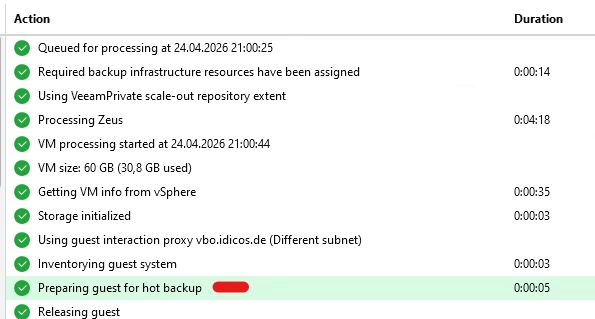
Are you running V13 in your environment and possibly use a Linux Guest Interaction proxy? If so, there might be a fix available and I recommend to open a support case and let the colleagues look at it.


eblack
Forum|alt.badge.img+2
  • Influencer
  • April 23, 2026

VSS provider issues on the DC itself. On the DC, open Event Viewer and look under Applications and Services Logs > Microsoft > Windows > Backup and also check the Application log for VSS source errors around the time of your last backup. A broken VSS provider or a VSS writer in a bad state will cause exactly this. The NTDS writer specifically..