Answer

Server can't boot after bare metal restore.

  • February 10, 2023
  • 10 comments
  • 850 views

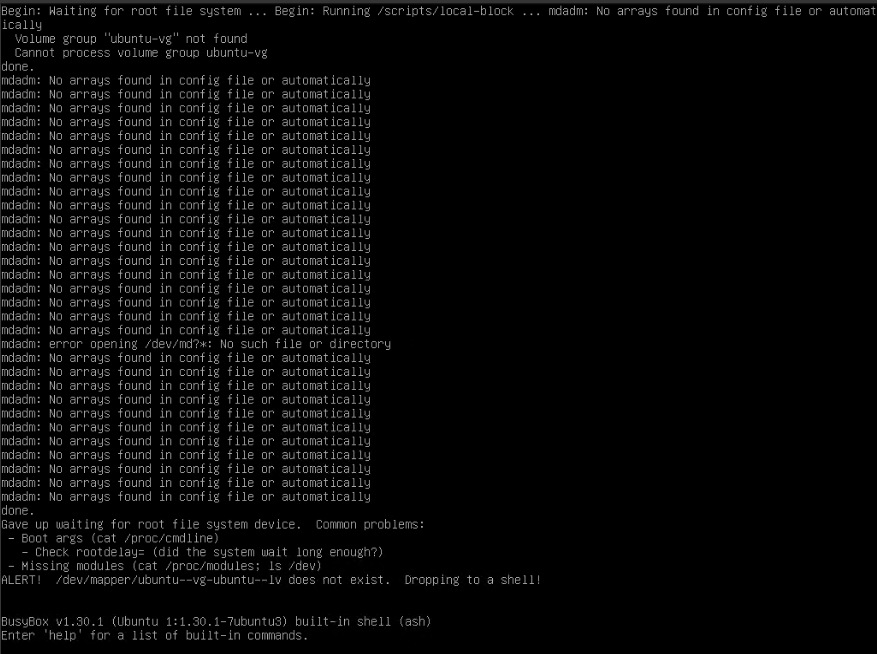
I am building new physical server running Ubuntu. System is installed on hardware RAID controller. Installed VEEAM agent, made full backup. Booted up from Linux Media (unpatched), restored all volumes and after reboot server can’t boot any more =(


Any suggestions?

Cheers,
 

Best answer by AlexeyGoncharov

Just want to close the topic.

I rebuild the Linux host with v6 Agent and WITHOUT using LVM. Now restore process works without any issues. I know LVM is supported (and was supported) so not sure if it is root cause or not, just pointing to differences.

Thank you to everyone who was helping.

10 comments

regnor
Forum|alt.badge.img+14
  • Veeam MVP
  • February 10, 2023

Have you configured a Hardware or Software RAID? Or was the old server running on Software RAID? Just wondering because of the mdadm messages.


  • Author
  • Comes here often
  • February 10, 2023

It is the same server (Proliant 380 G10). I ran full backup, deleted one (manually created before) file to check if it will be restored and then boot up from the bootable media to restore the job. System volumes are on hardware RAID controller, its own RAID1 group.


MicoolPaul
Forum|alt.badge.img+23
  • February 10, 2023

Morning!


Some questions here:

  • Ubuntu version?
  • Standalone agent or manager via VBR?
  • Patch version of Veeam?
  • Do you know the kernel version that Ubuntu was on?

I’d also suggest using busybox to view the devices detected, seems to think there aren’t any /dev/md* devices which would be your drives. Is this the correct boot loader as well or is it trying to boot a fragment of your old installation that doesn’t technically exist anymore?


  • Author
  • Comes here often
  • February 10, 2023

Ubuntu version → Fresh install of 22.04. All default settings (Unfortunately not an Linux expert).

Agent type → Standalone agent.

Latest available (5.0.2.4567 I think) (whole system was installed a week ago, I am finishing the build).

Unfortunately can’t tell the kernel version but its the one shipped with Ubuntu 22.04.

There is not much I can loose and I can rebuild those system from the scratch (probably on Tuesday, using the v12 version of the agent ;-) but I need to understand what was done/gone wrong as I basically did two simple activities - full backup of the drive with three volumes and then restore of it.

Everything some much simpler with Windows =)

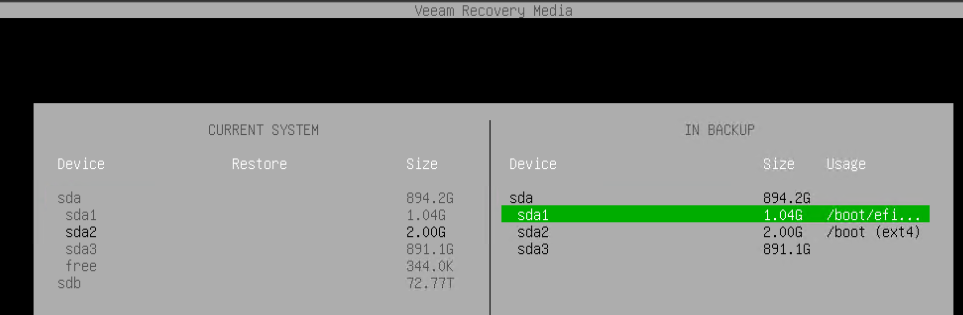
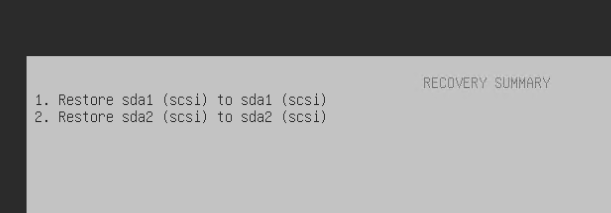
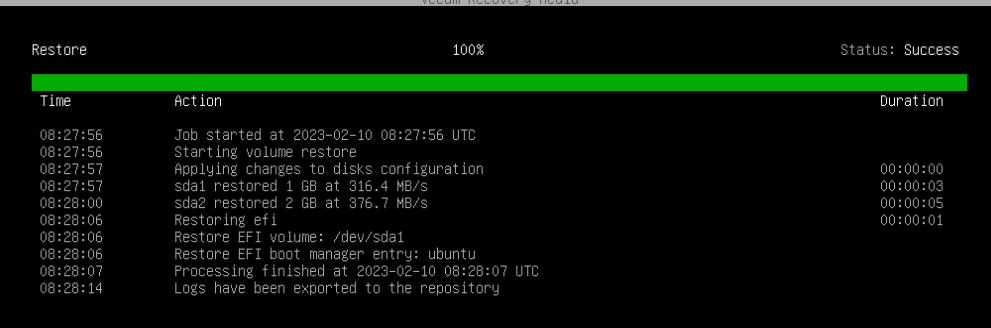
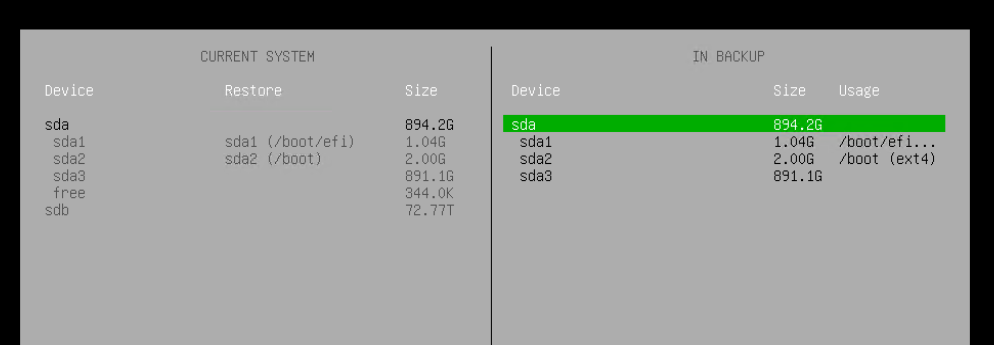
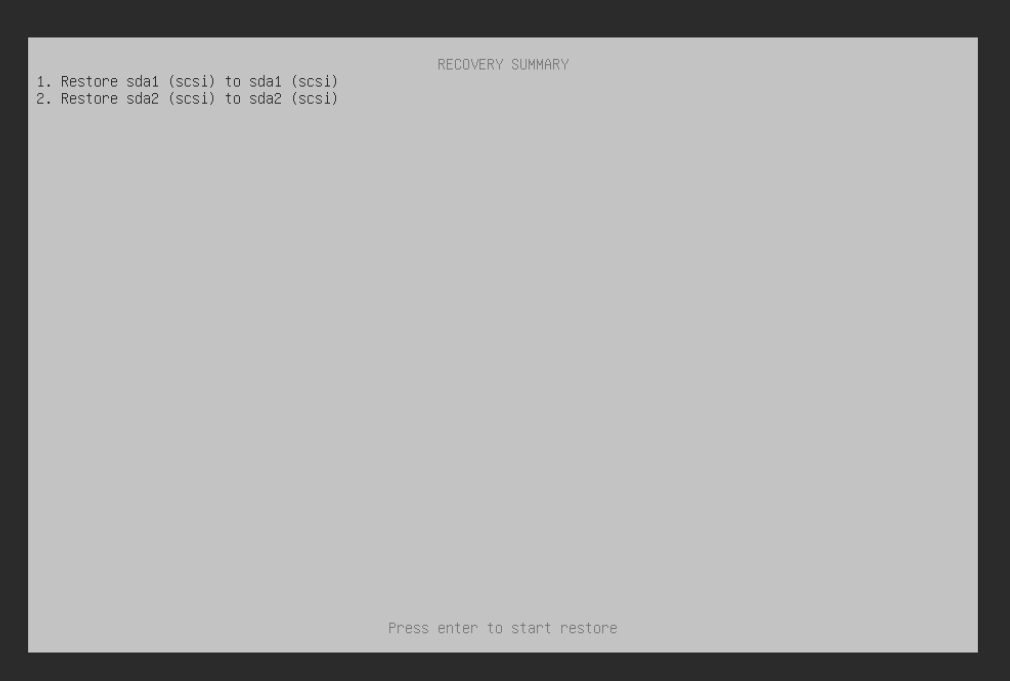
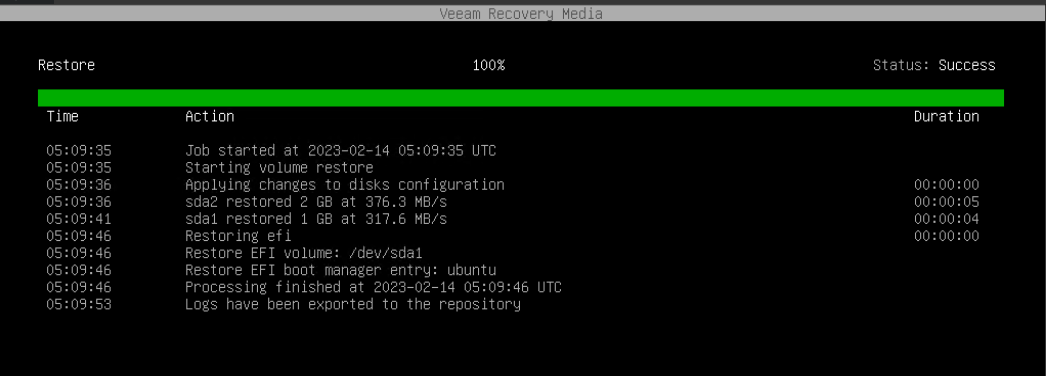
Not sure if few screenshots from the restore process may give any hints?


I thought both boot loaders much be the same, as it is the same system? How to list detected devices? I feel like missing volume group “ubuntu-vg” is the key just have not enouth knowledge to understand why it is missing after restore unfortunately. Probably worth to rebuilt the server and check if it was supposed to be backed up separately from system volume?


MicoolPaul
Forum|alt.badge.img+23
  • February 10, 2023

Thanks for that, would expect that as you’ve restored over the top that yes, it’d be the same boot loader etc. I would suggest restoring the entire sda instead of just sda1 and sda2 as you’ve restored two partitions not the entire disk. Try that please 🙂


I mentioned kernels because Veeam’s documentation lists 22.04 with specific kernel versions as supported, will dig out the link in a bit…


Chris.Childerhose
Forum|alt.badge.img+21
  • Veeam Legend, Veeam Vanguard
  • February 10, 2023

Thanks for that, would expect that as you’ve restored over the top that yes, it’d be the same boot loader etc. I would suggest restoring the entire sda instead of just sda1 and sda2 as you’ve restored two partitions not the entire disk. Try that please 🙂


I mentioned kernels because Veeam’s documentation lists 22.04 with specific kernel versions as supported, will dig out the link in a bit…

Good catch on that one Michael as I noticed the restore window and not the primary SDA being restored as I am pretty sure that contains information too for Linux boot.  Hopefully that helps with the issue.


  • Author
  • Comes here often
  • February 14, 2023

Thank you guys, unfortunately I was actually restoring the whole sda, but tried once more.


No difference, still fail. Beginning to rebuild from the scratch. Till the time Ubuntu will be up and running probably new version will be published ;-)


  • Author
  • Comes here often
  • Answer
  • February 22, 2023

Just want to close the topic.

I rebuild the Linux host with v6 Agent and WITHOUT using LVM. Now restore process works without any issues. I know LVM is supported (and was supported) so not sure if it is root cause or not, just pointing to differences.

Thank you to everyone who was helping.


Chris.Childerhose
Forum|alt.badge.img+21
  • Veeam Legend, Veeam Vanguard
  • February 22, 2023

Just want to close the topic.

I rebuild the Linux host with v6 Agent and WITHOUT using LVM. Now restore process works without any issues. I know LVM is supported (and was supported) so not sure if it is root cause or not, just pointing to differences.

Thank you to everyone who was helping.

Glad to hear you were able to address the issue.  Remember to mark one of the responses here that helped the most as best answer for others to see and help resolve their potential issues.


coolsport00
Forum|alt.badge.img+21
  • Veeam Legend
  • February 22, 2023

Just want to close the topic.

I rebuild the Linux host with v6 Agent and WITHOUT using LVM. Now restore process works without any issues. I know LVM is supported (and was supported) so not sure if it is root cause or not, just pointing to differences.

Thank you to everyone who was helping.

That’s good to know that LVM seemed to be the culprit causing your issues. Odd though.