


Solved

Security & Compliance Analyzer V13

  • March 22, 2026
  • 2 comments
  • 62 views

Jason Orchard-ingram micro
Forum|alt.badge.img+2

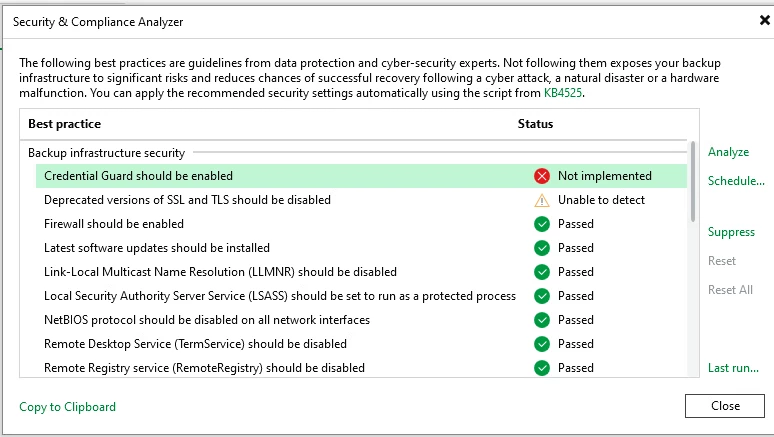
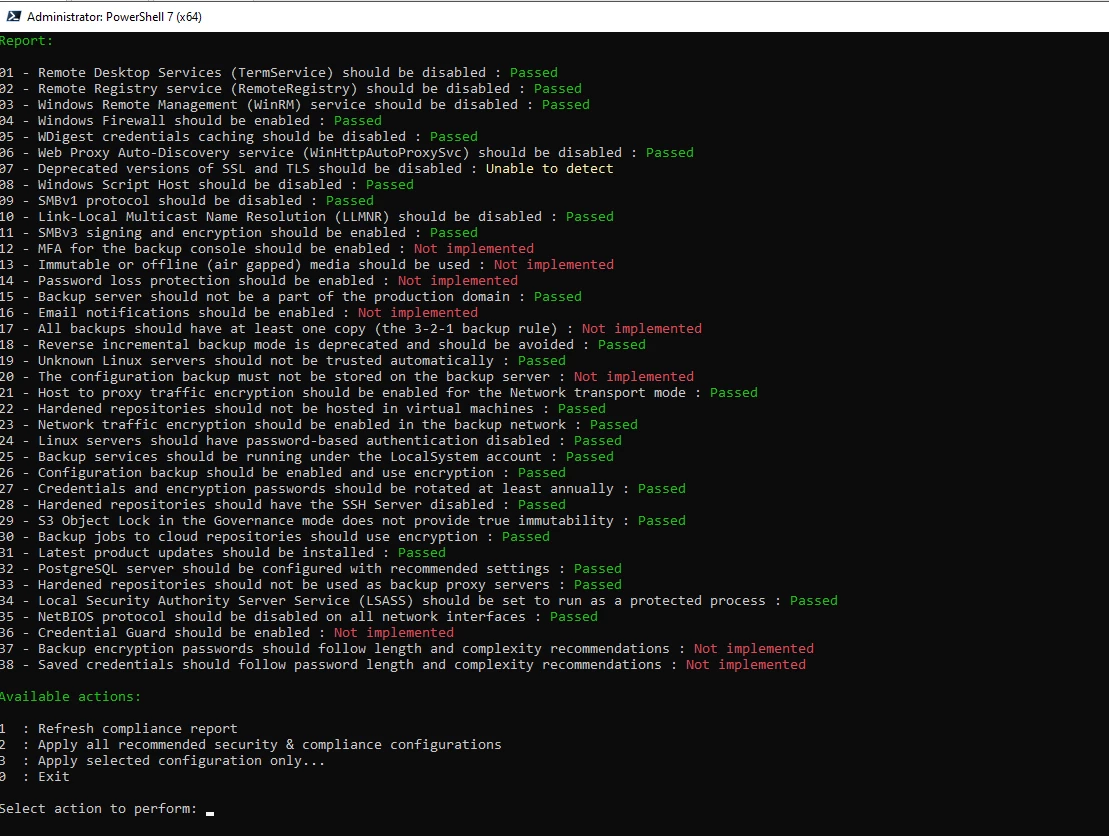
I was deploying Veeam Backup & Replication v13 in my lab and reviewing the Security & Compliance Analyzer when I noticed a new requirement that I hadn’t seen before: “Credential Guard should be enabled.” I also checked Product KB 4252, but this setting is referenced there but can’t enable it.

Can anyone clarify where “Credential Guard” can be enabled for VBR, and whether there is any official documentation from Veeam that covers this requirement?


Best answer by coolsport00

Hi ​@Jason Orchard-ingram micro -

This setting is covered in the VBR v13 User Guide. Search for “Credential Guard” (2/3 of the way down on the page). It also shares the Microsoft KB it covers:

Veeam User Guide:
https://helpcenter.veeam.com/docs/vbr/userguide/best_practices_analyzer.html?ver=13

MS KB:
https://learn.microsoft.com/en-us/windows/security/identity-protection/credential-guard/

Hope that helps.

2 comments

coolsport00
Forum|alt.badge.img+21
  • Veeam Legend
  • Answer
  • March 22, 2026

Hi ​@Jason Orchard-ingram micro -

This setting is covered in the VBR v13 User Guide. Search for “Credential Guard” (2/3 of the way down on the page). It also shares the Microsoft KB it covers:

Veeam User Guide:
https://helpcenter.veeam.com/docs/vbr/userguide/best_practices_analyzer.html?ver=13

MS KB:
https://learn.microsoft.com/en-us/windows/security/identity-protection/credential-guard/

Hope that helps.


Iams3le
Forum|alt.badge.img+12
  • March 23, 2026

For the versions of SSL/TLS to be disabled, see the section under “Download IIS Crypto” for a quick way to fix this: https://techdirectarchive.com/2024/03/06/fixes-to-trellix-epolicy-orchestrator-installation-errors/



