Solved

On-host proxy requires upgrade before it can be used

  • Apr 30, 2026 9:59 AM UTC
  • 11 comments
  • 606 views

hs08
Forum|alt.badge.img+1
  • Comes here often


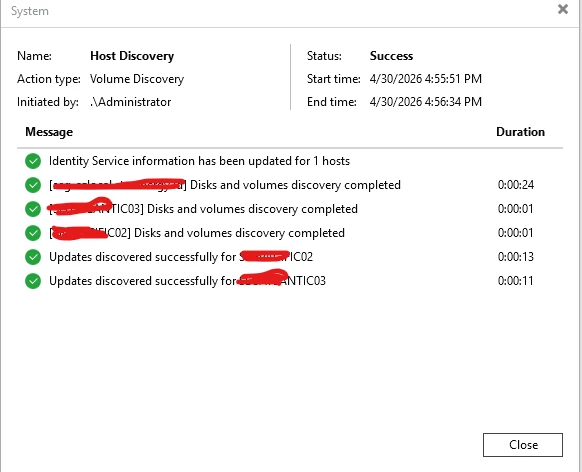
In my Azure Local node the backup job always error for only one node with below error (node 03).

If i scan the hyper-v cluster then all nodes is up to date. But after the job is run then this 03 node always back to 
 

Best answer by hs08

Veeam support see there are duplicate entry for this host in the database and manually uodate the record in the databse and now is working fine.

View original

11 comments

coolsport00
Forum|alt.badge.img+23
  • Veeam Legend
  • Apr 30, 2026 10:08 AM UTC

Hi ​@hs08 -

Probably best you reach out to Veeam Support for this one. 

Best.


hs08
Forum|alt.badge.img+1
  • Author
  • Comes here often
  • Apr 30, 2026 10:13 AM UTC

hi ​@coolsport00 yes already but seem they not yet respond to my case.


Chris.Childerhose
Forum|alt.badge.img+23

It depends what priority you marked the case at and patience.


coolsport00
Forum|alt.badge.img+23
  • Veeam Legend
  • Apr 30, 2026 11:38 AM UTC

hi ​@coolsport00 yes already but seem they not yet respond to my case.

Ah, ok. Well...as you know...just best to wait to hear back from them. Not a bad thing to post here or in the Forums, but Support will be your best route. Keep us posted what you find out if you can.


kciolek
Forum|alt.badge.img+6
  • Influencer
  • Apr 30, 2026 12:21 PM UTC

did you try Properties and authenticate the ID/PW against the host again? I had a similar problem bud had to do with an aged account. 


Link State
Forum|alt.badge.img+12
  • Veeam Legend
  • Apr 30, 2026 12:45 PM UTC


In my Azure Local node the backup job always error for only one node with below error (node 03).

If i scan the hyper-v cluster then all nodes is up to date. But after the job is run then this 03 node always back to 
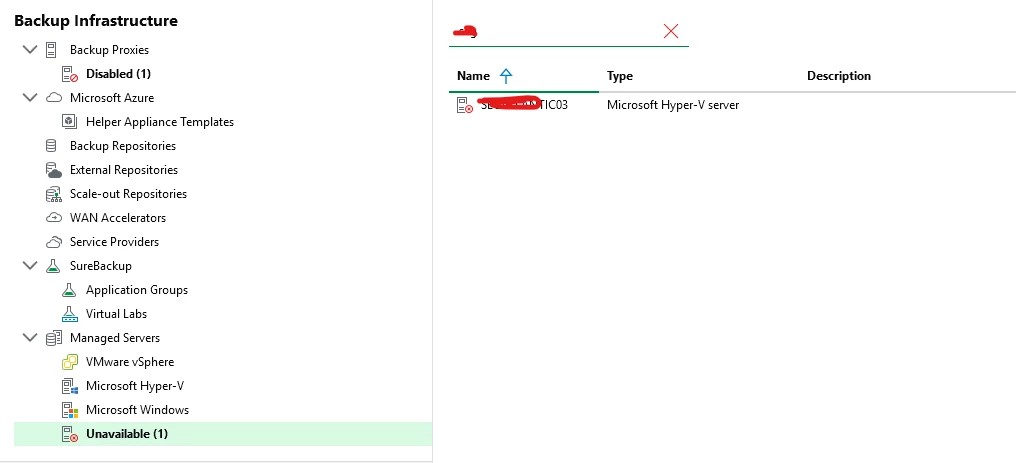
 

"First, check the network connectivity and ensure that the cluster administration credentials have not expired or changed following the password reset. Also, have you verified that the Hyper-V node does not have the firewall turned on?" Try re-validating the Hyper-V cluster credentials.


hs08
Forum|alt.badge.img+1
  • Author
  • Comes here often
  • Answer
  • May 12, 2026 1:57 PM UTC

Veeam support see there are duplicate entry for this host in the database and manually uodate the record in the databse and now is working fine.


coolsport00
Forum|alt.badge.img+23
  • Veeam Legend
  • May 12, 2026 2:00 PM UTC

Thanks for the update ​@hs08 Glad they got you sorted 👍🏻


Chris.Childerhose
Forum|alt.badge.img+23

Glad to hear support got things fixed for you.


SMI-admin
  • New Here
  • Nov 25, 2026 1:52 PM UTC

We too have just began to experience this error.  We had to recover one of our Hyper-V cluster nodes and it’s using the same name, so I suspect this might be the problem.  Agents reinstalled fine on that host node.

Was there an end user applicable fix I can run, or do we have to contact support?

Thanks!


Chris.Childerhose
Forum|alt.badge.img+23
  • Veeam Legend, Veeam Vanguard
  • Nov 25, 2026 2:53 PM UTC

We too have just began to experience this error.  We had to recover one of our Hyper-V cluster nodes and it’s using the same name, so I suspect this might be the problem.  Agents reinstalled fine on that host node.

Was there an end user applicable fix I can run, or do we have to contact support?

Thanks!

More than likely you will need to contact support since it seems to be DB related and you won’t want to mess with that yourself.