Solved

Invalid mail credentials

  • January 22, 2024
  • 26 comments
  • 627 views

Show first post

26 comments

Bart Grott
  • New Here
  • July 31, 2024


Was going to say, I’m surprised you can still use basic auth.  It’s going away...I’d recommend changing to Modern Auth.

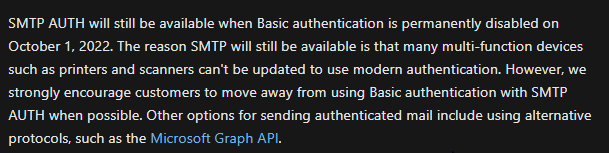
It’s not going away for SMTP. But it may been disabled by Microsoft for the tenant. You can enable it if you have old devices not capable to use modern authentication to send mails.

Deprecation of Basic authentication in Exchange Online | Microsoft Learn
Enable or disable SMTP AUTH in Exchange Online | Microsoft Learn


@andres.molino 
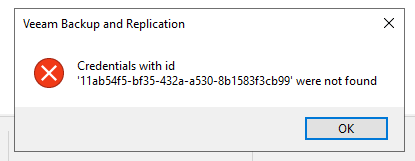
Looks like the credentials are missing in the configuration database. This is not something a remote console can solve. I suggest you open a support case with us to solve this issue.
Or replace the credentials of the notification settings per PowerShell with existing credentials ID from the database. Something like:


$credentials = Get-VBRCredentials

Set-VBRMailNotificationConfiguration -SmtpServer <IP or FQDN> -Sender <sender@domain.tld> -Recipient <recipient@domain.tld> -Subject %BackupJobs% -NotifyOnFailure -Credentials $credentials[0]

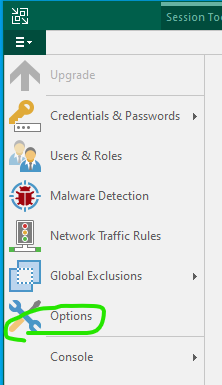
This will replace the current notification setting with existing credential IDs. Then the option window should open as normal again and you can change the notification settings as required.


Best,

Fabian

This one worked for me ! Thanks a lot !