
Question

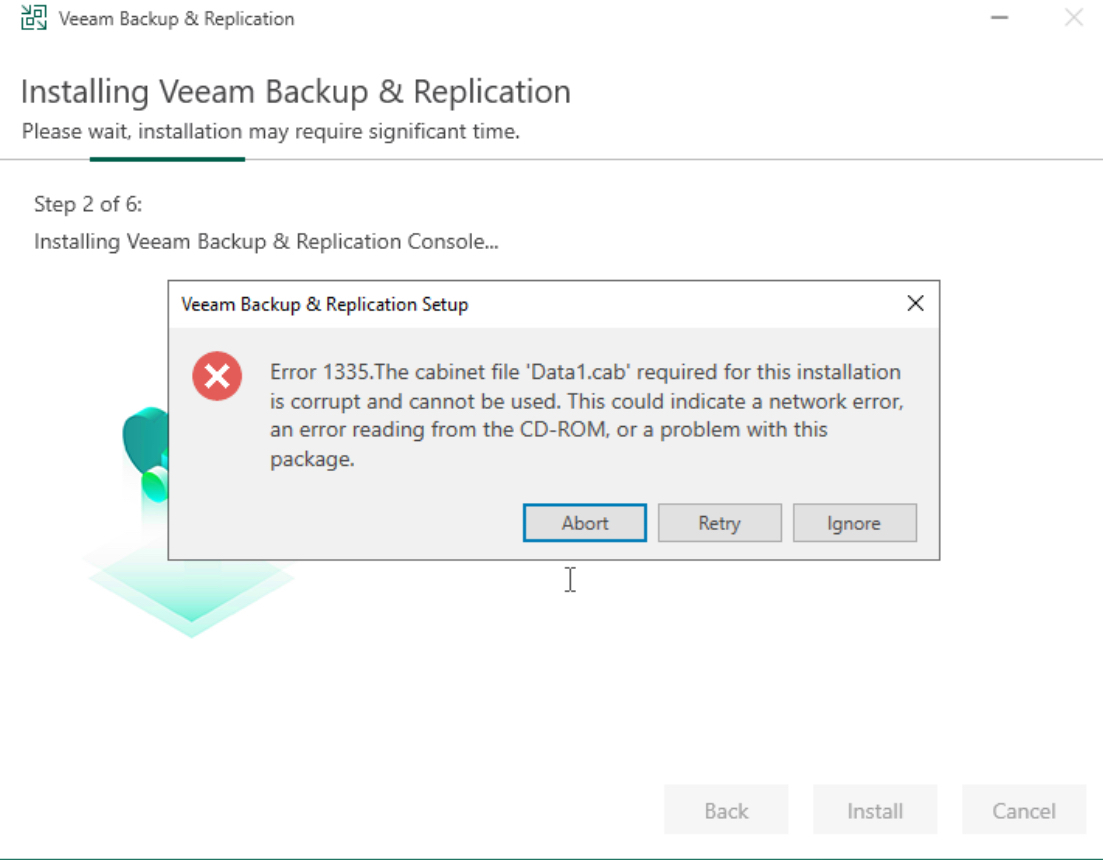
Error 1335.The cabinet file 'Data1.cab' required for this installation

  • March 10, 2024
  • 10 comments
  • 1174 views

Hello,

I‘m very frustrated now. Had Community for years in use without any problems. Yesterday I could not open management console and get an error message. I try to reinstall software but get this error. Tried an installation on new W2022 same error. Search google - no success. Tried to solve this problem 8 hour. Now I‘m at the end of my knowlegde.


10 comments

coolsport00
Forum|alt.badge.img+21
  • Veeam Legend
  • March 10, 2024

Hi @MichaelMarold -

Welcome to the Community. Have you tried to re-download the installer & then reattempt the install? 


  • Author
  • New Here
  • March 10, 2024

I‘ve downloaded the file 3-4 times, the previous version too and the 11a. No success.


  • Author
  • New Here
  • March 10, 2024

Downloaded Essential Plattform Edition. From this I‘ve installed B&R only without license. In this case it is licensed as community edition. And it worked. Don‘t know what the difference between this two B&R installations. 9 hours of my life for nothing *grrrr*


coolsport00
Forum|alt.badge.img+21
  • Veeam Legend
  • March 10, 2024

Hmm...interesting. We'll, glad you got it sorted.

If I find anything on this issue, I'll post. 


Chris.Childerhose
Forum|alt.badge.img+21

Downloaded Essential Plattform Edition. From this I‘ve installed B&R only without license. In this case it is licensed as community edition. And it worked. Don‘t know what the difference between this two B&R installations. 9 hours of my life for nothing *grrrr*

The edition of the installer should not have mattered but glad you got it installed.


coolsport00
Forum|alt.badge.img+21
  • Veeam Legend
  • March 10, 2024

Hi @MichaelMarold ...I came across a few things to try:

1. If you have an A/V solution installed, temporarily disable then try to install. 

2. Rt-click the installer and choose 'Run as administrator'.

3. Disable UAC. 

4. Clear the %temp% folder 

See if one of those work. 


  • Author
  • New Here
  • March 10, 2024

Hi Coolsport,

I‘ve successfully installed ist with Essential edition. No more tries :-)

Before the unsuccessful installation, I disabled Defender. I always start installation as administrator. I never had a temp folder.


coolsport00
Forum|alt.badge.img+21
  • Veeam Legend
  • March 10, 2024

Ok...understood 😊


  • New Here
  • February 16, 2026

I just wanted to add an update to this as it’s the only reference to this error I can find and I have been struggling with this error for days. In my case after long and arduous troubleshooting I found I had a bad stick of RAM.


I had tried creating new VM after new VM from scratch with fresh Windows Server ISO on ESXi. Everything would go well until I went to install Veeam. I would get error 1335 data1.cab at different spots throughout the install process. Different spot every time, but same error. Finally ran memtest86 off a USB stick on the host and found a bad stick of RAM. Replaced the stick and everything is AOK.


Chris.Childerhose
Forum|alt.badge.img+21

@MichaelMarold  - Just wanted to follow up on your question to see if you received an answer and if so, please mark the best answer, even if it is your own that helped with your issue.



