Solved

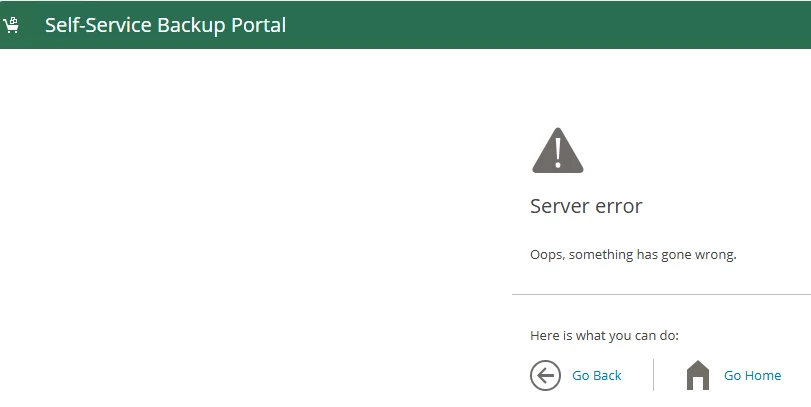
Enterprise Manager Self-Service Portal - Server Error

  • January 29, 2026
  • 11 comments
  • 88 views

Forum|alt.badge.img+1

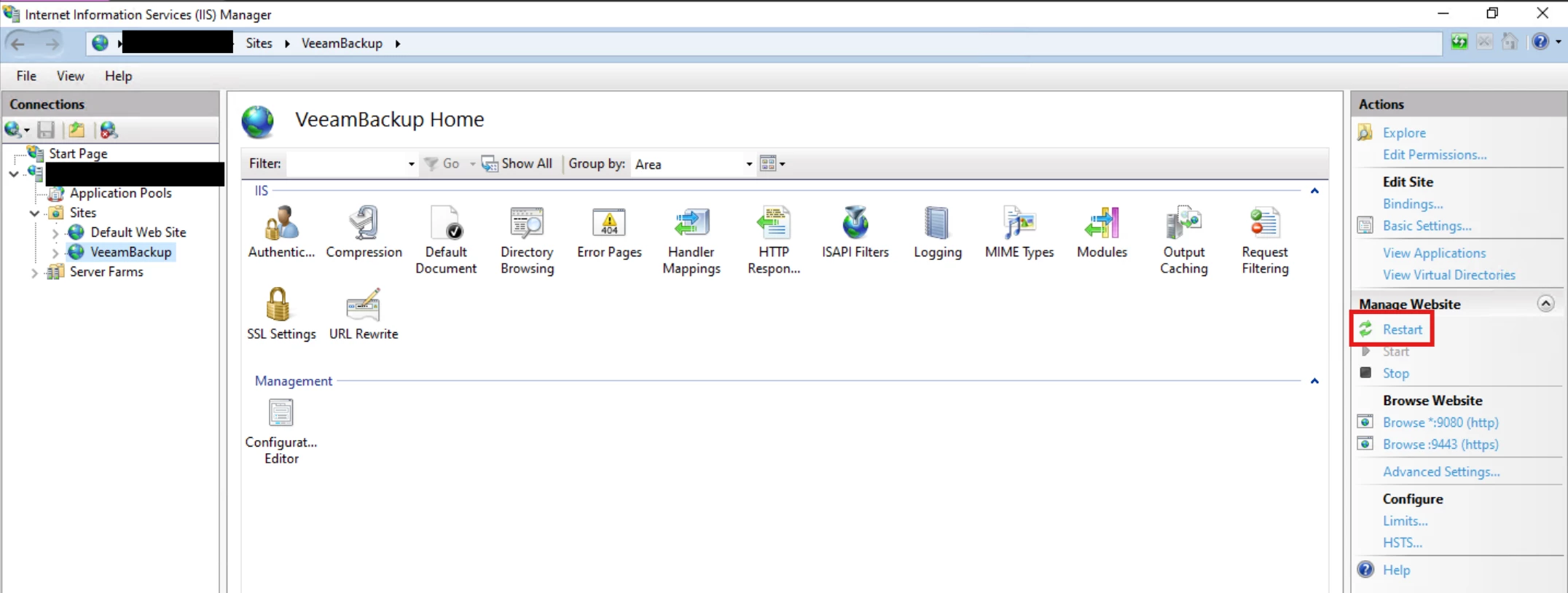
Enterprise Manager Self-Service Portal - Server Error. I remember being able to fix this before but can’t remember the particulars. I had to go to IIS, I think application pools. 


Best answer by spider32

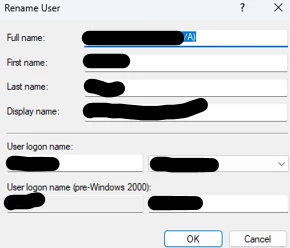
Per support, the issue that we are experiencing is due to use of “/” character in the Full Name field. Once removed or changed to “_” character, the account was able to login. v13 of Enterprise Manager uses select user groups operation which is not being used in v12. We have been using “/” character with a lot of other applications so changing this just to work with Veeam Enterprise Manager is not an option for us. 


11 comments

Tommy O'Shea
Forum|alt.badge.img+5
  • Veeam Legend
  • January 29, 2026

Try this:


Link State
Forum|alt.badge.img+11
  • Veeam Legend
  • January 29, 2026

@spider32  try iis reset 


Chris.Childerhose
Forum|alt.badge.img+21
  • Veeam Legend, Veeam Vanguard
  • January 29, 2026

Some things to check as it could be one of them -

🛠️ Common Causes of “Server Error” in Veeam EM Self‑Service Portal

1. Application Pool Stopped or Crashed

This is the number one cause.

What to check

  • Open IIS Manager

  • Go to Application Pools

  • Look for:

    • VeeamBackup

    • VeeamBackupREST

    • VeeamBackupReporting

    • VeeamBackupPortal (Self‑Service Portal)

What to do

  • Ensure the pool is Started

  • If it stops immediately:

    • Check the Identity → often a password change breaks it

    • Re‑enter the service account password if needed

    • Confirm the account has Log on as a service rights

2. .NET CLR Version Mismatch

Veeam EM requires specific .NET versions depending on your VBR/EM version.

Symptoms

  • Portal loads with a generic “Server Error”

  • Application pool crashes on startup

Fix

  • Ensure the pool is set to the correct .NET CLR version

  • Ensure ASP.NET features are installed in Windows Server Roles

3. Bindings or HTTPS Certificate Issues

If the SSL certificate expired or was replaced, the portal may fail to load.

Check

  • IIS → Sites → VeeamBackup

  • Review HTTPS bindings

  • Ensure the certificate is valid and assigned

4. Veeam Enterprise Manager Services Not Running

The portal depends on several backend services.

Ensure these are running:

  • Veeam Backup Enterprise Manager

  • Veeam RESTful API Service

  • Veeam Backup Service

  • Veeam Broker Service

Restarting them in order often resolves transient issues.

5. Database Connectivity Problems

If EM cannot reach its SQL database, the portal throws a server error.

Check

  • SQL Server is online

  • EM server can reach SQL over the network

  • SQL credentials used by EM are still valid


Forum|alt.badge.img+1
  • Author
  • Influencer
  • January 29, 2026

Thanks for the replies. I can login to Enterprise Manager just not on the /Backup site.

IIS is up and running, application pools are running, DB connectivity is good. I have restarted the application pools and IIS, still get the error.


Chris.Childerhose
Forum|alt.badge.img+21
  • Veeam Legend, Veeam Vanguard
  • January 29, 2026

Is the SSL good in IIS?  When you access the VEM dashboard what shows for the SSL connection?  Not sure what else to suggest other than a quick uninstall and reinstall just pointing it back to the same DB again - that tends to resolve all things. 


Forum|alt.badge.img+1
  • Author
  • Influencer
  • February 4, 2026

Folks, I opened a ticket to Veeam. Will update you with their answer.

The Self-Service website is working. However, if we add people from a certain group, Self-service gives the Server Error as shown above. I informed Veeam that this is working on v12 but for some reason LDAP calls on v13 may be a little bit different on how it treats AD groups. 


Chris.Childerhose
Forum|alt.badge.img+21
  • Veeam Legend, Veeam Vanguard
  • February 4, 2026

Folks, I opened a ticket to Veeam. Will update you with their answer.

The Self-Service website is working. However, if we add people from a certain group, Self-service gives the Server Error as shown above. I informed Veeam that this is working on v12 but for some reason LDAP calls on v13 may be a little bit different on how it treats AD groups. 


It will be interesting to see what they say as I suspect also changes in v13.  Keep us posted.


Forum|alt.badge.img+1
  • Author
  • Influencer
  • February 23, 2026

Support still looking but definitely, there’s some difference between v12 and v13 on how they do LDAP calls. Below is the latest update from support

Another difference between when the two users log in, the account that works opens a vsphere session 

[17.02.2026 08:15:30.972]    <87>    Info (3)    [Web] Opening vSphere session with ID: [c3ac951b-deb4-4429-aaf0-eb28caca8692]
[17.02.2026 08:15:30.972]    <87>    Info (3)    Looking for SID for user [userWorking]

The account that fails opens a self restore mode session and logs the user on instead of looking for the SID like the above did, 

[17.02.2026 08:18:02.771]    <68>    Info (3)    [Web] Opening session with ID: [6f52bd4f-50d9-44ea-9237-22f00c004a47], selfRestoreMode [True]
[17.02.2026 08:18:02.771]    <68>    Info (3)    Opening session with ID: [6f52bd4f-50d9-44ea-9237-22f00c004a47], selfRestoreMode [True]
[17.02.2026 08:18:02.774]    <68>    Info (3)    Logon as new user userNotWorking@domain.lcl. Session [s77]


Forum|alt.badge.img+1
  • Author
  • Influencer
  • Answer
  • February 24, 2026

Per support, the issue that we are experiencing is due to use of “/” character in the Full Name field. Once removed or changed to “_” character, the account was able to login. v13 of Enterprise Manager uses select user groups operation which is not being used in v12. We have been using “/” character with a lot of other applications so changing this just to work with Veeam Enterprise Manager is not an option for us. 


Chris.Childerhose
Forum|alt.badge.img+21
  • Veeam Legend, Veeam Vanguard
  • February 25, 2026

Great to hear you were able to solve it.


Scott
Forum|alt.badge.img+10
  • Veeam Legend
  • February 27, 2026

I’ve never used a / in a user name, but glad to catch this before we upgrade. Thank you very much for coming back and sharing the resolution.