Question

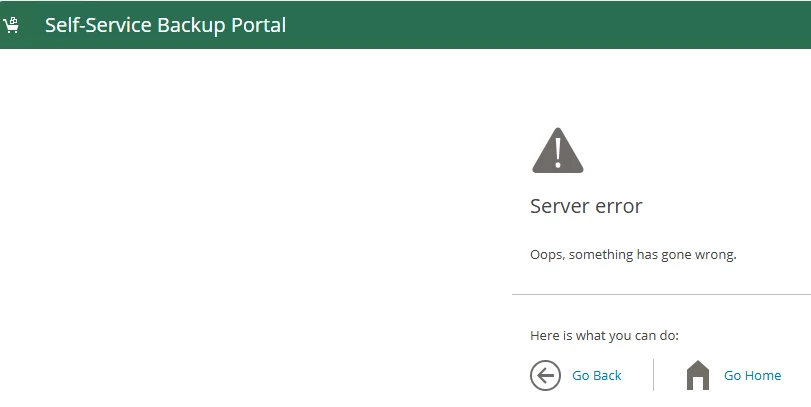
Enterprise Manager Self-Service Portal - Server Error

  • January 29, 2026
  • 5 comments
  • 29 views

Forum|alt.badge.img+1

Enterprise Manager Self-Service Portal - Server Error. I remember being able to fix this before but can’t remember the particulars. I had to go to IIS, I think application pools. 


5 comments

Tommy O'Shea
Forum|alt.badge.img+5
  • Veeam Legend
  • January 29, 2026

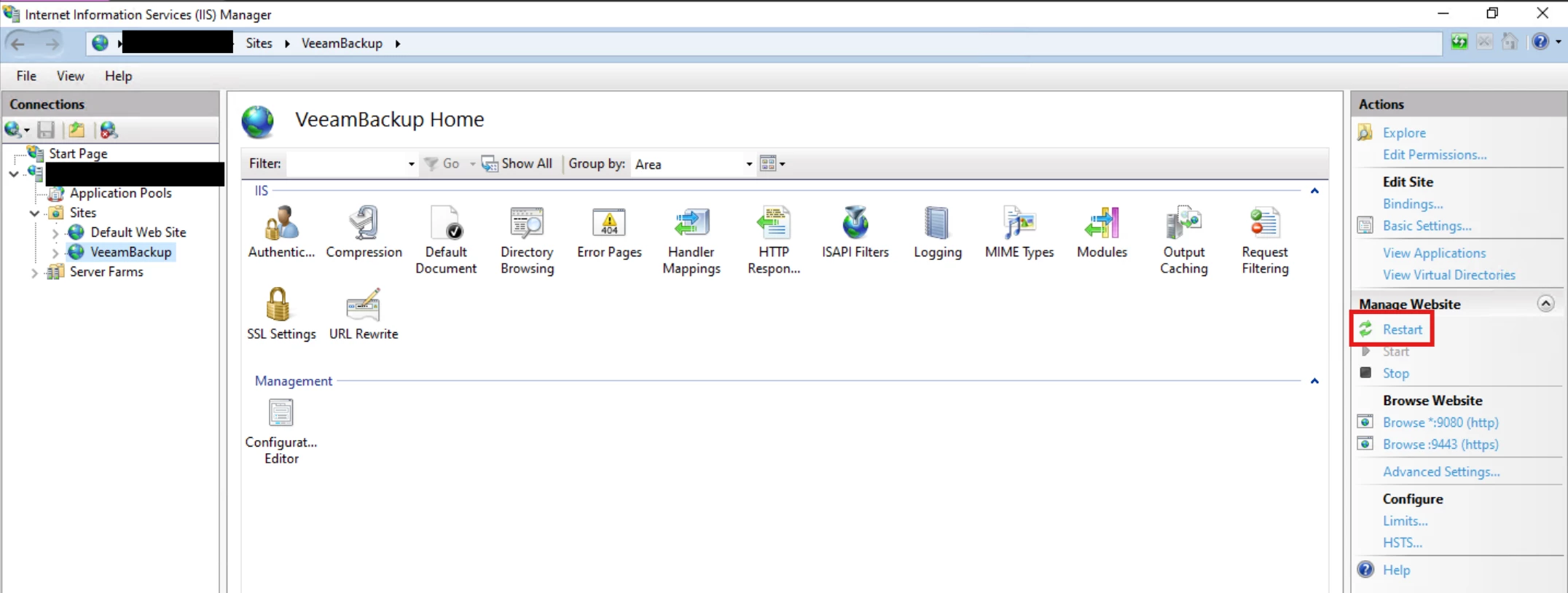
Try this:


Link State
Forum|alt.badge.img+11
  • Veeam Legend
  • January 29, 2026

@spider32  try iis reset 


Chris.Childerhose
Forum|alt.badge.img+21
  • Veeam Legend, Veeam Vanguard
  • January 29, 2026

Some things to check as it could be one of them -

🛠️ Common Causes of “Server Error” in Veeam EM Self‑Service Portal

1. Application Pool Stopped or Crashed

This is the number one cause.

What to check

  • Open IIS Manager

  • Go to Application Pools

  • Look for:

    • VeeamBackup

    • VeeamBackupREST

    • VeeamBackupReporting

    • VeeamBackupPortal (Self‑Service Portal)

What to do

  • Ensure the pool is Started

  • If it stops immediately:

    • Check the Identity → often a password change breaks it

    • Re‑enter the service account password if needed

    • Confirm the account has Log on as a service rights

2. .NET CLR Version Mismatch

Veeam EM requires specific .NET versions depending on your VBR/EM version.

Symptoms

  • Portal loads with a generic “Server Error”

  • Application pool crashes on startup

Fix

  • Ensure the pool is set to the correct .NET CLR version

  • Ensure ASP.NET features are installed in Windows Server Roles

3. Bindings or HTTPS Certificate Issues

If the SSL certificate expired or was replaced, the portal may fail to load.

Check

  • IIS → Sites → VeeamBackup

  • Review HTTPS bindings

  • Ensure the certificate is valid and assigned

4. Veeam Enterprise Manager Services Not Running

The portal depends on several backend services.

Ensure these are running:

  • Veeam Backup Enterprise Manager

  • Veeam RESTful API Service

  • Veeam Backup Service

  • Veeam Broker Service

Restarting them in order often resolves transient issues.

5. Database Connectivity Problems

If EM cannot reach its SQL database, the portal throws a server error.

Check

  • SQL Server is online

  • EM server can reach SQL over the network

  • SQL credentials used by EM are still valid


Forum|alt.badge.img+1
  • Author
  • Influencer
  • January 29, 2026

Thanks for the replies. I can login to Enterprise Manager just not on the /Backup site.

IIS is up and running, application pools are running, DB connectivity is good. I have restarted the application pools and IIS, still get the error.


Chris.Childerhose
Forum|alt.badge.img+21
  • Veeam Legend, Veeam Vanguard
  • January 29, 2026

Is the SSL good in IIS?  When you access the VEM dashboard what shows for the SSL connection?  Not sure what else to suggest other than a quick uninstall and reinstall just pointing it back to the same DB again - that tends to resolve all things.