Question

Duplicate Email Notifications for Agent Backup Copy Jobs

  • March 25, 2026
  • 31 comments
  • 180 views

Forum|alt.badge.img+1

The copy backup jobs (secondary target) for two of physical server backup jobs are generating two emails per backup instead of one.  

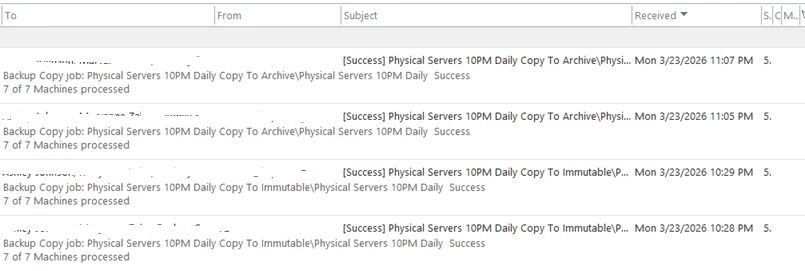
For each backup copy job run,  two “Success” emails within minutes:

Example:

  • 11:05 PM – Success
  • 11:07 PM – Success
  •  

 Subjects are identical,


Environment

  • Product: Veeam Backup & Replication 13.0.1.2067
  • Workload: Veeam Agent for Windows (Physical Servers)
  • Jobs impacted:
    • Physical Servers 7PM Daily Copy to Archive
    • Physical Servers 7PM Daily Copy to Immutable
    • Physical Servers 10PM Daily Copy to Archive
    • Physical Servers 10PM Daily Copy to Immutable

Notification Settings Review

1. Protection Group (Physical Servers Group 1)

  • Send daily agent status report:  Disabled

2. Primary Agent Backup Jobs

  • Job-level email notifications:  Disabled
  • Setting: Uses global notification settings only

3. Backup Copy Jobs (Secondary Target)

  • Job-level email notifications:  Disabled
    • Confirmed in job logs:
      <EmailNotification>False</EmailNotification>
      <UseCustomEmailNotificationOptions>False</UseCustomEmailNotificationOptions>
  •  

4. Global Email Notification Settings

  • Enable email notifications: Enabled
  • Notify on:  Success /  Warning /  Failure - Enabled
  • Suppress until last retry:  Enabled
  • Recipients: Same for all jobs

 This is the only active notification mechanism


Please advise

31 comments

Mohamed Ali
Forum|alt.badge.img+3
  • VUG Leader
  • March 25, 2026

This looks unusual for a single copy job, especially since job-level notifications are disabled.

I would suggest checking the email side as well:

  • Verify the recipient list in notification settings and ensure there are no duplicates or distribution groups that might expand to the same users multiple times
  • Check if any email forwarding rules are configured on the recipient mailbox or at the Exchange/mail server level transport rule that could forward the email again

Marcel.K
Forum|alt.badge.img+12
  • Veeam Legend
  • March 25, 2026

Hi ​@Nikks do you have to backup jobs in one copy job? Then explains it ....


Forum|alt.badge.img+1
  • Author
  • Influencer
  • March 25, 2026

Hi ​@Nikks do you have to backup jobs in one copy job? Then explains it ....

Sorry Marcel, can you explain it more?


Forum|alt.badge.img+1
  • Author
  • Influencer
  • March 25, 2026

This looks unusual for a single copy job, especially since job-level notifications are disabled.

I would suggest checking the email side as well:

  • Verify the recipient list in notification settings and ensure there are no duplicates or distribution groups that might expand to the same users multiple times
  • Check if any email forwarding rules are configured on the recipient mailbox or at the Exchange/mail server level transport rule that could forward the email again

Checked nothing unusual with the settings. 

I think Backup Copy jobs for Agents behave differently from VM backup jobs:

They are policy‑driven

They run parent + child sessions

Each session independently triggers global notifications, so sending duplicate emails ?

https://helpcenter.veeam.com/docs/agentforwindows/userguide/integration_backup_copy.html?ver=13

A single Backup Copy run = multiple job sessions for Agents.


Can it be the reason ?


Marcel.K
Forum|alt.badge.img+12
  • Veeam Legend
  • March 25, 2026

Hi ​@Nikks do you have to backup jobs in one copy job? Then explains it ....

Sorry Marcel, can you explain it more?

so you are getting mail per jobs in copy job, because you have 2 backup jobs inside of copy job, then you are receiving mail per job


Forum|alt.badge.img+1
  • Author
  • Influencer
  • March 25, 2026

Hi ​@Nikks do you have to backup jobs in one copy job? Then explains it ....

Sorry Marcel, can you explain it more?

so you are getting mail per jobs in copy job, because you have 2 backup jobs inside of copy job, then you are receiving mail per job

But the same job is repeating  twice , please see the screenshot in my question .

Example : Physical Servers 10PM Daily Copy to Archive at 11:05 and 11:07 


Marcel.K
Forum|alt.badge.img+12
  • Veeam Legend
  • March 25, 2026

i will be good if you will provide logs from job, to see, what is happening


Forum|alt.badge.img+1
  • Author
  • Influencer
  • March 25, 2026

i will be good if you will provide logs from job, to see, what is happening

Which logs - job or task?


coolsport00
Forum|alt.badge.img+22
  • Veeam Legend
  • March 25, 2026

Hi ​@Nikks -

You can look at the Veeam logs in C:\ProgramData\Veeam\Backup to verify where the emails are specifically coming from (hopefully). 

Maybe the others can navigate you to pinpoint where your notifications are coming from, but you can always open a case with Veeam Support to help you find the issue.


Forum|alt.badge.img+1
  • Author
  • Influencer
  • March 25, 2026

i will be good if you will provide logs from job, to see, what is happening

I am seeing this pattern

[23.03.2026 .757]    <23> [0006]    Info (3)    [SessionReportMailer] Sending report

[23.03.2026 .764]    <23> [0006]    Info (3)    [CReportMailer] Sending report to  ;  ; 

[23.03.2026 .770]    <23> [0006]    Info (3)    [CReportMailer] Sending email notification, server 'SMTP Server '', port '25', timeout '100000', use ssl 'False'', to ';;'

[23.03.2026 .611]    <23> [0006]    Info (3)    [SessionReportMailer] Sending report

[23.03.2026 .615]    <23> [0006]    Info (3)    [CReportMailer] Sending report to  ;  ; 

[23.03.2026 .619]    <23> [0006]    Info (3)    [CReportMailer] Sending email notification, server 'SMTP Server '', port '25', timeout '100000', use ssl 'False'', to ';;'


Forum|alt.badge.img+1
  • Author
  • Influencer
  • March 25, 2026

Hi ​@Nikks -

You can look at the Veeam logs in C:\ProgramData\Veeam\Backup to verify where the emails are specifically coming from (hopefully). 

Maybe the others can navigate you to pinpoint where your notifications are coming from, but you can always open a case with Veeam Support to help you find the issue.

I am seeing this pattern 

  [SessionReportMailer] Sending report

 [CReportMailer] Sending report to  ;  ; 

    [CReportMailer] Sending email notification, server 'SMTP Server '', port '25', timeout '100000', use ssl 'False'', to ';;'


coolsport00
Forum|alt.badge.img+22
  • Veeam Legend
  • March 25, 2026

Ok, so not really showing the source to help pinpoint the issue?

It’s really best if you open a Support case with Veeam to help you get sorted (if the others have no other ideas themselves).


Marcel.K
Forum|alt.badge.img+12
  • Veeam Legend
  • March 25, 2026

100 000 timeout is 1.67 minutes

So looks that veeam it does not have respnse, so it will send in 1.67minutes again. That's why you see second mail in 2.minutes later ... Maybe your mail server has issue with SSL.


Forum|alt.badge.img+1
  • Author
  • Influencer
  • March 26, 2026

100 000 timeout is 1.67 minutes

So looks that veeam it does not have respnse, so it will send in 1.67minutes again. That's why you see second mail in 2.minutes later ... Maybe your mail server has issue with SSL.

Thanks for the  answer. But it is only happening for this two jobs . Al  other are getting only single email and the settings are similiar - Copy mode 


Marcel.K
Forum|alt.badge.img+12
  • Veeam Legend
  • March 26, 2026

one option could be that you have notification in enterprise manager enabled

and second that this copy job has tiering in destination storage that you have created restore point on primary copy and archive copy?

hard to answer if we do not know complete setup ...


Forum|alt.badge.img+1
  • Author
  • Influencer
  • March 27, 2026

one option could be that you have notification in enterprise manager enabled

and second that this copy job has tiering in destination storage that you have created restore point on primary copy and archive copy?

hard to answer if we do not know complete setup ...

Checked , no VBEM in our environment . Is it good to test it out having a new clone copy of this BCJ or create a new BCJ for this one to see duplicate issue exists?


Marcel.K
Forum|alt.badge.img+12
  • Veeam Legend
  • March 27, 2026

Yes, thats good idea to clone copy job and with only one job inside...


Forum|alt.badge.img+1
  • Author
  • Influencer
  • March 30, 2026

Yes, thats good idea to clone copy job and with only one job inside...

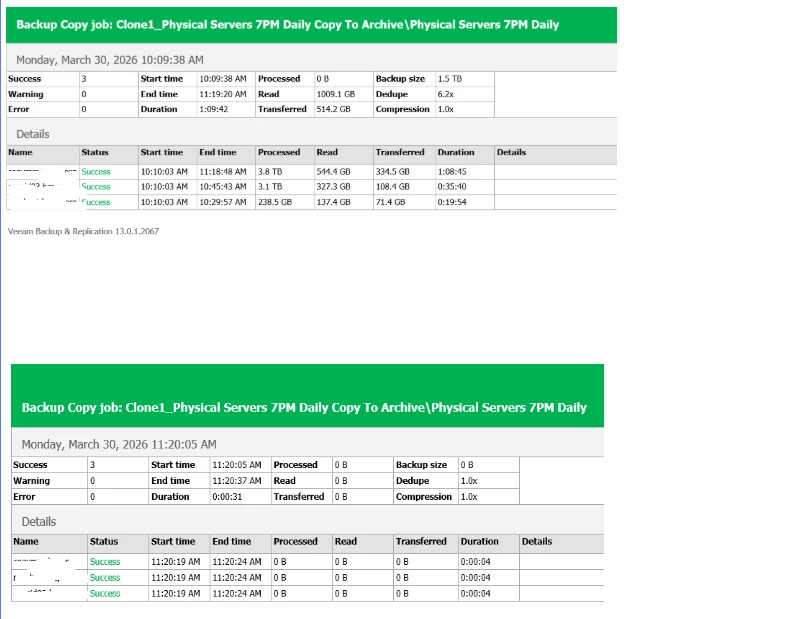
Cloned for one job, still emailing  second copy and the processed data noted is 0B. 


Scott
Forum|alt.badge.img+10
  • Veeam Legend
  • March 31, 2026

If you change the global address do you still receive emails? 

Try and narrow it down to either duplicate emails from one location, or 2 separate locations. 

As mentioned above, logs, or support would be the next places to look if you cant find it in the GUI.


You likely have it configured in more than one spot. 

Here is a PowerShell command i made to list all email addresses used in jobs. 


$emailPattern = '[a-zA-Z0-9._%+-]+@[a-zA-Z0-9.-]+\.[a-zA-Z]{2,}'

function Get-EmailsFromObject {
param($obj)
$json = $obj | ConvertTo-Json -Depth 5 -Compress -ErrorAction SilentlyContinue
if ($json) {
return ($json | Select-String -Pattern $emailPattern -AllMatches).Matches.Value
}
}

$allEmails = @()

# Backup Jobs
Get-VBRJob | ForEach-Object { $allEmails += Get-EmailsFromObject $_ }

# Backup Copy Jobs
Get-VBRBackupCopyJob | ForEach-Object { $allEmails += Get-EmailsFromObject $_ }

# SureBackup Jobs
Get-VBRSureBackupJob | ForEach-Object { $allEmails += Get-EmailsFromObject $_ }

# Agent Jobs
Get-VBRComputerBackupJob | ForEach-Object { $allEmails += Get-EmailsFromObject $_ }

# Tape Jobs
Get-VBRTapeJob | ForEach-Object { $allEmails += Get-EmailsFromObject $_ }

# Deduplicate and sort
$allEmails | Sort-Object -Unique


This one takes it one step further and will list what job it is related to if it is found. 


$emailPattern = '[a-zA-Z0-9._%+-]+@[a-zA-Z0-9.-]+\.[a-zA-Z]{2,}'

function Get-EmailsFromObject {
param(
[Parameter(Mandatory)]
$obj,
[string]$JobType = "Unknown"
)

$json = $obj | ConvertTo-Json -Depth 5 -Compress -ErrorAction SilentlyContinue
if ($json) {
$matches = ($json | Select-String -Pattern $emailPattern -AllMatches).Matches
foreach ($m in $matches) {
[PSCustomObject]@{
JobName = $obj.Name
JobType = $JobType
Email = $m.Value
}
}
}
}

$allEmails = @()

# Backup Jobs
Get-VBRJob | ForEach-Object { $allEmails += Get-EmailsFromObject $_ -JobType "Backup Job" }

# Backup Copy Jobs
Get-VBRBackupCopyJob | ForEach-Object { $allEmails += Get-EmailsFromObject $_ -JobType "Backup Copy Job" }

# SureBackup Jobs
Get-VBRSureBackupJob | ForEach-Object { $allEmails += Get-EmailsFromObject $_ -JobType "SureBackup Job" }

# Agent Jobs
Get-VBRComputerBackupJob | ForEach-Object { $allEmails += Get-EmailsFromObject $_ -JobType "Agent Job" }

# Tape Jobs
Get-VBRTapeJob | ForEach-Object { $allEmails += Get-EmailsFromObject $_ -JobType "Tape Job" }

# Deduplicate and sort by JobType and JobName
$allEmails | Sort-Object JobType, JobName -Unique | Format-Table -AutoSize


While testing, I added it to a backup job, and noticed it shows for the Backup Copy Job and Tape job as well using this script which is interesting as they do not show up like that in the GUI!


Next step is to run a job and test to see what happens.  Likely my scripting is off because it’s late and my brain is tired from today!


Scott
Forum|alt.badge.img+10
  • Veeam Legend
  • March 31, 2026

Enterprise manager, or Veeam One could also be things that are sending emails as stated above. 

After testing I only received 1 email, even though that script showed the copy and tape job attached, so it might need some refinement.


With that said, Global settings, and each job can have a spot to place an email address and override settings to notify things like success, failure etc. 


I notice the time stamps are different. This may be a direction to look as well. 

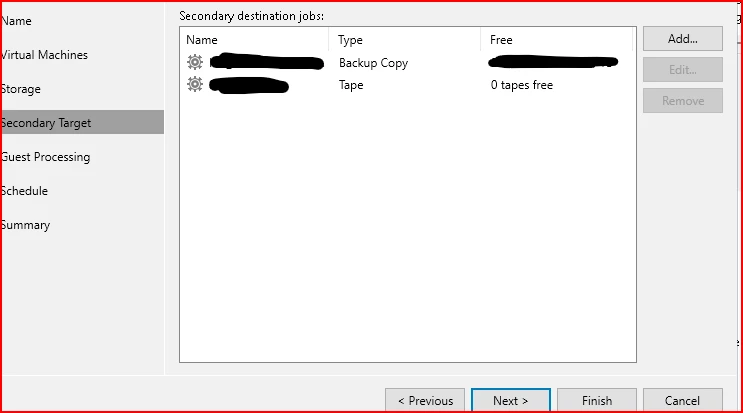
Take a look at your job settings. Is it possible you have 2 copy jobs attached to your primary?  For example, I could run multiple copy jobs to multiple locations, or even the same location. In this case it would be a primary job, offloaded to tape, as well as a backup copy. 


Forum|alt.badge.img+1
  • Author
  • Influencer
  • April 1, 2026

Thank you all for the advice.

I disabled the Global Notification setting on the VBR server and left it turned off overnight.  This morning, I found that I only received a couple of emails from Veeam ONE.  I have enabled notifications again.


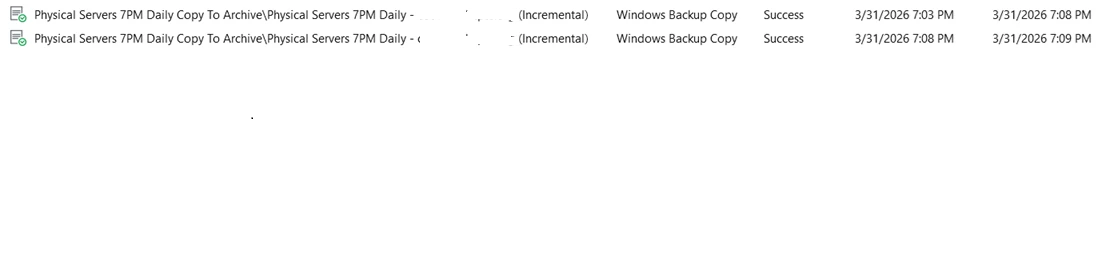
When I check the history of these jobs, here is an example of the job running twice


Marcel.K
Forum|alt.badge.img+12
  • Veeam Legend
  • April 1, 2026

Hi ​@Nikks 

but these jobs are as two

first job is running from 7:03-7:08 and second from 7:08-7:09

so looks like first job is copying data on one storage and second jobs is moving/duplicating data to next tier/archiving

so finally you have two copies or moved from one storage to another, depends on configuration, that’s why you have two mails ...


Forum|alt.badge.img+1
  • Author
  • Influencer
  • April 1, 2026

Hi ​@Nikks 

but these jobs are as two

first job is running from 7:03-7:08 and second from 7:08-7:09

so looks like first job is copying data on one storage and second jobs is moving/duplicating data to next tier/archiving

so finally you have two copies or moved from one storage to another, depends on configuration, that’s why you have two mails ...


Thanks ​@Marcel.K . Please help me where to check the configuration settings for this job.


Marcel.K
Forum|alt.badge.img+12
  • Veeam Legend
  • April 1, 2026

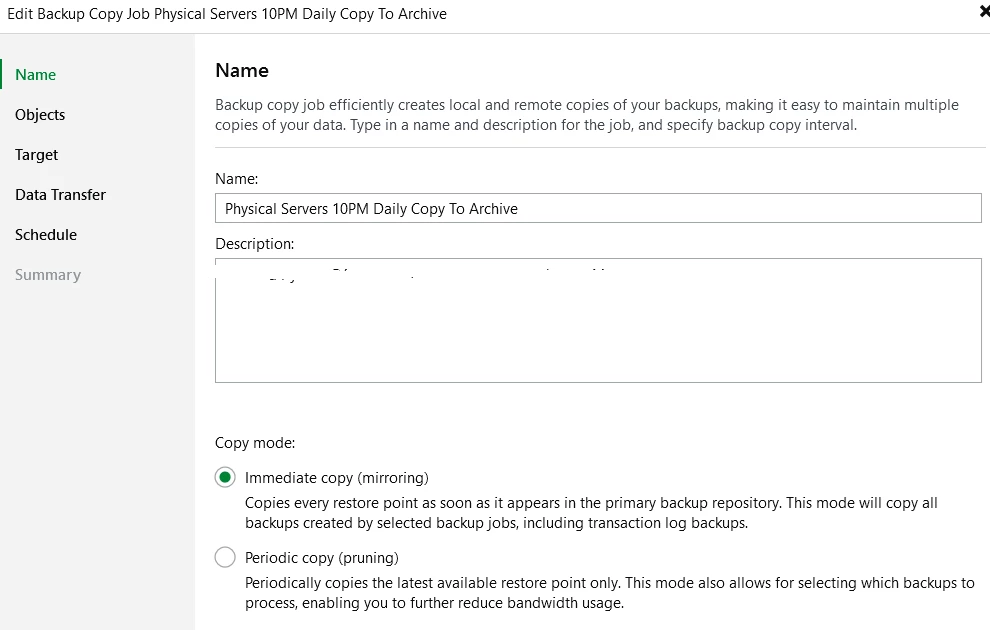
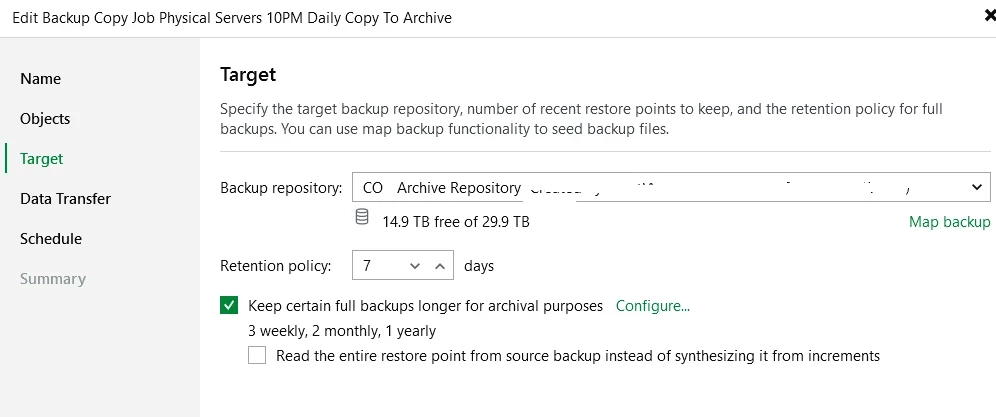
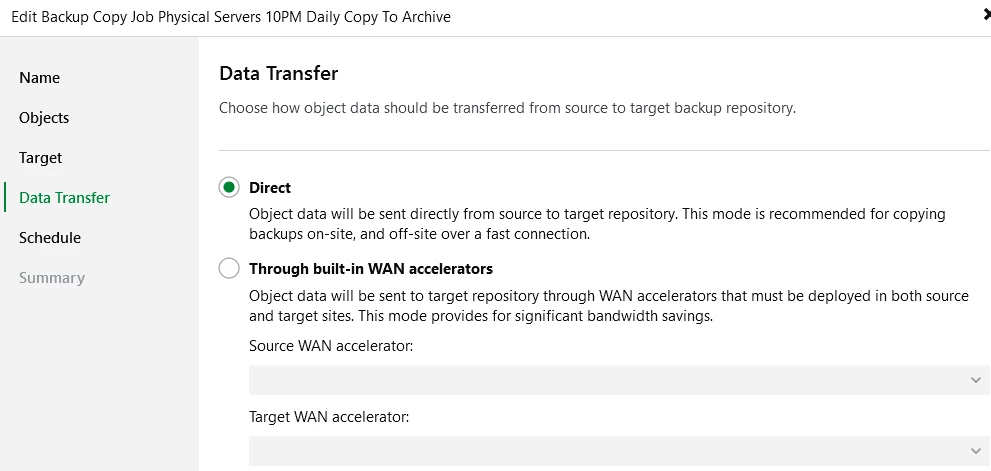
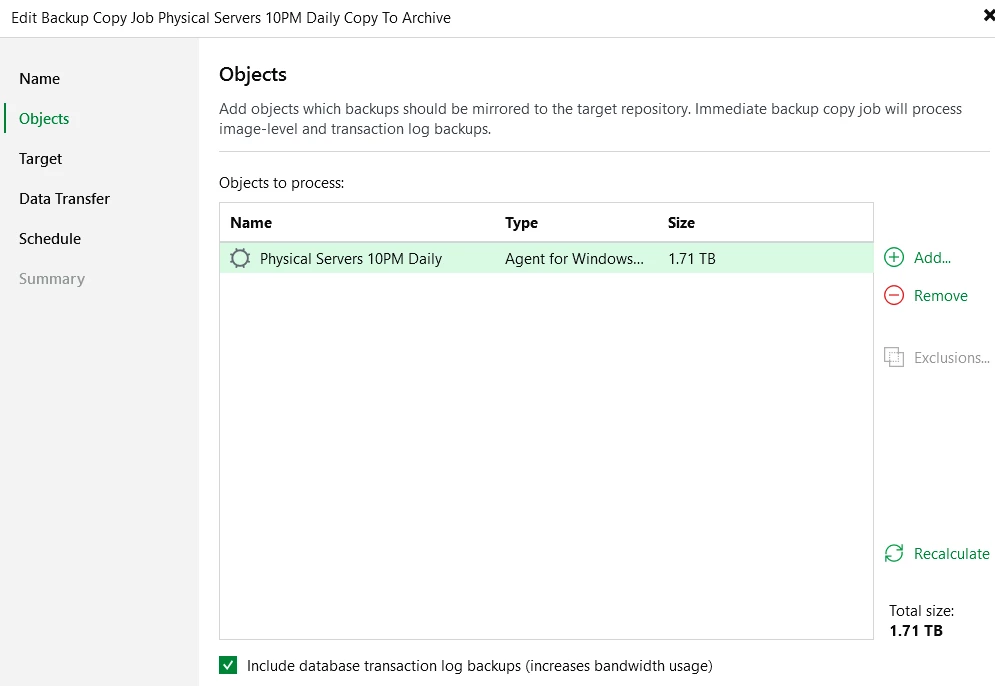
please share your copy job settings and scale out repository settings


Forum|alt.badge.img+1
  • Author
  • Influencer
  • April 1, 2026

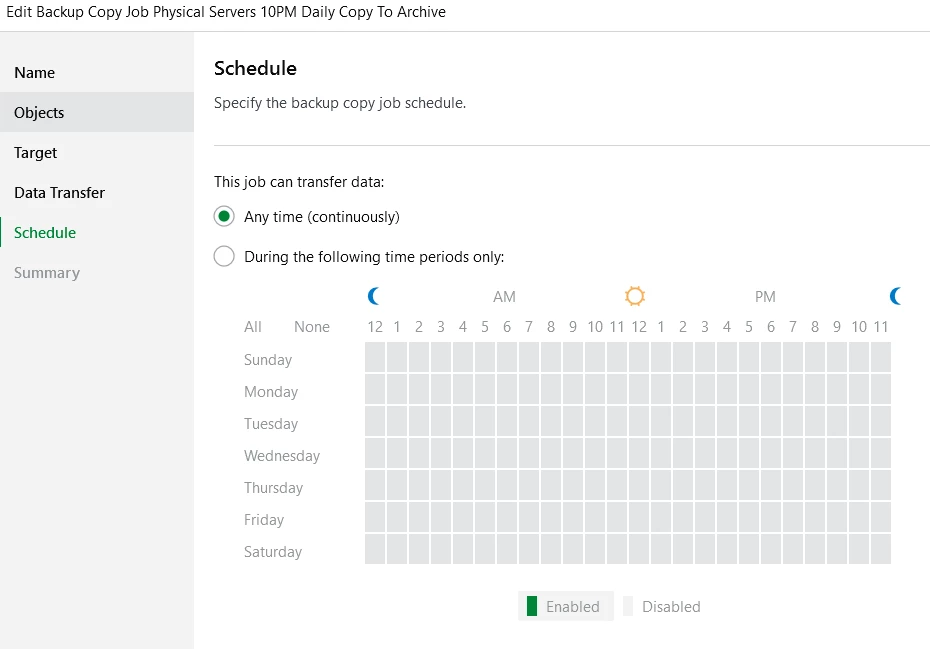
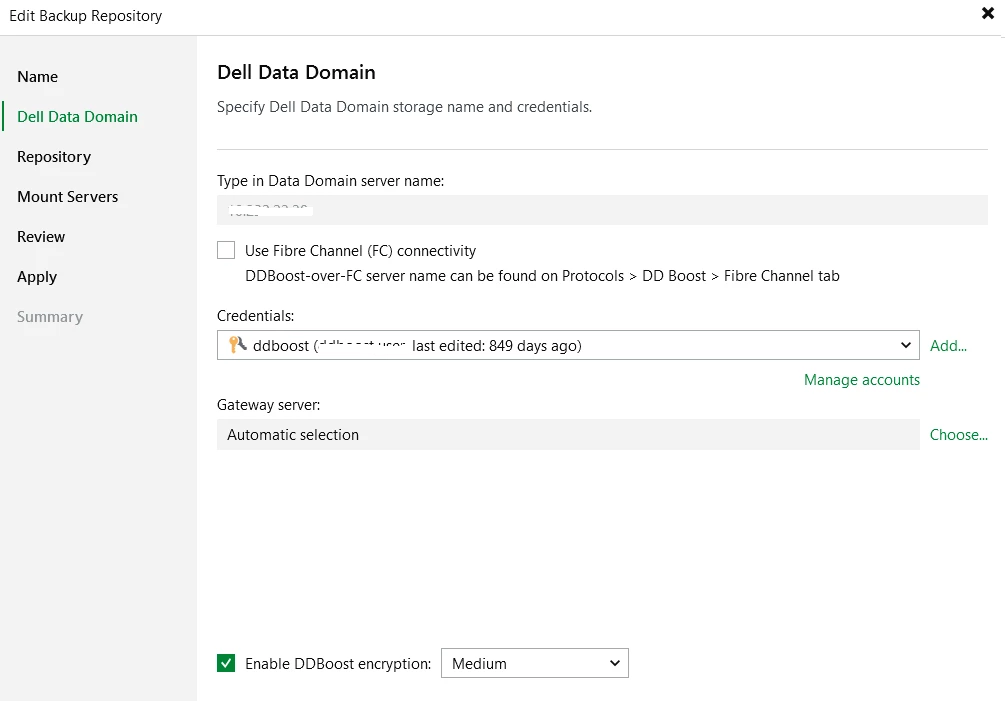
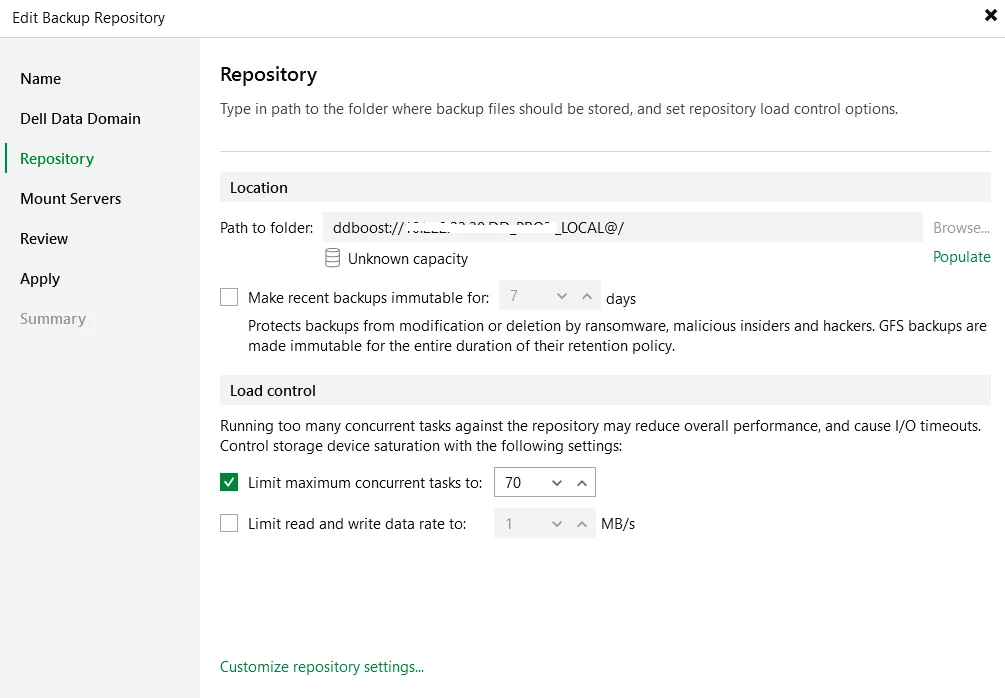
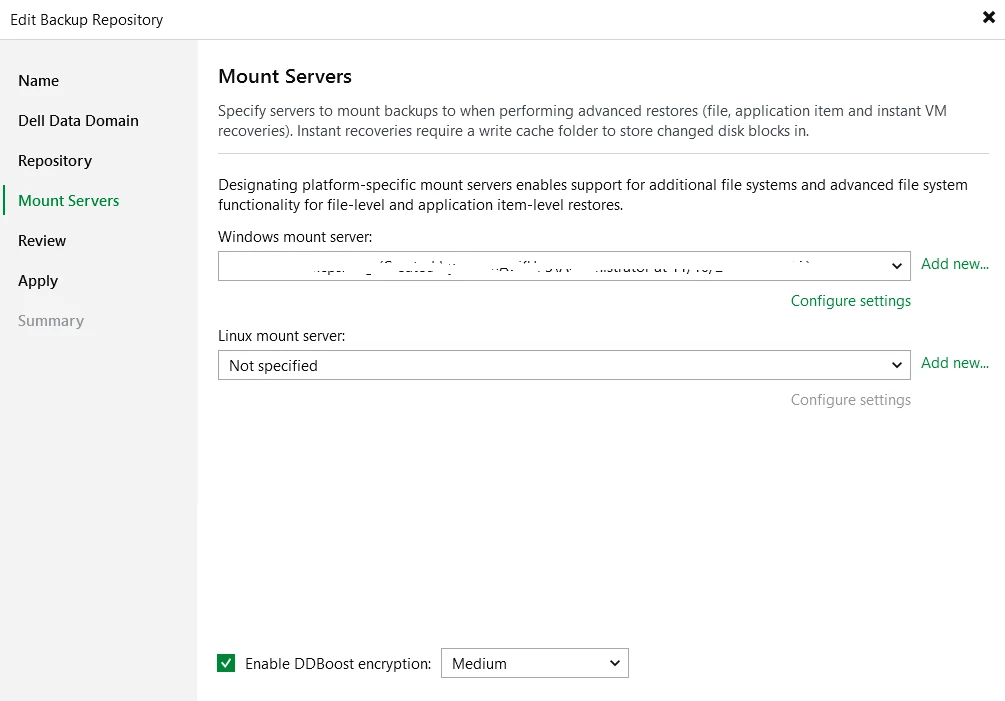
please share your copy job settings and scale out repository settings


We have two archive repositories (Data Domain servers).  One Data Domain server replicates the data to the other Data Domain server.  We only have one immutable storage server.  There is an extra job for both the Data Domain and immutable storage.  The second job isn’t copying anything.