Solved

Cloud Vault expired restore points

  • June 16, 2026
  • 5 comments
  • 25 views

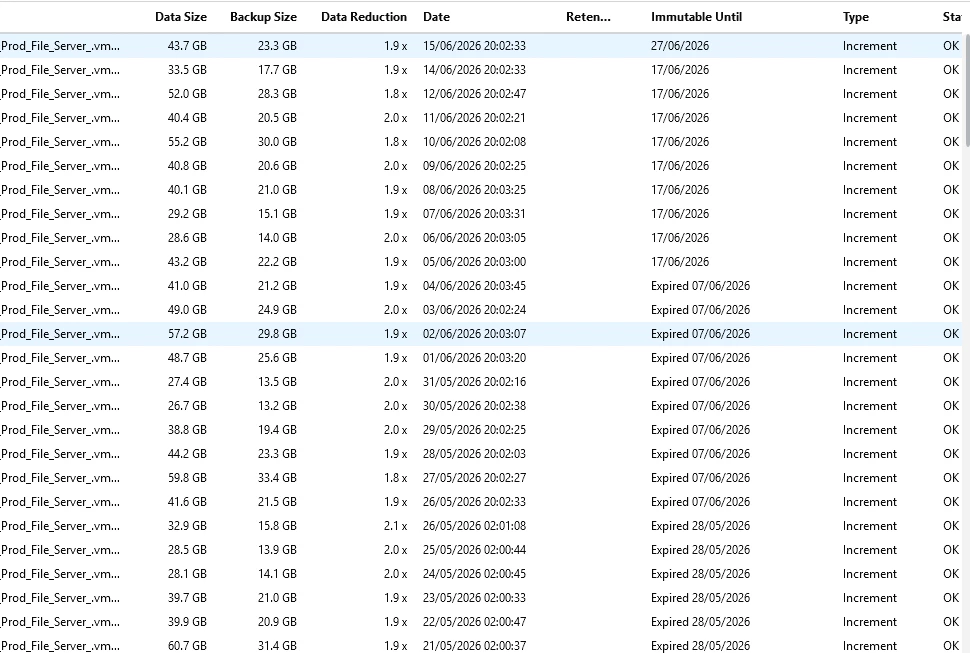
We are using Veeam Data Cloud Vault for offsite copies of our backups. When I look at the copy properties in VBR console, I see under the “Immutable Until” column a whole lot of restored points that say Expired with a date in the past. 

What does this mean?

If they are expired does that mean I can delete them and if so, how would I do this?

Many Thanks
Roy

Best answer by Chris.Childerhose

If they are part of a chain then you cannot remove them and need to wait for the retention window to pass then Veeam will clean them up for you.  Search for immutability and Veeam retention.

5 comments

Jean.peres.bkp
Forum|alt.badge.img+8

@roysm, welcome to the community!

Could you send a screenshot of the message you're seeing in the console regarding these restore points? Thank you!


  • Author
  • New Here
  • June 16, 2026


I get to this screen by going Home > Backups > Object Storage (Copy) then looking at the properties for the job


Chris.Childerhose
Forum|alt.badge.img+22
  • Veeam Legend, Veeam Vanguard
  • Answer
  • June 16, 2026

If they are part of a chain then you cannot remove them and need to wait for the retention window to pass then Veeam will clean them up for you.  Search for immutability and Veeam retention.


Jean.peres.bkp
Forum|alt.badge.img+8

@roysm , 

When you see restore points marked as “Expired” in the Immutable Until column in Veeam Data Cloud Vault, this behavior is expected and normal.

What does “Expired” mean?

“Expired” means that the immutability (WORM protection) period has ended for those restore points.

  • The backups are still present and healthy (Status = OK)
  • But they are no longer protected against deletion or modification
  • The protection window defined in the immutability policy has simply passed

!--scriptorstartfragment-->

For example:

Backup created on June 2, 2026 

Immutable for 7 days 

“Immutable Until” = June 9, 2026 


After that date → shows Expired June 9, 2026!--scriptorendfragment-->


Does “Expired” mean I can delete them?

Not directly.

Even though immutability has expired, deletion is still controlled by Veeam retention policies:

  • You cannot manually delete individual restore points from object storage
  • Veeam manages deletion automatically through the backup copy job retention
  • The restore points will only be removed when:
    • They are out of retention, AND
    • The job runs and applies the retention policy

Important to check:


Check this:

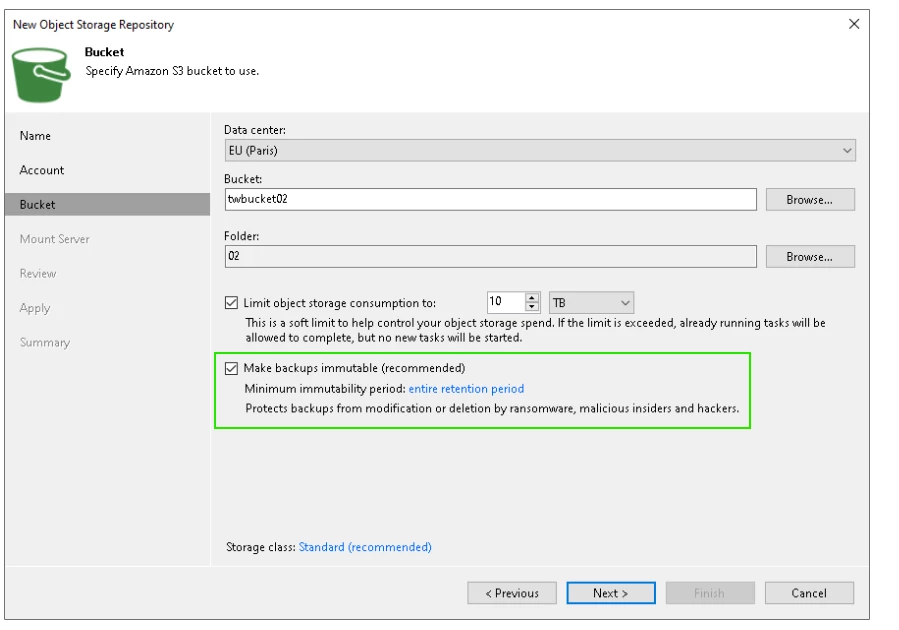
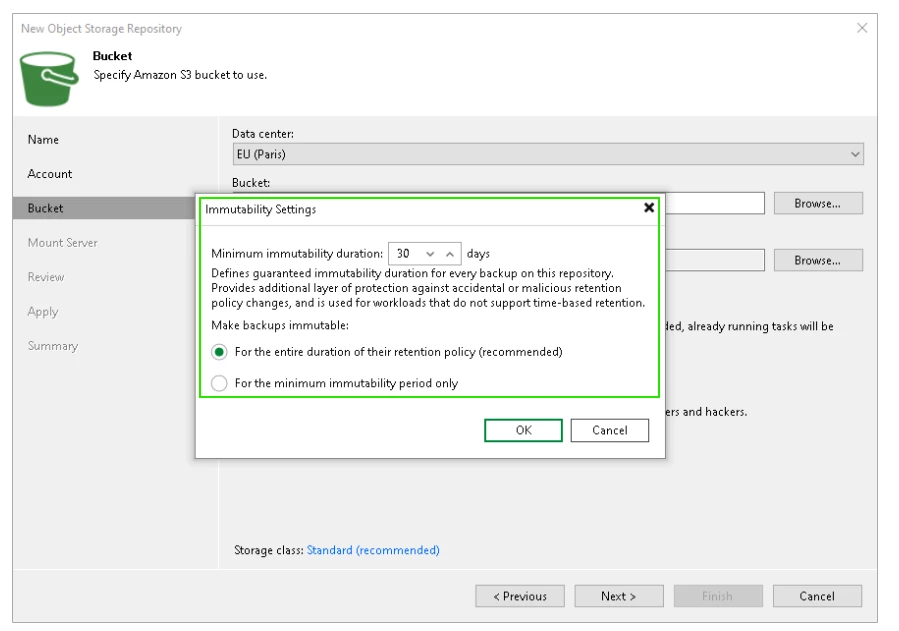
Step 4. Specify Object Storage Settings - Veeam Backup & Replication User Guide


Jean.peres.bkp
Forum|alt.badge.img+8

@roysm  Is that clear to you?

Do you need any more help?

Mark this as "best answer" if it helped you. If you still need help, please share with us.