Solved

Adding Veeam Data Cloud Vault to v13 Build 2067 Community Edition fails with Error 404

  • May 15, 2026
  • 7 comments
  • 21 views

Hi,

we have Veeam Backup and Replication v13, Community Edition, Build 2067 on Microsoft Windows Server 2019 with Hyper-V.

When I try to add a Veeam Data Cloud Vault from the Austria East Region I get the following error:
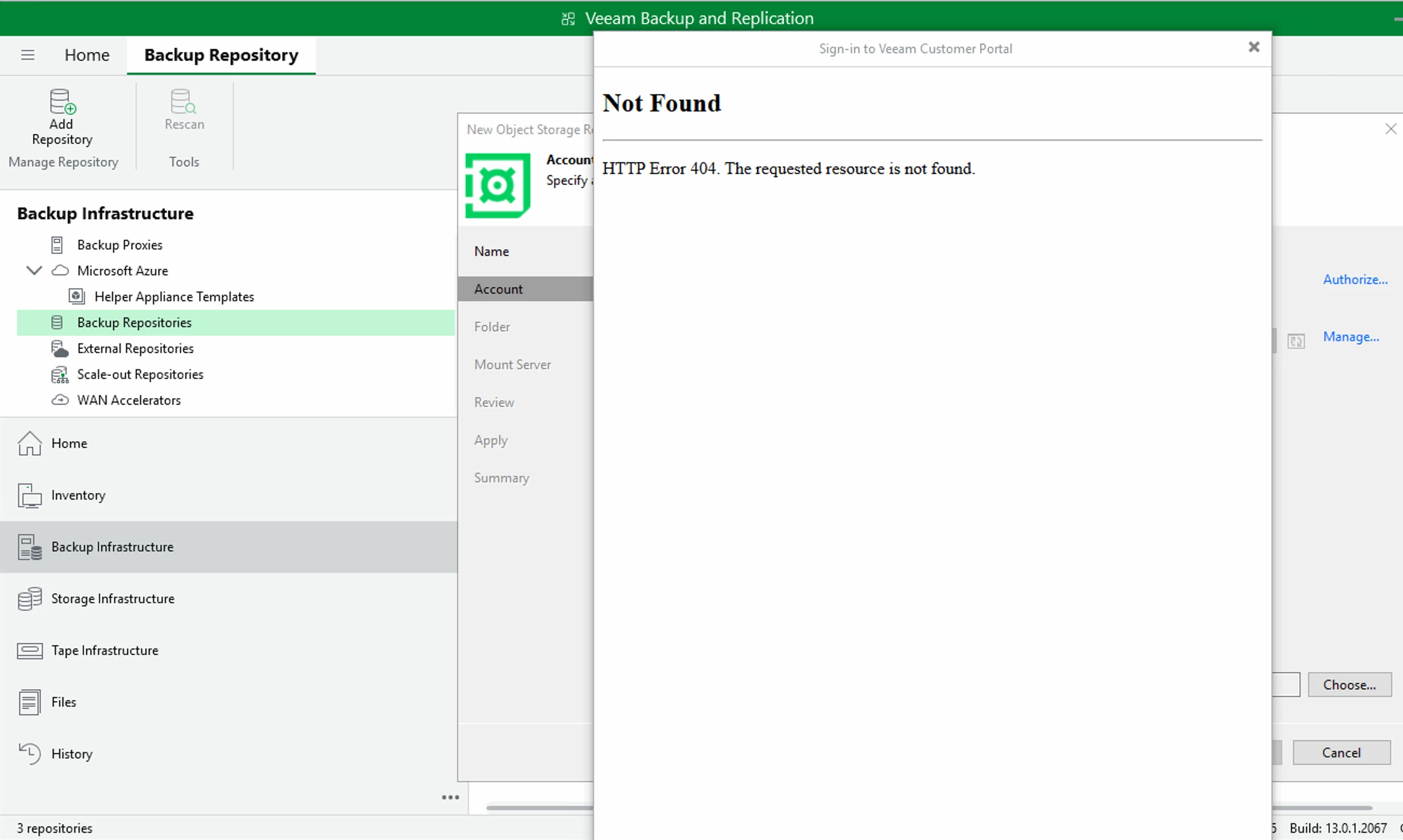
The error occurs during authorization of the backup server after I login using Microsoft, including MFA and after I answer the question if I want to stay signed in (Yes or No has the same effect).

If I add the same VDCV Repo on another installation of Veeam (different customer, paid version) it works.

I installed the Veeam Console on the only VM of the server and I got the same error.

AI suggested to check the version of a specific DLL, which is 2067.

I installed a trial license, same error.

I disabled all security filtering on the firewall temporarily and checked the logs.

Any ideas, how this can be fixed?


Thanks a lot for your help!

Thomas

Best answer by Chris.Childerhose

@Thomas Lahl - I just checked, and you cannot use Veeam Data Cloud Vault with Community Edition as it requires a licensed edition of VBR, which is why it worked for the other server you tried with the license.


7 comments

coolsport00
Forum|alt.badge.img+22
  • Veeam Legend
  • May 15, 2026

Hi ​@Thomas Lahl - Welcome to the Community!

Apologies as I don’t have much experience with Veeam Vault. Maybe someone can chime in who does. But keep in mind...though we try to assist users with issues, questions, etc as much as possible, this Community isn’t Veeam Support. Your 1st line of support assistance should be to contact Veeam Support. Have you tried contacting them yet? 

Best.


  • Author
  • New Here
  • May 15, 2026

Hi ​@coolsport00,

thank you for your reply.

I thought, first to the community, then to support.

If you say so, I will try to contact Veeam support directly.

Best regards,

Thomas


coolsport00
Forum|alt.badge.img+22
  • Veeam Legend
  • May 15, 2026

No worries ​@Thomas Lahl . Someone may still chime in here too. But yeah..Support should be your 1st outlet. Keep us posted.


Andanet
Forum|alt.badge.img+12
  • Veeam Legend
  • May 15, 2026

Hi ​@Thomas Lahl , 
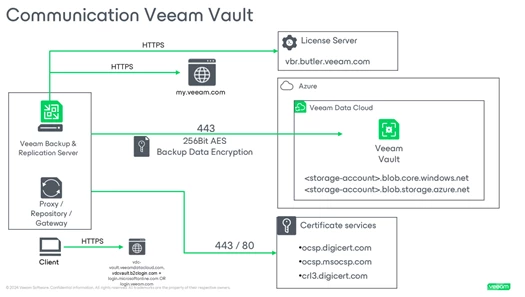
to add succesfully VDC Vault you need to have internet connections. If you use a firewall please check your VBR can contact these URLs:  


Chris.Childerhose
Forum|alt.badge.img+21
  • Veeam Legend, Veeam Vanguard
  • Answer
  • May 15, 2026

@Thomas Lahl - I just checked, and you cannot use Veeam Data Cloud Vault with Community Edition as it requires a licensed edition of VBR, which is why it worked for the other server you tried with the license.


coolsport00
Forum|alt.badge.img+22
  • Veeam Legend
  • May 15, 2026

@Thomas Lahl - I just checked, and you cannot use Veeam Data Cloud Vault with Community Edition as it requires a licensed edition of VBR, which is why it worked for the other server you tried with the license.


I was wondering about that Chris. I shoulda looked at the docs 🤷🏻‍♂️ Thanks for confirming my suspision though 👍🏻


Chris.Childerhose
Forum|alt.badge.img+21

@Thomas Lahl - I just checked, and you cannot use Veeam Data Cloud Vault with Community Edition as it requires a licensed edition of VBR, which is why it worked for the other server you tried with the license.


I was wondering about that Chris. I shoulda looked at the docs 🤷🏻‍♂️ Thanks for confirming my suspision though 👍🏻

No problem as I found this easy as I remember seeing this or it being mentioned.