
A real case of internal sabotage and recovery

  • February 11, 2026
  • 15 comments
  • 88 views

matheusgiovanini
Forum|alt.badge.img+8

Most discussions about cybersecurity revolve around external threats: ransomware gangs, zero-day exploits, supply chain attacks, botnets.

But there is another category of threat, just as dangerous — and often far more unpredictable:

The internal threat.

This case study presents a real incident involving:

  • Manipulation of Veeam backup jobs

  • Forced encryption on all jobs

  • Retention reduced to a single day

  • Abuse of the Four-Eyes approval mechanism

  • Compromised MFA-protected accounts

  • Unauthorized access to the Veeam server

  • Destruction of the entire local repository

  • Removal of all ESXi VM files

  • And even the creation of a fake ransomware note to mislead investigators

Despite the severity, the environment was fully restored in less than 48 hours thanks to:

  • A hardened, off-site immutable repository

  • Instant Recovery

  • Proper datacenter structure

This article aims to show that:

  • Internal sabotage is real

  • MFA alone does not guarantee integrity

  • Immutability is not optional

  • Proper backup architecture saves entire companies

  • And Veeam can rebuild a destroyed environment rapidly

All details below are presented neutrally, without assigning personal blame — focusing only on the technical lessons.
This is a genuine incident shared to strengthen the community.

a real case


The Forensic Timeline: From Departure to Full Destruction

Thursday — The silent trigger

A team member was dismissed in the morning.
No incident, no tension, nothing suspicious.

But beneath the surface, something was already brewing.


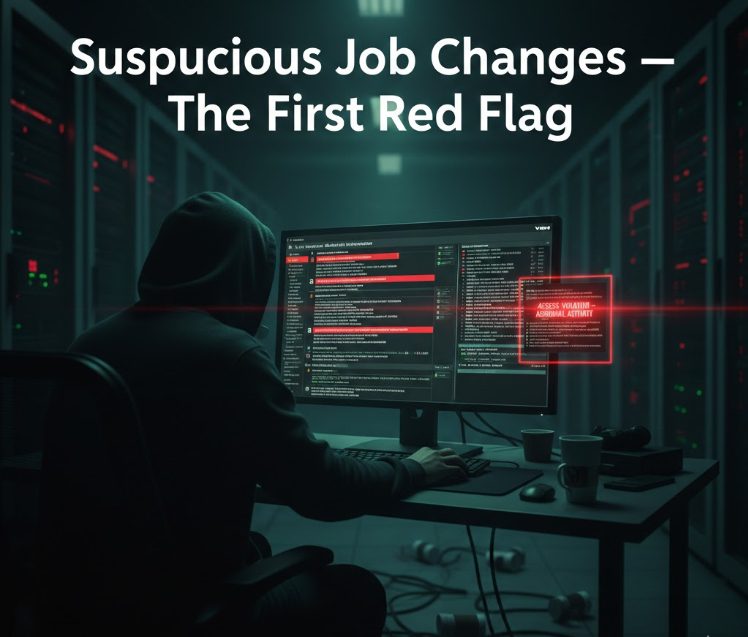
Monday — First warning: Backup Copy jobs failing

Routine checks revealed that several Backup Copy jobs to the off-site immutable repository were failing.

[04.09.2025 17:16:14.673] Info (17) Job session 'be9404f-7048-48e6-b9de-e3db989e2c81' has been completed, status: 'Failed'.
[04.09.2025 17:16:14.701] Info (17) [CJobLogsManager] Cannot find quota. Job with id 3a9c1d43-0887-3b5-8652-e99782d20058 was not found.

Upon investigation:

  • All jobs were suddenly encrypted

  • Each job had a different encryption password

  • Retention was reduced to 1 day

  • Four-Eyes Authorization logs showed abnormal patterns

[26.01.2026 22:00:14.394] Info (3) [CBackupOptions] Load from DB: OK.
[26.01.2026 22:00:14.394] Info (3) [CBackupOptions] Encryption enabled: True
[26.01.2026 22:00:14.394] Info (3) [CBackupOptions] Encryption algorithm: AES256

The logs revealed:

  • The nominal account of the former employee requested changes

  • A generic service account approved them instantly

  • In some cases, the generic account requested something, and the nominal account approved immediately

[25.01.2026 03:00:12.662] Info (3) [TaskBuilder] Couldn't find per extent info. BackupId: 0d1154cf-e191-4063-9f78-4062dc2083af.
[25.01.2026 03:00:12.662] Info (3) [TaskBuilder] Build tasks for repository c7e3667a-b007-47ce-8876-f80fc837d35c (Rep Cloud - veeam-bkp-anu)

Forensic conclusion:
The same person controlled both accounts — including their MFA tokens.

This was the first sign of internal sabotage, or at least compromised credentials.
suspucious


The job failure that saved the environment

When encryption was force-enabled on all jobs, Veeam attempted to perform:

  • A full backup synchronization to the immutable repository

But there was not enough space for a full backup.
The job failed — and this failure prevented malicious overwrites.

Because of the hardened repository’s immutability, all restore points remained intact.

This single detail is the cornerstone of this entire internal sabotage recovery with Veeam immutable backups case.

[25.01.2026 01:35:13.150] Info (15) [CTransportSvcAgentManager] Checking whether agent 'adbfa34c-14f1-4ea7-9bbf-b08889c74b8a' is alive on host '172.X.X.X'


Monday afternoon — First containment actions

Emergency actions were taken:

  • Password resets

  • Removal of suspicious accounts

  • Only two accounts remained:

    • My administrative account

    • The client’s administrative account

But here lies another major issue:

The client reused the same password across different systems.

The dismissed employee had this password.

Even after rotating most credentials, one password remained compromised.


Tuesday — Escalation: unauthorized access to the Veeam Server

Using the client’s credentials, the attacker did not access the Veeam Console.
Instead:

He accessed the Windows Server hosting Veeam.

Once inside:

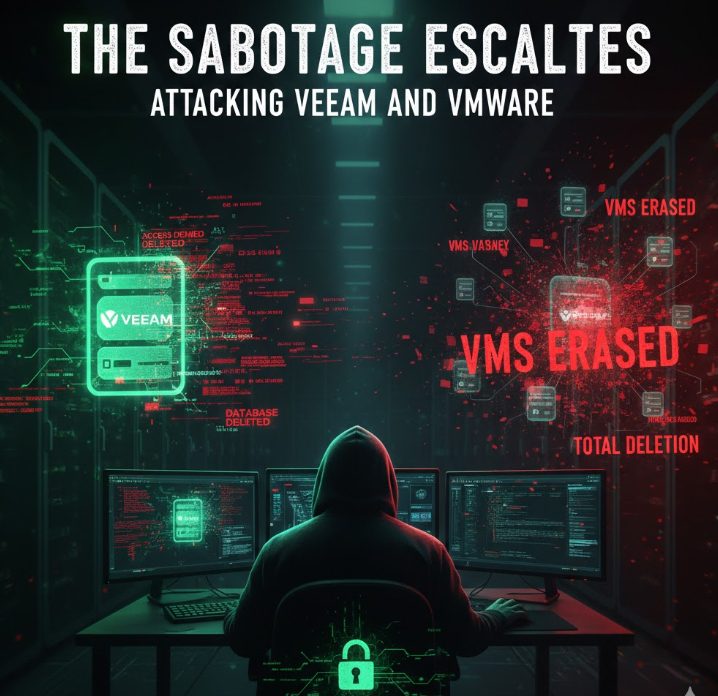
  • Formatted all disks of the local repository (not immutable)

  • Deleted the Veeam configuration database

  • Left a fake ransomware note attempting to simulate an external attack

The intention was clear:
Create confusion, redirect blame, and destroy the ability to investigate.

[27.01.2026 16:10:11.088]    <15>   Error (3)    Error:
[27.01.2026 16:10:11.088] <15> Error (3) SQL server is not available, id d1169bc-b40f-46e8-8976-7ec3176b4297, 140 times since 01/27/2026 00:21:10
[27.01.2026 16:10:11.089] <15> Error (3) [ViHostHierarchyManager:192.x.x.x] Veeam.Backup.Common.CSqlException: The SQL Server machine hosting the configuration database is currently unavailable. Possible reasons are a network connectivity issue, server reboot, heavy load or hot backup.
[27.01.2026 16:10:11.089] <15> Error (3) Please try again later.
[27.01.2026 16:10:11.089] <15> Error (3) Error:
[27.01.2026 16:10:11.089] <15> Error (3) SQL server is not available ---> Veeam.Backup.Common.CSqlException: The SQL Server machine hosting the configuration database is currently unavailable. Possible reasons are a network connectivity issue, server reboot, heavy load or hot backup.
[27.01.2026 16:10:11.089] <15> Error (3) Please try again later.


Minutes later — The final blow: deletion of all ESXi VM files

With the same credentials, the attacker accessed ESXi and:

**Deleted every VM file. The entire environment went down instantly.**

What could have been a ransomware-level disaster was, in fact, an internal sabotage event.
the sabotage


The Recovery: How Veeam Immutable Backups Saved the Entire Environment

Despite the total destruction of:

  • Local repository

  • Veeam database

  • All ESXi VM files

…one thing remained untouched:

The off-site hardened repository with immutable backups.

The attacker could not access it.
Could not delete it.
Could not encrypt it.
Could not corrupt it.
Could not overwrite it.

This is exactly the scenario for which immutability exists.


Step 1 — Rebuilding the Veeam Server

A new Veeam Server was deployed.


Step 2 — Importing the immutable backups

The off-site repository was scanned, and all restore points were recognized automatically.


Step 3 — Instant Recovery

Critical systems were brought online immediately:

  • Domain Controllers

  • DNS

  • File servers

  • Internal apps

  • Databases

Instant Recovery provided operational services while storage was rebuilt.


Step 4 — Migration to production

Over the next hours, each VM was migrated from the Instant Recovery datastore to final storage.

the recovery


Total time to full production: under 48 hours

While the original environment had been completely destroyed.

This is the true power of:

internal sabotage recovery with Veeam immutable backups


Key Lessons Learned

  • Immutability is mandatory

Without it, the company would be lost.

  • Credential hygiene is critical

Reused passwords are a ticking time bomb.

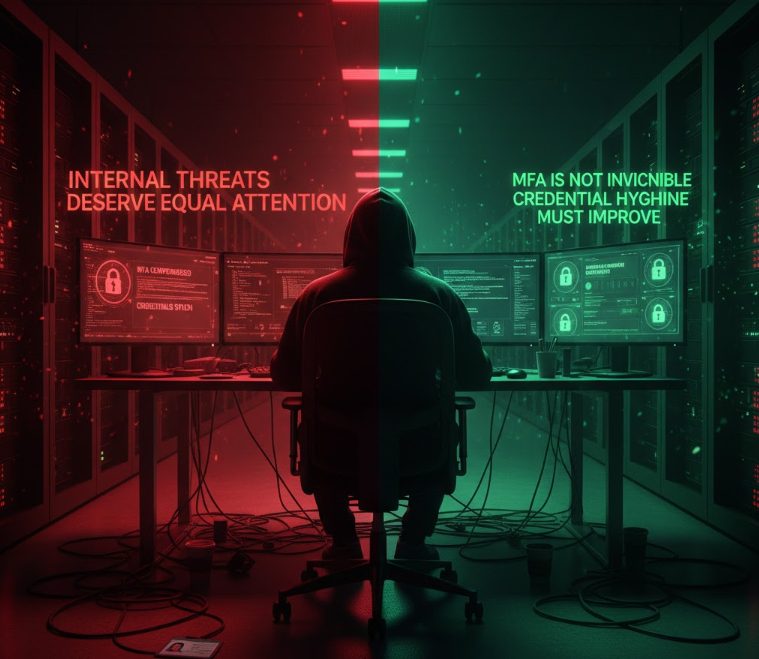
  • MFA is not invincible

If someone controls both the password and the MFA device, MFA becomes meaningless.

  • Internal threats are real

Sometimes more dangerous than ransomware.

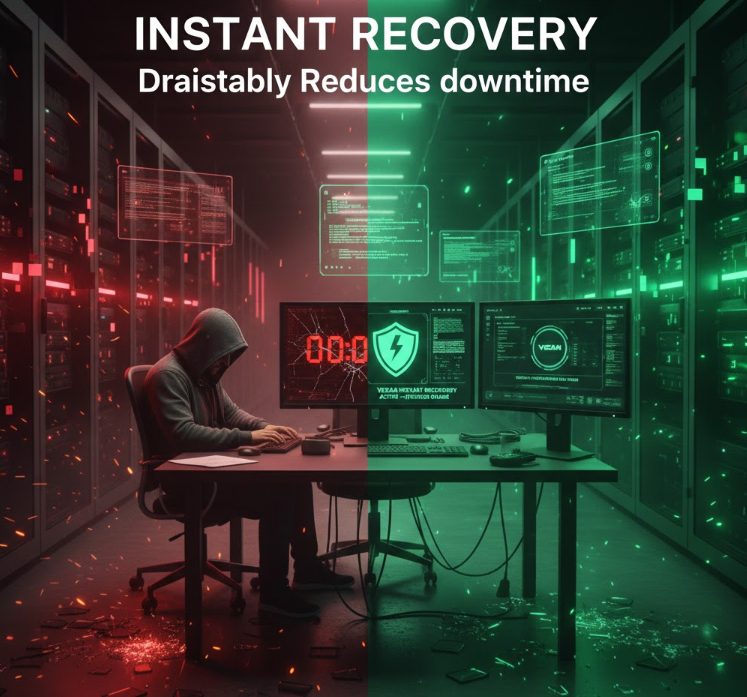
  • Veeam Instant Recovery is a lifesaver

Downtime was minimized dramatically.

  • Hardened repositories truly “hold the line”

Linux immutability with single-use credentials prevented total data loss.


Key Lessons Learned

Immutability is mandatory

As a result, immutability protected the environment even when every other layer failed. Moreover, it prevented tampering with restore points during the attack. In addition, it stopped the malicious encryption and retention changes from spreading. Therefore, immutable storage remains the strongest defense against destructive actions. Ultimately, no modern environment should operate without it.!-->

immutable


Credential hygiene must improve

Because of this, the attacker moved freely between systems using reused passwords. Furthermore, weak credential practices accelerated the compromise. As a result, several layers of the environment became exposed. In addition, enforcing unique credentials and rotation policies avoids cascading failures. Therefore, strong credential hygiene directly reduces internal and external risks.


MFA is not invincible

However, MFA fails when one person controls both the password and the MFA device. Consequently, the attacker bypassed the approval workflow. Moreover, this showed how MFA alone cannot guarantee proper isolation. For this reason, MFA must be combined with secure device management and strict identity separation. Ultimately, MFA remains effective only when each identity belongs to a different human with a different device.


Internal threats deserve equal attention

Meanwhile, many companies still focus only on external attackers. Even so, internal access can cause faster and more precise damage. For this reason, monitoring and auditing must cover every privileged account. Additionally, role separation avoids concentrated power in a single identity. Consequently, treating insider threats with the same importance as ransomware greatly increases security. Ultimately, internal risks cannot be ignored.!-->
internal theats and mfa


Instant Recovery drastically reduces downtime

In fact, Instant Recovery brought critical services online while infrastructure was still being rebuilt. Moreover, this capability kept the business operating during the crisis. As a result, the environment returned to production in less than two days. Furthermore, the migration to final storage happened gradually without interrupting operations. Therefore, Instant Recovery significantly minimizes outage duration during severe incidents.!-->
instant recovery


Hardened repositories hold the line

Because of this, the hardened Linux repository resisted every deletion attempt. Furthermore, single-use credentials prevented any remote wipe attempt. Consequently, all restore points stayed intact regardless of the sabotage. In addition, Linux immutability isolated the storage from Windows-level attacks. Therefore, hardened repositories serve as the final guarantee of recovery. Ultimately, they ensure data survival even under complete infrastructure compromise.


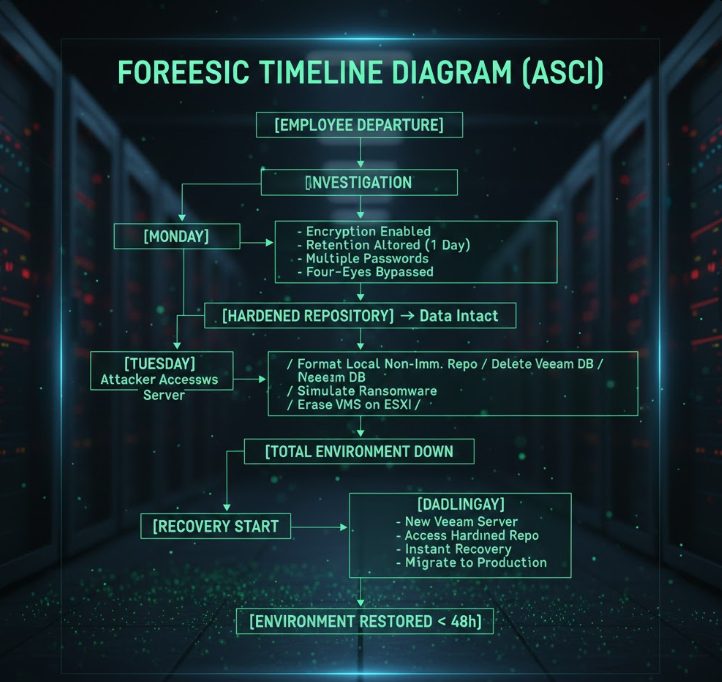
Forensic Flow Diagram (ASCII)

[Employee Terminated]
          |
          v
[Backup Jobs Manipulated in Veeam]
          |
[Encryption + Retention Reduction]
          |
[Four-Eyes Approvals Abused]
          |
[Attacker Controls 2 Accounts + MFA]
          |
          v
[Access to Veeam Server (Windows)]
          |
 [Local Repo Formatted] -- [DB Deleted]
          |
          v
 [Fake Ransomware Note Planted]
          |
          v
[Access to ESXi]
          |
          v
[All VM Files Deleted]
          |
          v
  [Full Environment Down]
          |
          v
[Off-Site Immutable Backups Safe]
          |
          v
 [New Veeam Server + Import]
          |
          v
    [Instant Recovery]
          |
          v
[Full Production Restored < 48h]


foreesic


15 comments

Chris.Childerhose
Forum|alt.badge.img+21
  • Veeam Legend, Veeam Vanguard
  • February 11, 2026

This is a great article that shows it is not always external threats.  Great write-up Matheus.


DaStivi
Forum|alt.badge.img+1
  • Veeam Legend
  • February 11, 2026

Hey there, one thing that immediately caught my attention: How exactly did he obtain access to those systems? Even in legitimate scenarios, establishing access and trying to change settings , or even just doing the 4-eye approval steps and MFA thing,  typically requires multiple steps  — and none of that happens within minutes.


It’s possible the description simply compresses the timeline, and in reality the process took significantly longer and no one noticed...

If it truly happened that quickly, it would imply the use of pre‑existing tooling, automated scripts and hence some planing. Without advance planning, I find it unlikely that someone could develop the required scripts, validate them, and execute them reliably within just a few hours — even with assistance from AI tools like ChatGPT or Copilot. 


matheusgiovanini
Forum|alt.badge.img+8

Hey there, one thing that immediately caught my attention: How exactly did he obtain access to those systems? Even in legitimate scenarios, establishing access and trying to change settings , or even just doing the 4-eye approval steps and MFA thing,  typically requires multiple steps  — and none of that happens within minutes.


It’s possible the description simply compresses the timeline, and in reality the process took significantly longer and no one noticed...

If it truly happened that quickly, it would imply the use of pre‑existing tooling, automated scripts and hence some planing. Without advance planning, I find it unlikely that someone could develop the required scripts, validate them, and execute them reliably within just a few hours — even with assistance from AI tools like ChatGPT or Copilot. 

In this real case, the speed wasn’t due to improvisation.
A few months earlier, the employee had legitimately requested access, and the customer approved it at the time. That access was never revoked.

So, on the day he was terminated, he still had:

  • valid credentials

  • a previously enabled MFA

  • the ability to authenticate without requiring any new approval

This created the “instant access” effect described in the article.
Nothing happened in a matter of minutes — the groundwork had been laid months before.

Your comment is spot-on, and I appreciate you highlighting this nuance.


matheusgiovanini
Forum|alt.badge.img+8

This is a great article that shows it is not always external threats.  Great write-up Matheus.


I appreciate you taking the time to read it! Cheers


AndrePulia
Forum|alt.badge.img+9
  • Veeam Vanguard
  • February 11, 2026

@matheusgiovanini  It's strange that the company is concerned with immutability, MFA, 3-2-1 rule, etc., and the company forgot to use some mechanisms to validate the backups, such as surebackup, checking the health of the backups with file health check, using malware detection, and also using email notification mechanisms, for example. Authorizations by 4 eyes can generate emails, surebackup would certainly pick up an encrypted backup, etc.
I agree with ​@DaStivi .
It is very important for the company to implement backup verification mechanisms, malware detection, configure email/SNMP notifications and also a log server ; it is necessary to implement these mechanisms .


DaStivi
Forum|alt.badge.img+1
  • Veeam Legend
  • February 11, 2026

I think in this case it’s mainly about properly revoking the initial access vectors — things like VPN access, RDP/RDS, and similar entry points. Essentially, the user account should be locked immediately. Of course, there can still be “backdoors” such as TeamViewer or other remote‑access tools that provide access..


Obviously there where some notifications configured, honestly, as bad-admin you could even disabled these.. and most probably no one would be suspicious for a couple of days Is some notifications doesn't show up as the sheer flood of mails these just get overlooked…

Malware detection also wouldnt have helped.. there where no malware! Possibly activated if I read the other measurements taken ...


Normally, that alone would already be sufficient, since many admin accounts can’t even log in from outside the network. Ideally, though, those privileged accounts would also be disabled right away during the offboarding process.

In the best case, both the regular user account and any elevated domain credentials (or multiple ones , tiering ?) can be revoked or locked within minutes, either through a proper IAM solution or, if necessary, manually — especially for someone with such high‑level access.


The real problem arises when there are accounts that aren’t centrally managed, are hidden somewhere, or simply aren’t known to anyone anymore. Veeam Backup Administrators, especially in the VSA or non-domain joined Environments (we all agree is best practice! ) in small and medium businesses there might be just a handfull of IT Staff, often only 1 or 2 even having access to those systems...


What I’d still like to understand is how the initial access was possible in the first place in this partitcase!

 If he hadn’t been able to connect at all, he wouldn’t have been able to do anything — even if the accounts technically still existed and MFA was still active on his authenticators.


I’ve personally never seen a setup where sensitive systems like a VBR Server are directly exposed to the internet, though I can imagine rare edge cases.

In this situation, however, it doesn’t sound like the company would make such an obvious mistake, especially considering the other security measures they already seem to have in place.


matheusgiovanini
Forum|alt.badge.img+8

@matheusgiovanini  It's strange that the company is concerned with immutability, MFA, 3-2-1 rule, etc., and the company forgot to use some mechanisms to validate the backups, such as surebackup, checking the health of the backups with file health check, using malware detection, and also using email notification mechanisms, for example. Authorizations by 4 eyes can generate emails, surebackup would certainly pick up an encrypted backup, etc.
I agree with ​@DaStivi .
It is very important for the company to implement backup verification mechanisms, malware detection, configure email/SNMP notifications and also a log server ; it is necessary to implement these mechanisms .

Thank you for the feedback, and you raise valid points.
It’s true that not every environment can operate with all best-practice features enabled from day one. Sometimes this is due to contractual limitations, hardware constraints, or even the operational reality of the customer.

In this specific case, the situation was made more complex because the former employee had been responsible for the customer’s day-to-day operations for years. He had access, built personal trust with the customer, and executed the sabotage late on a Friday night, which naturally delayed detection.

And yes, I completely agree, events like this highlight how critical it is to implement verification mechanisms, security controls, and alerting. Unfortunately, many customers only prioritize these measures after something goes wrong. That is one of the reasons I documented this case, to show how internal misuse can be just as dangerous as external ransomware, and why layered protection matters.

Appreciate the discussion. Sharing these scenarios helps elevate awareness for everyone.


matheusgiovanini
Forum|alt.badge.img+8

I think in this case it’s mainly about properly revoking the initial access vectors — things like VPN access, RDP/RDS, and similar entry points. Essentially, the user account should be locked immediately. Of course, there can still be “backdoors” such as TeamViewer or other remote‑access tools that provide access..


Normally, that alone would already be sufficient, since many admin accounts can’t even log in from outside the network. Ideally, though, those privileged accounts would also be disabled right away during the offboarding process.

In the best case, both the regular user account and any elevated domain credentials (or multiple ones , tiering ?) can be revoked or locked within minutes, either through a proper IAM solution or, if necessary, manually — especially for someone with such high‑level access.


The real problem arises when there are accounts that aren’t centrally managed, are hidden somewhere, or simply aren’t known to anyone anymore. Veeam Backup Administrators, especially in the VSA or non-domain joined Environments (we all agree is best practice! ) in small and medium businesses there might be just a handfull of IT Staff, often only 1 or 2 even having access to those systems...


What I’d still like to understand is how the initial access was possible in the first place in this partitcase!

 If he hadn’t been able to connect at all, he wouldn’t have been able to do anything — even if the accounts technically still existed and MFA was still active on his authenticators.


I’ve personally never seen a setup where sensitive systems like a VBR Server are directly exposed to the internet, though I can imagine rare edge cases.

In this situation, however, it doesn’t sound like the company would make such an obvious mistake, especially considering the other security measures they already seem to have in place.

Thanks for the thoughtful analysis, you brought up very relevant points.

To clarify a point that might raise some questions: the dismissed technician had his nominal account removed, but he still had the password for the client’s user account — something we’re addressing internally, as it happened due to the close relationship they had.

The initial access vector is still under investigation, but many things were deleted, which makes it much harder to fully trace what happened. In any case, the incident is still under analysis but up and running.


CMF
Forum|alt.badge.img+8
  • Veeam Legend
  • February 12, 2026

Great article. ​@matheusgiovanini . They say that most of attacks start from the inside but this is really a vile story that might happen everyday. 

What I don´t understand is how the dismissed employee was able to access the server after he was dismissed. Did he still had a VPN or was he still working “normally” due to a notice period? 


wolff.mateus
Forum|alt.badge.img+11
  • Veeam Vanguard
  • February 12, 2026

O g ​@matheusgiovanini! Whata good post! Thanks for this article.


coolsport00
Forum|alt.badge.img+21
  • Veeam Legend
  • February 12, 2026

Really good post Matheus. Learned some new things to consider, and some other things noted as reminders...to take into consideration when trying our best to secure our environments.

Thanks for sharing!


vAdmin
Forum|alt.badge.img+2
  • Influencer
  • February 12, 2026

@matheusgiovanini ,
This is a great case study, when reading this post, it felts like a detective or crime story but it is very informative.

Thank you for sharing such great case study.


matheusgiovanini
Forum|alt.badge.img+8

@matheusgiovanini ,
This is a great case study, when reading this post, it felts like a detective or crime story but it is very informative.

Thank you for sharing such great case study.

Really good post Matheus. Learned some new things to consider, and some other things noted as reminders...to take into consideration when trying our best to secure our environments.

Thanks for sharing!

O g ​@matheusgiovanini! Whata good post! Thanks for this article.

Thank you guys. I really appreciate the great feedback. Cheers!


matheusgiovanini
Forum|alt.badge.img+8

Great article. ​@matheusgiovanini . They say that most of attacks start from the inside but this is really a vile story that might happen everyday. 

What I don´t understand is how the dismissed employee was able to access the server after he was dismissed. Did he still had a VPN or was he still working “normally” due to a notice period? 

Thanks a lot! I really appreciate your feedback.

Regarding your question: based on what we’ve gathered so far, it seems he still had the VPN configuration saved on his own personal computer. Since he also knew the customer’s credentials, he was able to authenticate and access the environment even after his own corporate account had been removed.

We still don’t know the exact initial entry point, many things were deleted during the incident, which makes a full reconstruction more difficult, but this is currently the most plausible scenario.


DavideAbrigo
Forum|alt.badge.img+2
  • Experienced User
  • February 13, 2026

Thanks for sharing your experience ​@matheusgiovanini!

Reading through all the comments you said that the former employee had some customer credentials that he was using with a VPN, so are those credentials shared between current employees or they were personal credentials shared with him? In both cases it looks like some bad practice (1. don’t use shared credentials or 2. don’t give personal credentials to anyone).