



As a Managed service provider BCDR offering mean you can provide via Cloud Connect offsite storage into your MSP Datacentre.
The lab design I build for reference.
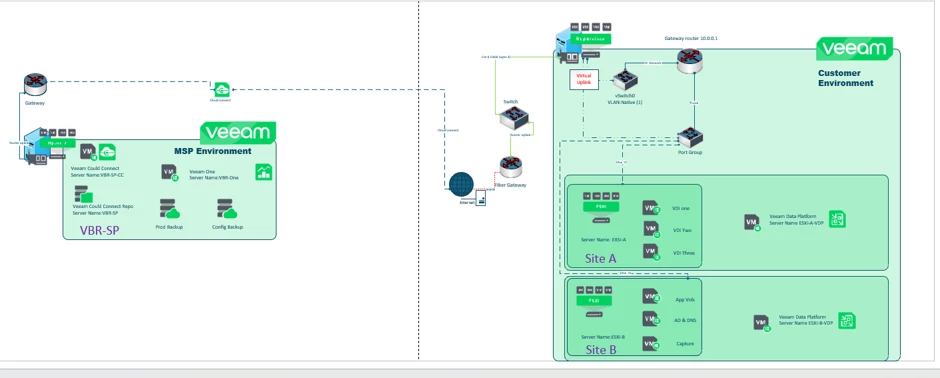
The use case
Back up customer(s) workloads from VMware or other hypervisors and restore them to the MSP's Hyper-V environment.
The Testing use case validity under Veeam Data Platform (VDP) Version 13.01.
In V13.01 it was my understanding was that Instant Recovery is supported to a Hyper-V host.
However, after doing some due diligence, it appears this is only supported with standard backup scenarios and not when leveraging Cloud Connect service as an MSP.
After reviewing the Considerations and Limitations section of the documentation, I found that the following capabilities are not supported on the tenant side:
- Instant VM Recovery to Hyper-V
- Multi-OS file-level restore
- Restore to Proxmox VE / oVirt KVM
- Restore to Microsoft Azure and Amazon EC2 from cloud repository backups
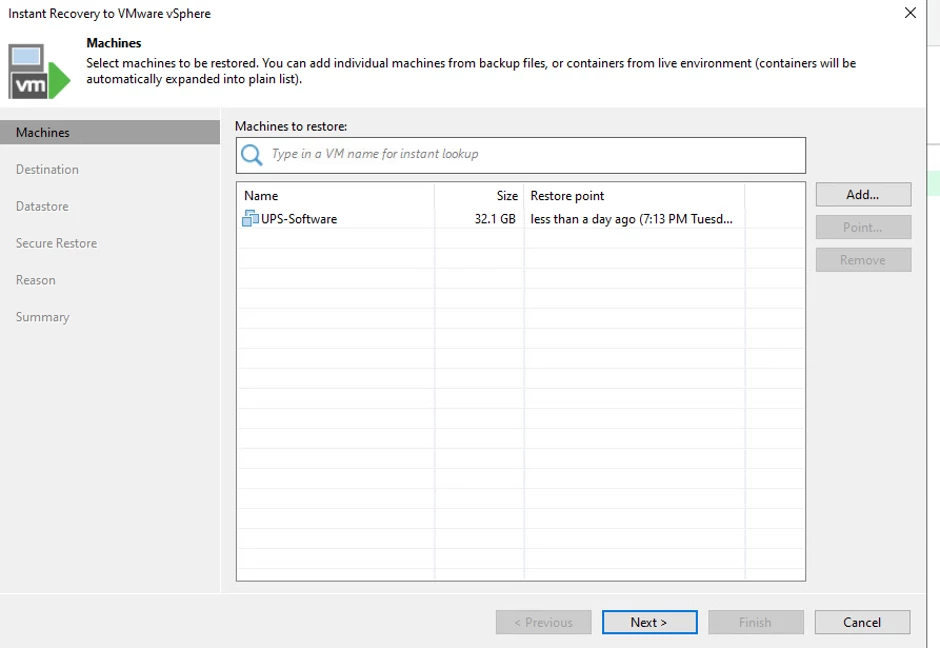
To validate this in practice, I set up a small POC in my lab environment. The behaviour aligns with the documentation — when initiating an Instant Recovery, the only available target is VMware vSphere, with no option for Hyper-V.
This also matches what is outlined in the Restoring Data from Tenant Backups - Veeam Backup & Replication Veeam Cloud Connect Guide
You however recovery also supports Restoring Tenant Backups to Amazon EC2 and Restoring Tenant Backups to Microsoft Azure as options.
Yeah, so stepping back from all of this — the design which I had original thought doesn’t quite stack up with how Cloud Connect actually behaves.
They can absolutely still use Cloud Connect to push backup copies offsite as a DR repository — that part is fine and fits the use case. But where it breaks down is the recovery side.
The key issue is that Instant Recovery from Cloud Connect backups doesn’t give you a Hyper-V target. In reality (and what I saw in the POC), you only get VMware as the option. So in their MSP environment, which is 100% Hyper-V and has no ESXi at all, there’s nothing for Instant Recovery to actually land on.
So the My original idea:
- Copy backups to Cloud Connect ✅
- Use Instant Recovery → Hyper-V in MSP ❌
That second step just isn’t supported today.
Where that leaves them is needing to tweak the design a bit depending on how strict those RPO/RTO targets are.
Cloud connects Backup example in LAB. (Service provider side.)
VDP V13.01 service provider side.
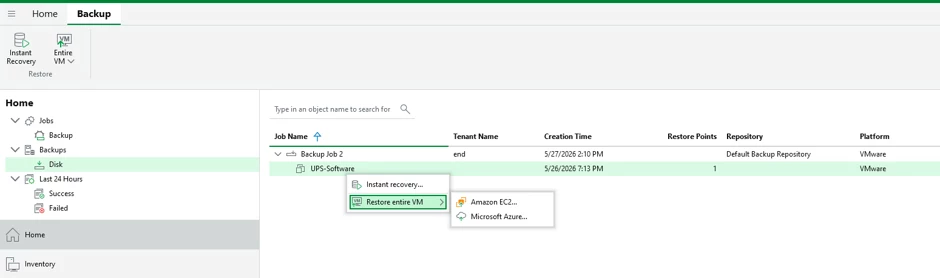
When you select Instant Recovery, the following pop-up wizard appears.
Released last week at Veeam On Sydney was V13.1 with some 70 New features.
You can find a full breakdown of what’s new for each product below.
Veeam Backup & Replication: https://www.veeam.com/veeam_backup_13_1_whats_new_wn.pdf
Veeam ONE: https://www.veeam.com/veeam_one_13_1_whats_new_wn.pdf
Veeam Recovery Orchestrator: https://www.veeam.com/veeam_orchestrator_13_1_whats_new_wn.pdf
From a service provider point of view
Veeam Cloud Connect
Restore encrypted tenant backups on the service provider side - Service providers can now restore encrypted tenant backups directly on the Veeam Cloud Connect server, for tenants that opt-in and set the scope the provider can restore. This enables managed recovery services for tenants and provides an additional disaster recovery option.
Additional restore options on the service provider side - In addition to already existing capabilities, several new restore capabilities are now available for service providers directly on the Veeam Cloud
Connect server: entire VM restore to Nutanix AHV, Proxmox VE, oVirt KVM, Scale Computing HyperCore, and HPE Morpheus VM Essentials, plus Instant VM Recovery to Microsoft Hyper-V.
Malware scan of tenant backups - Service providers can run on-demand Threat Hunter malware scans and YARA rule scanning against tenant backups hosted on the Veeam Cloud Connect server, pinpointing the last clean restore point and enabling pre-recovery malware verification without requiring tenant compute resources.
Universal CDP for Linux - Enables service providers to offer Disaster Recovery as a Service (DRaaS) to tenants protecting Linux VMs and physical servers, replicating to Cloud Connect targets backed by VMware Cloud Director or VMware vSphere hosts.
RBAC support for Cloud Connect backups - Custom roles on the tenant Veeam Backup & Replication server now extend their scope to Cloud Connect-hosted backups, so a scoped-role user can restore from backups stored on the service provider as well, giving tenants consistent role-based access across all their backups.
HPE StoreOnce - Can now be used as Veeam Cloud Connect repository, enabling an additional repository type for an off-site offering for tenants.
I'm going to a deep drive it to instant recovery into Hyper V from MSP Side.
MSP environment upgrade
We need to upgrade the MSP environment to Veeam Data Platform (VDP) v13.1.
it is important that the update the environment in the correct order to maintain connectivity and ensure continued service availability.
Recommended order
1. VSPC 9.1+ to 9.3 | Release notes | Upgrade Guide
- Broader Hypervisor Coverage.
- Support for Veeam Data Cloud Vault on AWS
2. Veeam ONE 13.1 On MSP server Release notes | Upgrade Guide
- Broader Hypervisor Coverage
3. Veeam Backup Enterprise Manager 13.0.1 to 13.1 Upgrade Guide
4. Veeam Cloud Connect to end user from 13.0.1 to 13.1 Upgrade Guide
- Supports (Remote) Tenants installed products versions
5. IaaS or (Remote) Customer installations
- Veeam Backup Enterprise Manager (Windows | Linux)
- Veeam Backup & Replication (Windows | Linux)
- Veeam Agents
- Veeam ONE
- Veeam Backup for Microsoft 365
- Veeam Backup for Public Cloud
confirm that a backup from Tenant to MSP repo are working
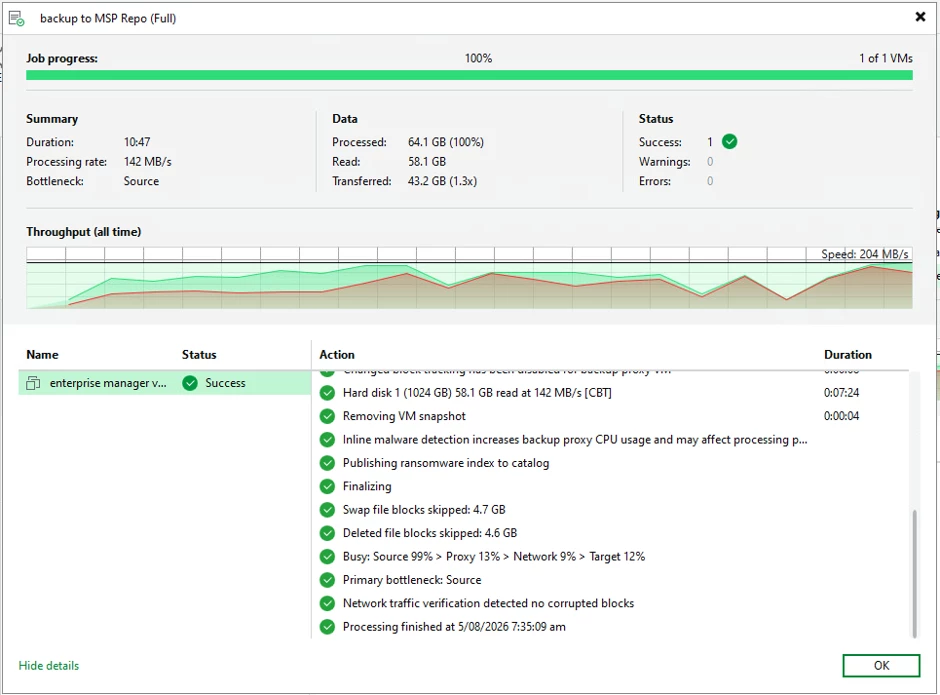
confirmed files on MSP Repo.
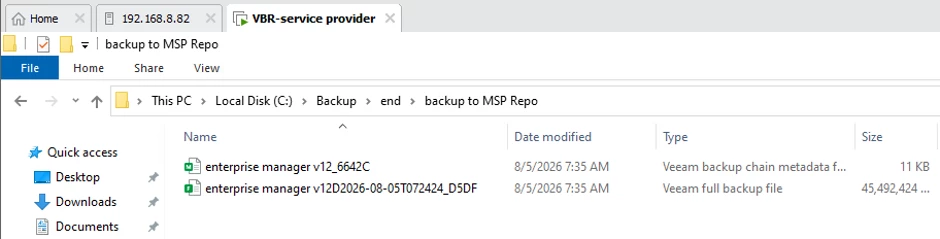
Disaster recovery from MSP into Hyper-V in MSP Environment.
Login in VDP under 13.1 as service provider and run rescan on MSP repo in import the backup jobs
When you select Instant Recovery, the following pop-up wizard appears you have a
Select instant recovery to Microsoft Hyper-V.
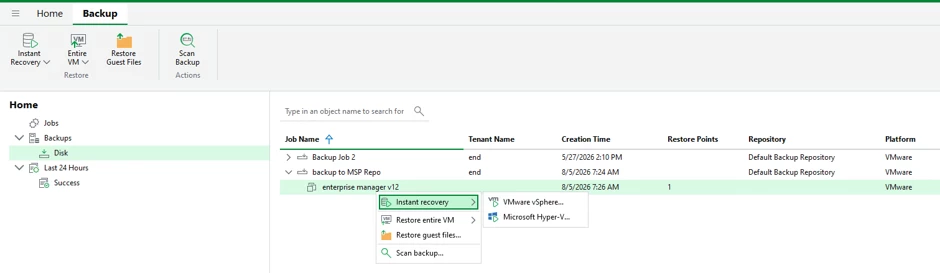
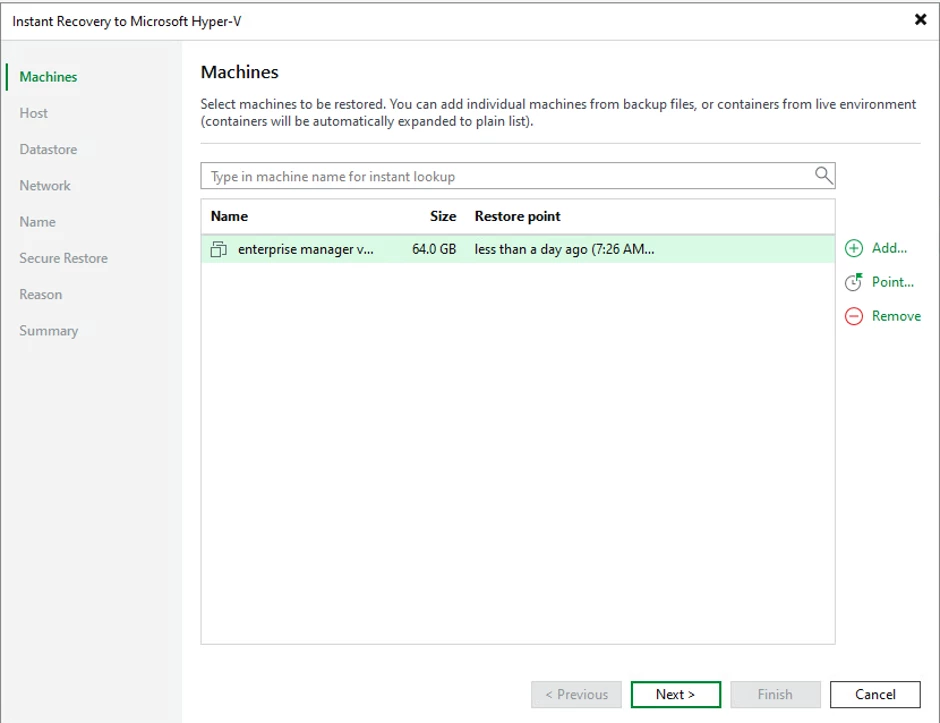
The following pop appares
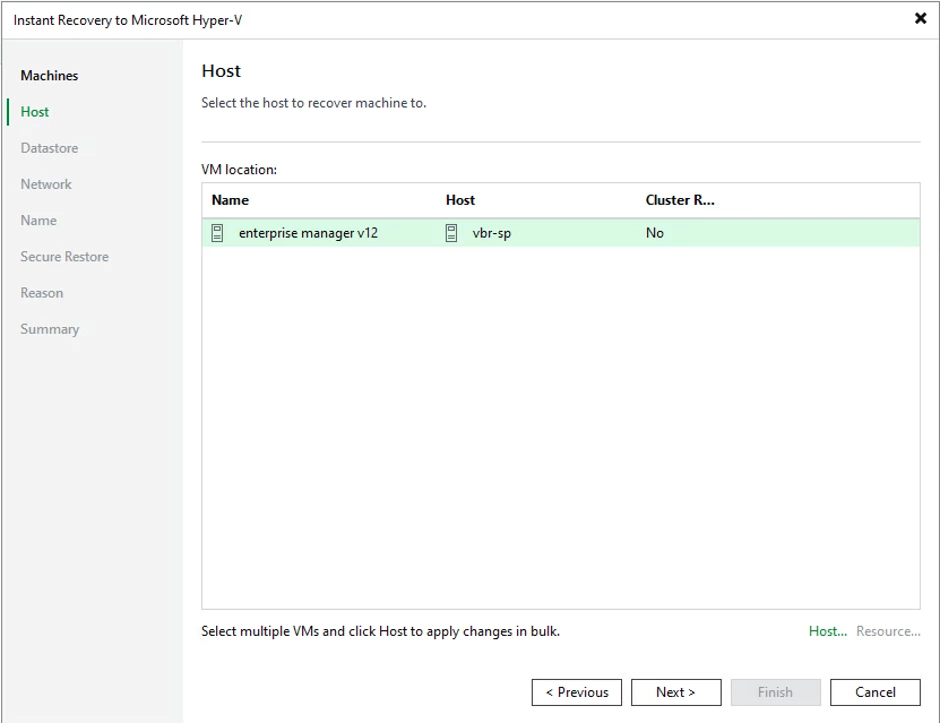
Selected Hyper-V Host to restore to and click next
Confirm datastore restore location and click next|
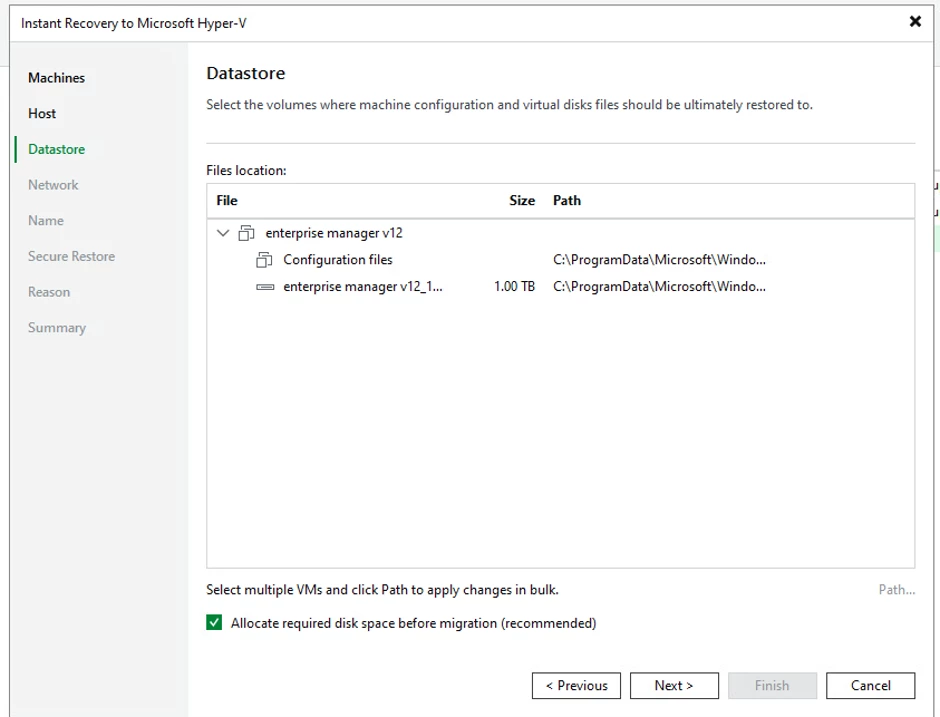
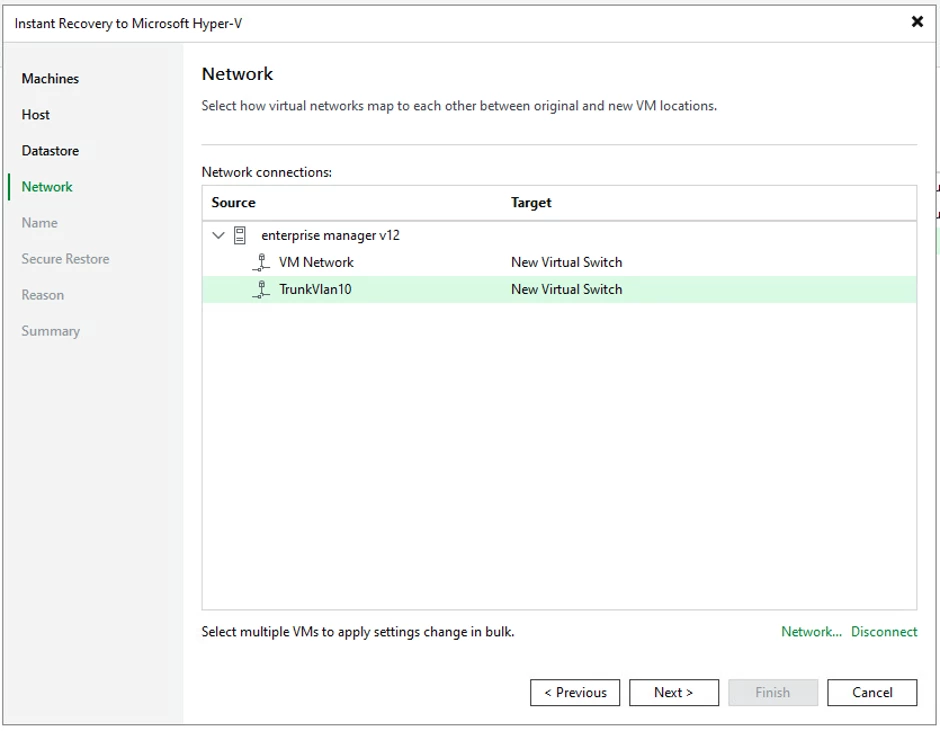
update networking interface and click next
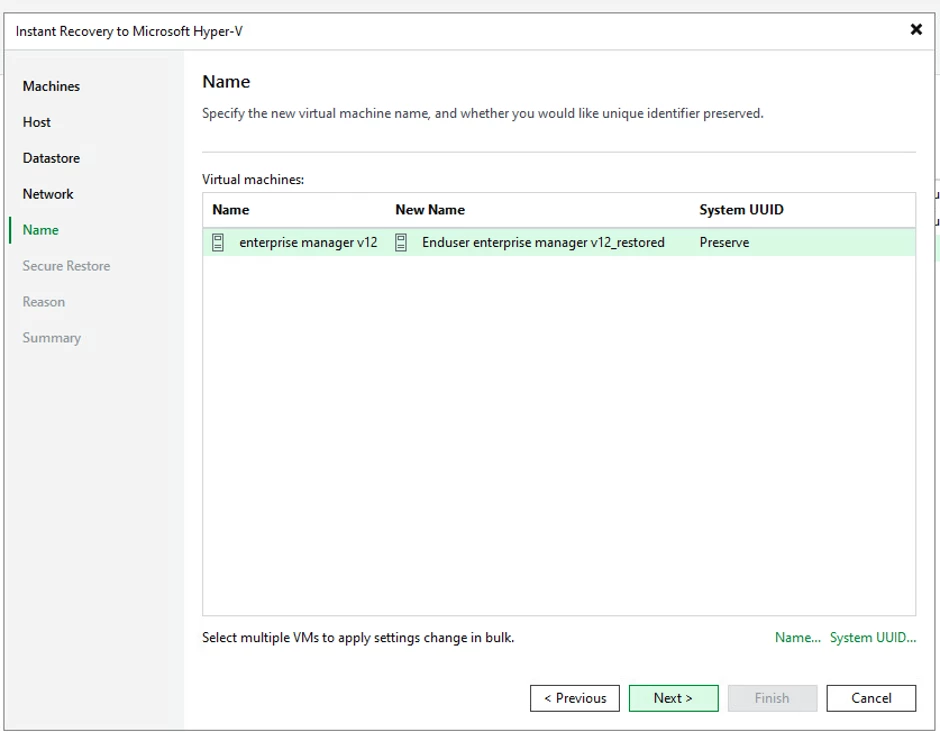
Confirm restore naming convention and click next
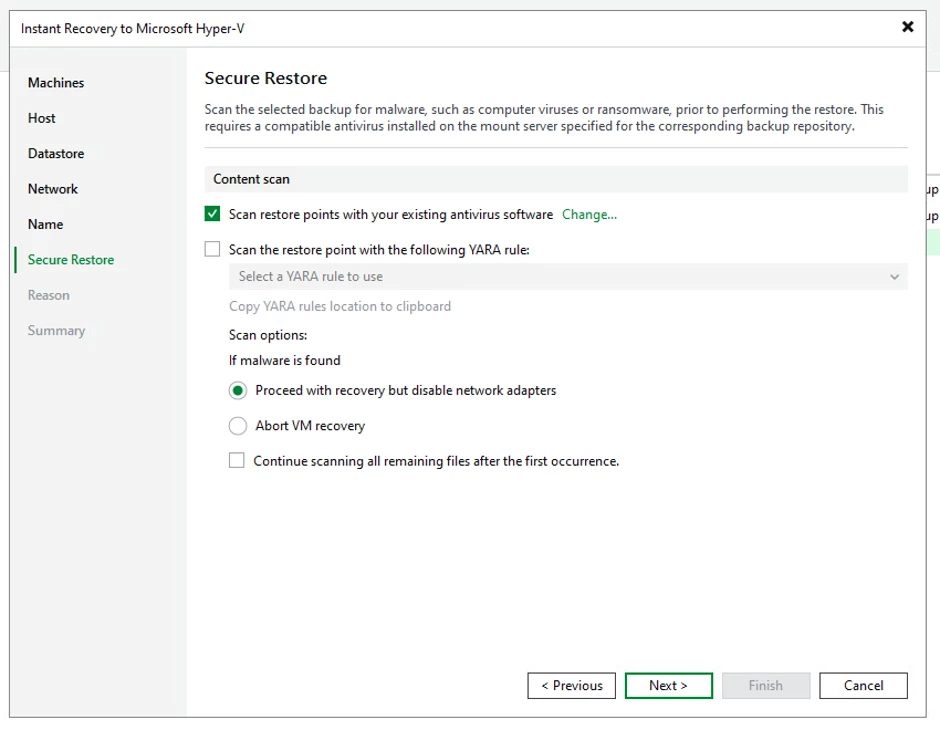
define malware scanning option and click next
Add reason was to why your resorting for audit purpose and click next
Review summary page and click Finish.
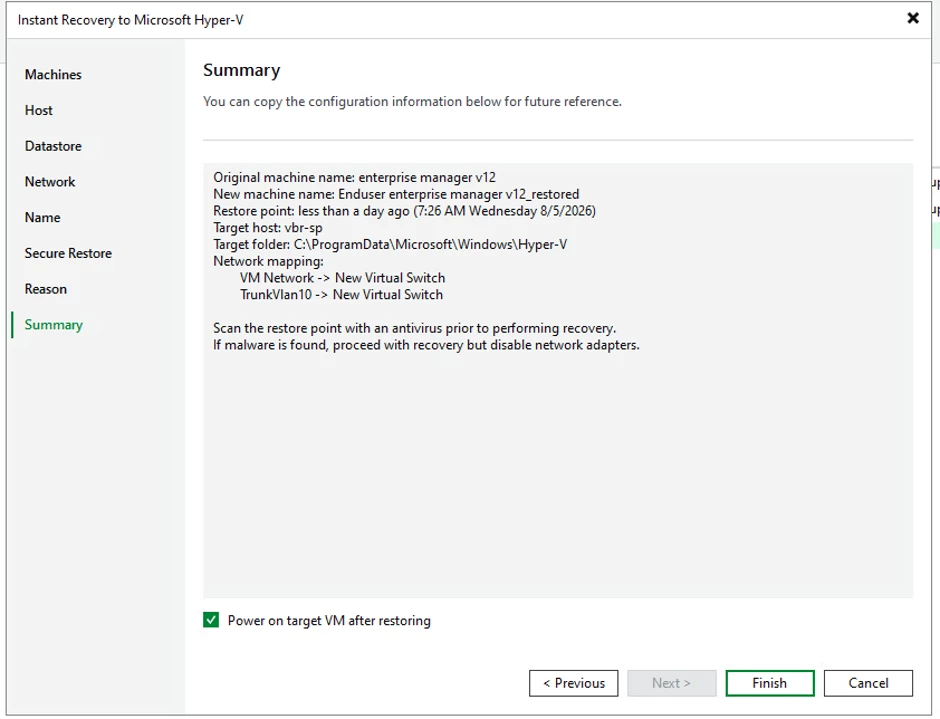
Restore session started
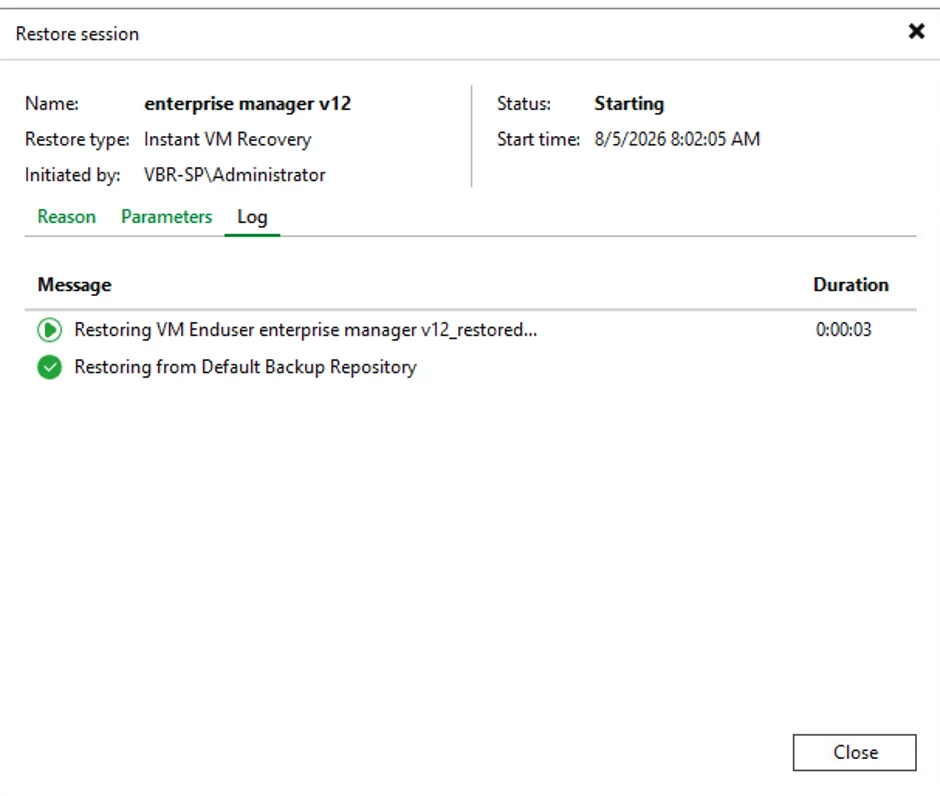
The instant recovery will mount into the VBR MSP VBR server.
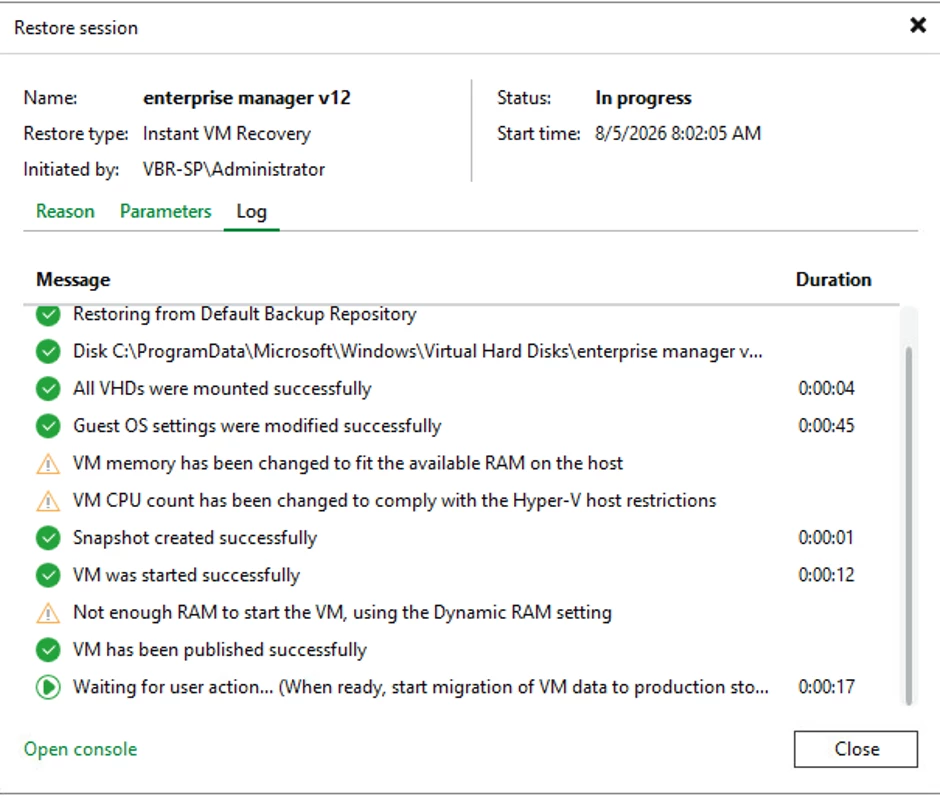
Navigate to Instant recovery at top left of MSP VDP server & Click "Migrate to Production"

The Migrate to Production becomes grey out and it looks like nothing happening but look at the running tasked your see the break down the restore tasks.
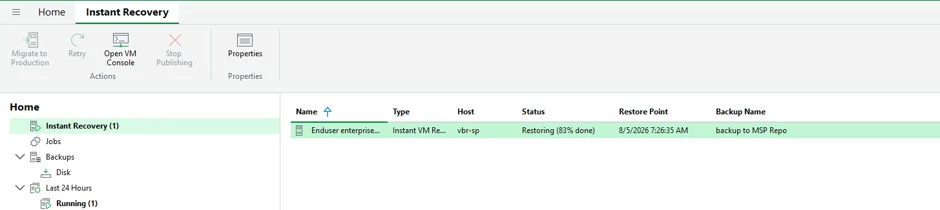
once the Migration is completed your workflow will look something like this
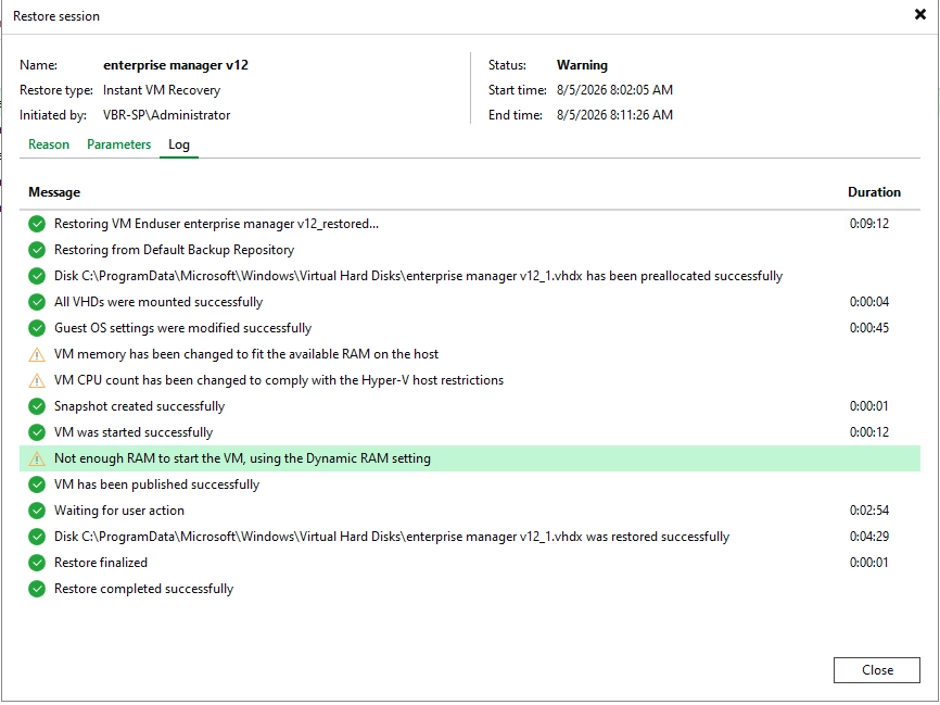
Once restore is completed
Open Hyper-V on the MSP side and confirm that restore VM can start up and able login, ensure VM can internet connection to end customer network.
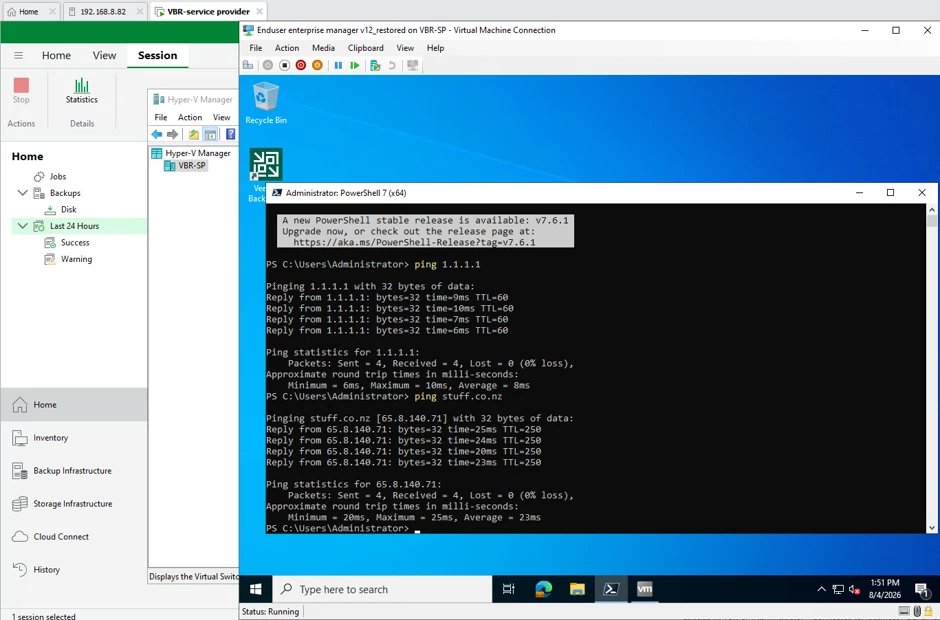
What does this all mean
Summary
What does that mean for my original Use Case was looking at you'll be able to backup a customer on VMware over cloud connect and restore them in BCDR in to Hyper-V.
So the My original idea:
- Copy backups to Cloud Connect ✅
- Use Instant Recovery → Hyper-V in MSP ✅