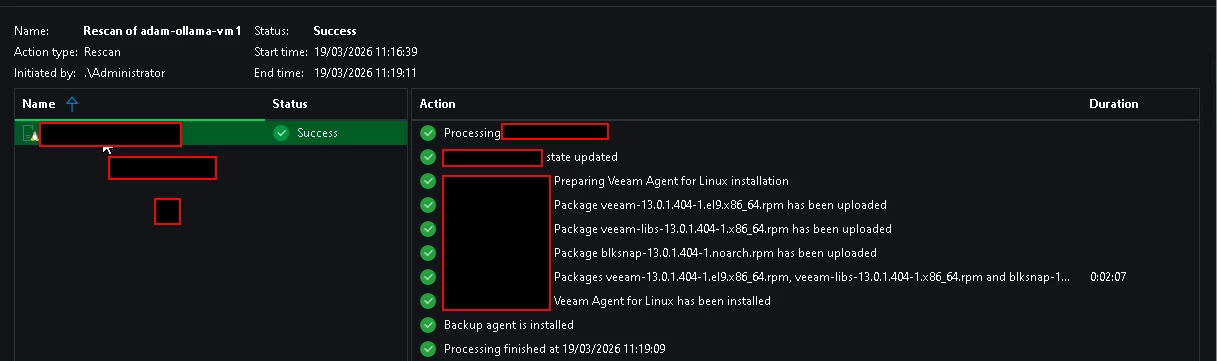
While managing and upgrading Linux agents through Veeam, you may encounter a seemingly misleading error:
Host is unreachable. Failed to connect to <hostname>. Details: Cannot find a compatible console test instruction. All known instructions are not available or executed with errors.
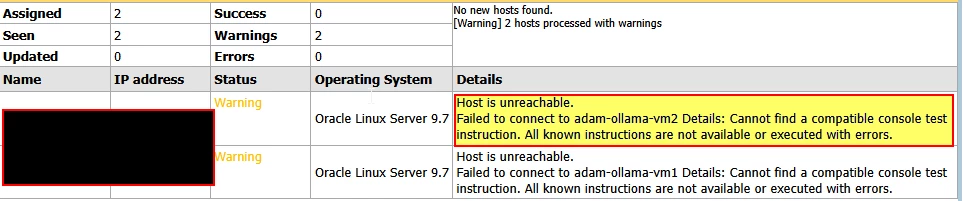
At first glance, this looks like a network connectivity issue, but in many cases it actually points to a failure during authentication or remote command execution.
Problem analysis
In this scenario, the error occurred while attempting to connect to the Linux host server-vm1 for agent installation/upgrade operations.
The root cause was traced back to the credentials used by Veeam for remote access (typically via SSH). When the password of the dedicated service account becomes invalid or out of sync, Veeam fails to execute its preliminary console checks, triggering the “console test instruction” error.
Fix:
Password expiry check:
chage -l vbruser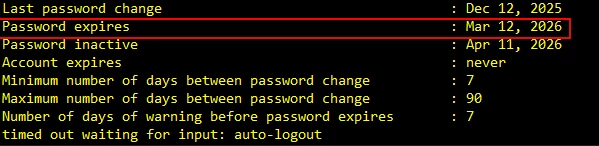
Check whether your account is blocked or has expired
passwd -S veeamuseror
chage -l veeamuser | grep "Account expires"
Reset password
passwd vbruser
Remove password expiry
chage -M 99999 vbruser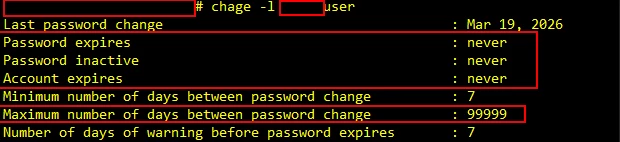
Try the upgrade again or rescan the Linux Agent