VBR v13 Client Console update with multiple other Veeam roles

  • May 28, 2026
  • 11 comments
  • 540 views

Dynamic
Forum|alt.badge.img+16


Veeam Backup & Replication 13.0.2 dropped yesterday — and if you manage a smaller environment where a single Windows Server hosts all the things (Proxy, Mount Service, vPowerNFS, Guest Interaction Proxy, you name it), you may have hit an annoying moment when tried to open the console after upgrading the VBR server.


You open up the Veeam Backup & Replication console, enter your server's name, click Connect — and instead of the familiar dashboard, you get this:
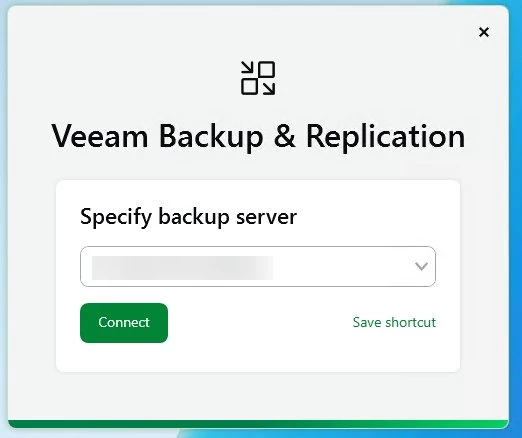


Failed to connect to the backup server: the connection has been established but client update is required, however this machine is hosting other roles. Make sure these following roles are not in use and uninstall them


The message is accurate: the console client is older than the freshly updated server, and the in-place update mechanism wants you to remove other roles before it allows the console to update itself. In a larger, role-separated architecture that is fine — but in a compact single-server setup, that is a lot of unnecessary work.
Remove the roles, update, re-add the roles... nope 😥!


Thankfully there is a quick workaround, and it takes less than five minutes.


Starting with 13.0.2, Veeam has (finally!) made the current standalone console installer available directly on my.veeam.com. Previously, only the initial release version was downloadable there — to get an updated console you had to take the in-place update path. That limitation is gone now.


Step-by-step installation
It is a classic next-next-finish installation, you know the game... 


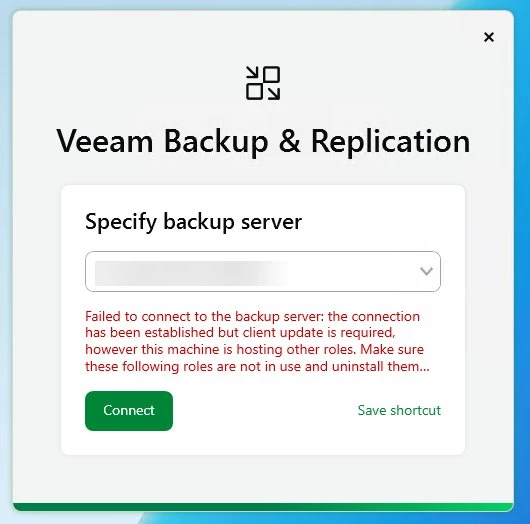
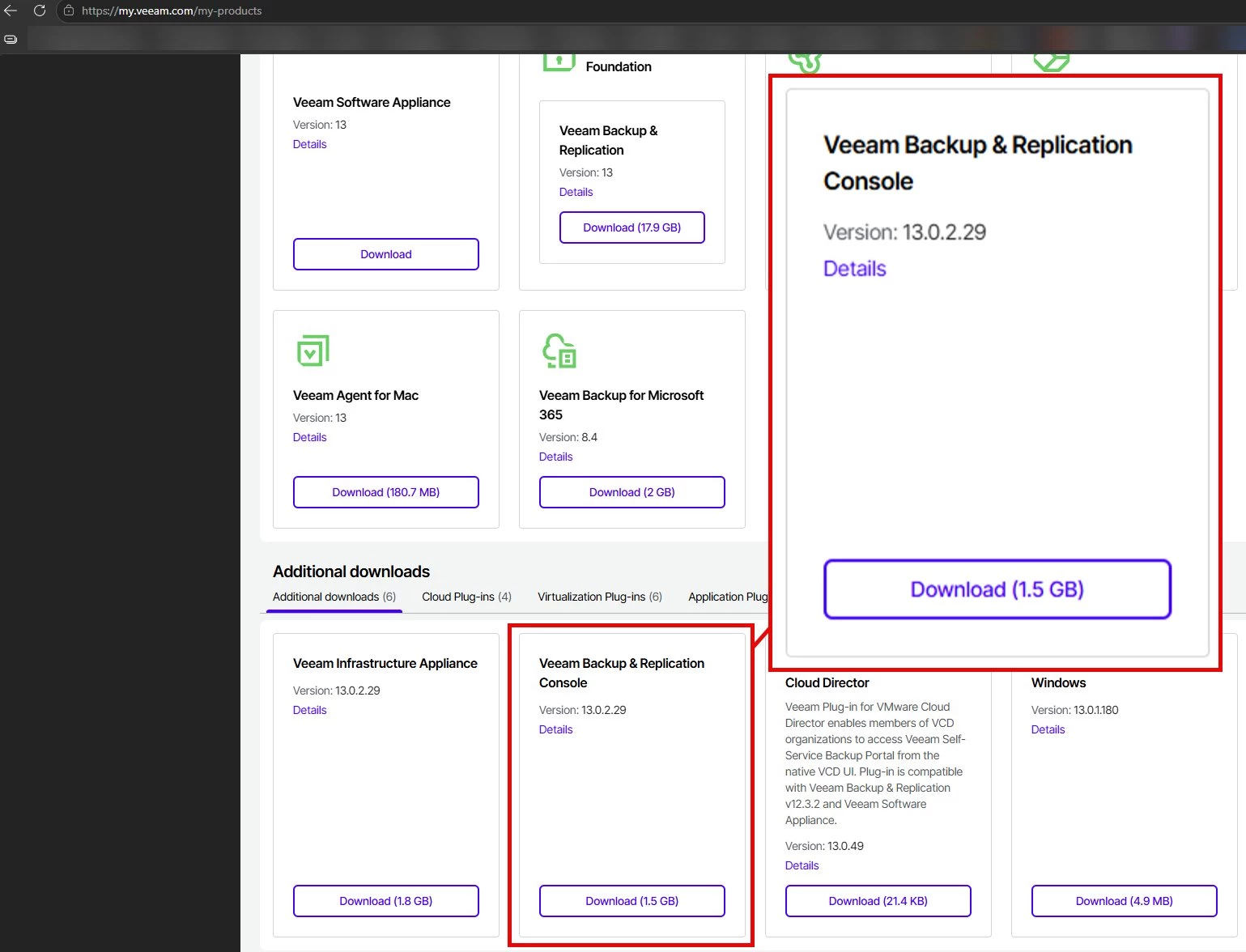
Go to my.veeam.com → My Products → Additional downloads and download Veeam Backup & Replication Console Version 13.0.2.29
 

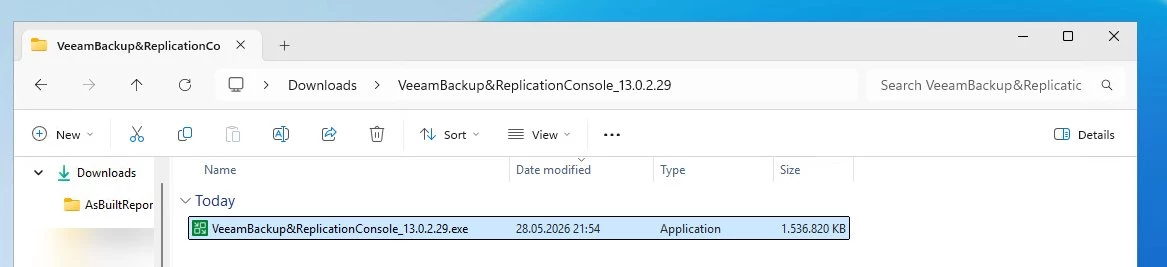
Run the installer on the machine where the old console is installed.
 

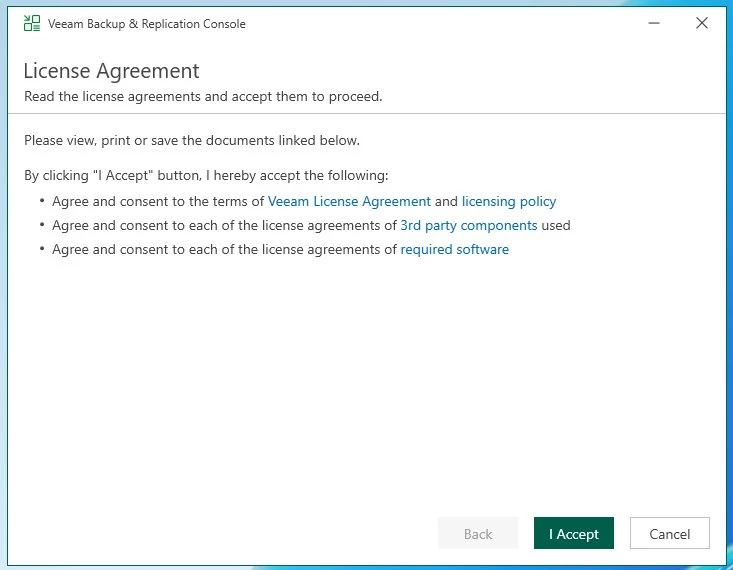
License Agreement — read! and click I Accept.


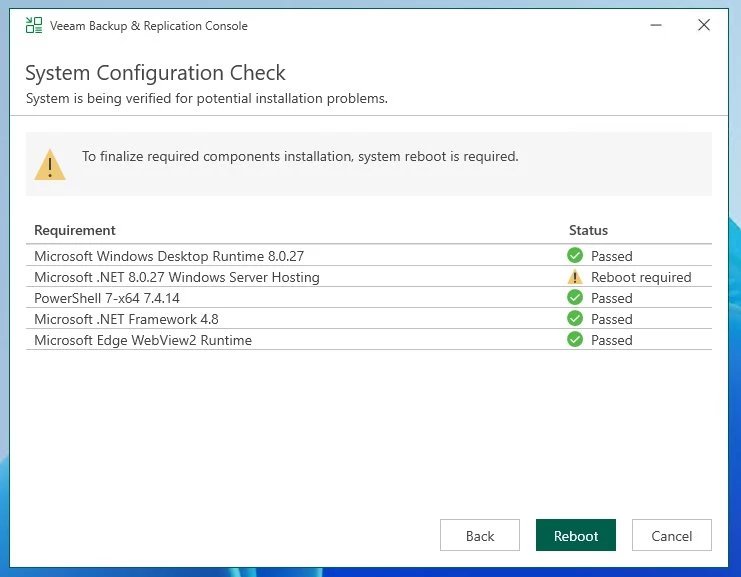
System Configuration Check — all requirements should pass. If .NET 8.0 Windows Server Hosting (in my case / or some other components) shows Reboot required, reboot first and re-run the installer.


Upgrade summary — review the component list (see below) and click Upgrade.
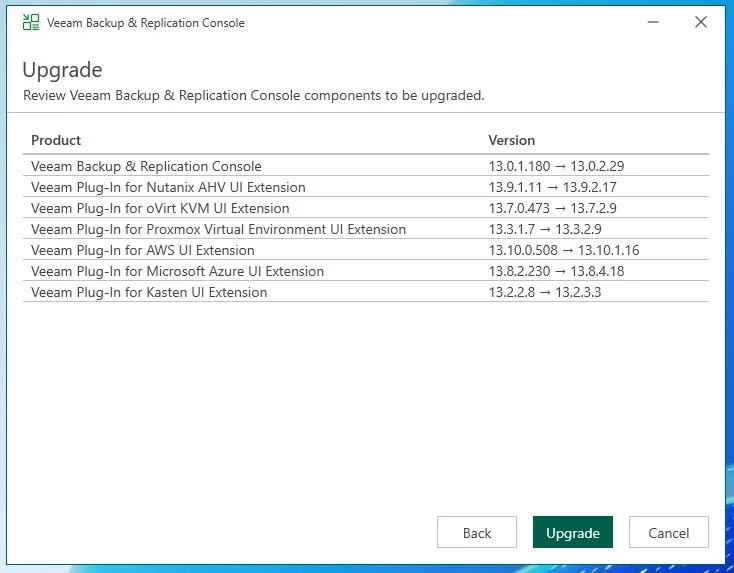


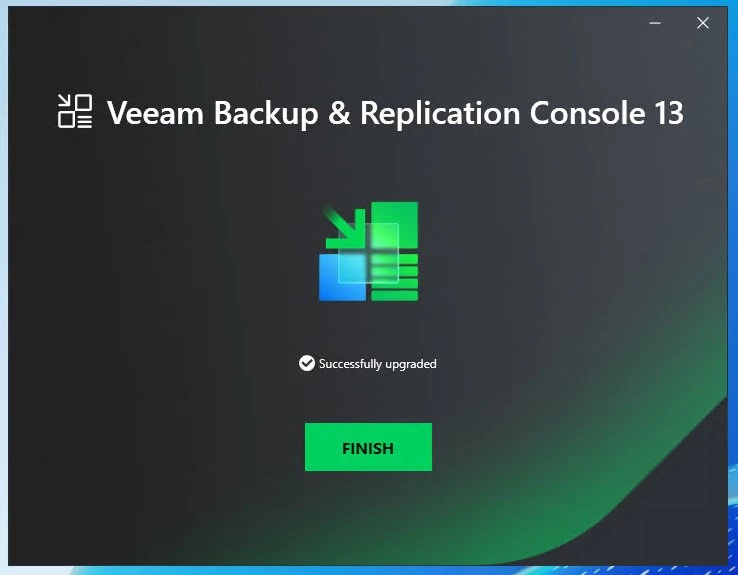
Finish — done. Connect to your VBR server as usual.
 

After the installer completes, check Programs and Features (appwiz.cpl) and see every Veeam component on the machine is now up2date.
Yep, lot of components got an update in this environment (on this All-in-one Proxy/Console system) ...
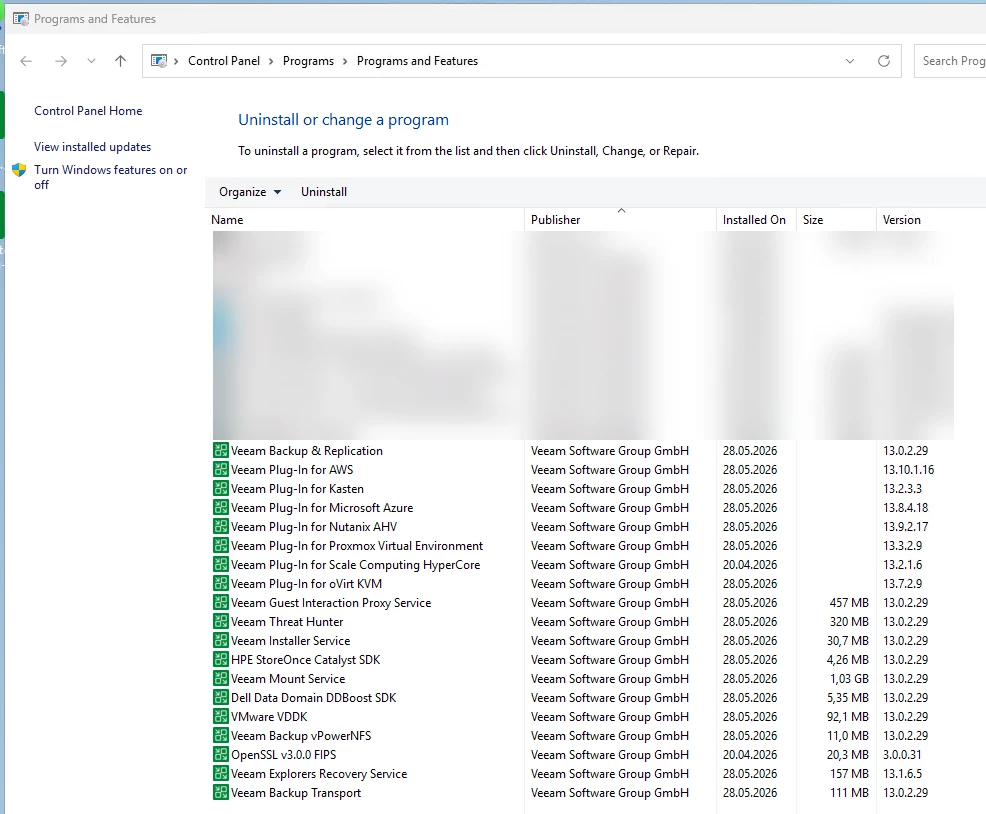


Additional notes:


Some problems who gave me a lot of PITA the last couple of weeks, are also addressed in the latest 13.0.2 release:

  • OAuth error fixed — the persistent "failed to connect to the backup server: unable to perform OAuth authorization: interaction_required" error is gone.

  • HA resource issues addressed — Creating a high availability cluster may reset the PostgreSQL OOMScoreAdjust setting, increasing the risk of the service being terminated by the operating system under memory pressure.


Hopefully a future release (13.0.3 / 13.1.) can handle this in-place console updates even when more roles/functions are in place — without having to work with this workaround 😉...

Happy connecting! I hope this saves you and maybe ​@PeteSteven and a few of his customers the day 😛


See the full release notes of 13.0.2 here: KB4738 — Release Information for Veeam Backup & Replication 13 and Updates



11 comments

PeteSteven
Forum|alt.badge.img+5
  • Veeam Vanguard
  • May 29, 2026

Great write-up!

I hope the installer for the updated console will continue to be updated on the website and not just that one time. Otherwise, it’ll be the same old story all over again.

Ideally, as you mentioned, this wouldn’t even be an issue in a future version.

It’s often the little things that make our and our customers’ daily lives difficult and lead to frustration.


coolsport00
Forum|alt.badge.img+23
  • Veeam Legend
  • May 29, 2026

Makes sense they now have the Console downloadable since they make it downloadable in the Web UI Console. My guess is after upgrade, you coulda went there to download the latest version?

Appreciate the writeup Markus...well done!


Dynamic
Forum|alt.badge.img+16
  • Author
  • Veeam Vanguard
  • May 29, 2026

excellent point Shane, I didn’t check this so far. But now I can confirm, it’s the latest version 👍


coolsport00
Forum|alt.badge.img+23
  • Veeam Legend
  • May 29, 2026

Ah, ok. Good to know! Thanks for verifying Markus! 👍🏻


kciolek
Forum|alt.badge.img+6
  • Influencer
  • June 1, 2026

great write up! I didn’t experience with my update but good to know!


  • New Here
  • August 26, 2026

Does this still work? In version 13.1.0.411 the standalone installer fails with similar error messages as the inplace upgrade.


Dynamic
Forum|alt.badge.img+16
  • Author
  • Veeam Vanguard
  • August 26, 2026

Does this still work? In version 13.1.0.411 the standalone installer fails with similar error messages as the inplace upgrade.

can you show us your error message?


  • New Here
  • August 31, 2026

When starting the console standalone installer I see this error:

Another version of the following products is already installed:
Veeam Mount Service
Veeam Backup Transport

Installation of this version cannot continue. To configure or remove the existing version of this product, use Add/Remove Programs on the Control Panel.

We are at the current version for these mentioned products, which is 13.1.1.18. The newest version of the console installer I can download is 13.1.0.411.
Is the version mismatch between console and the other products the problem? Then I can’t do anything about it, if Veeam does not release the console in an identical version?


coolsport00
Forum|alt.badge.img+23
  • Veeam Legend
  • August 31, 2026

Yes, the services versions need to match the version of the VBR product. I recommend getting ahold of Veeam Support ​@servinfra 


Dynamic
Forum|alt.badge.img+16
  • Author
  • Veeam Vanguard
  • August 31, 2026

When starting the console standalone installer I see this error:

Another version of the following products is already installed:
Veeam Mount Service
Veeam Backup Transport

Installation of this version cannot continue. To configure or remove the existing version of this product, use Add/Remove Programs on the Control Panel.

We are at the current version for these mentioned products, which is 13.1.1.18. The newest version of the console installer I can download is 13.1.0.411.
Is the version mismatch between console and the other products the problem? Then I can’t do anything about it, if Veeam does not release the console in an identical version?


We've seen this a couple of times when a server is used for multiple roles — e.g. admin workstation, jump host, proxy, and mount server.

You should be fine if you remove the components you mentioned (Mount Service and Backup Transport). After that, update your console, and then you can re-add those roles. VBR may well re-add them by itself from within the console. Either way, please step through all the settings for that system once to make sure everything is applied correctly.


  • New Here
  • September 1, 2026

We've seen this a couple of times when a server is used for multiple roles — e.g. admin workstation, jump host, proxy, and mount server.

You should be fine if you remove the components you mentioned (Mount Service and Backup Transport). After that, update your console, and then you can re-add those roles. VBR may well re-add them by itself from within the console. Either way, please step through all the settings for that system once to make sure everything is applied correctly.

Thank you very much. I'm sure it will work, but that's exactly what this workaround was supposed to save me from having to do 😅:
“Remove the roles, update, re-add the roles... nope 😥!“