

I was planning to upgrade the PostgreSQL database from version 15 to version 17 in a Veeam Backup & Replication environment.
Below are the steps I followed to complete the upgrade and restore the Veeam configuration.
Steps performed
1. Prepare the Veeam environment
-
Upgraded Veeam Backup & Replication to the latest available build.
-
Created a new Veeam configuration backup.
-
Stopped all Veeam services using PowerShell:
Get-Service Veeam* | Stop-Service -Force2. Back up the PostgreSQL database
Before making any changes, I backed up the PostgreSQL database using pgAdmin.
3. Upgrade PostgreSQL
-
Uninstalled PostgreSQL 15.
-
Installed PostgreSQL 17.
4. Restore the Veeam configuration
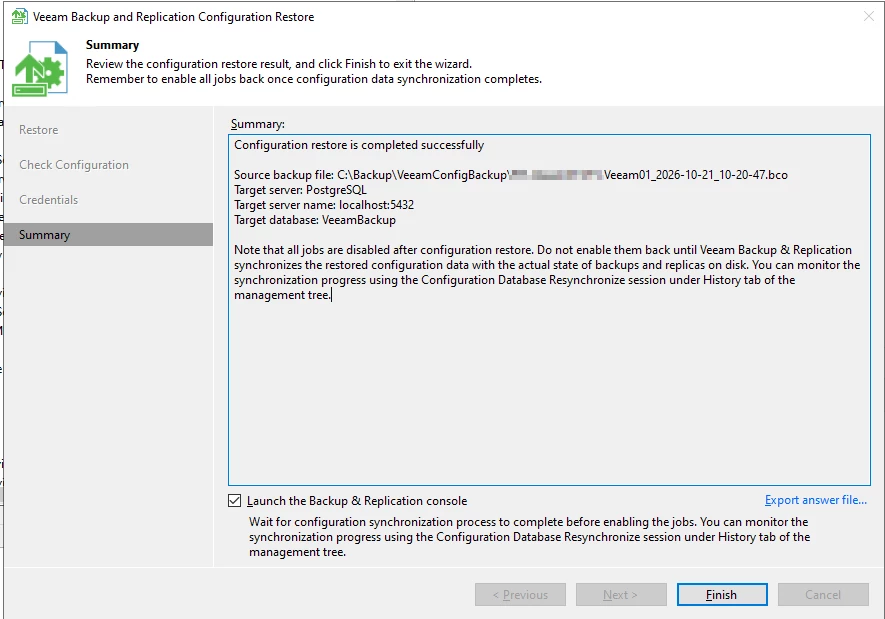
After installing PostgreSQL 17, I started the Veeam Backup & Replication Configuration Restore wizard.
I selected the configuration backup created earlier and followed the restore wizard to restore the Veeam configuration.
5. Start services and validate the environment
After completing the configuration restore, I performed the following steps:
-
Started all Veeam services.
-
Logged in to the Veeam Backup & Replication console.
-
Enabled the backup jobs.
-
Verified that the backup jobs were running successfully.
Result
The configuration restore completed successfully, and the backup jobs were running normally again.
The key takeaway from this procedure was to create a fresh Veeam configuration backup before making database changes and verify the environment after restoring the configuration.

