


Status: 23.09.2026
Note: Information and links you can find at the end of this post
Introduction:
The storage integration in Veeam Backup & Replication allows integrating various vendors of storage systems like NetApp or HPE into Veeam to take advantage of the snapshot mechanism directly from the array to perform backup and restore operations.
- But how is all of this implemented?
- What do you need to keep in mind?
- And how is it configured?
With version 13 of Veeam Backup & Replication, the Veeam Universal Storage API (US API) is introduced.
That means the integrations are no longer developed directly by Veeam, but they offer a framework that storage vendors can use to integrate their storage solutions into Veeam Backup and Replication.
At this point it is important to mention that the new US API-based plugins do not automatically replace everything from the built-in integration.
Currently the new US API plugin is only intended for block or file storage for VMware Sphere; NAS filer backup continues to use the current built-in integration.
Caution!
The use of both integrations is possible, but only when you clearly separate the storage roles of VMware & NAS filer backup.
But if that is taken into account, it makes it possible to use both workloads on the VSA.
I've been working with ONTAP-based NetApp storage systems for some time now, and NetApp is our primary vendor for our production storage systems.
A few weeks ago, NetApp released his plugin based on the new USAPI (KB4904) for Windows-based environments and also the Veeam Software Appliance (VSA).
Environment:
Let’s start with the configuration of the environment currently in use.
Virtualization:
Virtualization is handled by a fully dedicated VMware VCF5 environment that spans multiple fire zones in the data center and is equipped with HPE Gen11 ProLiants.
Storage:
A NetApp AFF A20 MetroCluster IP with four nodes provides high-performance, highly available synchronous storage for the entire virtualization workload and additional file shares.
Even in the event of a total failure in one fire compartment, the data remains available.
Backup:
A "standard" Veeam environment consists of Enterprise Manager (Microsoft Windows-based) for integration with, among other things, the VMware Cloud Director plugin; the backup server (Microsoft Windows-based) for managing the entire environment; and an HPE DL380 Gen11 serving as the backup repository and proxy (Linux-based).
Installing:
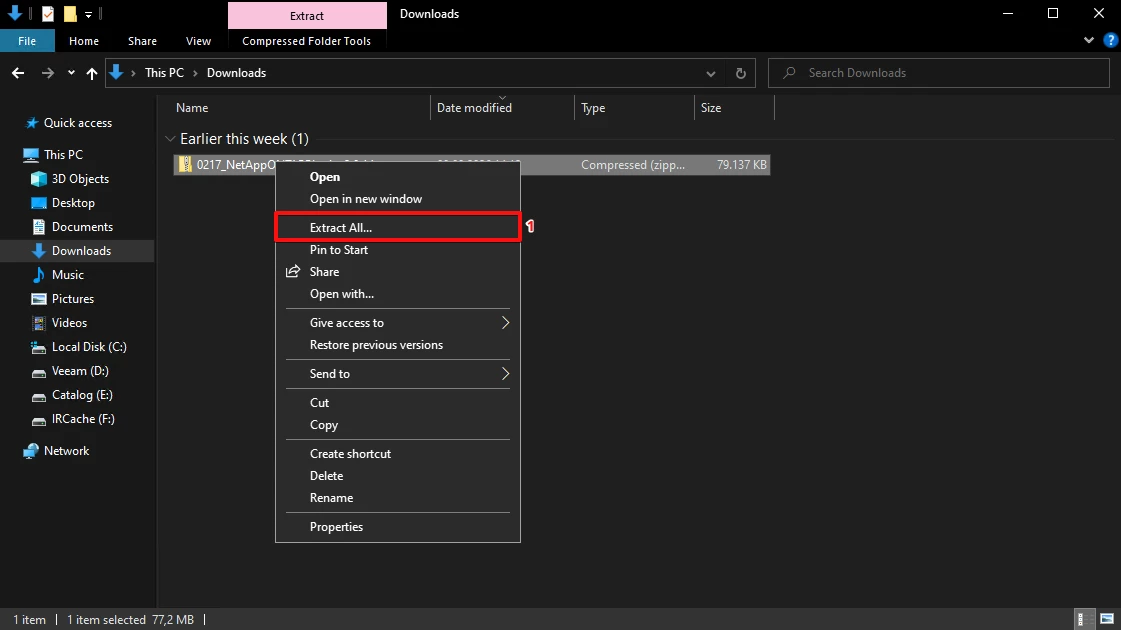
1. Download the plugin installer to your Veeam Backup & Replication server (optional but important; verify the checksum) and extract the .zip file and execute the .exe file.
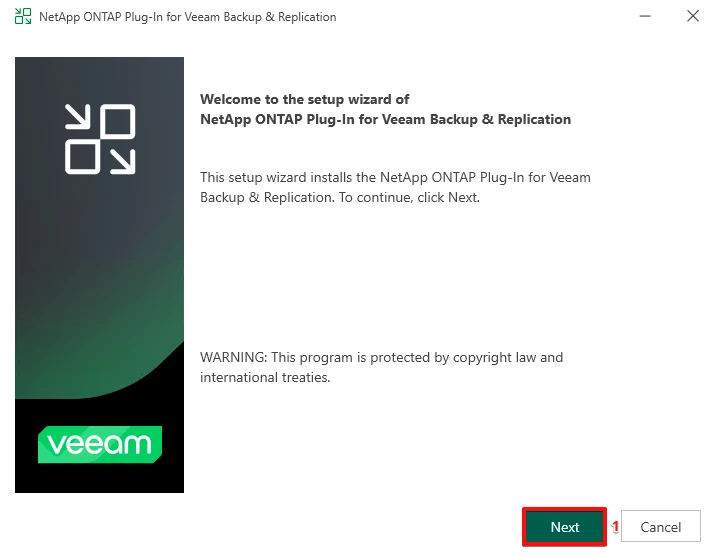
2. Continue the Installer.
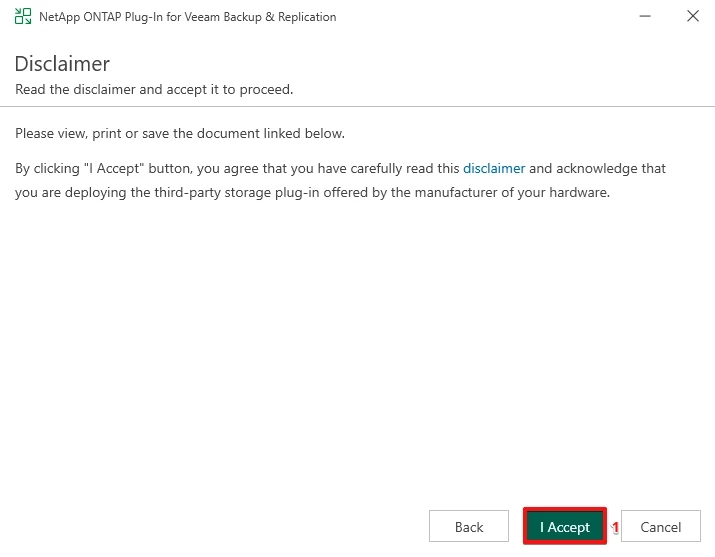
3. Accept the license terms.
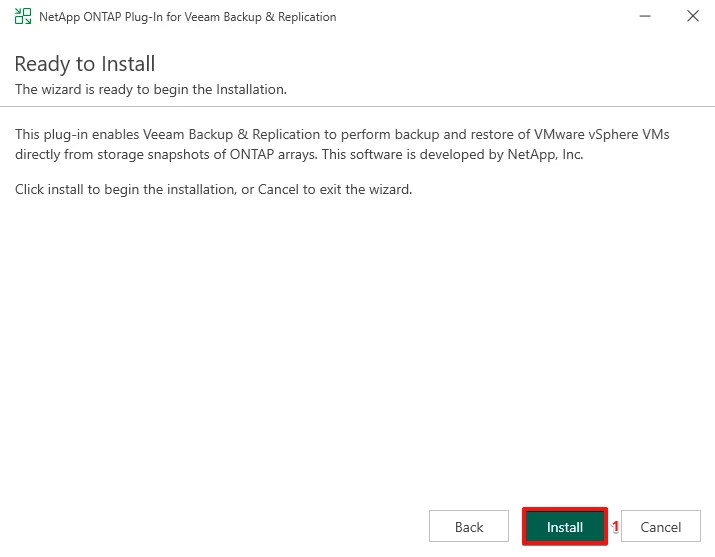
4. Start the installation.
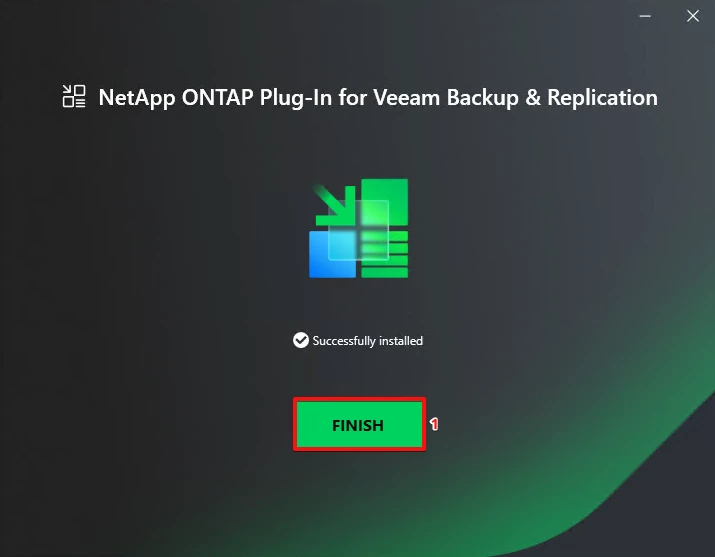
5. After a short amount of time the installer has proceeded successfully and can be closed.
Configuration:
Now the NetApp needs to be prepared for the case of a NetApp MetroCluster; you need to prepare each cluster on both sides because they are independent from Veeam's perspective.
When you consider adding the cluster or only an individual Storage Virtual Machine (SVM), my personal recommendation is to always add the cluster, because then you have more options to control the SnapMirror and SnapVault functionality.
This functionality is missing or cannot be used to the same extent as at the cluster level when you add the Storage Virtual Machine (SVM).
The permissions that are required are documented in the Veeam HelpCenter.
It is really recommended to create a role and user in ONTAP for the US API integration.
You can find the complete commands for the CLI or as an Ansible playbook.
NetApp ONTAP:
# Create Veeam US API role:
security login rest-role create -role veeam-usapi-rest-role -access readonly -api /api/cluster
security login rest-role create -role veeam-usapi-rest-role -access readonly -api /api/cluster/jobs
security login rest-role create -role veeam-usapi-rest-role -access read_create -api /api/cluster/licensing/access-tokens
security login rest-role create -role veeam-usapi-rest-role -access readonly -api /api/cluster/licensing/licenses
security login rest-role create -role veeam-usapi-rest-role -access readonly -api /api/cluster/metrocluster
security login rest-role create -role veeam-usapi-rest-role -access readonly -api /api/cluster/nodes
security login rest-role create -role veeam-usapi-rest-role -access read_create -api /api/cluster/peers
security login rest-role create -role veeam-usapi-rest-role -access readonly -api /api/network/ip/interfaces
security login rest-role create -role veeam-usapi-rest-role -access all -api /api/protocols/nfs/export-policies
security login rest-role create -role veeam-usapi-rest-role -access readonly -api /api/protocols/nfs/services
security login rest-role create -role veeam-usapi-rest-role -access readonly -api /api/protocols/san/fcp/services
security login rest-role create -role veeam-usapi-rest-role -access all -api /api/protocols/san/igroups
security login rest-role create -role veeam-usapi-rest-role -access readonly -api /api/protocols/san/iscsi/services
security login rest-role create -role veeam-usapi-rest-role -access all -api /api/protocols/san/lun-maps
security login rest-role create -role veeam-usapi-rest-role -access all -api /api/snapmirror/relationships
security login rest-role create -role veeam-usapi-rest-role -access readonly -api /api/storage/aggregates
security login rest-role create -role veeam-usapi-rest-role -access all -api /api/storage/luns
security login rest-role create -role veeam-usapi-rest-role -access all -api /api/storage/qtrees
security login rest-role create -role veeam-usapi-rest-role -access readonly -api /api/storage/snaplock/compliance-clocks
security login rest-role create -role veeam-usapi-rest-role -access all -api /api/storage/volumes
security login rest-role create -role veeam-usapi-rest-role -access readonly -api /api/svm/svms

# Show the Security Role:
security login rest-role show -role veeam-usapi-rest-role
security login rest-role show -role veeam-usapi-rest-role -instance

# Create the user and assign the security role:
security login create -user-or-group-name <username> -application http -authentication-method password -role veeam-usapi-rest-role

# Show the user:
security login show -user-or-group-name <username>
security login show -user-or-group-name <username> -instance
Veeam Backup & Replication Server:
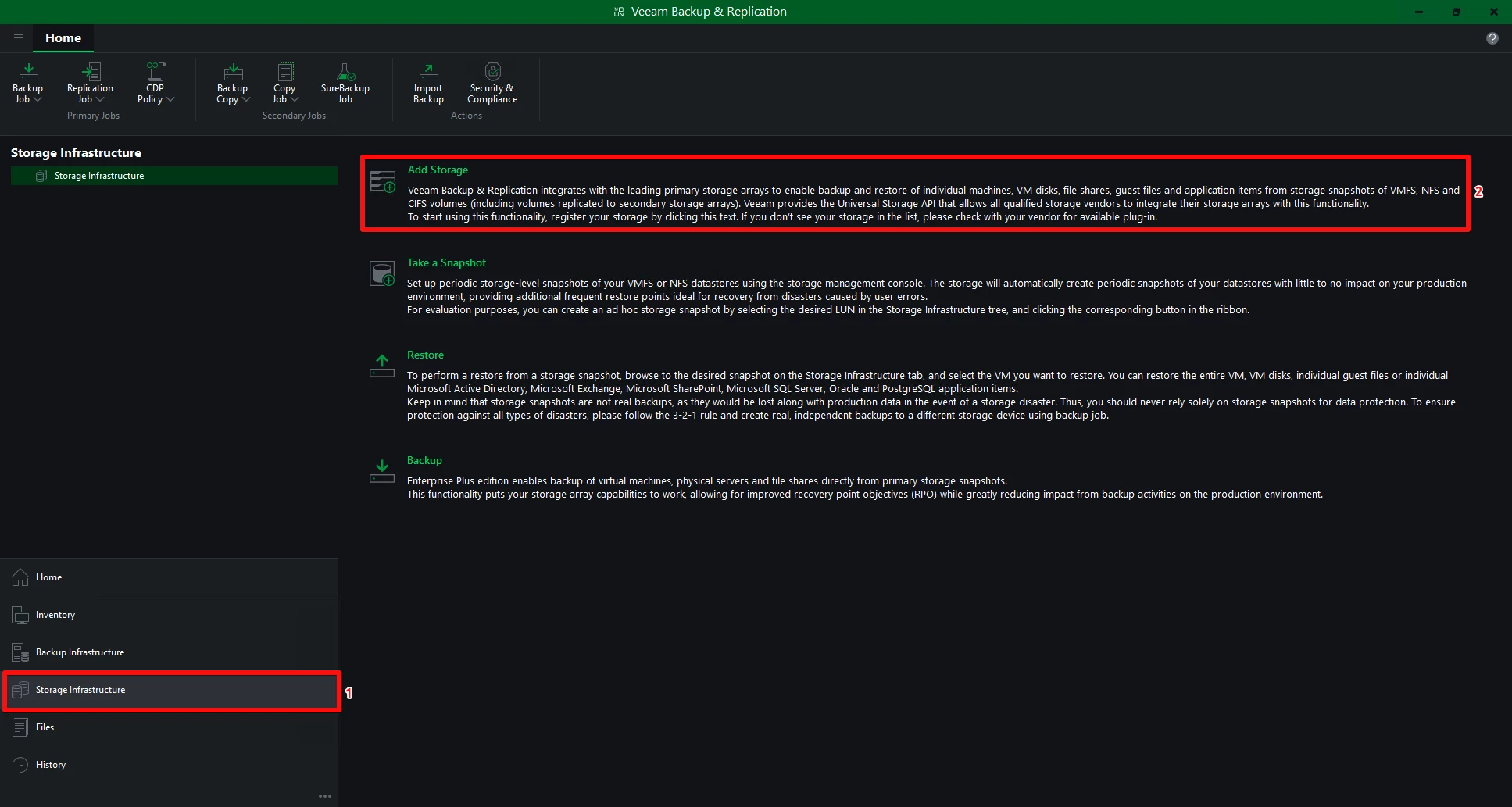
1. Open the Storage Infrastructure tab in the Veeam Backup & Replication Console and open the Add Storage dialog.
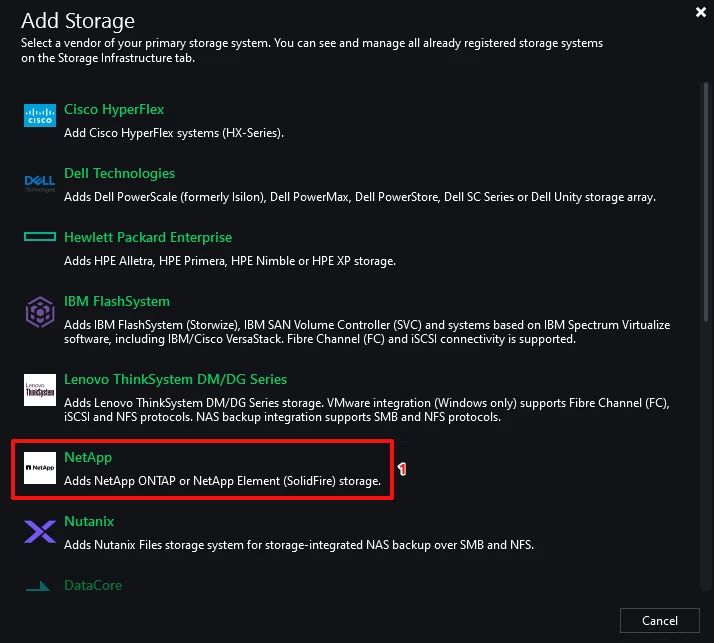
2. Select NetApp to add the ONTAP-based FAS/AFF/ASA system.
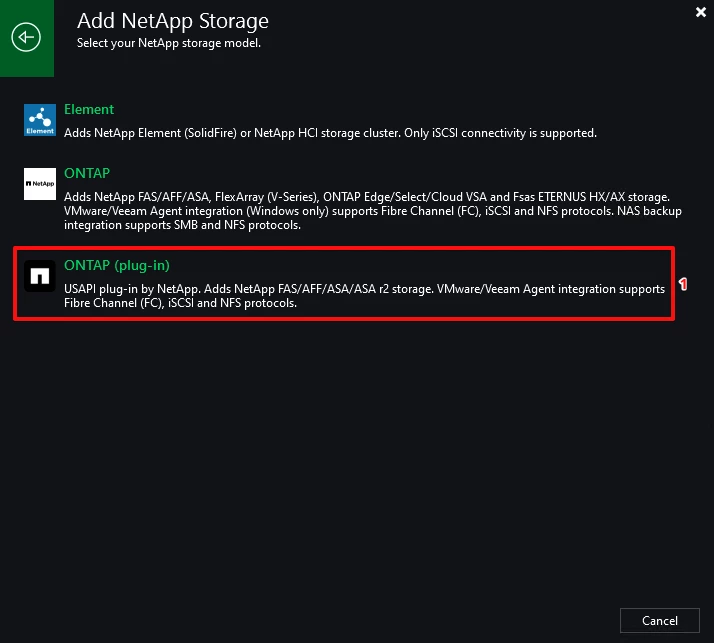
3. The US API plugin shows up here; select it.
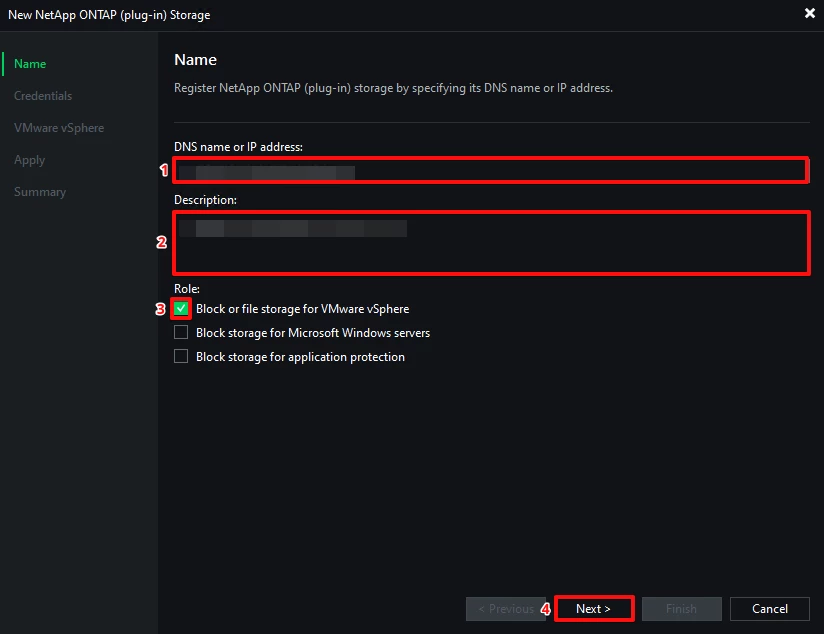
4. Add the FQDN or IP address of the cluster or Storage Virtual Machine (SVM).
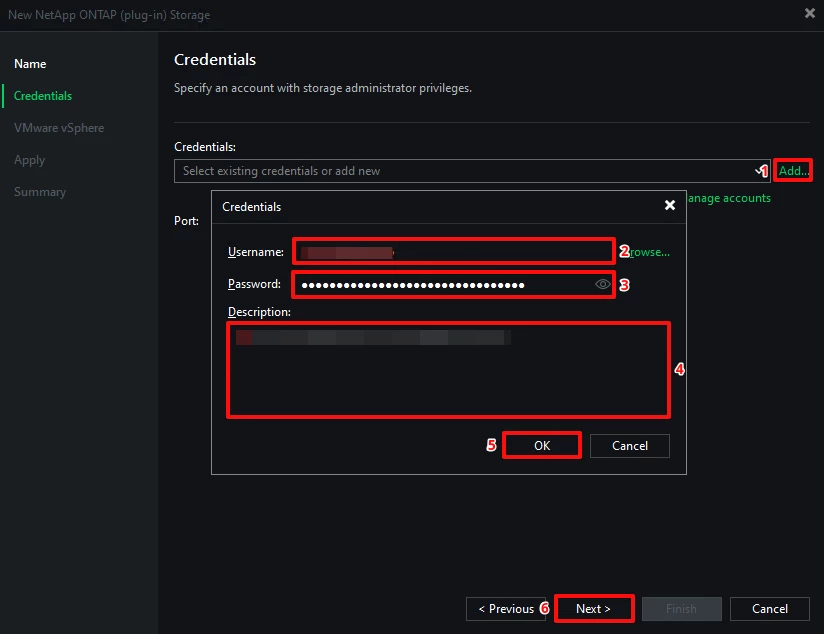
5. Add the credentials for the new user with the permissions from the role that was created.
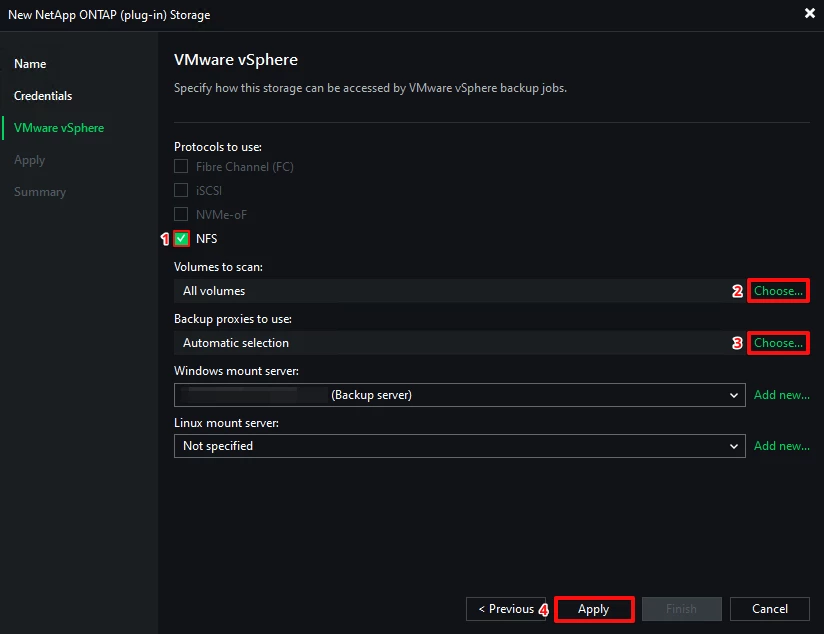
6. Select your storage protocol and the volumes that should be scanned and the proxies that should be used (here, only proxies used have direct access to the NFS shares).
Given the volumes that have to be scanned, I prefer to exclude the root volume from the SVM:
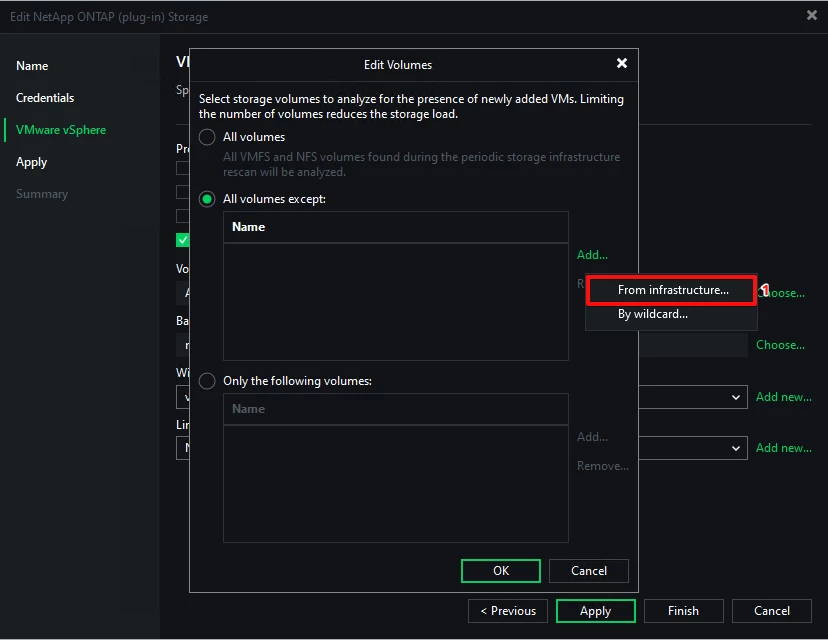
6.1. Add the volume by adding it from infrastructure…
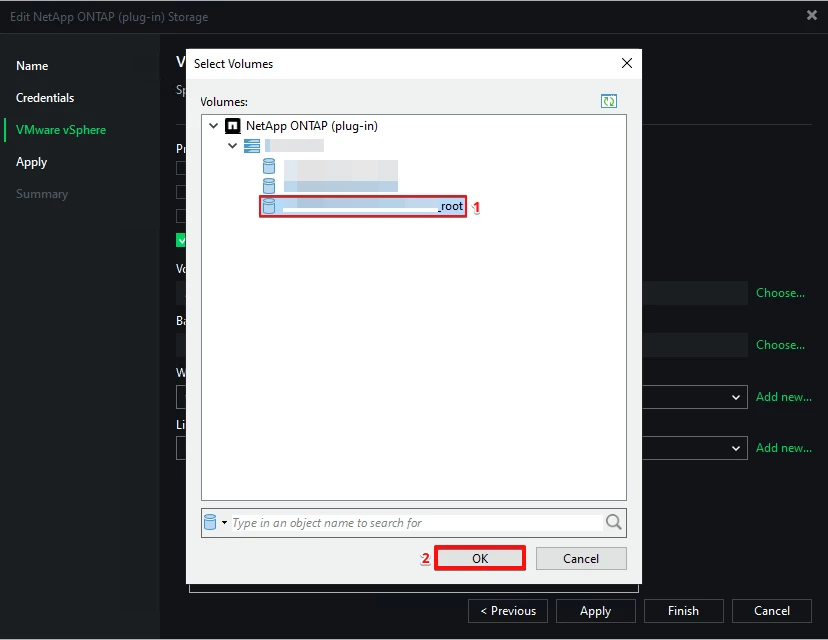
6.2. Select the root volume.
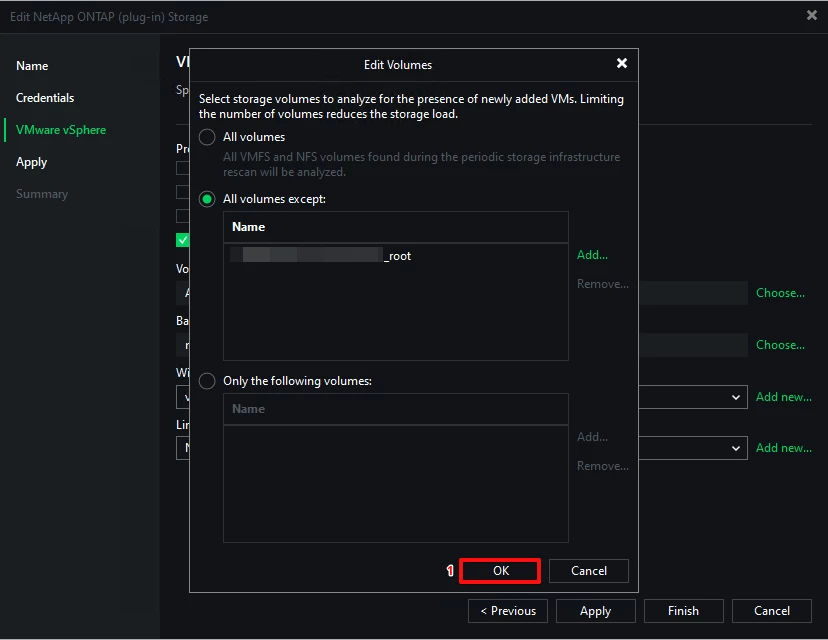
6.3. Confirm the volume adjustment.
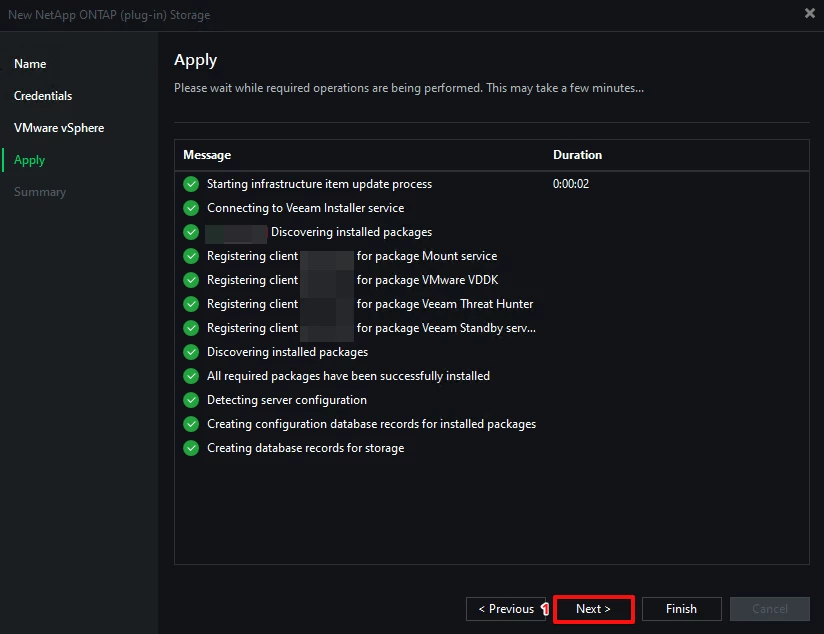
7. Let the assistant finish all required steps.
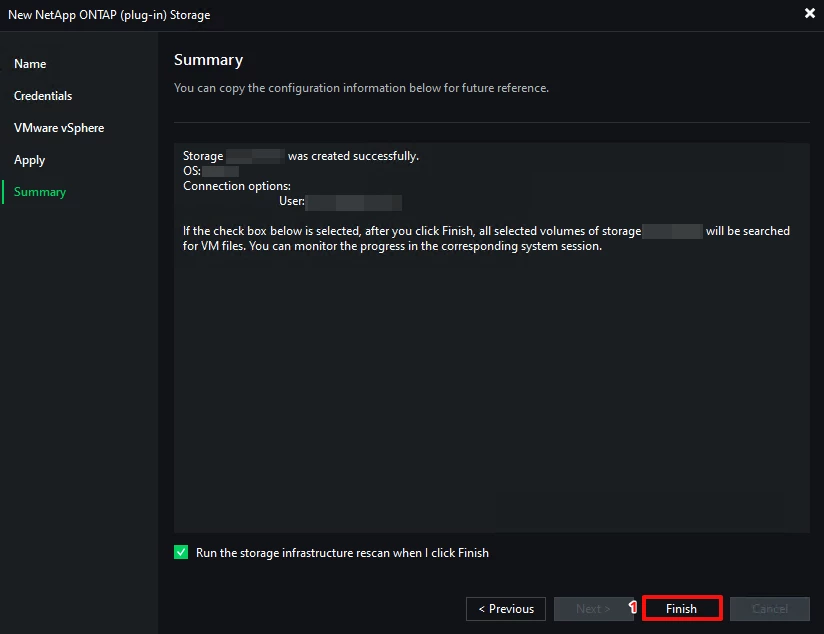
8. Complete the process and let the check box be marked to start the rescan of the storage infrastructure after clicking "finish."
That’s it; now the storage integration for VMware vSphere workloads is configured.
In the next step you can start to configure the backup jobs with the storage integration and test it.
This will be a topic for part 2, where I will tell you the configuration in the backup jobs and some learnings that I have and things to keep in mind, so stay tuned!
Conclusion:
The new storage integration based on the US API is a great extension for the Veeam VSA and a technical step forward, and this is amazing; I like it.
But where I mentioned it at the beginning of this post, some point you have to consider (coexistence and more), but when you plan it properly, this will be painless.
With Veeam 13.2 this should be included by default, but now for Version 13.1 the plugin installation is required.
Sources:
- Release Information for NetApp ONTAP Plug-In for Veeam Backup & Replication
- One does not simply switch storage integrations -Veeam, NetApp, and the New ONTAP Plug-in: Coexistence, Migration, and a Few Small Pitfalls
- Universal Storage API Integrated Systems
- Installing Plug-Ins on Microsoft Windows-Based Backup Server
- Installing and Updating Plug-Ins on Linux-Based Backup Server
- How ONTAP SnapMirror supports disaster recovery and data transfer
- Learn about ONTAP SnapVault archiving
- NetApp ONTAP, Fujitsu ETERNUS HX/AX, Lenovo ThinkSystem DM/DG Permissions
- Veeam USAPI REST Role for NetApp ONTAP
- Adding Universal Storage API Integrated Systems




