This is my first blog, I’m a Team Lead and Sr. Solutions Architect for the Data Protection Practice at a Veeam partner. I work in their Solutions Lab where I provide pre-sales support and product demos for several data protection products including Veeam and Data Domain. I’ve created several Veeam demos with different use cases.
Steps to Integrate Data Domain 6410 with Veeam Data Platform v13
The PowerProtect Data Domain is a purpose-built backup appliance from Dell for cyber resilience in on-premises and multicloud environments. It combines high-performance, efficient, and secure data services with the Data Domain Platform to provide fast recovery and robust protection against threats
Please follow the steps below to integrate the PowerProtect Data Domain 6410 with VBR.
Prepare the Data Domain 6410
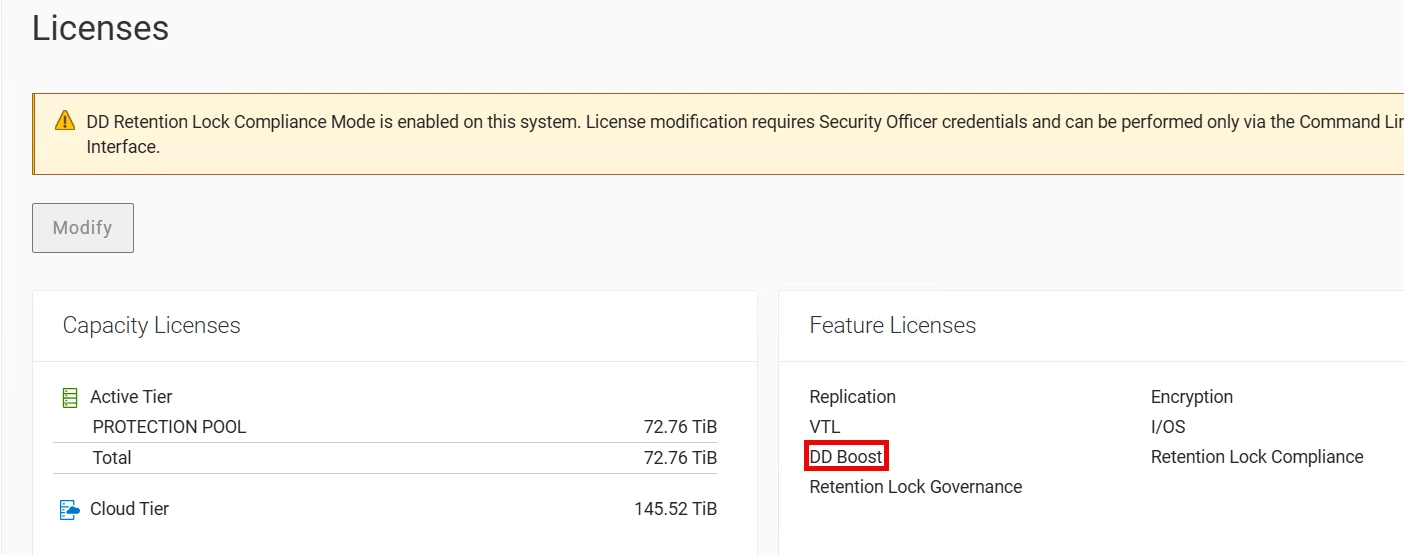
Ensure the DD Boost license is enabled on the Data Domain system

Configure storage units (MTrees) on the Data Domain for Veeam backups

Confirm network connectivity (Ethernet or Fibre Channel depending on your environment).
Veeam Backup & Replication Configuration v13 (software appliance)
Note: You will need to use the Veeam Backup Console for this
Open the Veeam Backup & Replication Console

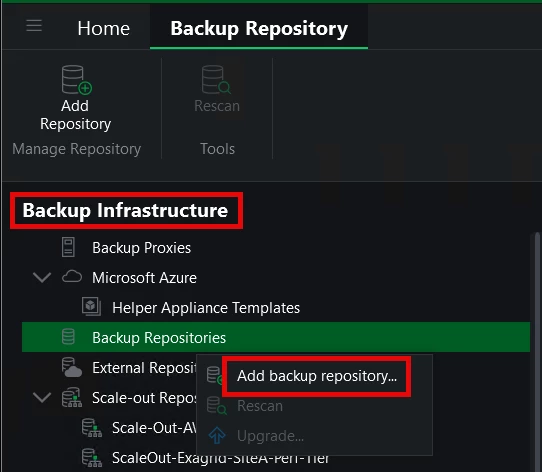
Navigate to "Backup Infrastructure" and right-click on "Backup Repositories"
Select "Add Backup Repository"
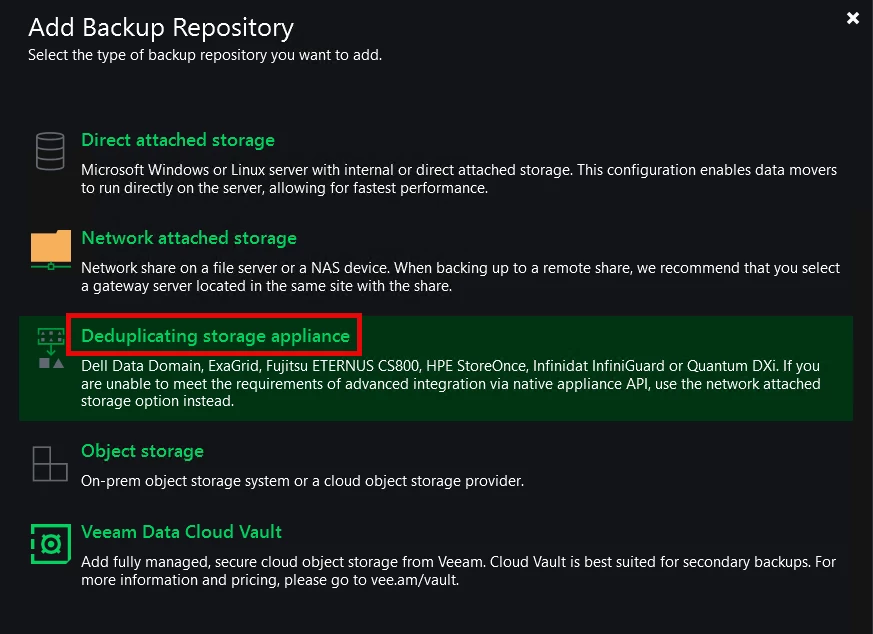
Choose "Deduplicating storage appliance" and then
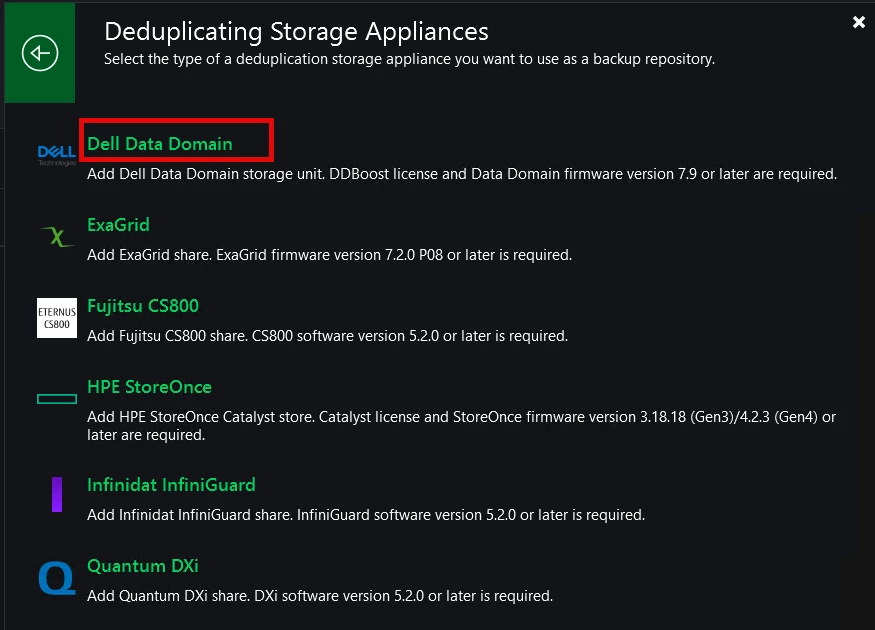
and then "Dell EMC Data Domain."
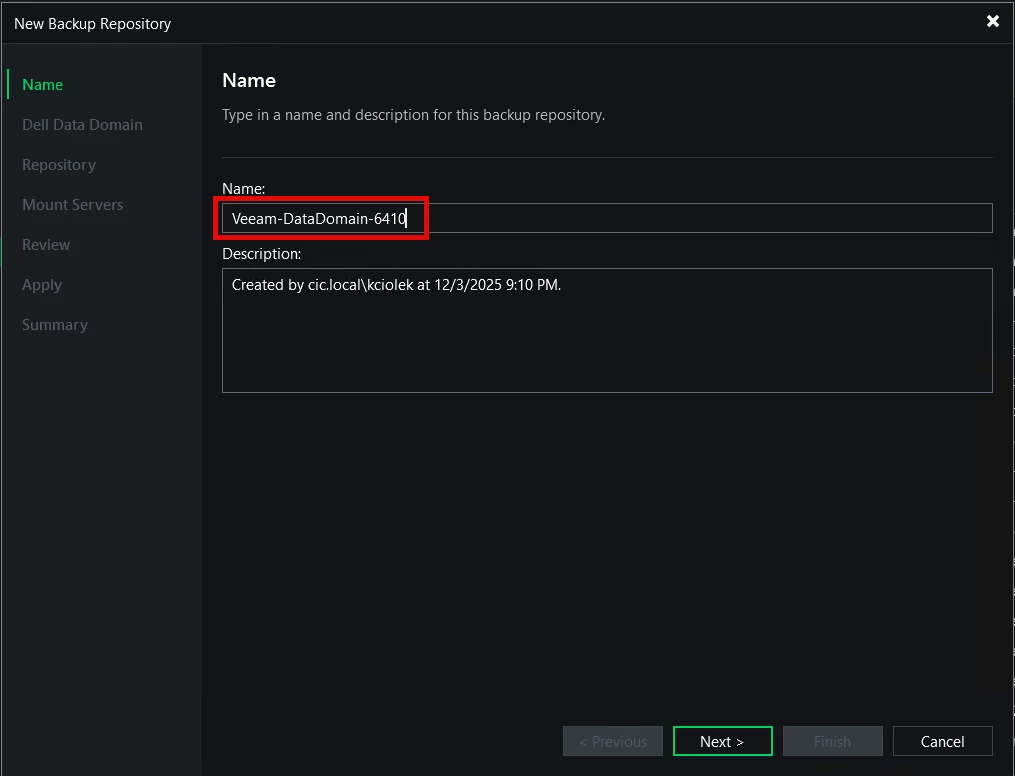
Provide a name and description for the repository
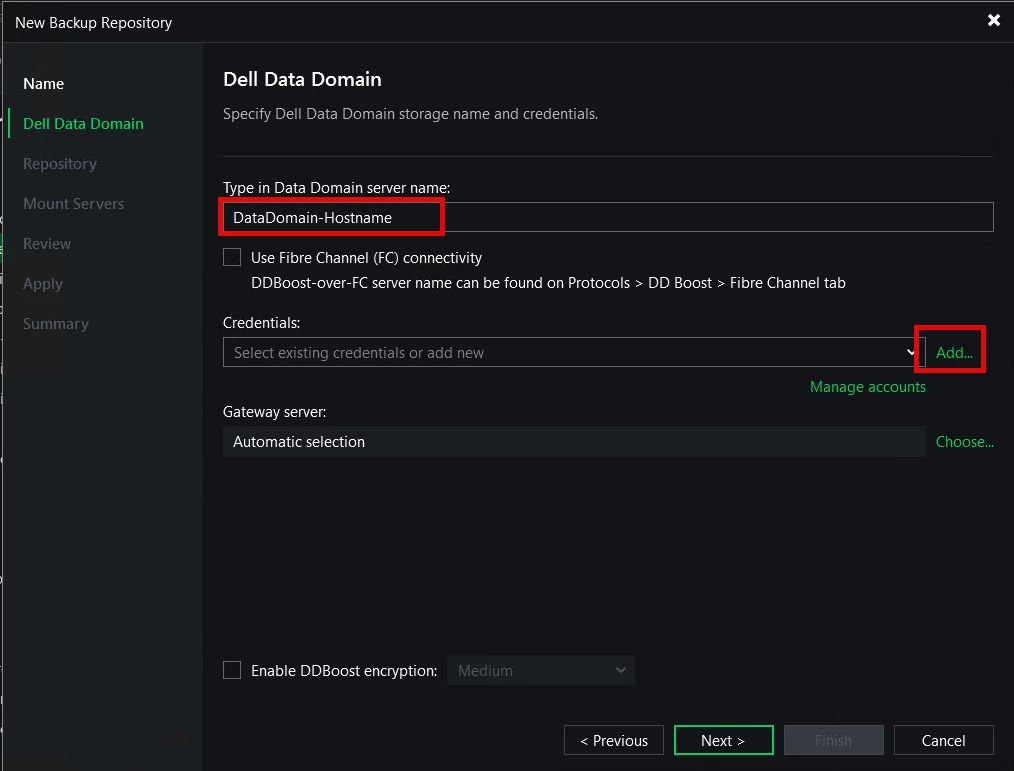
Enter the Data Domain's FQDN or IP address and add the credentials for the DDBoost user created earlier
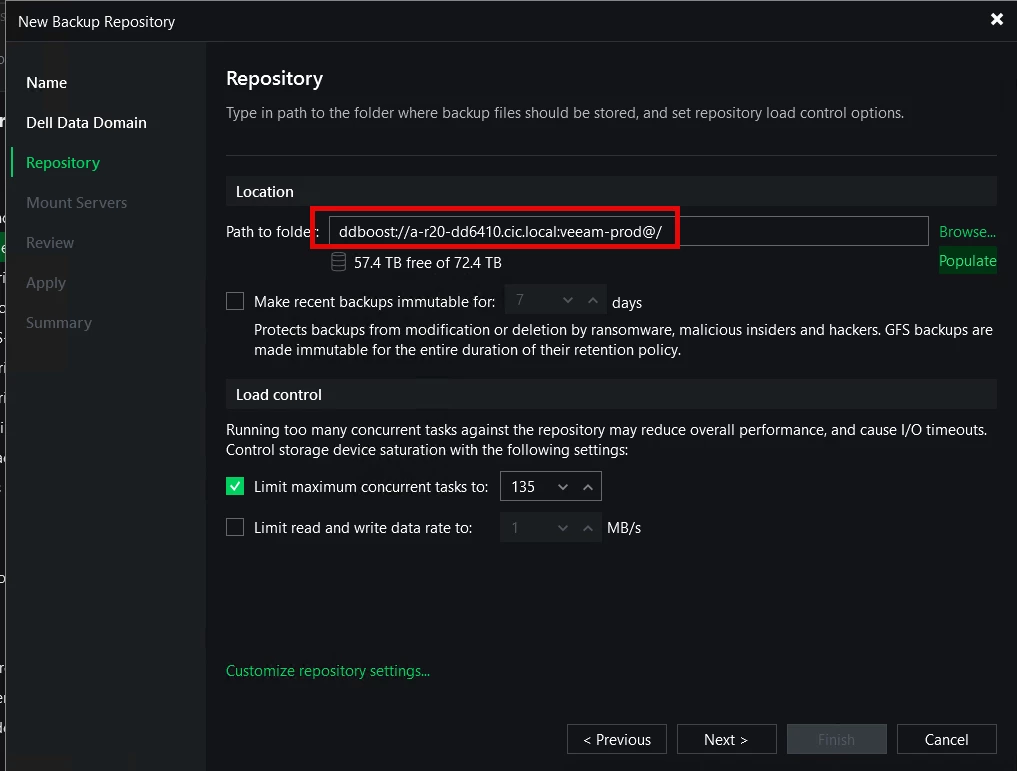
Select the storage unit created on the Data Domain.
Configure advanced settings as needed (e.g., concurrent tasks, data rate limits)
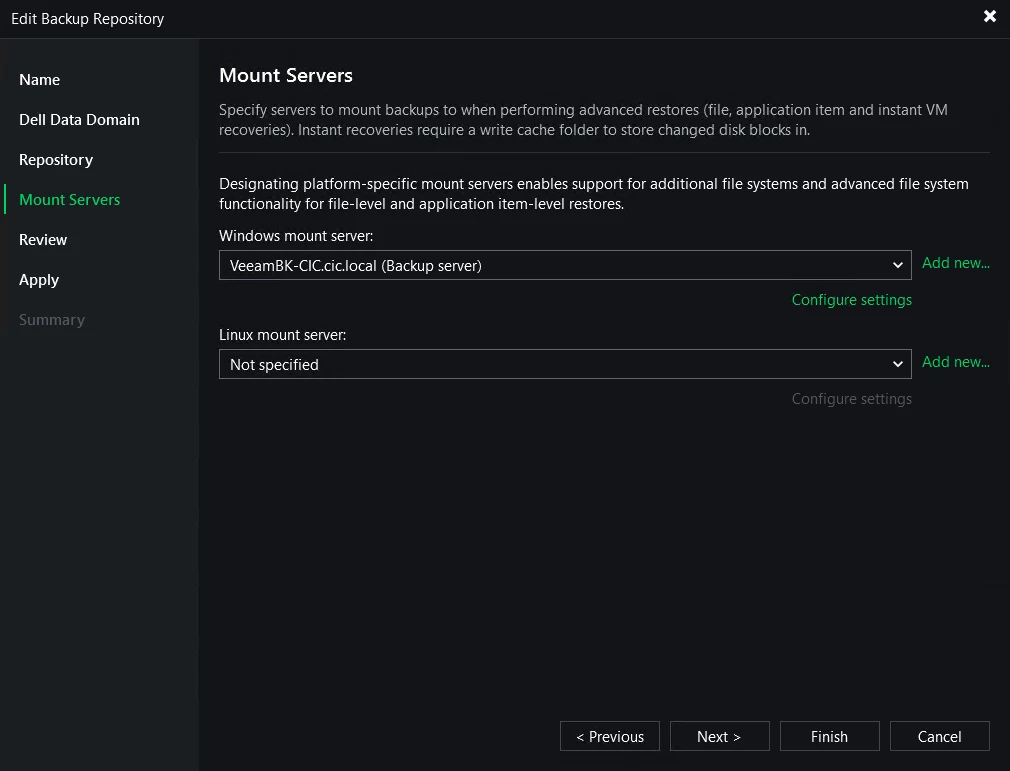
Configure the mount server settings, ensuring it has direct access to the Data Domain
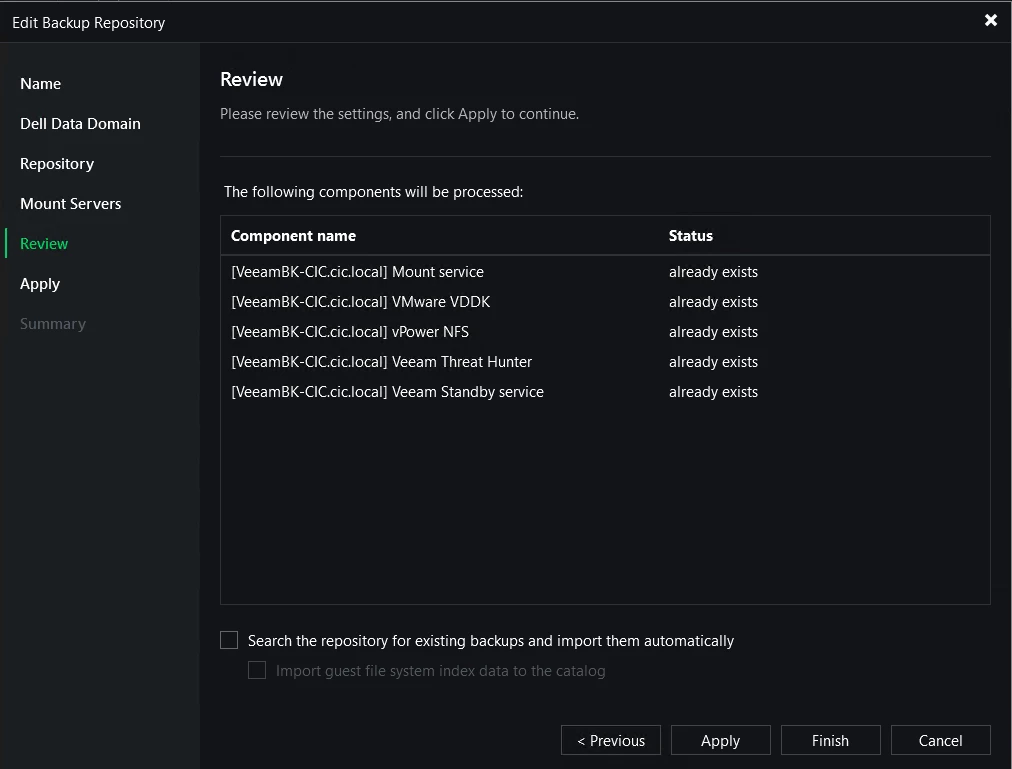
Review the summary and click "Apply" to create the repository. If existing backups are present on the Data Domain, you can choose to import them automatically

In part 2 I will show you how to create backup jobs and map them to the Data Domain as the backup repository.