



Greetings friends,
I wanted to share a new community-driven PowerShell report for Microsoft Entra ID protection in Veeam Backup & Replication.
VBR can protect Microsoft Entra ID, which is great. But I wanted a cleaner way to answer a few simple questions without jumping between logs, CSVs, SQL queries, or job sessions.
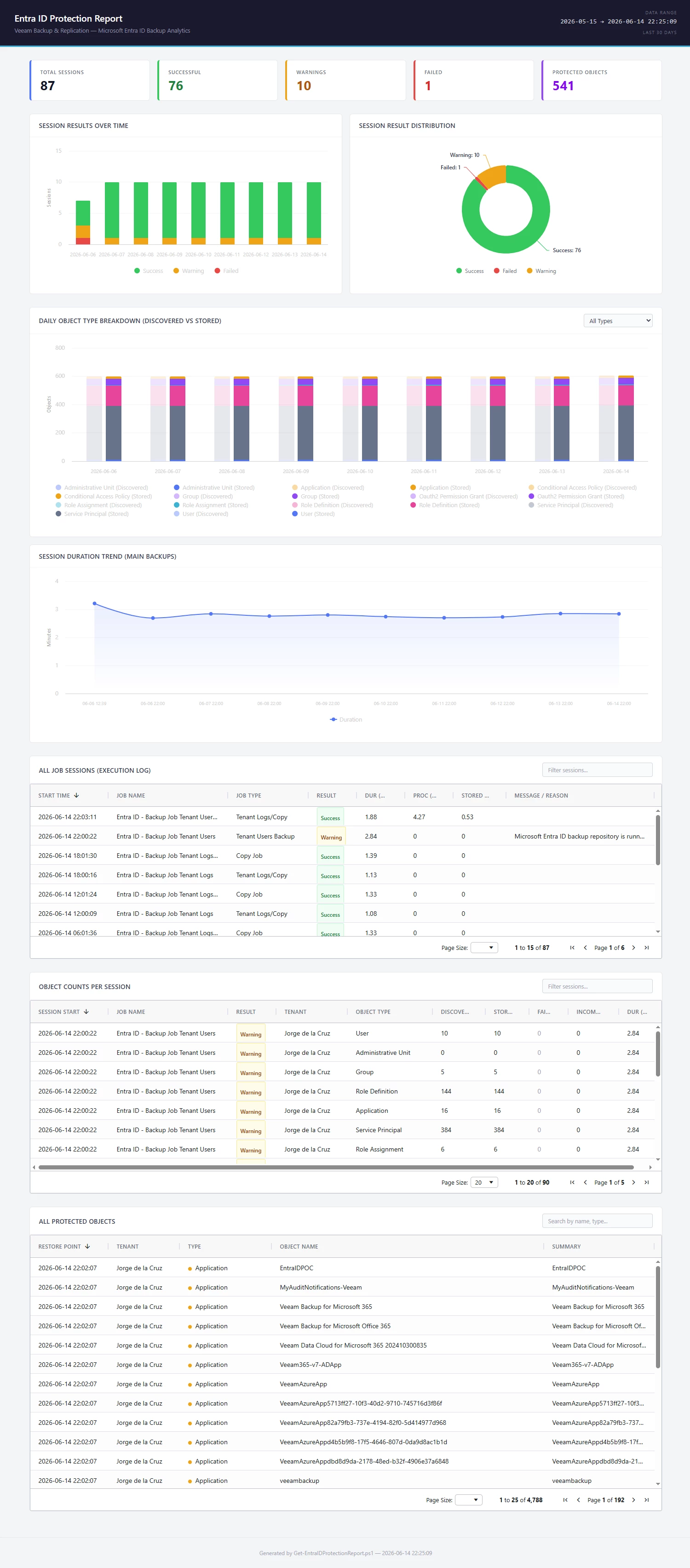
This is how it looks like:
Why this report?
Microsoft Entra ID is now one of the most critical identity layers in most organizations. It contains users, groups, applications, service principals, role assignments, conditional access policies, and many other objects that are essential for Microsoft 365, Azure, SaaS access, and automation.
Having the backup is step one.Being able to report on it, search it, export it, and send it to the right people is the next step.
This report helps answer:
- Are my Entra ID backup sessions running successfully?
- What completed with warnings or failures?
- How many objects were discovered and stored?
- Which users, groups, applications, service principals, and role assignments are protected?
- Can I search for a specific object and see it quickly?
What the script does
The script queries the Veeam Backup & Replication PostgreSQL database and the related veeamrepository_* databases.
It then generates:
- A self-contained HTML dashboard
- CSV exports
- Searchable AG Grid tables
- KPI cards
- Highcharts graphs
- A ZIP file with all outputs
- Optional email delivery using Microsoft Graph API
What is included in the dashboard?
The HTML report includes several sections:
KPI cards
A quick summary of:
- Total sessions
- Successful sessions
- Warnings
- Failed sessions
- Protected objects
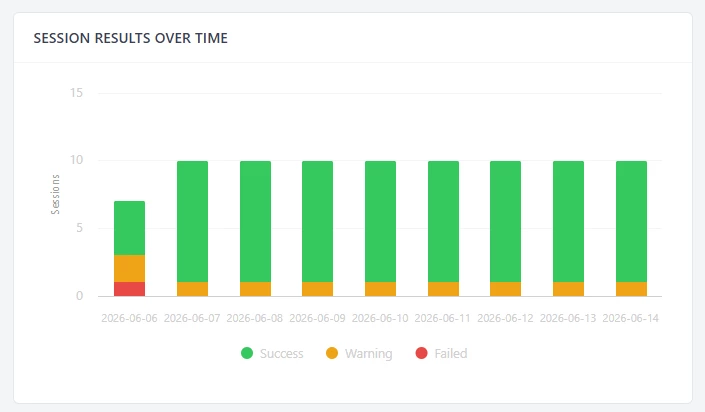
Session Results Over Time
Useful to quickly see if something started warning or failing on a specific day.
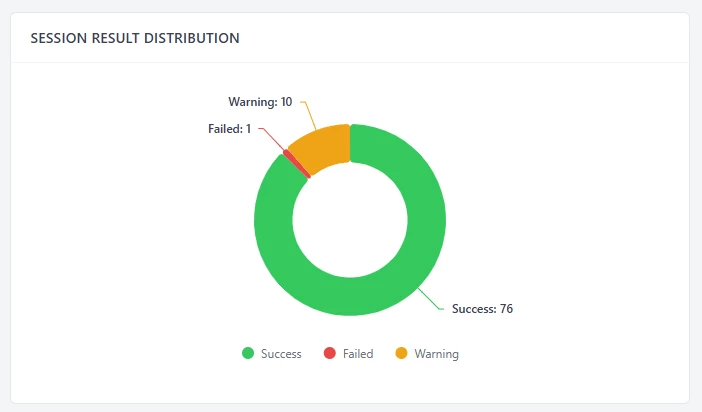
Session Result Distribution
A clean summary of success, warning, and failure results.
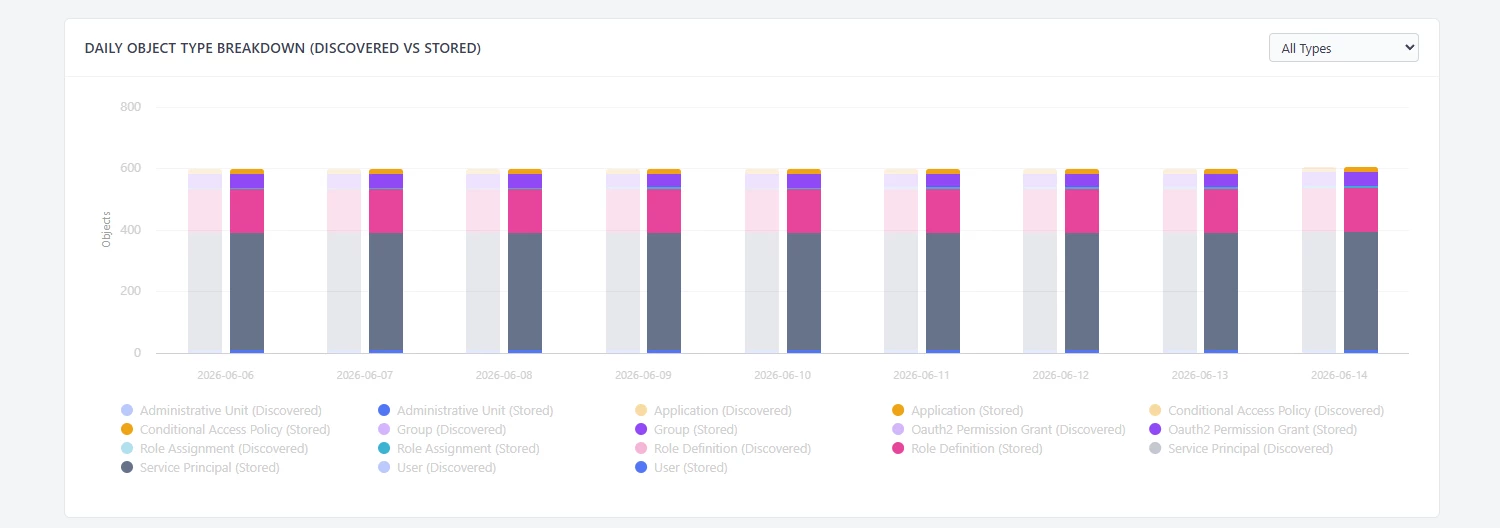
Daily Object Type Breakdown
Shows discovered versus stored objects per object type, including users, applications, groups, service principals, administrative units, role definitions, and role assignments.
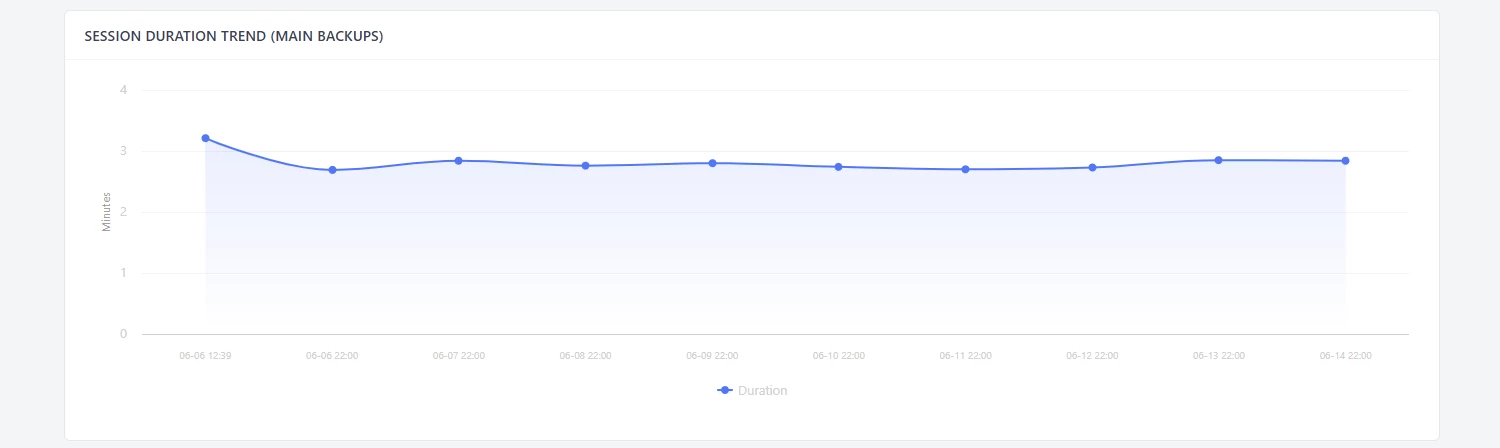
Session Duration Trend
Helps identify whether Entra ID backup duration is stable or increasing.
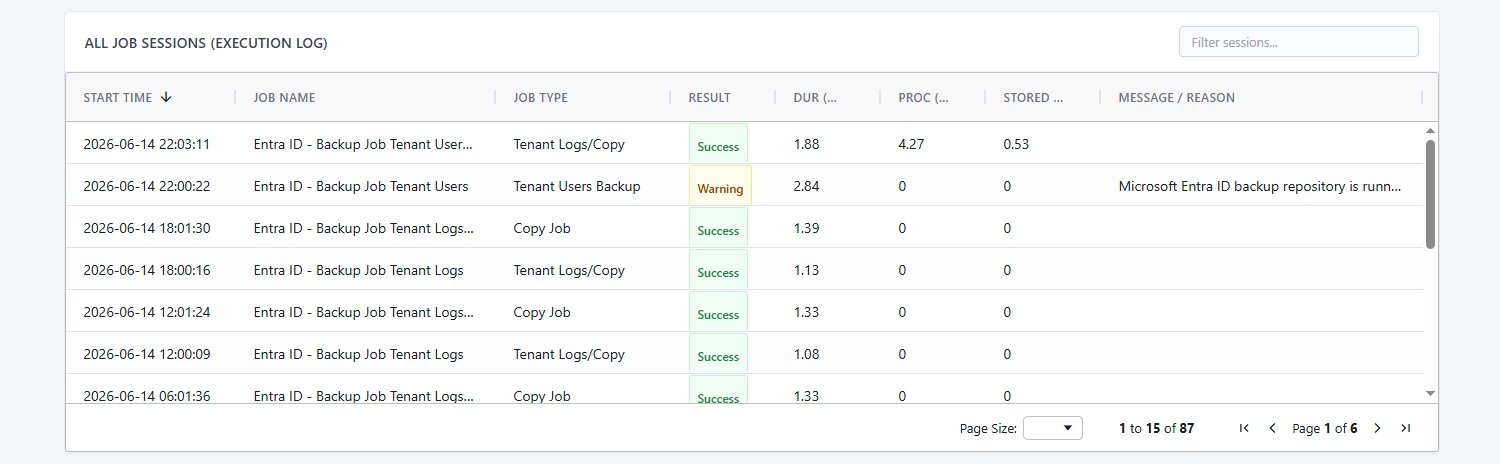
All Job Sessions
A searchable table with job name, job type, result, duration, processed size, stored size, and the message or reason.
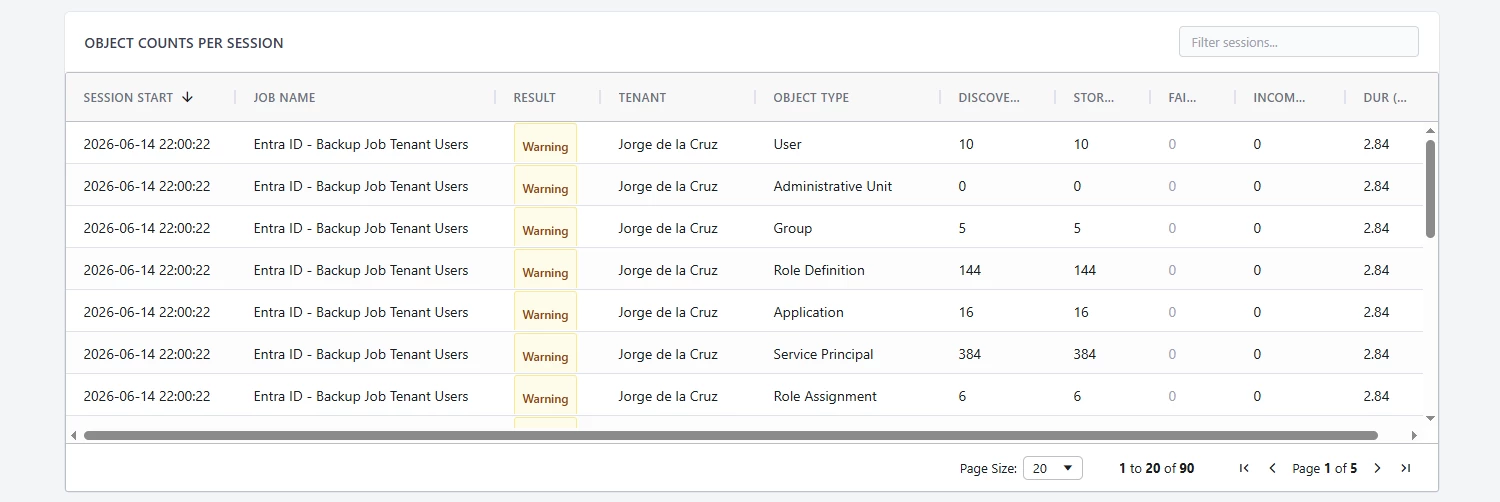
Object Counts Per Session
Shows how many objects were discovered, stored, failed, or incomplete for each session.
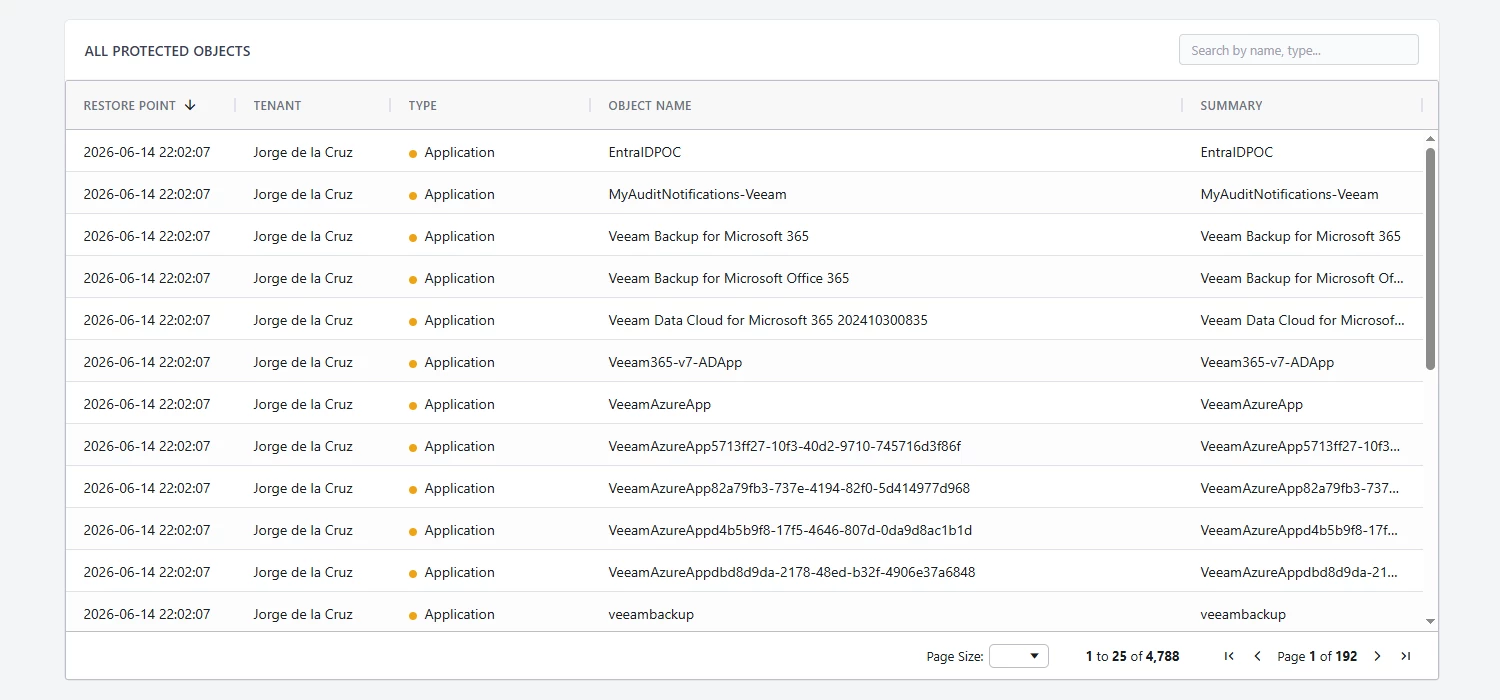
All Protected Objects
This is probably the most useful section.
You can search by user, group, application, service principal, role assignment, or any other protected object type.
How it works
The flow is simple:
- Run the PowerShell script from the VBR server, or from a machine that can access the PostgreSQL database.
- The script detects the correct VBR database schema, depending of v12.x or v13.x
- It queries Entra ID job sessions.
- It queries object counts per session.
- It extracts granular protected objects from the repository databases.
- It exports everything to CSV.
- It generates the HTML dashboard.
- It compresses the HTML and CSV files into a ZIP.
- Optionally, it sends the report by email using Microsoft Graph API.
Requirements
You will need:
- Veeam Backup & Replication v12.3 or newer
- PowerShell 5.1+
- PostgreSQL client,
psql.exe - Access to the VeeamBackup PostgreSQL database
- Access to the
veeamrepository_*databases - Highcharts and AG Grid JavaScript files for the offline HTML dashboard
- MSAL.PS if you want email delivery
- Microsoft Graph App Registration if email delivery is enabled
Example use cases
This can be useful for:
- Weekly Entra ID protection checks
- Internal reporting
- Backup administrator reviews
- Security or identity team visibility
- Troubleshooting warnings or failures
- Confirming whether a specific user, app, group, or service principal is protected
- Exporting protection data for further analysis
Important disclaimer
This is a community-driven script. It is provided as-is, unofficial, and unsupported. It is not an official Veeam product, and you should not open support cases with Veeam Support for this script. Please review the script, test it in a lab, and adapt it to your own environment before running it in production.
Links
GitHub repository:
As always, download it, review it, test it, and improve it.
Hope you enjoy it.







