


Managed windows server in Veeam 13 without service account

  • February 4, 2026
  • 3 comments
  • 52 views

Marcel.K
Forum|alt.badge.img+11


Veeam 13 offers new option to add as backup component into Veeam infrastructure with service account. If you are missing windows component and you would like to use same method as connection between appliances. Then this method is the right one.

Method is described in KB.


Let’s go how to achieve that step by step:


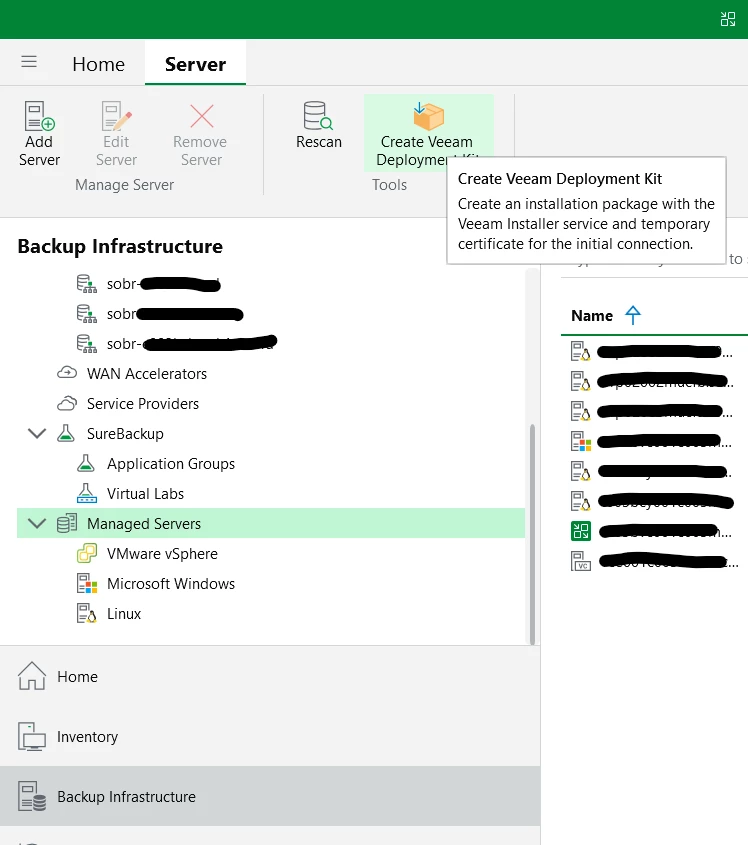
Deployment kit is downloaded from windows Veeam 13 console.
 

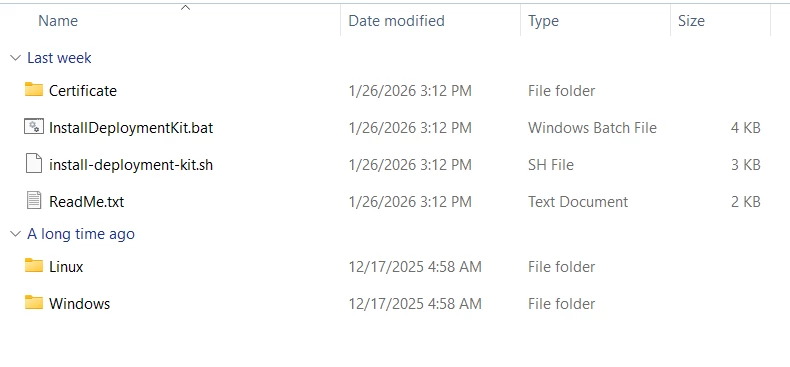
Here looks downloaded package.
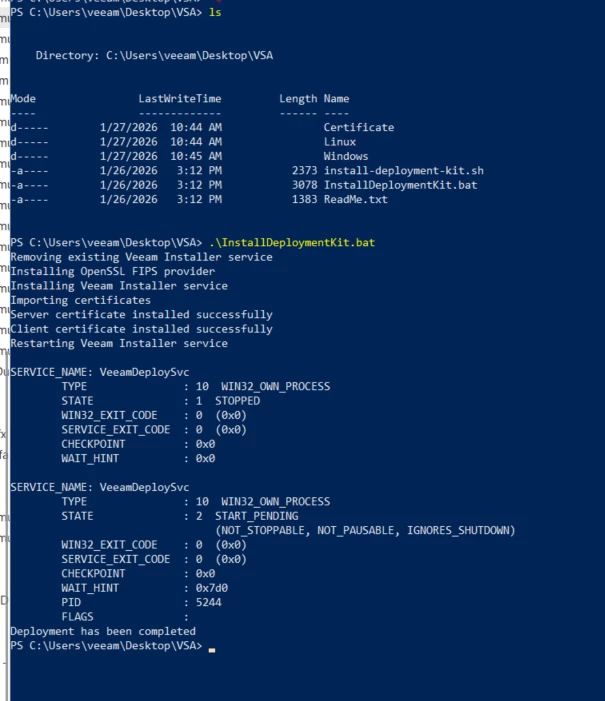
Installation from PowerShell, locally on windows server.
Adding windows server via deployment kit = certificate
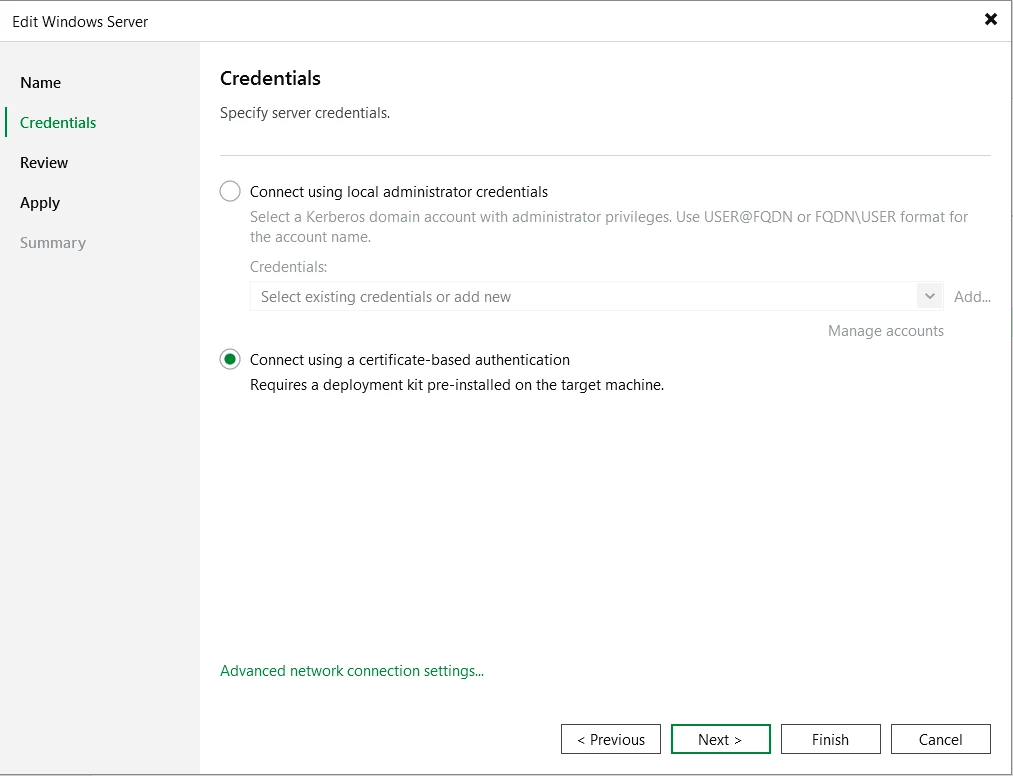
 

Process is very easy and do not require service account for connection between other backup components in Veeam backup environment.

Now you can use windows server as managed server in your Veeam backup environment. 

3 comments

coolsport00
Forum|alt.badge.img+21
  • Veeam Legend
  • February 4, 2026

Was looking at this yesterday myself. Very easy, yet secure method to add servers to your backup infrastructure. Thanks for sharing Marcel. 


CMF
Forum|alt.badge.img+8
  • Veeam Legend
  • February 4, 2026

Great article. Makes it easier to connect to managed servers without the need of having loads of local admin accounts in the database. Thanks for sharing ​@Marcel.K .


Chris.Childerhose
Forum|alt.badge.img+21
  • Veeam Legend, Veeam Vanguard
  • February 4, 2026

Deployment kit = Easy 😎

This is the easiest method to add servers.  Great article Marcel.


