



One of the things I enjoy most about every Veeam release is seeing how it continues to simplify day-to-day administration. While the headline features often get the most attention, it's usually the enhancements that streamline deployments, improve integrations, and reduce operational complexity that deliver the greatest value to customers.
As someone who spends much of my time in the SHI Customer Innovation Center (CIC) building proof-of-concepts, validating solutions, and demonstrating real-world recovery scenarios, I wanted to take a closer look at two areas of the newly released Veeam Backup & Replication 13.1:
- The Veeam Software Appliance
- Storage integrations with enterprise backup repositories
These capabilities help organizations deploy Veeam more quickly, simplify ongoing management, and provide the flexibility to leverage the storage platform that best aligns with their performance, security, and business requirements. Throughout this article, I'll share what I found while testing these capabilities in my lab and discuss how they can help customers modernize and simplify their data protection environments.
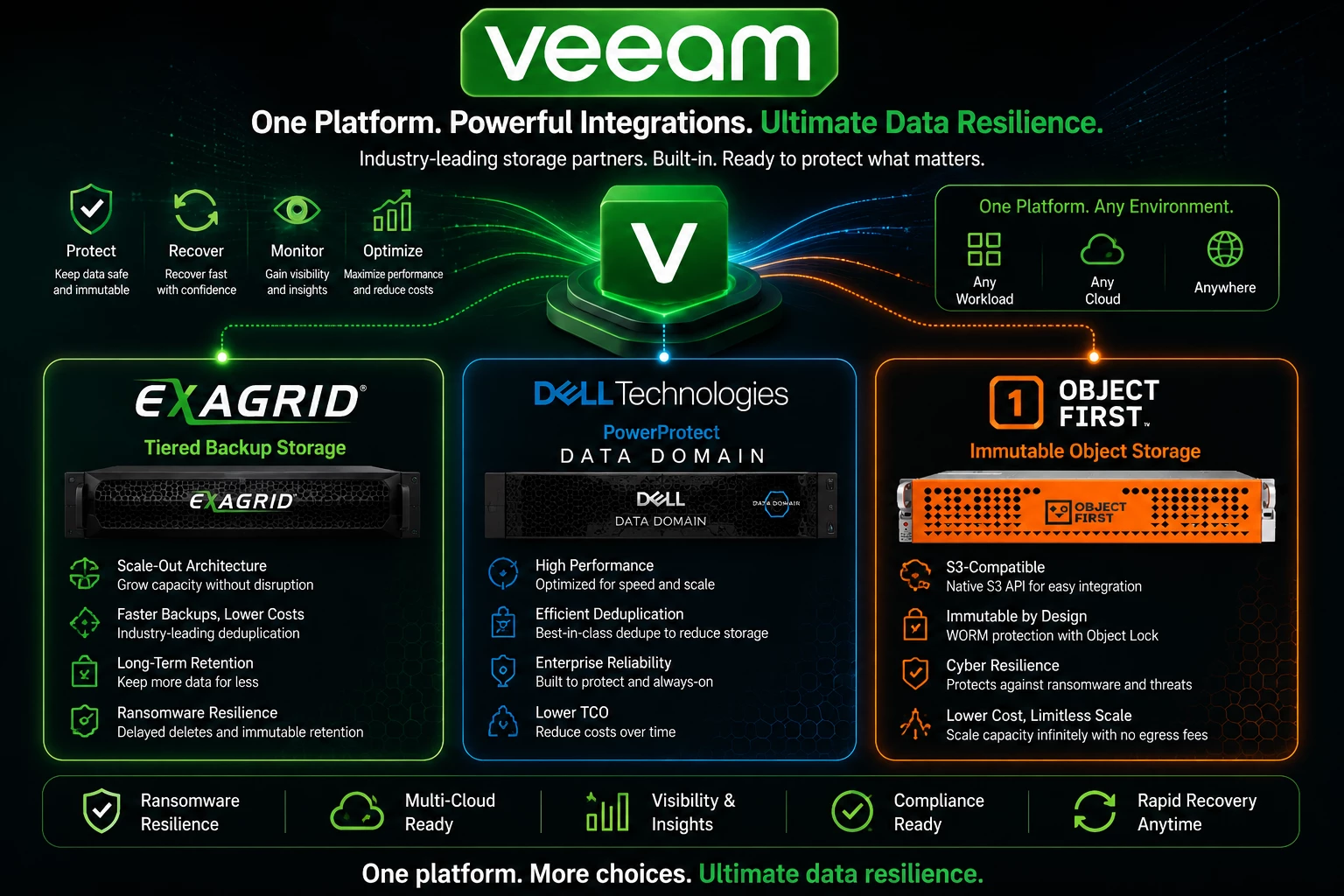
The Veeam Software Appliance – Faster Time to Value
For years, deploying Veeam Backup & Replication typically started with building and securing a Windows Server. While that process is familiar to many administrators, it also means spending time patching Windows, installing prerequisites, hardening the operating system, and maintaining another server.
With the Veeam Software Appliance, much of that work is eliminated.
In my lab, deployment was straightforward. After importing the appliance, configuring networking, and completing the initial setup, I was ready to start adding backup infrastructure.
What stood out wasn't just how quickly the appliance was deployed—it was the consistency. Every deployment follows the same process, making it easier to standardize environments across multiple locations.
For organizations with remote offices or multiple datacenters, that consistency can significantly reduce deployment time while minimizing configuration drift between sites.
Storage Still Matters
A backup application is only one piece of the data protection strategy.
The repository you choose directly affects backup performance, recovery times, scalability, ransomware protection, and long-term retention.
One of the strengths of Veeam has always been its flexibility. Customers aren't locked into a single storage vendor—they can select the platform that best aligns with their performance, capacity, and security requirements.
During my testing, I looked at how the Veeam Software Appliance integrates with several storage platforms that we frequently demonstrate in our lab.
Use Case #1 – ExaGrid: Fast Backups and Fast Recoveries
Veeam Integration with Exagrid Architecture
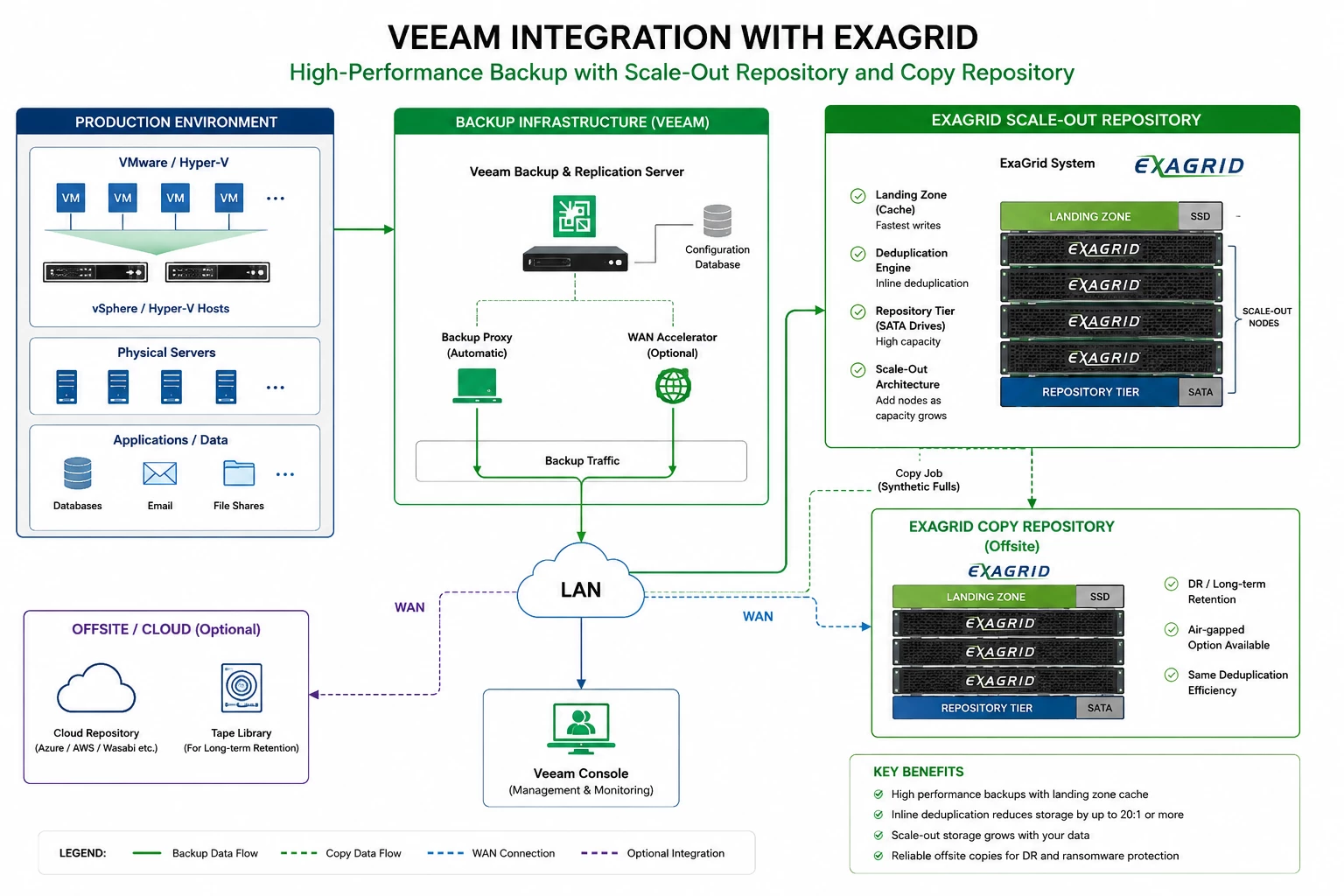
One customer we recently worked with was struggling to complete nightly backups within their maintenance window. Their backup repository had grown significantly over several years, and backup jobs were beginning to overlap with production hours.
For this environment, ExaGrid was a great fit.
Its landing zone architecture allows backups to be written at high speed before data is deduplicated and stored in the repository. This means customers can achieve faster backup performance while still benefiting from long-term storage efficiency.
After deploying the Veeam Software Appliance, integrating ExaGrid as a backup repository was straightforward.
The result was exactly what the customer hoped for:
- Shorter backup windows
- Faster restores
- Improved scalability as backup data continued to grow
- Reduced impact on production workloads
For organizations with large VMware environments and aggressive backup schedules, this combination can be an excellent option.
ExaGrid remains fully supported with:
- Landing Zone
- Tiered Backup Storage
- Retention Time-Lock
- Fast restores
- Immutable retention
While there weren't major ExaGrid-specific enhancements announced in 13.1, it's still a popular choice for customers seeking rapid recovery performance.
A quick walkthrough of integrating Exagrid with the Veeam software appliance.
Note: for this the Veeam Console will need to be used because of the limitation with the new UI.
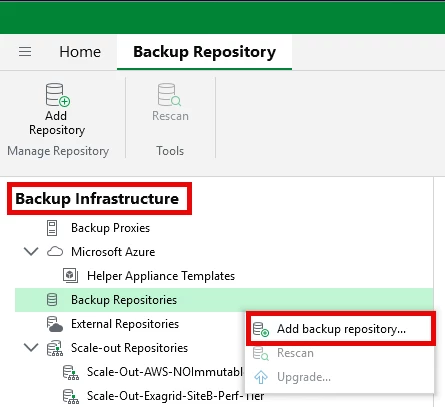
Login to the Veeam console ==> Backup Infrastructure ==> Backup Repositories
Right click ==> Add Backup Repository
Select Deduplicating storage appliance
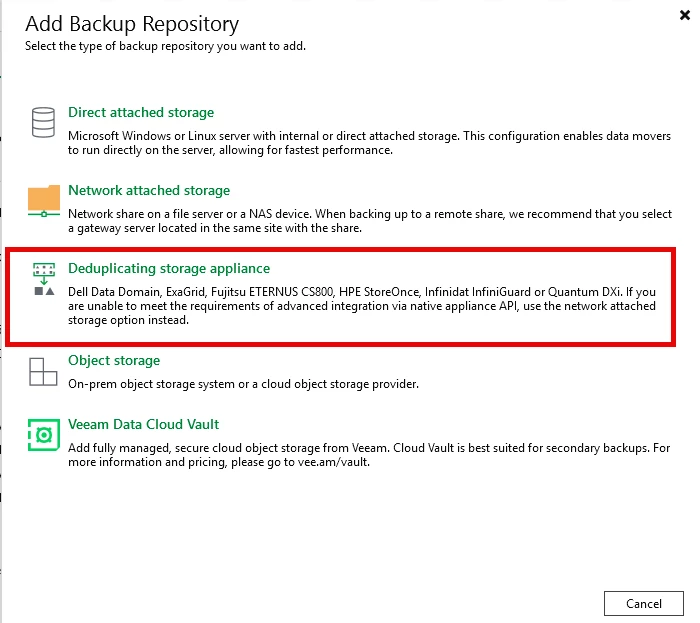
Select Exagrid
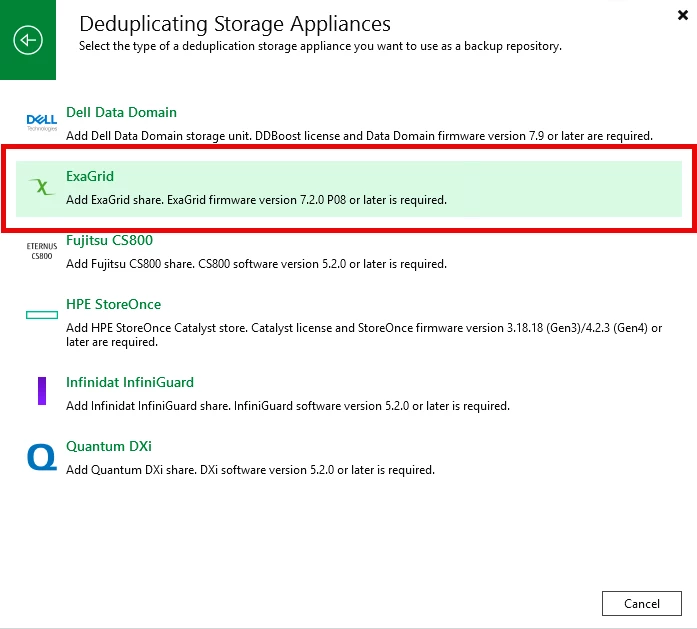
Walk through the steps of creating the New backup repository
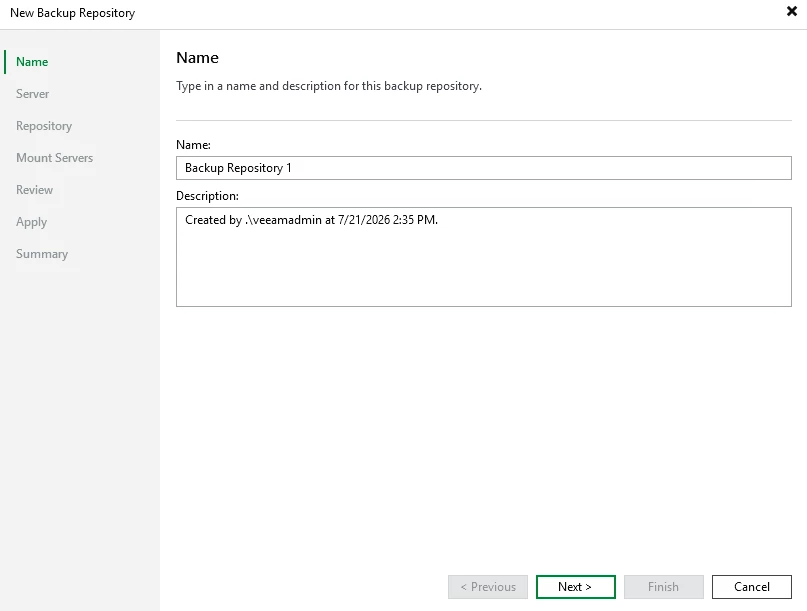
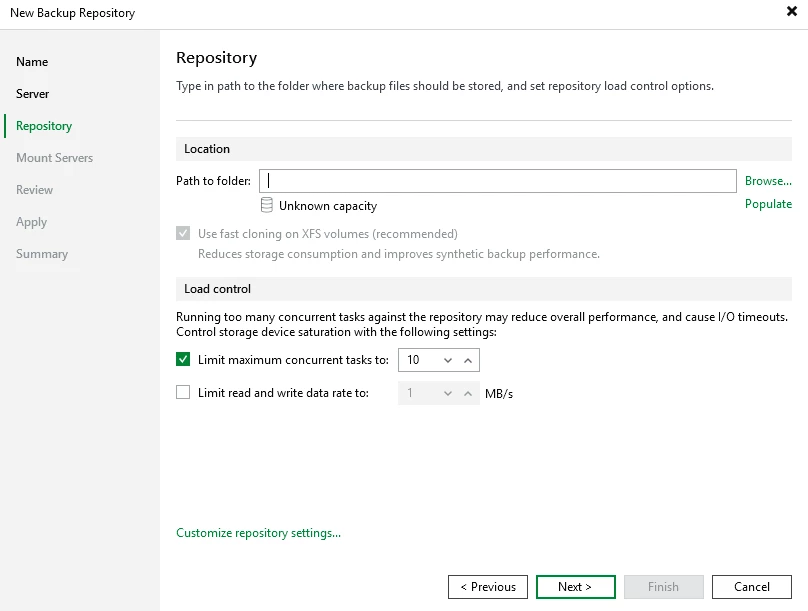
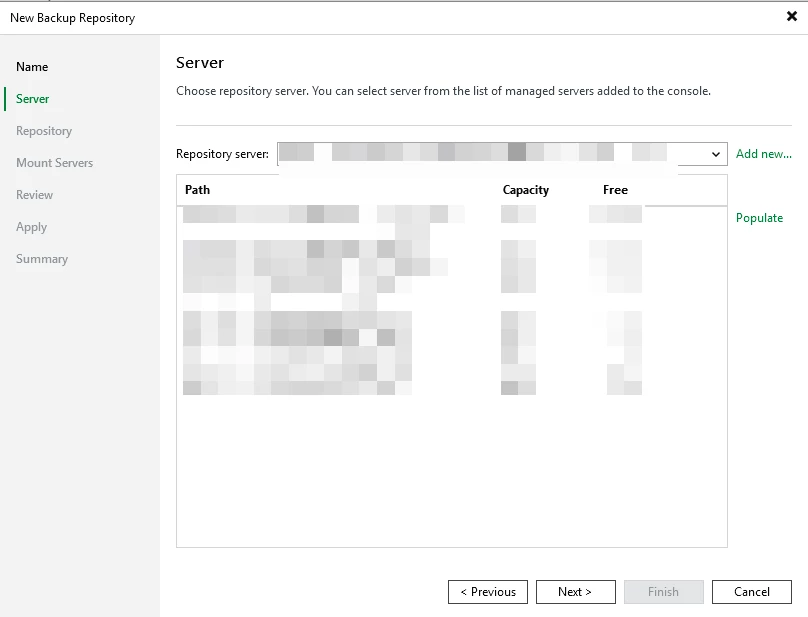
Select the Exagrid server from the "Repository server" dropdown menu ==> select the path of the directory created for backups
Verify the path to folder is correct and click on Next
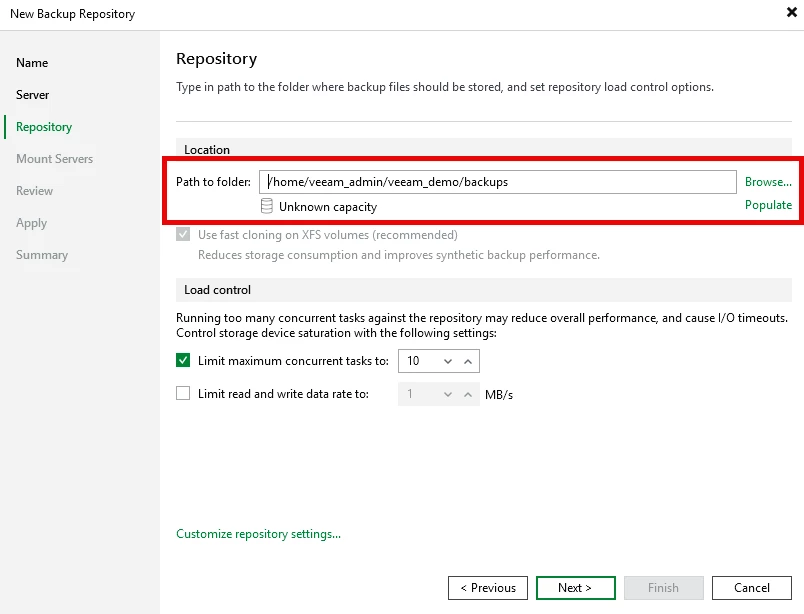
The final steps are to verify the "Mount Servers"
Review the settings
Click Apply
Use Case #2 – Dell PowerProtect Data Domain: Efficient Long-Term Retention
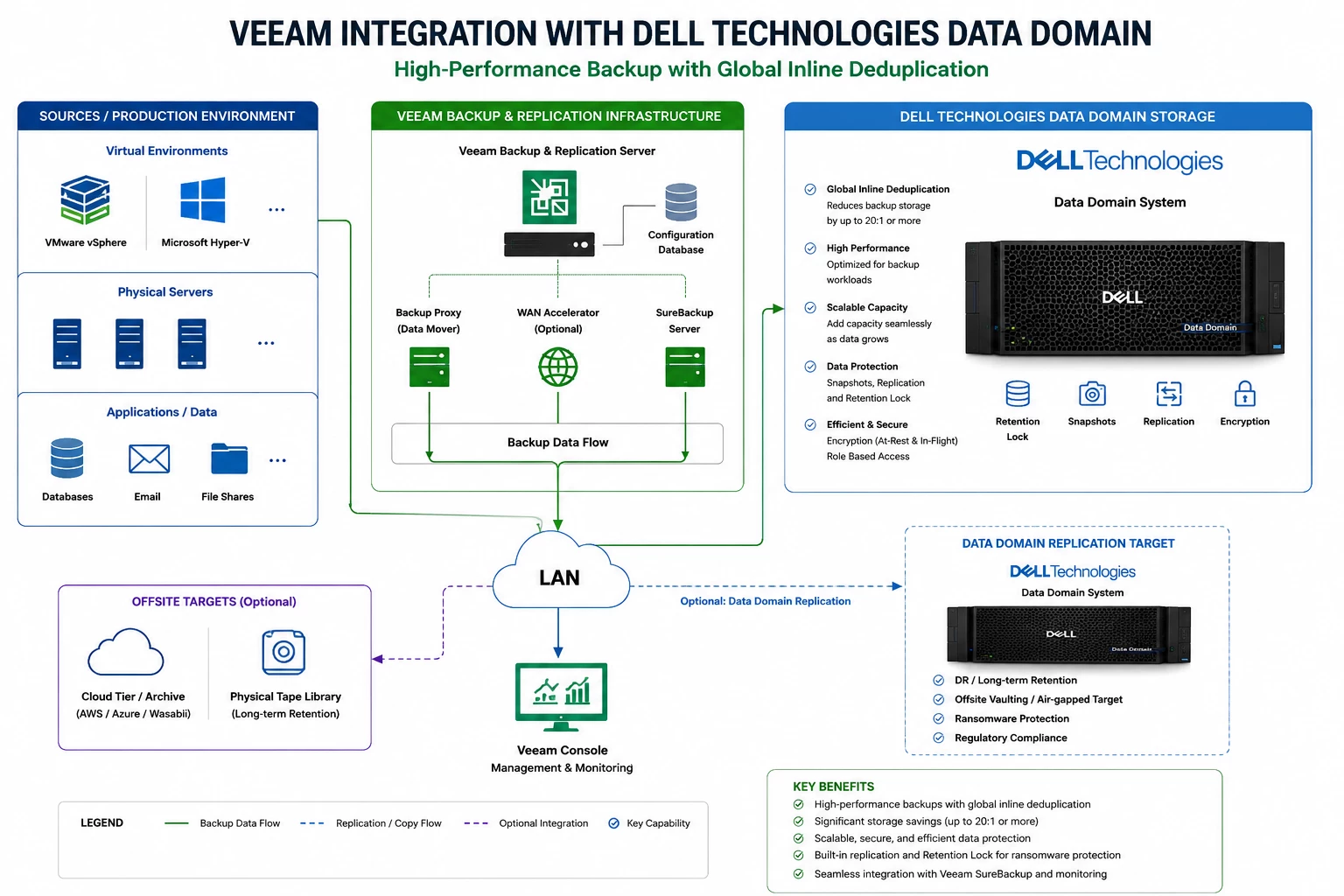
Not every customer is trying to maximize backup speed.
Some are more focused on retaining years of backup data while minimizing storage consumption.
One healthcare customer we worked with needed to retain backups for several years due to regulatory requirements. Storage efficiency and reliability were much more important than achieving the absolute fastest backup throughput.
In this case, Dell PowerProtect Data Domain was the better solution.
Data Domain's inline deduplication significantly reduced storage requirements while providing a highly reliable platform for long-term backup retention.
Using the Veeam Software Appliance, the backup server was deployed quickly, allowing us to focus on repository configuration rather than operating system preparation.
The customer gained:
- Excellent storage efficiency
- Reduced backup storage costs
- Long-term retention capabilities
- Enterprise-class data integrity
- A backup platform designed for sustained growth
No major Data Domain-specific features were announced in 13.1, but support continues for:
- DD Boost
- Retention Lock
- Immutable storage workflows
- Cyber recovery architectures
Data Domain remains a strong choice for customers prioritizing deduplication and long-term retention.
A quick walkthrough of integrating Data Domain with the v13.1 BETA Veeam software appliance.
Note: for this the Veeam Console will need to be used because of the limitation with the new UI.
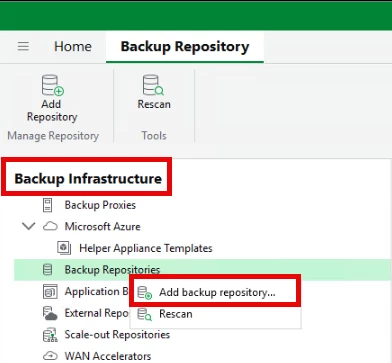
Login to the Veeam console ==> Backup Infrastructure ==> Backup Repositories
Right click ==> Add Backup Repository
Select Deduplicating storage appliance
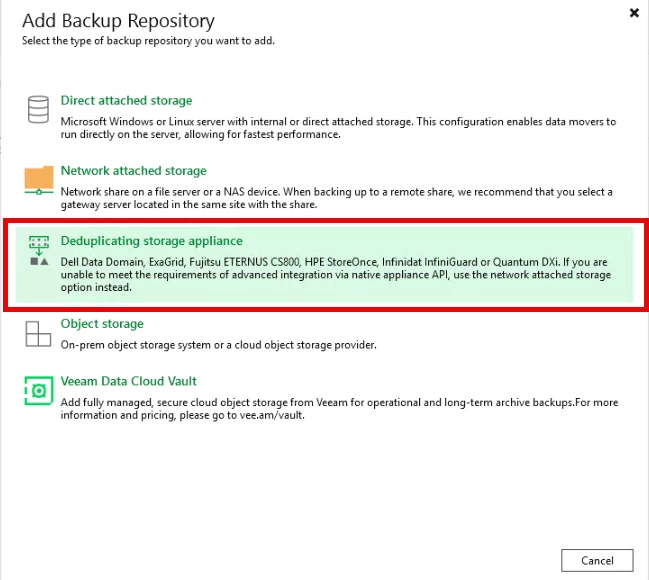
Select Dell Data Domain
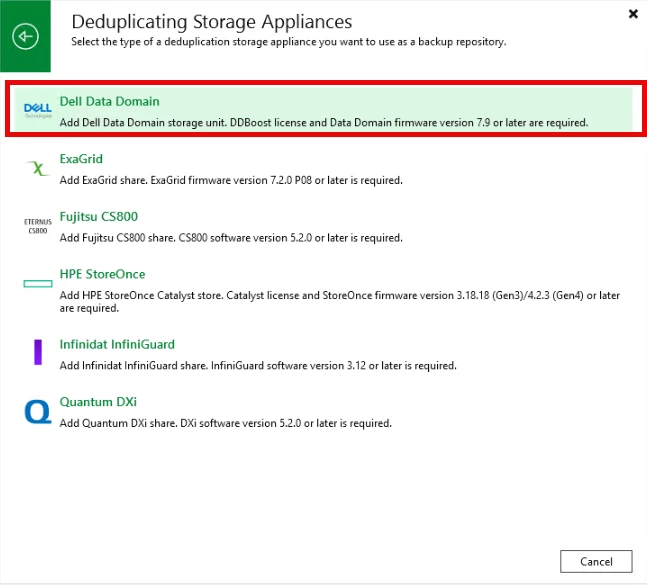
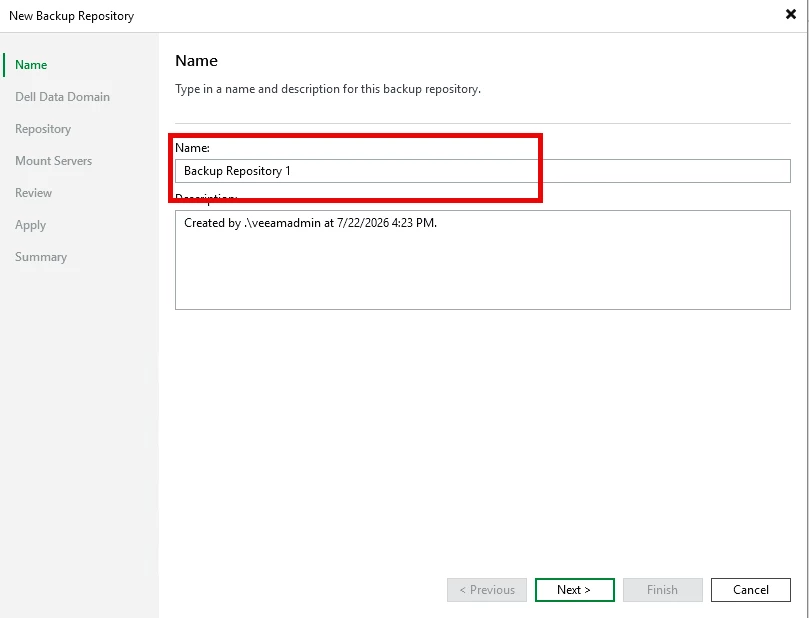
Enter a name and description for the backup repository
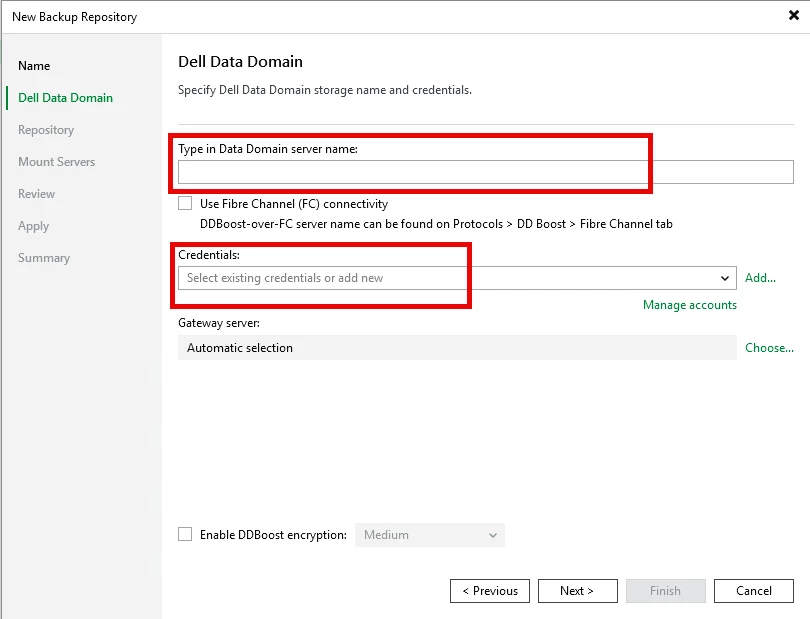
Enter the FQDN of the Data Domain appliance, and the DDBoost credentials
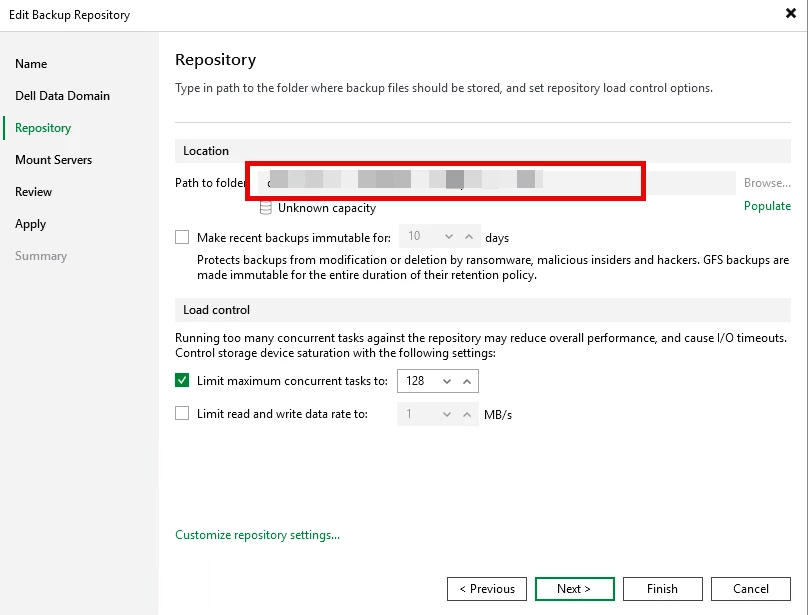
Browse for the location of the Data Domain storage unit that was created for this
In the next screen verify the mount servers to be used
Review the settings
Click Apply to add the Data Domain
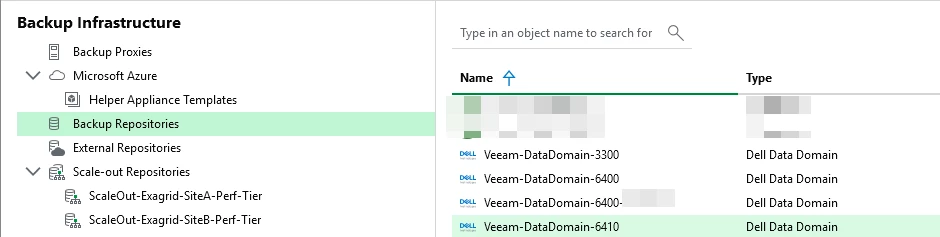
The Data Domain will show up in the Backup repository section of Veeam
Use Case #3 – Object First Ootbi: Simplicity Meets Immutable Storage
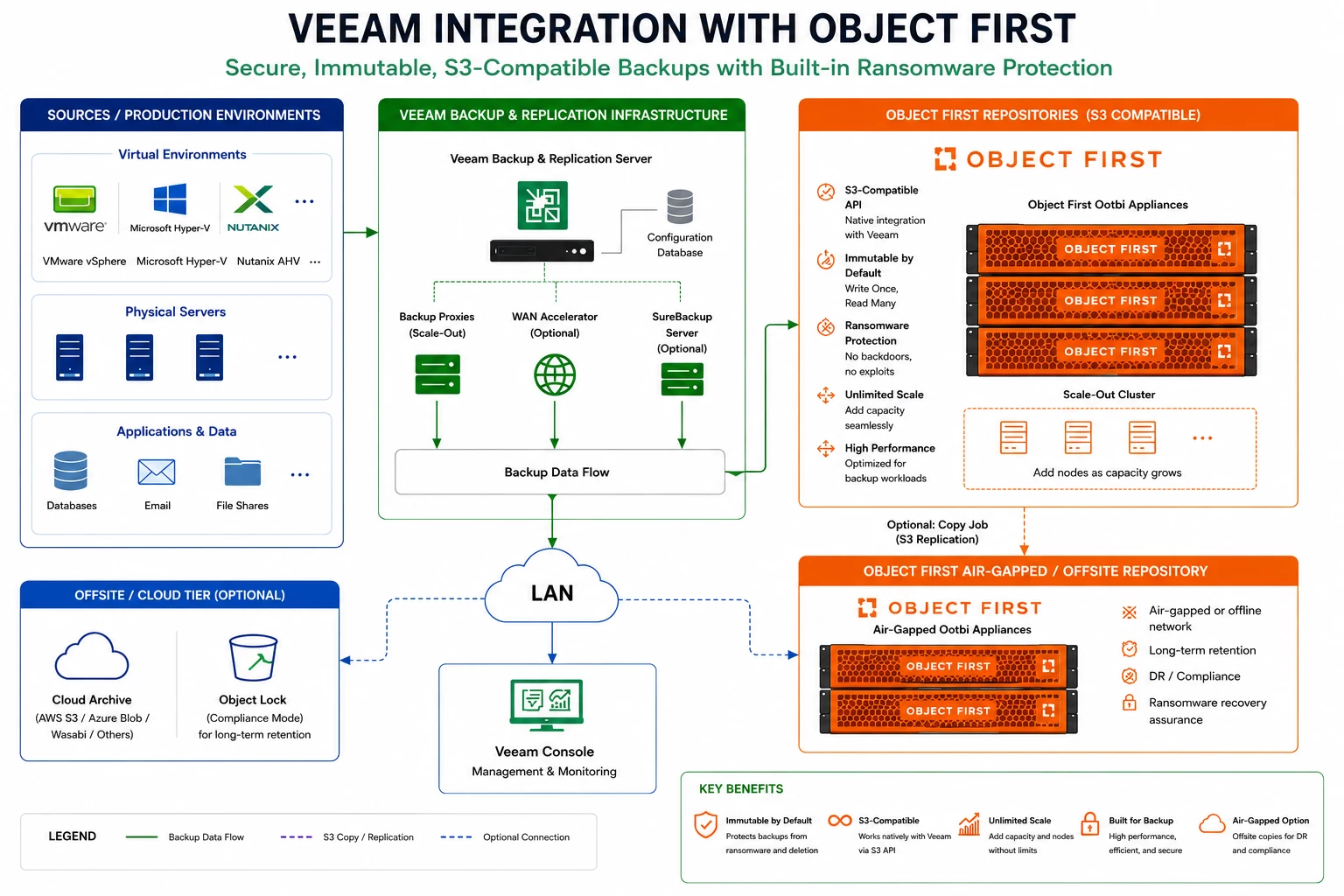
Cyber resilience has become one of the biggest priorities for organizations today.
Nearly every customer asks the same question:
"How do we make sure our backups can't be encrypted by ransomware?"
This is where Object First Ootbi (Out-of-the-Box Immutability) has become an increasingly popular option.
One customer wanted immutable storage but didn't have in-house Linux or object storage expertise. They wanted something that could be deployed quickly without introducing additional operational complexity.
Object First met those requirements perfectly.
After connecting the Veeam Software Appliance to the immutable object storage repository, the customer immediately had an immutable backup target without needing to build or manage a Linux hardened repository.
For organizations that want ransomware protection while keeping administration simple, this combination offers an attractive solution.
The customer benefits included:
- Immutable backups
- Simple deployment
- Minimal ongoing administration
- S3-compatible object storage
- Increased confidence during ransomware recovery planning
Object First continues to integrate tightly with Veeam.
Benefits include:
- Native S3 Object Lock
- Immutable storage
- Simple deployment
- Optimized for Veeam workloads
Since Veeam acquired Object First, it's expected to remain a key storage option while Veeam continues supporting a storage-agnostic ecosystem.
A quick walkthrough of integrating the Object First Ootbi with the v13.1 BETA Veeam software appliance.
Note: for this the Veeam Console will need to be used because of the limitation with the new UI.
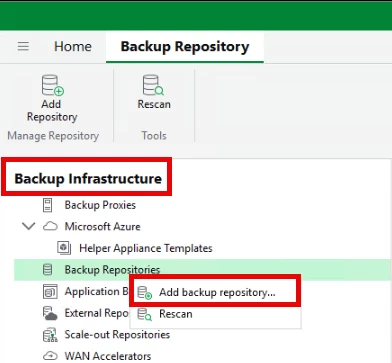
Login to the Veeam console ==> Backup Infrastructure ==> Backup Repositories
Right click ==> Add Backup Repository
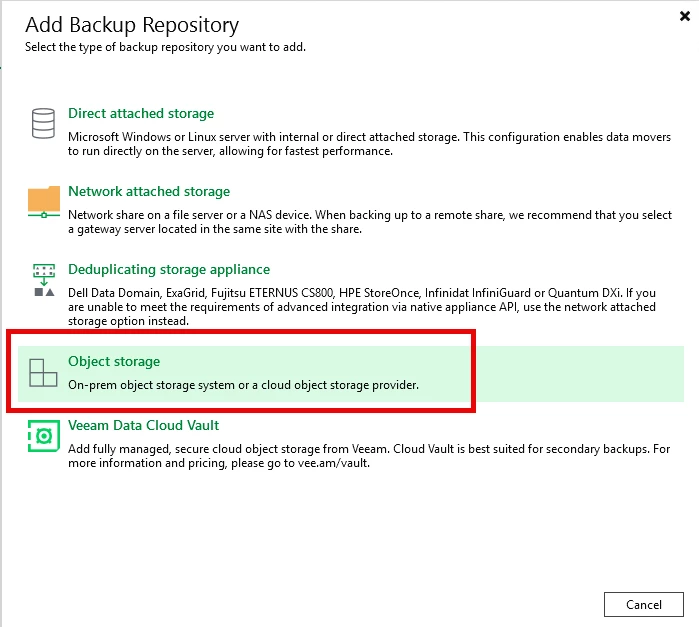
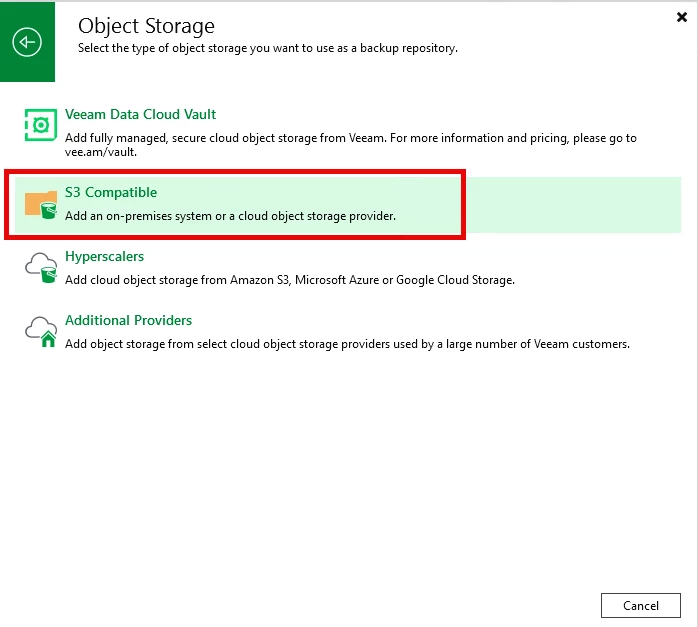
Select Object Storage
Select S3 Compatible
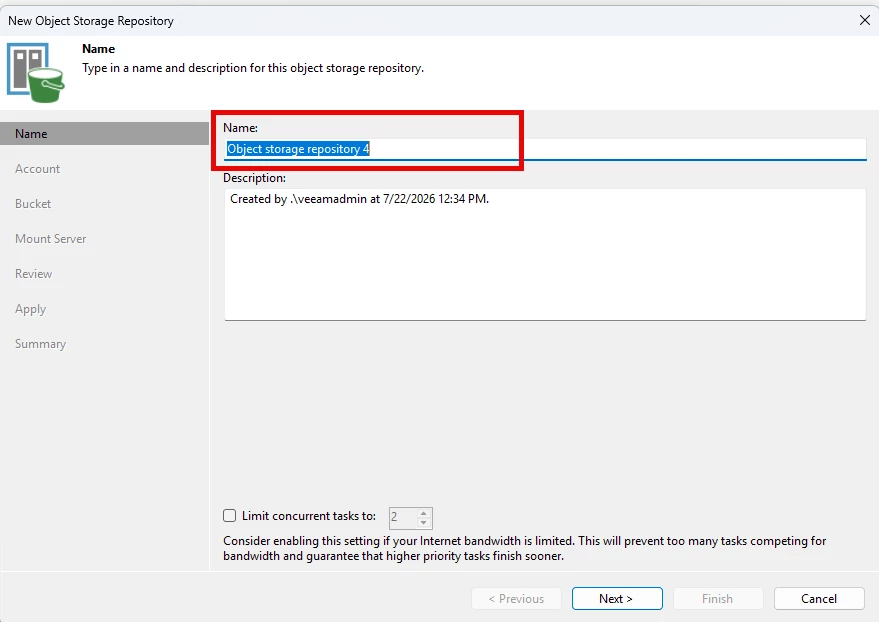
Enter a name and description for the Ootbi repository
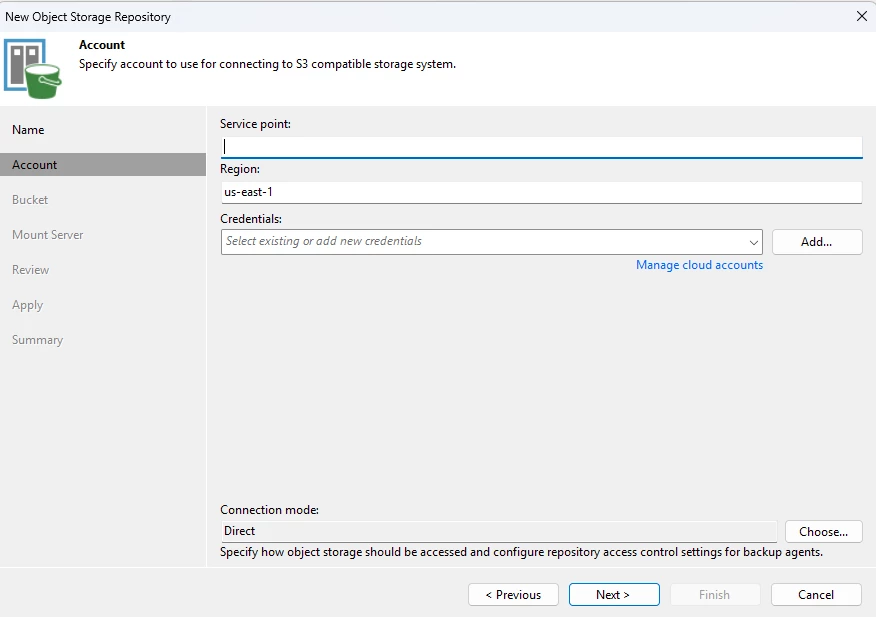
Enter the Service point IP (from the Ootbi UI), Region, and credentials (Access & Secret Key)
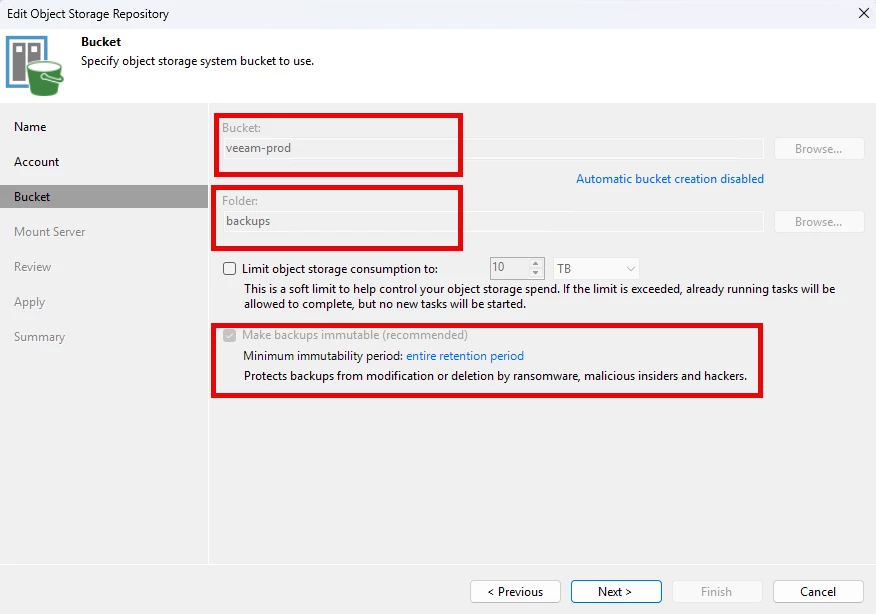
Select the Bucket (created on the Ootbi UI), and folder for backups. Check "Make Backups immutable (recommended)". And select the preferred retention on the immutability
Select the windows and linux mount server
Review the settings
Click Apply to add the Ootbi appliance to Veeam
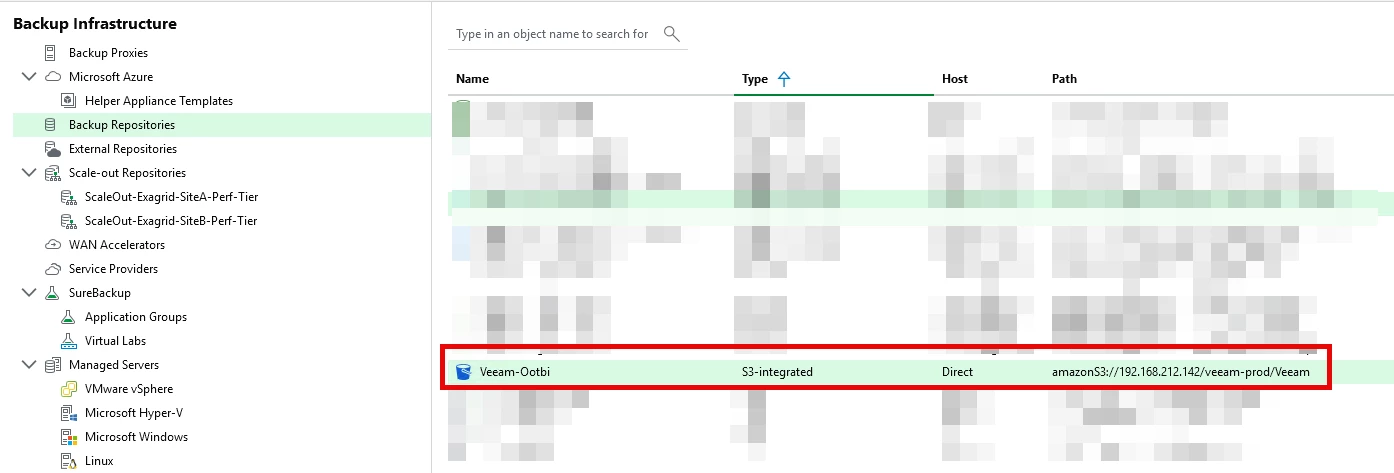
The Ootbi will show in the backup repository section of Veeam
Choosing the Right Repository
One of the questions customers frequently ask is:
"Which storage platform should I choose?"
The answer depends on business priorities.
If backup performance is the primary concern, Exagrid's landing zone architecture can help reduce backup windows and speed up restores.
If storage efficiency and long-term retention are the priority, Dell PowerProtect Data Domain continues to be a strong choice thanks to its mature deduplication technology.
If cyber resilience and immutable storage are driving the design, Object First provides a purpose-built solution that integrates seamlessly with Veeam while keeping deployment and management simple.
The important point is that Veeam allows customers to choose the repository that best fits their environment rather than forcing a one-size-fits-all approach.
Final Thoughts
One of the biggest takeaways from my Veeam Backup & Replication 13.1 BETA testing is that Veeam continues to focus on reducing complexity without limiting flexibility.
The Veeam Software Appliance simplifies deployment by removing much of the operating system management traditionally associated with backup servers, allowing administrators to get up and running more quickly.
At the same time, Veeam's broad ecosystem of storage integrations means customers can build a backup architecture around their specific business needs—whether that's high-performance backups with ExaGrid, storage efficiency with Dell PowerProtect Data Domain, or immutable ransomware protection with Object First.
Every customer environment is different, and there is no universal "best" repository. The real strength of Veeam is giving organizations the freedom to combine the Software Appliance with the storage platform that best supports their recovery objectives, security requirements, and long-term growth.
As I continue testing Veeam Backup & Replication 13.1 BETA, I'm looking forward to exploring additional storage enhancements, benchmarking performance across different repository types, and seeing how these integrations continue to evolve as the product moves toward general availability.
Why should customers upgrade to Veeam Data Platform 13.1 now?
Veeam Data Platform 13.1 is more than just another release—it's an opportunity to modernize your backup infrastructure with greater simplicity, flexibility, and efficiency. The continued evolution of the Veeam Software Appliance makes deployments faster and easier to manage, while tighter integrations with enterprise storage platforms such as Dell PowerProtect Data Domain, ExaGrid, Object First, Linux Hardened Repositories, and object storage provide customers with more choice when designing a backup solution that fits their business.
Whether you're deploying a new environment or upgrading an existing one, Veeam 13.1 helps reduce administrative overhead, streamline storage management, and strengthen your overall data protection strategy. If you're looking to simplify operations while taking advantage of the latest innovations in Veeam, there's never been a better time to upgrade.