


This is the English version of a selected article from Climb Japan Engineer Blog series.
When you use Veeam Backup & Replication to process a backup or backup copy to be saved in the object storage such as Amazon S3, there might be a case where you receive the alert message below.
Subject: [Warning] Background checkpoint removal. Backup server: <your Veeam server name>
Body text: Failed to remove checkpoints from the backup repository <your repository name>
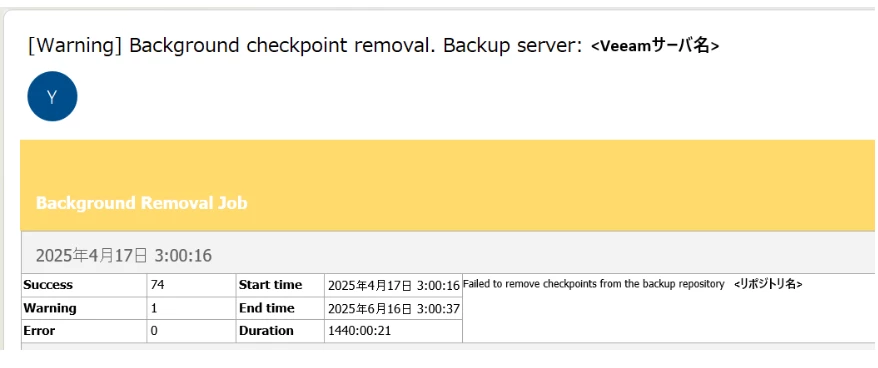
This alert is issued when obsolete checkpoint (i.e. restore point) removal process on the object storage where backup data are stored has been failed.
Removal of such checkpoints has been a part of the backup job in Veeam Backup & Replication Version 12.1 and earlier. From Version 12.2 onwards, the checkpoint removal is an independent task and can be processed in the background contineously.
Separating the removal task from the backup job was a good update to help reduce the object storage loads.
Even if you receive this alert, as long as the backup job is completed with “Success” status, it is safe to assume that your backup data have been retrieved successfully.
Possible causes
There could be many different reasons for the checkpoint removal to fail. But, in most cases, it is originated from one of the following areas:
- Veeam components
- Object storage configuration
- Network connection
Depending on the timing of checkpoint removal processing, either one of the above areas could often suffer excess loads so that the processing ends up in failure.
To address the issue
If this happens due to a temporary communication overload, the alert may be for the isolated situation so it will not be reproduced by following runs. You can simply monitor the processing to see if the alert is repeated or not.
The results of checkpoint removal processing can be viewed on Veeam Console screen by navigating to History>System>Retentio.
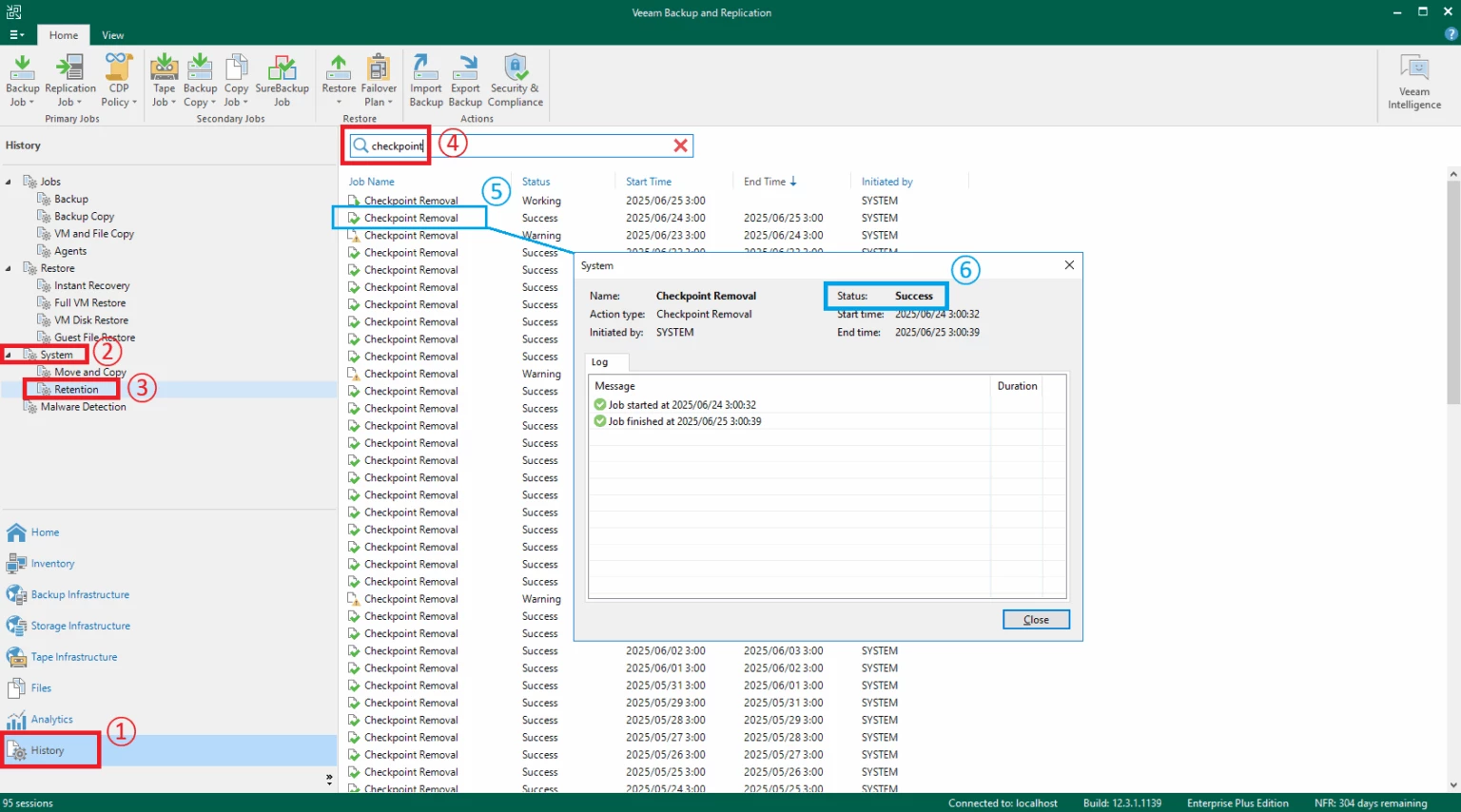
If the subsequent processing works with no issue, it also removes any remaining checkpoints that have been left there by the previous error.
If the issue persist, you should closely monitor the aforementioned three areas to locate any sign of extra loads. If you find it, adding more resources to the affected area may help resolve the issue.
Alternatively, you can remediate the issue by adjusting the Veeam job setting. For example, you may want to coordinate the job schedules better to reduce the number of concurrent job executions.


