



Context
We have been using the vCloud Director Self-Service Plugin to allow our tenants to initiate their own restores. Essentially how it works is to provide them with limited access to Enterprise Manager, scoped to just their vCloud Organization.
The Problem
Recently however, all file restores and downloads started to fail for them, as well as files restores performed by me directly on the Enterprise Manager server. Those restore failed with the following error(s):
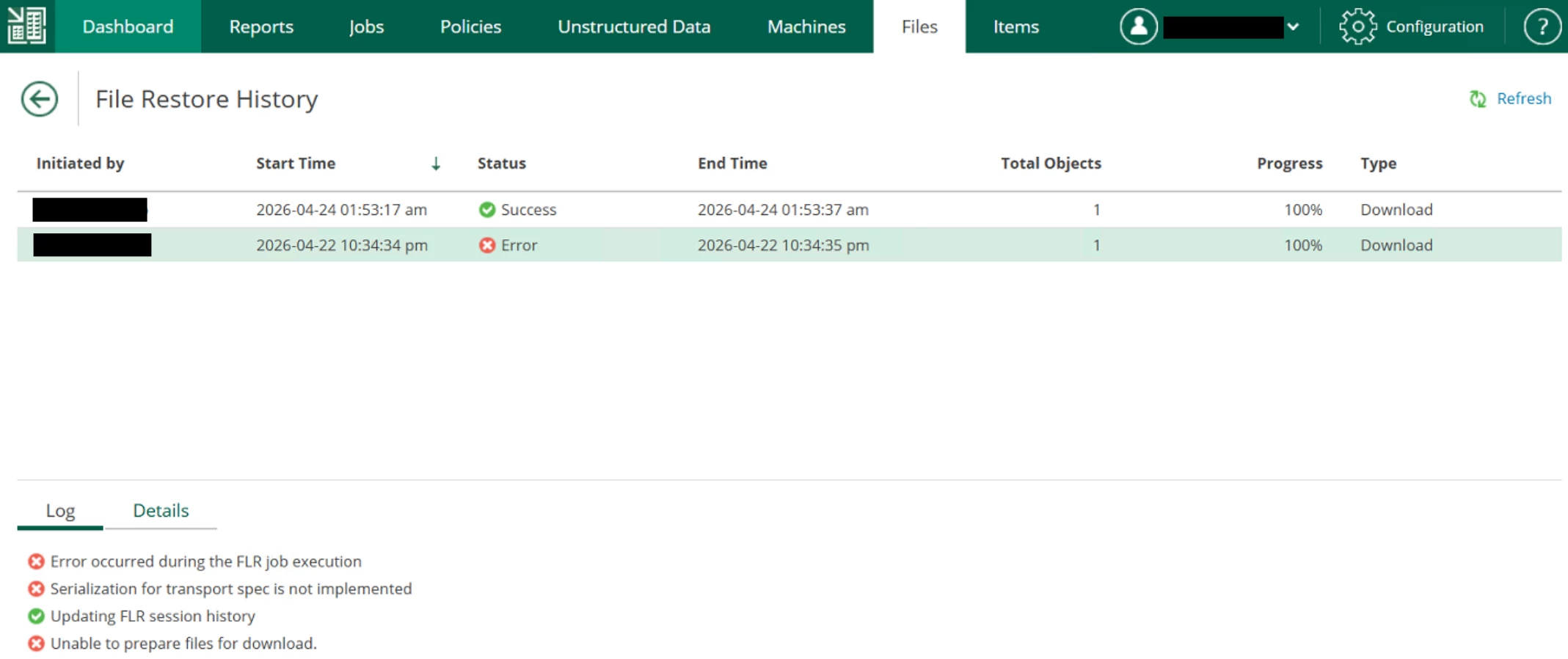
Serialization for transport spec is not implemented
Updating FLR session history
Unable to prepare files for download.
Troubleshooting
To resolve this, I searched high and low for a resolution, including:
- Confirming that the restore worked on the B&R console; it did
- However I found that when initiating from Enterprise manager, the FLR session opened up, but it didn’t log any attempt to restore a file, indicating that it never got that far in the process
- Recreating the Enterprise Manager server’s certificates; no effect
- Validated that all ports were open between servers and tested specifically the mount server ports
- Recreated the Veeam Enterprise Manager database and re-added the Backup and Replication Server; no effect
The Solution
What ended up working was the following:
Veeam support advised me to replace the contents of a registry key on the Veeam mount server. Normally I would be cautious in sharing registry changes, however upon comparing the contents to other functioning mount servers, they had the same keys as the one provided by support, so I assume the below is default, and the key that was already there was corrupted.
The following key should be set to the following values:
Key Path: Computer\HKEY_LOCAL_MACHINE\SOFTWARE\Veeam\Veeam Mount Service\
Key Name: AgentsHive
Value Type: REG_SZ (String)
Value Data: base64:PEFnZW50U3RvcHBlckFycmF5IC8+
After setting the registry key, I had to restart the mount service.
The following restore attempt was successful:
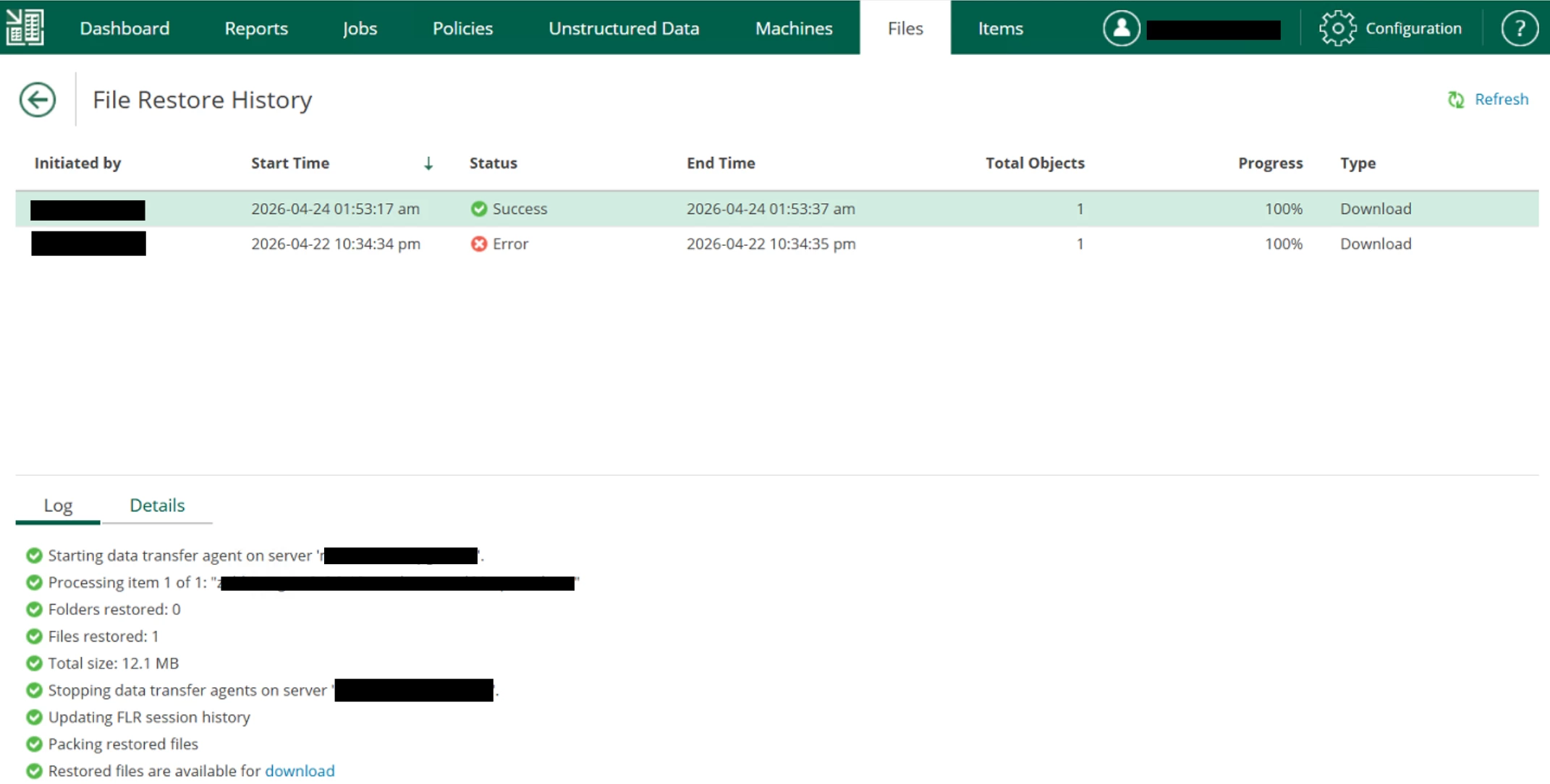
Note: As always, it is best to work with Veeam support with issues like these, and you might want to check with them before changing the registry. Always take a backup of the registry key before changing it.





