In fast-paced IT environments, keeping everything running smoothly is a constant challenge. Every day involves checking backup jobs, analyzing failures, resolving issues, applying updates, and planning new projects. For those who manage multiple infrastructures at once, this workload becomes even more demanding.
To streamline this process and improve visibility across environments, I configured several automated alerts using Veeam ONE. These alerts are sent by email and play a crucial role in proactive monitoring. One of the most valuable is the alert for VM snapshots older than 2 days, a common but often overlooked issue that can quickly lead to major problems if not detected early.
Why Monitoring Snapshot Age Matters
Old or forgotten snapshots in VMware environments can cause numerous operational and performance issues. With Veeam ONE, detecting them becomes much easier. Some of the most common risks include:
-
Increased backup window duration
-
Higher probability of snapshot corruption
-
VM performance degradation
-
Inconsistent or failed backups
-
Datastore space consumption
-
Snapshot consolidation failures
-
Errors during restore operations
Having an automated alert for this condition allows administrators to react before it impacts production workloads or backup chains.
Configuring the Snapshot Age Alert in Veeam ONE
Veeam ONE offers multiple ways to track and visualize snapshot health. Although you can generate scheduled reports (including PDFs), configuring a real-time alert brings much more agility to your daily operations.
Below are the key steps for setting up the alert:
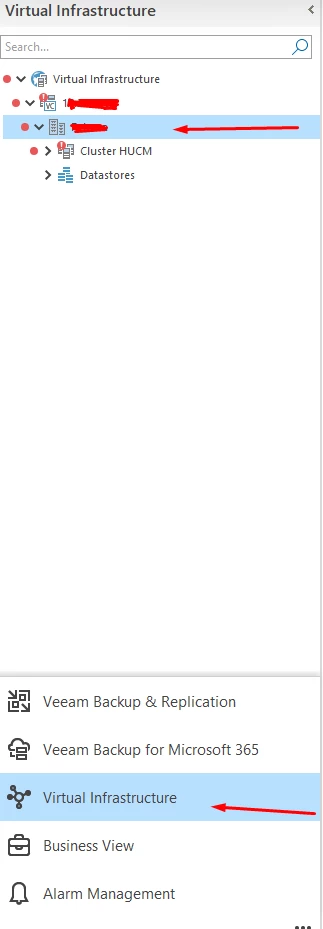
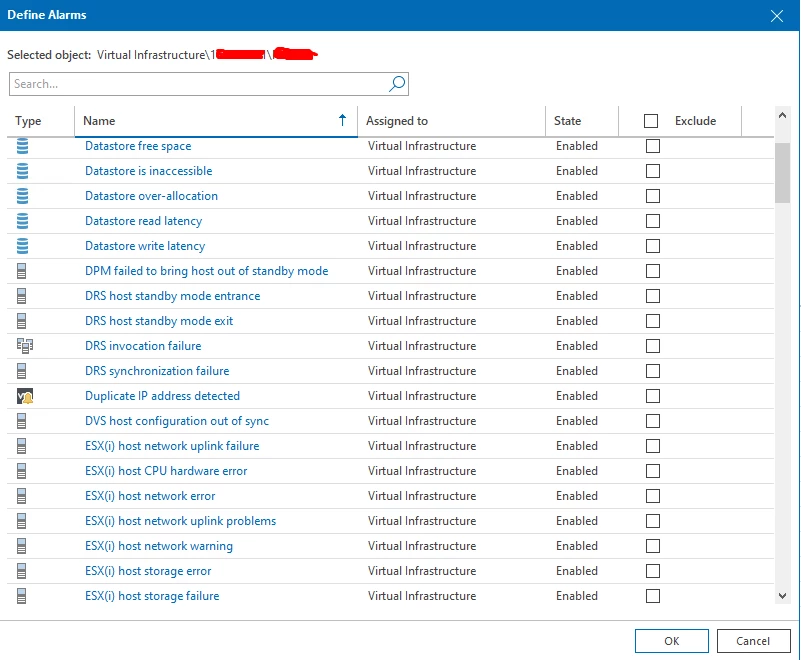
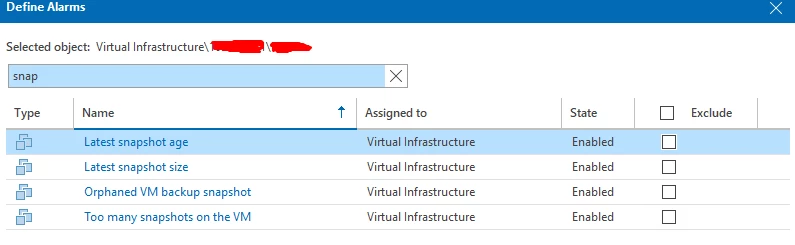
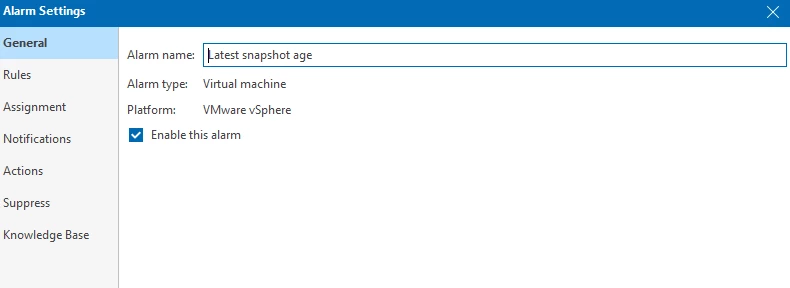
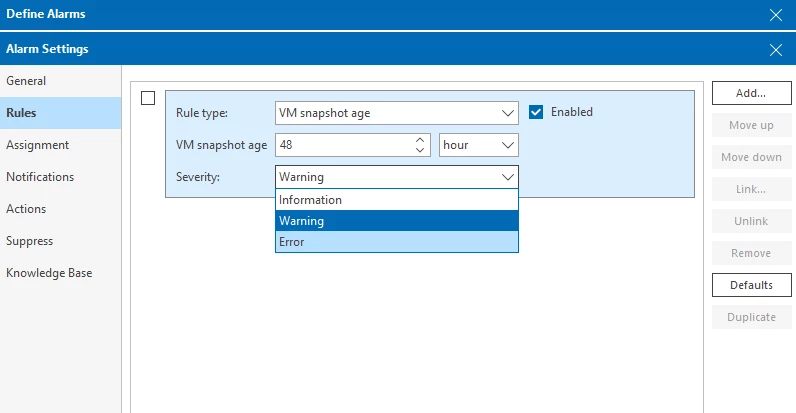
1. Defining the Alert Rule
Here you set the condition that triggers the notification, for example, any VM with snapshots older than 2 days.
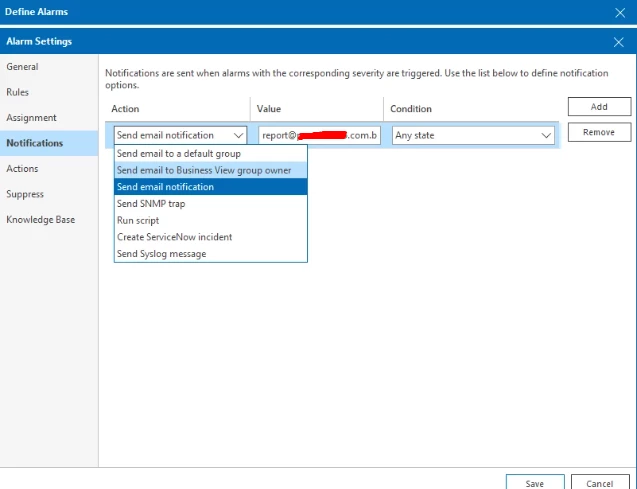
2. Setting Up the Notification Action
Next, configure email notifications and specify the recipients, severity triggers, and conditions.
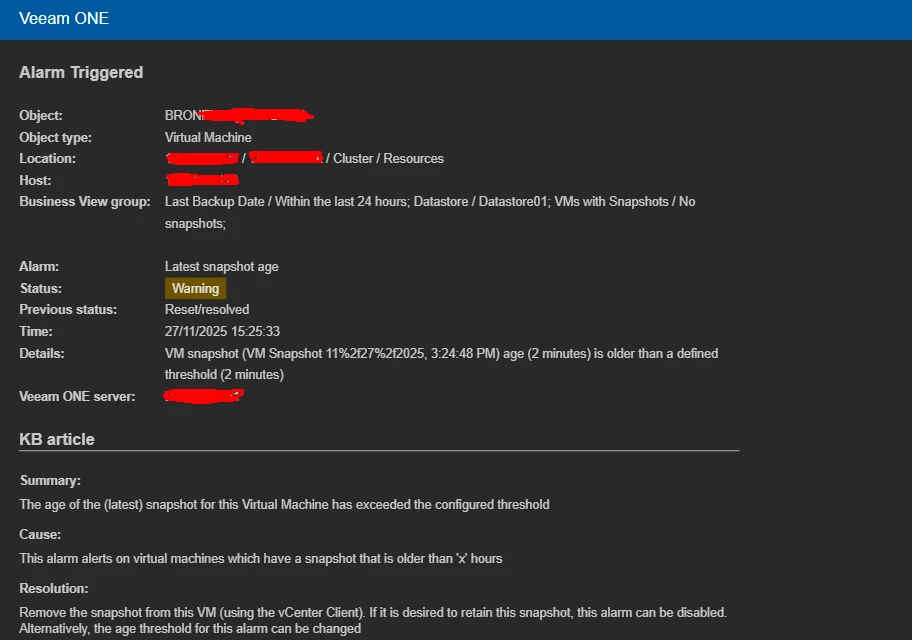
Once configured, the alert will arrive in your inbox exactly like this:
Expanding Visibility with Additional Veeam ONE Alerts
One of the greatest advantages of Veeam ONE is its flexibility. Beyond snapshot monitoring, you can create alerts for a wide range of infrastructure scenarios, such as:
-
Low datastore free space
-
VM power state changes
-
Backup job failures
-
Abnormal disk growth
-
Host or network issues
-
Repository capacity thresholds
These alerts help transform reactive monitoring into a powerful proactive strategy, ensuring better uptime, performance, and reliability across customer environments.
Conclusion
Configuring smart and automated alerts in Veeam ONE is one of the simplest yet most impactful ways to improve visibility and prevent issues before they escalate. With real-time notifications delivered straight to your inbox, you gain a significant advantage in managing workloads efficiently and maintaining a healthy infrastructure.