Veeam 12
In v12 is not so sensitive via WMI/DCOM connection
Veeam 13
Upgrade to v13 was successful.
All services are running
PS C:\Users\user01> Get-Service | Where-Object { $_.Name -like "Veeam*" }
Status Name DisplayName ------ ---- -----------
Running VeeamAHVSvc Veeam AHV Service
Running VeeamAWSSvc Veeam AWS Service
Running VeeamAzureSvc Veeam Azure Service
Running VeeamBackupCdpSvc Veeam CDP Coordinator Service
Running VeeamBackupRESTSvc Veeam Backup Server RESTful API Ser…
Running VeeamBackupSvc Veeam Backup Service
Running VeeamBackupUpda… Veeam Backup Update Service
Running VeeamBrokerSvc Veeam Broker Service
Running VeeamCatalogSvc Veeam Guest Catalog Service
Running VeeamCloudSvc Veeam Cloud Connect Service
Running VeeamDataAnalyz… Veeam Data Analyzer Service
Running VeeamDeploySvc Veeam Installer Service
Running VeeamDistributi… Veeam Distribution Service
Running VeeamEnterprise… Veeam Backup Enterprise Manager
Running VeeamExplorersR… Veeam Explorers Recovery Service
Running VeeamFilesysVssSvc Veeam Backup VSS Integration Service
Running VeeamGCPSvc Veeam GCP Service
Running VeeamGuestInter… Veeam Guest Interaction Service
Running VeeamHyperCoreSvc Veeam SC HyperCore Service
Running VeeamKastenSvc Veeam Kubernetes Service
Running VeeamMountSvc Veeam Mount Service
Running VeeamNFSSvc Veeam vPower NFS Service
Running VeeamPVESvc Veeam PVE Service
Running VeeamRESTSvc Veeam RESTful API Service
Running VeeamRHVSvc Veeam KVM Service
Running VeeamThreatHunt… Veeam Threat Hunter Service
Running VeeamTransportSvc Veeam Data Mover Service
Running VeeamVssProvide… Veeam VSS Hardware Provider Service
Running VeeamWebSvc Veeam Web Service
but console has an issue with connection
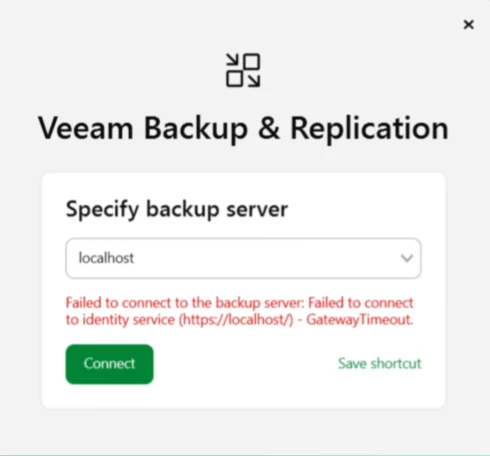
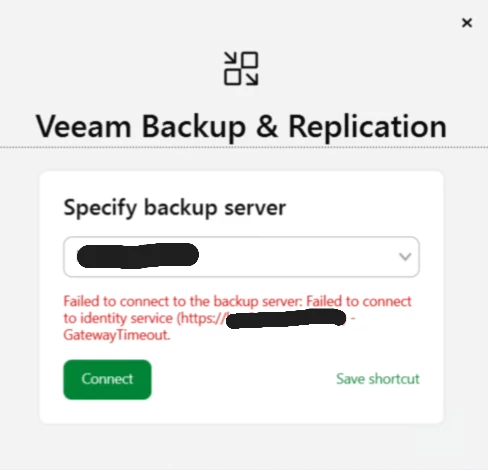
Troubleshooting
What is wrong, why on v12 was running and suddenly is not working in v13
Issue
On server was not set default gateway for NIC, which is resolving ip
Example:
vbr01test01 with ip 100.100.100.25
route 100.100.100.0 255.255.255.0 100.100.100.1
gateway is 1, but default gateway is missing
When Veeam.Backup.Manager.exe is starting it will recognize hostname of VBR
Windows DNS/NIC binding will return 100.100.100.25
Veeam tries connection WMI/DCOM via RPC on itself, but without gateway + wrong priority of NIC = DCOM was unable to communicate with server,
because returning connection - default route - is missing (0.0.0.0/0)
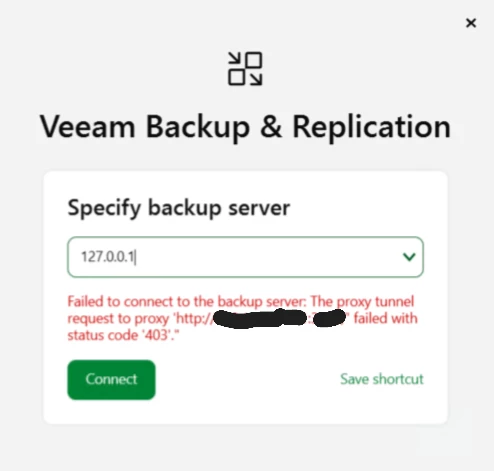
Via loopback connection it was discovered, that proxy is enabled on server itself.
After disabling proxy on windows server, this connection was not pointing into proxy itself anymore, but connection is still failing
Adding regkey as force / workaround
!--scriptorstartfragment-->
-Path "HKLM:\SOFTWARE\Veeam\Veeam Backup and Replication"
-Name "PreferIPv4"
-PropertyType DWord
-Value 1 (Force)!--scriptorendfragment-->
Console is working
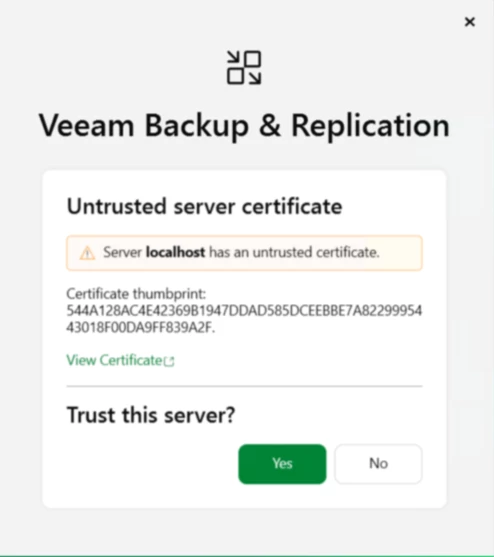
do we need really workaround?
how to find permanent solution for another several upgrades - in my case over one hundred
- adding default route (default route we are adding in Day2 automation, for connection to guest due application restore) - so two set setup was needed to provide now via automation
- removing ip and hostname of server itself from hosts as dns is resolving them - this is more less cosmetic part, but in one case was an issue
- disabling proxy on server itself or let to enable with local connections outside of proxy - this local connection were not working for me on first time. first was needed to disable proxy, connect to console and after that connection to console was working with proxy with local connections
- removing regkey - after removing regkey - connection to console was working
I hope this article could speed up troubleshooting with connection, when everything looks fine ...