
3rd Annual Veeam Community Hackathon - Results!

  • December 24, 2025
  • 10 comments
  • 194 views

mkevenaar
Forum|alt.badge.img+16
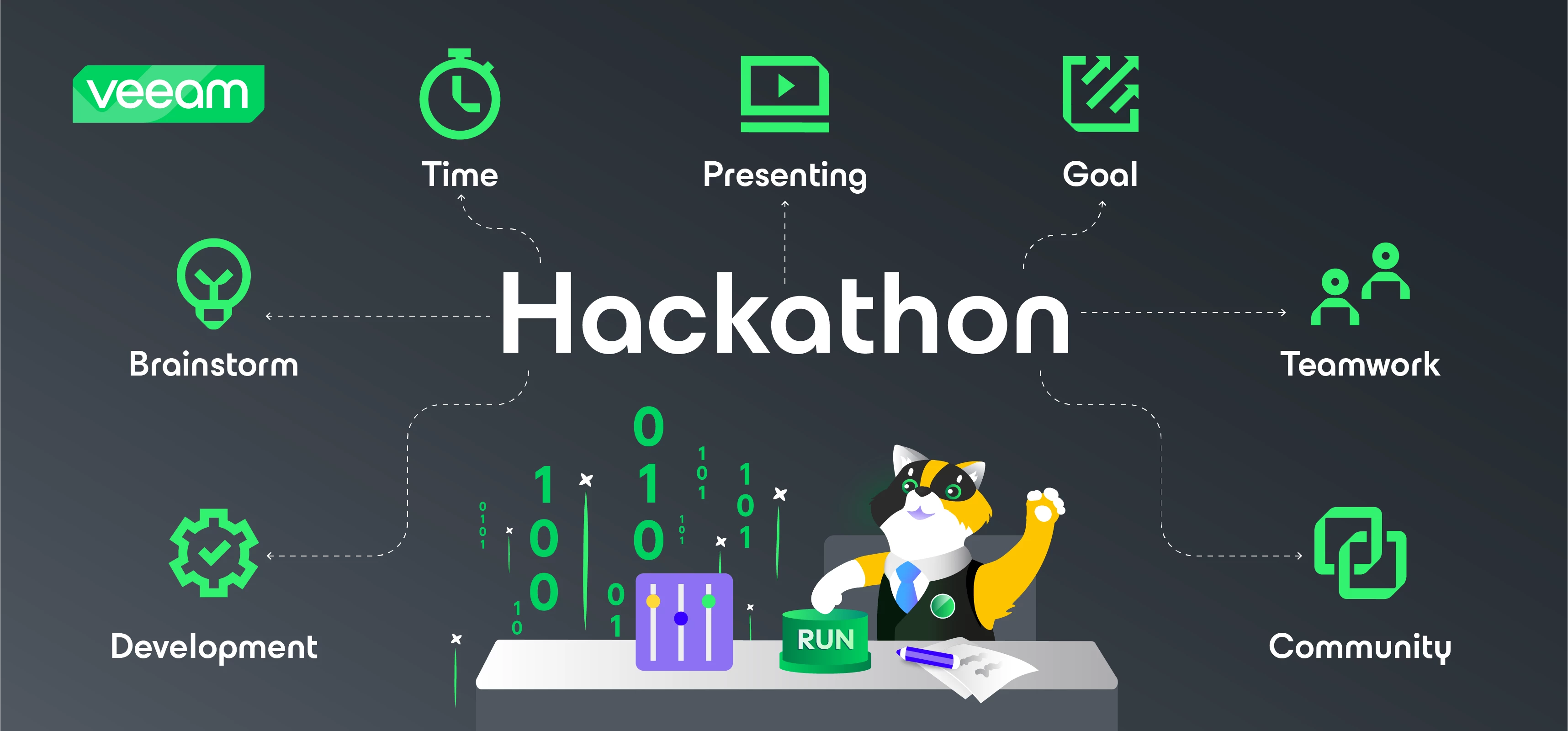
Veeam Community Hackathon banner for 2025. Alfred is sitting in the middle of a desk. He is about to press the run button with his paw. Binary code and a slider are shown on the left of Alfred. In the middle, the word Hackathon is shown with arrowed lines pointing to icons and text describing several aspects of the Hackathon: Development, Brainstorm, Time, Presenting, Goal, Teamwork, and Community.

This year we organized the 3rd Annual Veeam Community Hackathon, and today ware are here to present the results!


First, we want to thank everyone who participated and helped during the event. Our Organizers ​@JonahMay , ​@Mayhem, ​@jos.maliepaard and me, ​@mkevenaar, our Judges, ​@DarthDave, ​@ddomask, ​@Viperian, ​@Mildur, ​@Madi.Cristil, ​@NikolaPejkova, ​@Rick Vanover, and @vmJoe


The Teams


Team 1

Team 3

  • Leader: ​@Chris.Childerhose 

  • GitHub Repository: https://github.com/VeeamCommunity/veeamcommunity-2025-Team-3/ 

  • NOTE: Team 3 attempted to initiate a project; however, their developers became unresponsive across all known communication channels. Their proposed idea was to create an onboarding QR code for the Cloud Connect Agent.


Without naming judges, these are some of the quotes shared about the projects

  • Charts are very responsive and bouncy, smooth animations - Team 1
  • This is a very unique whole-stack view for in particular the on-premises parts of the Veeam portfolio - VBR/VRO/VB365! - Team 1
  • the idea is promising - Team 3
  • I like the idea of having a single pane for all products - Team 1

The results


Below are the results for this years teams. The judges could score for each category 1-5 points. Each category had a percentage of the total score.

Each team could score a maximum of 100 points, plus 5 bonus points for overall score

Category Team 1 Team 3
Impact (15%) 4.1 (12.4) 2.9 (8.6)
Design (15%) 4.3 (12.8) 1.7 (5.1)
Innovation & Business Case (20%)

3.6 (14.5)

2.7 (10.9)
Technical Complexity (15%)

3.5 (10.5)

1.6 (4.7)
Ease of Use (15%) 4.1 (12.4) 2.0 (6.0)
Code Coverage (5%) 3.5 (3.5) 1.6 (1.6)
Project Management (5%) 4.3 (4.3) 2.1 (2.1)
Presentation (10%) 4.6 (9.3) 1.6 (3.1)
Overall rating 4.4 2.0
Total Score 83.9 44.1


That leads us to Team 1 being the winning team!

Congrats ​@jorge.delacruz ​@Dynamic ​@lukas.k ​@CMF ​@Marcel.K ​@Markus.K1985 ​@Ian_RSA 

🥳The streak of ​@Markus.K1985 continues, 3 years in a row!


I would like to add a high appreciation to the members of Team 3, even though they did not win and were very tied on what they could do, they made the best of it. They even got a score of 44, with the circumstances, is a really really good result!


I hope that everyone who participated this year, will join in upcoming years.


For now I wish you a happy Christmas and hope to see you next year!

10 comments

Chris.Childerhose
Forum|alt.badge.img+21
  • Veeam Legend, Veeam Vanguard
  • December 24, 2025

Congrats Team 1 on the win.  While disappointed in the results this year due to the circumstances, finishing second again for another year in a row is still a great accomplishment.

I truly hope for 2026 that the participation level goes up especially for those counted on in teams to do the DEV work.  I am truly debating next year based on how this year went but there is still time to change my mind.  I really thing we need to look at better ways to organize teams with timezones or even continents like North America.

Happy holidays, Merry Christmas and Happy New Year to everyone.


Chris.Childerhose
Forum|alt.badge.img+21
  • Veeam Legend, Veeam Vanguard
  • December 24, 2025

To All - the Github repo for Team 1 is not accessible and possibly my team (3) as well.  ​@mkevenaar is aware and will fix this soon.


Marcel.K
Forum|alt.badge.img+11
  • Veeam Legend
  • December 25, 2025

I would like to thank you to be part of Team1. It was amazing to work with them. 

I am very happy of our winning as a team!

Thank you guys!


jorge.delacruz
Forum|alt.badge.img+8
  • Community Manager
  • December 25, 2025

Thank you very much to everyone that made this Hackathon edition possible, and to all participants as well. Really thrilled to deliver with our Team 1 an almost perfect project as the score is really high across all sections.

Have a Merry Christmas and a Happy New Year!


mkevenaar
Forum|alt.badge.img+16
  • Author
  • Veeam Vanguard
  • December 26, 2025

To All - the Github repo for Team 1 is not accessible and possibly my team (3) as well.  ​@mkevenaar is aware and will fix this soon.

Repos are now public


Chris.Childerhose
Forum|alt.badge.img+21
  • Veeam Legend, Veeam Vanguard
  • December 30, 2025

If anyone from Team 1 can drop me a DM on how to install the Single UI App would be greatly appreciated.  I want to test this in my lab to see if this could be something for us to leverage.

I already contacted ​@jorge.delacruz 😎


Mildur
Forum|alt.badge.img+12
  • Influencer
  • December 31, 2025

Team 1 has provided a readme file on the GitHub, explaining the installation. It has worked for me:

https://github.com/VeeamCommunity/veeamcommunity-2025-Team-1/blob/main/vbr-connect-mvp/README.md


Best,

Fabian


Chris.Childerhose
Forum|alt.badge.img+21
  • Veeam Legend, Veeam Vanguard
  • December 31, 2025

Team 1 has provided a readme file on the GitHub, explaining the installation. It has worked for me:

https://github.com/VeeamCommunity/veeamcommunity-2025-Team-1/blob/main/vbr-connect-mvp/README.md


Best,

Fabian

I saw that but do you install this on Linux, Windows?  Just wanted some clarity around that as the rest is pretty self explanatory.


Chris.Childerhose
Forum|alt.badge.img+21
  • Veeam Legend, Veeam Vanguard
  • December 31, 2025

So I got the install working thanks from help from ​@Mildur but still having issues with the credentials.

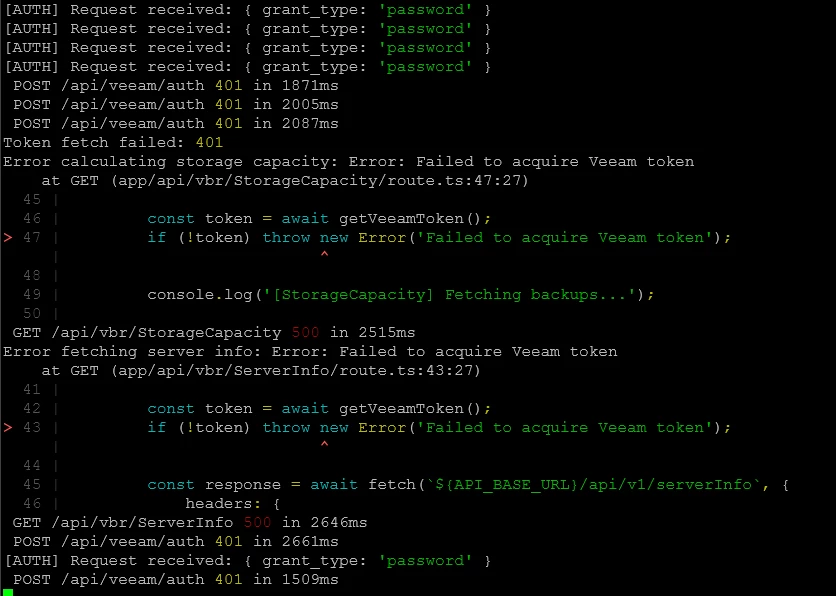
Seeing this in the SSH console and then the WebUI as well.  I am using a new user I created in the TUI (10443) as Host Admin and then also added the same user in the Console as Backup Admin (service account selection so MFA does not apply).

One issue I think is that I have my environment in an HA Cluster so using that FQDN for the URL - maybe that is the problem?  Any tips are appreciated.

SSH Console -


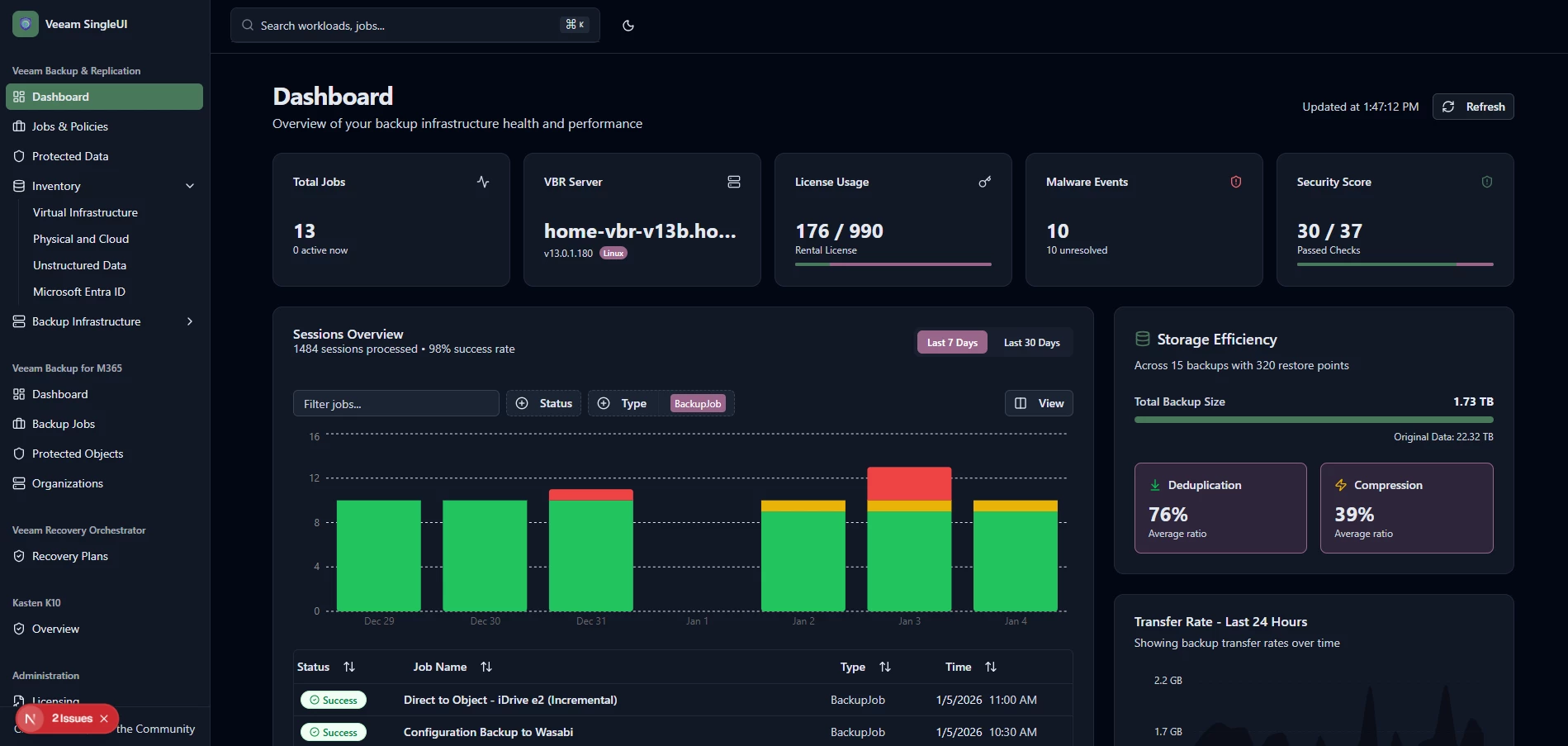
Web UI -


Chris.Childerhose
Forum|alt.badge.img+21

@Mildur I worked with ​@jorge.delacruz this morning and fixed the issues I had with authentication. 😁

Great little utility and so far I am loving it.  Trying to figure out the difference now between DEV mode and PROD mode for the commands you run.

Themed dashboard 😎