


Using YARA rules in the backup environment
With the rise of cyber threats, particularly ransomware attacks, simply performing backups and restores is no longer sufficient. Restoring data without ensuring it is free of threats can lead to re-infection of the environment.
Starting with version 12.1, Veeam Backup & Replication (VBR) has integrated native support for YARA rules into its Malware Detection ecosystem. This combination enables data integrity validation both before and during recovery processes.
What are YARA rules?
YARA (Yet Another Recursive Acronym) is an open-source tool widely adopted in incident response to identify and classify malicious artifacts.
Unlike approaches based solely on the closed signatures of traditional antivirus software, YARA operates using customizable rules:
- Pattern-based signatures: Identification via specific strings, byte sequences, hashes, or file structures.
- Conditional logic: Precise rule definition to determine whether a file is malicious or anomalous.
- Versatility: Ability to track everything from specific ransomware families to hidden scripts or data leaks.
How Veeam integrates YARA rules into its workflow
YARA support in Veeam VBR v12.1 operates primarily on two strategic fronts:
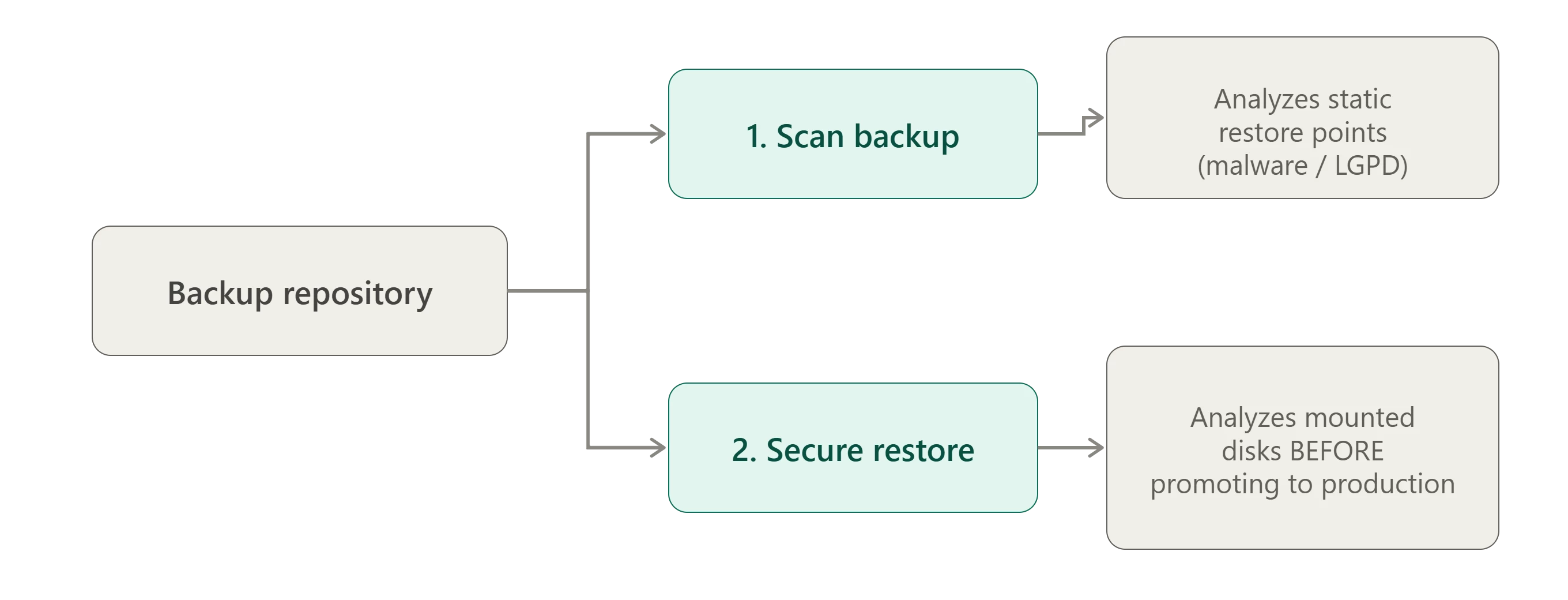
Backup Scan (On-demand analysis)
Allows you to run scans using YARA rules directly on restore points stored in the repository.
Infection search: Pinpoints the last clean restore point prior to an incident.
Compliance and LGPD/GDPR: Identifies sensitive data or confidential information exposed within backups, not just malicious code.
Secure Restore (Protection during restoration)
Acts as a safeguard during the restoration of a server or virtual machine.
Veeam mounts the backup disks in an isolated environment.
Runs a YARA rule scan on the mounted data.
Automatically decides whether to proceed with the restore, abort it, or disconnect the network based on the analysis results.
🔦 Important: In both scenarios, if the YARA analysis identifies a positive match, Veeam generates a malware detection event and flags the restore point as infected, preventing it from being accidentally restored in the future.
Practical Example
Here, I will show an example where I used a YARA rule to identify ISO files:
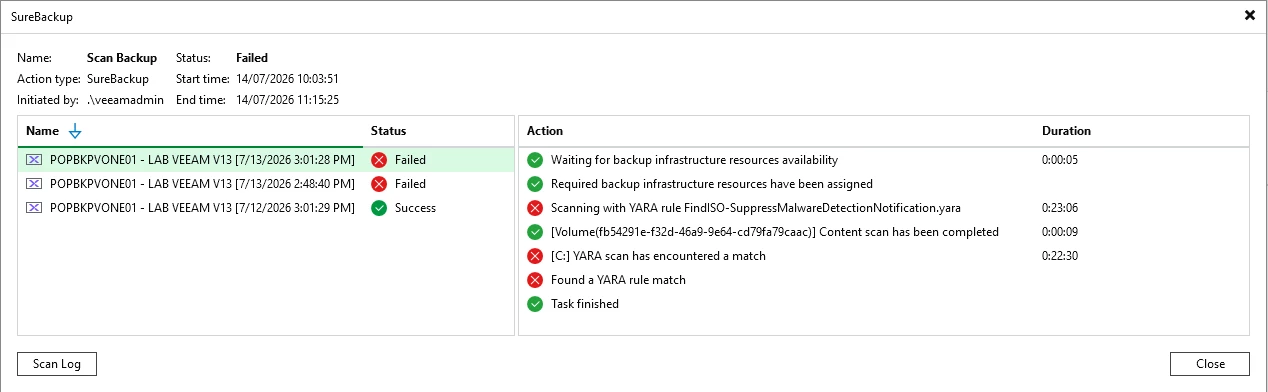
Here we can see that Veeam scanned three restore points. It located an ISO file in the backup from the 13th but did not find one in the backup from the 12th. Thats meaning it deemed the latter backup clean.
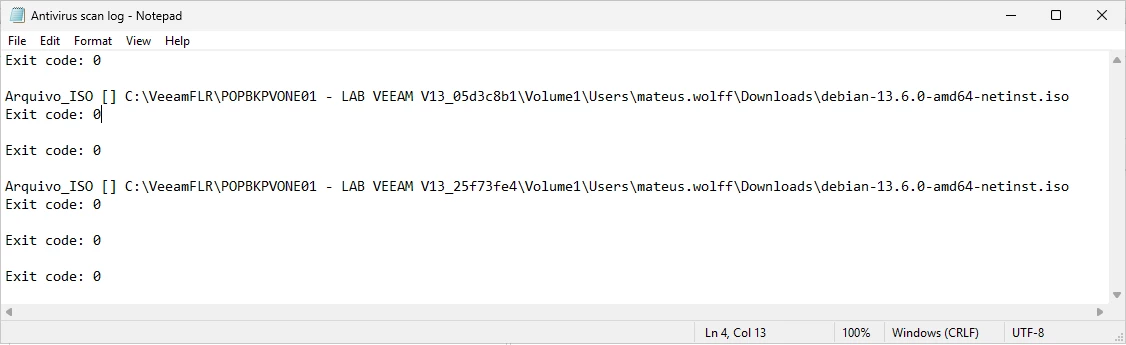
You can also view the scan log:
Conclusion
In daily operations, it is common to treat backups as the last line of defense, which in fact they are. However, overlooking the fact that this last line could also be compromised by malware already present in the environment prior to the backup being created represents a critical point of failure that could jeopardize effective data restoration.
Finally, it is important to remember that YARA rules in Veeam do not replace antivirus software, EDR, or any other security layer within the environment. Instead, they serve as an additional layer specifically focused on ensuring that the data being restored actually resolves the incident rather than reintroducing it.

