Answer

Latest Community Edition Windows Agent

  • August 29, 2024
  • 9 comments
  • 152 views

Where can I download the latest community edition Windows agent? I have an older version “5.0.0.4301”.

Best answer by coolsport00

Hi @knaz85 - try here:

https://www.veeam.com/products/free/microsoft-windows.html

9 comments

Madi.Cristil
Forum|alt.badge.img+8
  • Community Manager
  • August 29, 2024

@coolsport00 


coolsport00
Forum|alt.badge.img+21
  • Veeam Legend
  • Answer
  • August 29, 2024

  • Author
  • New Here
  • August 29, 2024

Thank you!


coolsport00
Forum|alt.badge.img+21
  • Veeam Legend
  • August 29, 2024

No problem. Glad to help. 


  • Author
  • New Here
  • August 29, 2024

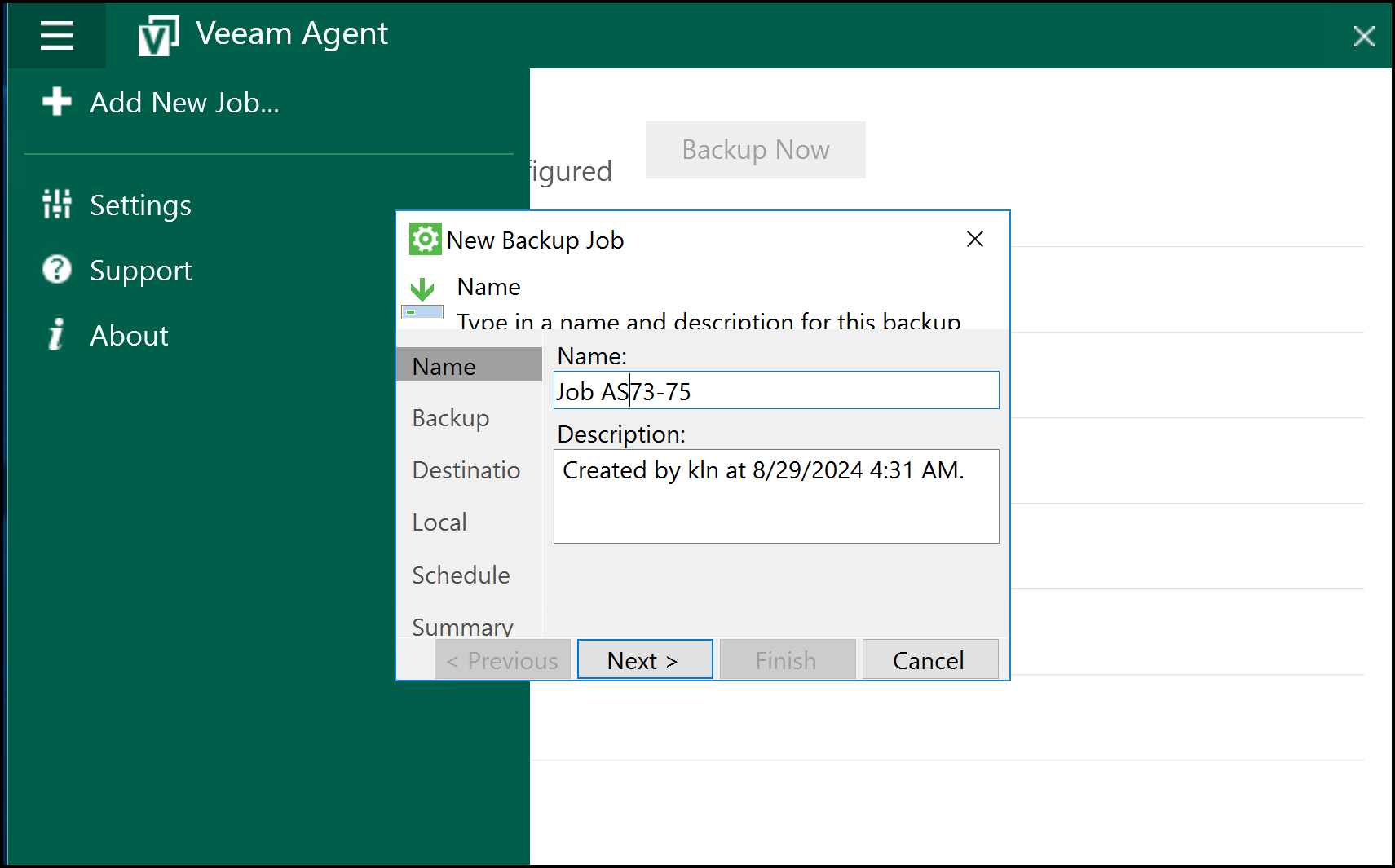
Another question. I install community agent on VM. The window size for “New Backup Job” is too small to create new job. I have another VM same OS same settings, the window size of that box is correct I can read everythin.

any ideas?


coolsport00
Forum|alt.badge.img+21
  • Veeam Legend
  • August 29, 2024

Just try changing the windows resolution around is all I can suggest. I haven't seen anything about that personally. Don't think it's Agent related.

Best. 


Chris.Childerhose
Forum|alt.badge.img+21

Another question. I install community agent on VM. The window size for “New Backup Job” is too small to create new job. I have another VM same OS same settings, the window size of that box is correct I can read everythin.

any ideas?

That could be the DPI settings in windows.  Try adjusting that to 100% not anything larger.


lukas.k
Forum|alt.badge.img+12
  • Veeam Vanguard
  • August 29, 2024

Pretty sure it is the resolution. I also ran into this while using some KVM sessions and iDRAC.

In case you have the chance - try RDP, that might help.


Best regards

Lukas


Chris.Childerhose
Forum|alt.badge.img+21

Yes resolution plays a part but also the Scale setting too will if above 100%.