Question

Console is not compatible with installer service

  • Oct 26, 2022 12:05 PM UTC
  • 13 comments
  • 4013 views

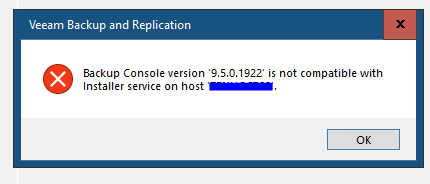
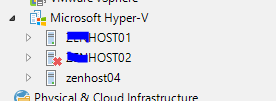
Newbie here: !! :-) Had to reboot a host which Veeaem is installed on. After reboot got various reports that the backup had failed. Checked Veeam and one of the hosts has a red x next to it. and whatever I try to get it back on line, I get the following error: Any help/advice gratefully appreciated:-)


13 comments

MarkBoothman
Forum|alt.badge.img+8
  • Veeam Vanguard
  • Oct 26, 2022 12:10 PM UTC

Which version of Veeam are you using as the build in the screen shot is 9.5 Update 3a which is no longer supported. 

It could be that the components need upgrading on the host itself.


  • New Here
  • Oct 26, 2022 12:40 PM UTC

I had a call similar to that.

It was so long ago, I can't remember the exact details, but I remember the Veeam Installer version on one of our hosts was older than the others - following a point release upgrade.


This prevented other components/roles from updating.


I'd start troubleshooting by comparing the individual service versions between HOST01 and HOST02.


ratkinsonuk
Forum|alt.badge.img+2
  • Comes here often
  • Oct 26, 2022 12:43 PM UTC

Log onto the VM server, uninstall the Veeam components, go back to the Veeam management GUI, right click and re-scan the VM, by which point Veeam should either ask you or automatically install the components from the management server.


ratkinsonuk
Forum|alt.badge.img+2
  • Comes here often
  • Oct 26, 2022 12:45 PM UTC

This assumes HOST02 doesn’t have the management GUI on it, i.e. it’s a proxy or something similar.


Stabz
Forum|alt.badge.img+9
  • Veeam Legend
  • Oct 26, 2022 1:21 PM UTC

Hello
Is it possible that your host HOST02 is managed by another Veeam Server?


  • Author
  • New Here
  • Oct 26, 2022 3:15 PM UTC

Sorry for the delay in responding ( I was just putting another fire out :-)

Mark: 

We’re running Backup & Replication 9.5 (9.5.0.1922)

Ferrus:

Please find below details service versions for host 1 and 2:

Host 2:

Host 1:

Ratkinsonuk:

Veeam GUI is installed on Host2 (the one in error on veeam). When you say “uninstall the veeam components” do mean all veeam components as listed above on Host2? If so would that affect any backups? Host 2 does have the management GUI on it.


Stabz:

No, Host2 is not managed by another server as far as I know.


All:

One thing I have noticed is that the Veeam Backup and Replication installation is 9.5.0.711, whereas all the other components are 9.5.0.1922. But that doesn't make a lot of sense as on the “about” it states 9.5.0.1922?

What I don't get is why its failing, just because we rebooted the host (both)


Many thanks for the advice so far :-)


PS: Is this the correct way to reply to everybody?


ratkinsonuk
Forum|alt.badge.img+2
  • Comes here often
  • Oct 26, 2022 3:32 PM UTC

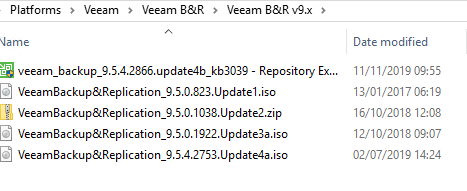
Looking at the timestamps from the HOST02 Control Panel output, it looks like B&R was updated in 2022, but the sub-components are from 2018. That doesn’t look right to me. Each of the components have their own installer in the Packages directory on the ISO. You could try upgrading the Installer Service and see what happens, but it looks like you need to check everything.

Ultimately, I think 9.5 is either out of support, or about to, so I’d seriously consider upgrading. You’ll see very little difference if you move to v11.

Rob.


ratkinsonuk
Forum|alt.badge.img+2
  • Comes here often
  • Oct 26, 2022 3:41 PM UTC

Just checked my old 9.5 repository, and definitely looks like you’ve got multiple versions going on there…

9.0.5.711 I’m guessing was the original 9.5 release, but .1922 is from Update 3a. As B&R is running a much older version, it feels like you guys have done something very strange with your Veeam server back in April. Try asking around the office.


  • Author
  • New Here
  • Oct 27, 2022 2:39 PM UTC

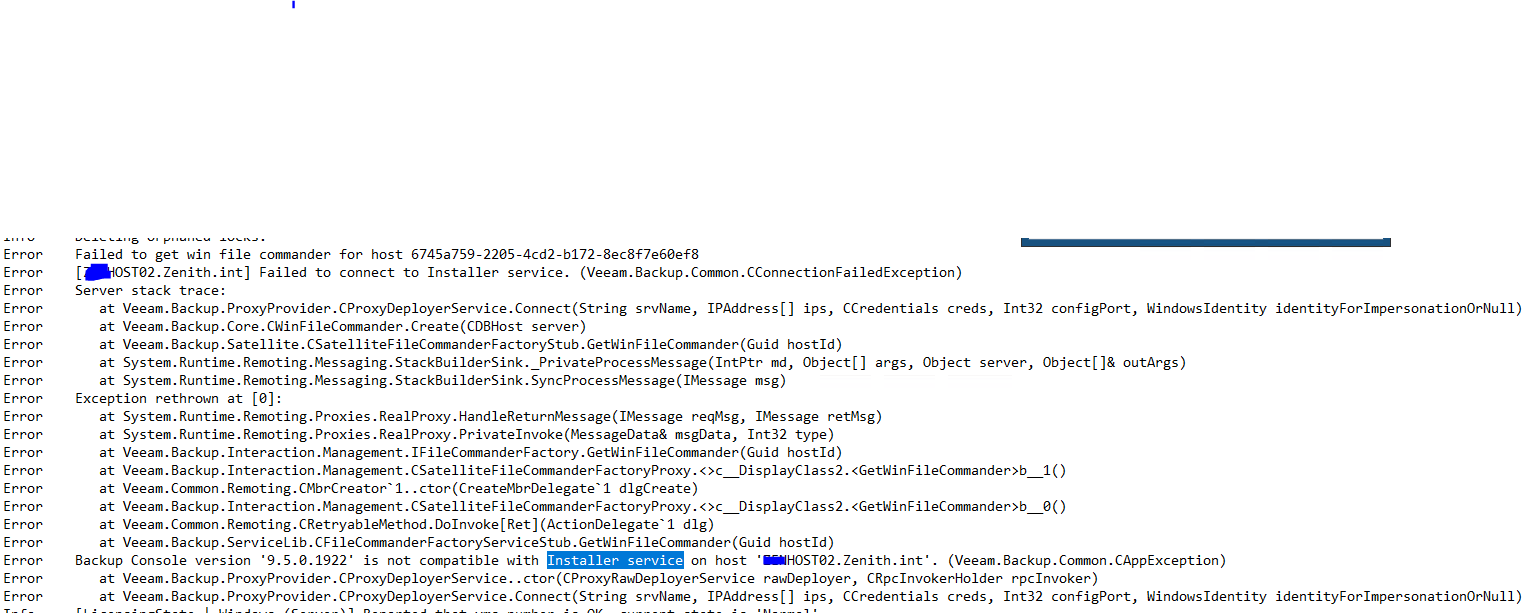
Can't really see anything that helps in the logs apart from what I already know :-(


  • Author
  • New Here
  • Nov 2, 2022 4:52 PM UTC

Hi guys, sorry being so long getting back to everyone.

So, in the end we had to just bite the bullet and ended up reinstalling from scratch and just re-creating the jobs! Seems to be working now. My boss was saying that we are stuck @ 9.5 because we don't have a support contract. anyone know if this is true? Just wondering. 🙂


JMeixner
Forum|alt.badge.img+18
  • On the path to Greatness
  • Nov 2, 2022 5:04 PM UTC

You have to have a new license file for V10 and up, this is correct.

I assume you are processing more than 10 systems with VBR...


  • Author
  • New Here
  • Nov 4, 2022 11:00 AM UTC

Thanks, no we’re not. we are only a small company! :-)


JMeixner
Forum|alt.badge.img+18
  • On the path to Greatness
  • Nov 4, 2022 3:47 PM UTC

Thanks, no we’re not. we are only a small company! :-)

With less than 10 workloads you don’t need a license. So, you could upgrade to V11….
Support is on best-effort in this case, but you are allowed to open support cases. They are simply handled with a lower priority...

But be aware that you are allowed to backup your own systems with the community license only. You are not allowed to backup any customer systems.