

Over the last two weeks, several Saudi customers protecting GCP workloads have hit the same wall: backup policies fail because the worker instance can’t be created. After working through it with Google’s regional team and our R&D, the cause and the fix are clear.
What’s happening
Google has confirmed it is no longer expanding Gen2 capacity (E2, N2, N2D) in me-central2. These machine types aren’t being decommissioned, but available capacity will keep shrinking, and it varies by zone and over time. Google’s growth in the region is on Gen4 (N4/C4) with Hyperdisk.
That matters because the default worker profile is Gen2. Out of the box, the primary profile is e2-highcpu-8, the secondary is e2-highcpu-2, and the archiving profile is e2-standard-4. So a default deployment in Dammam keeps trying to launch the machine types that are hardest to get. veeam
The errors you’ll see
Failed to create a new worker. Failed to perform the operation: The zone
'projects/<project>/zones/me-central2-c' does not have enough resources
available to fulfill the request. '(resource type:compute)'.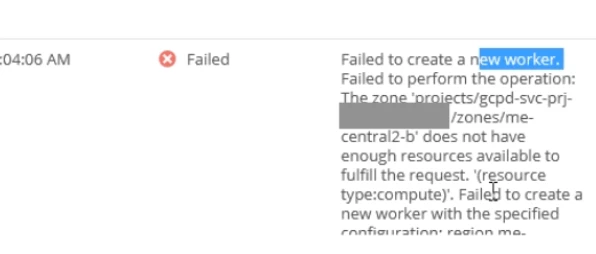
This is a Google capacity (stockout) error, not a quota or Veeam configuration problem. A quota issue returns “quota exceeded” instead.
Failed to create a new worker. pd-standard disk type cannot be used by
c3-standard-4-lssd machine type.
This one comes from switching to a C3 LSSD variant as a workaround. The LSSD types don’t support Standard Persistent Disk, so avoid them for workers.
Recommended action plan
- Check your versions. Affected environments are on appliance v7 or older (for example 7.0.1.4). v7 does not offer Gen4 worker types. Generally speaking your VBR has to be v13.1.1.18 or higher
- Upgrade VBR to 13.1.1.18 first, then upgrade the GCP appliance to v8. Run the pre-upgrade checklist: configuration backup, integrated component compatibility, and a rollback point for the appliance. The upgrade path is to install the new plug-in version, then upgrade backup appliances from the Veeam Backup & Replication console. veeam
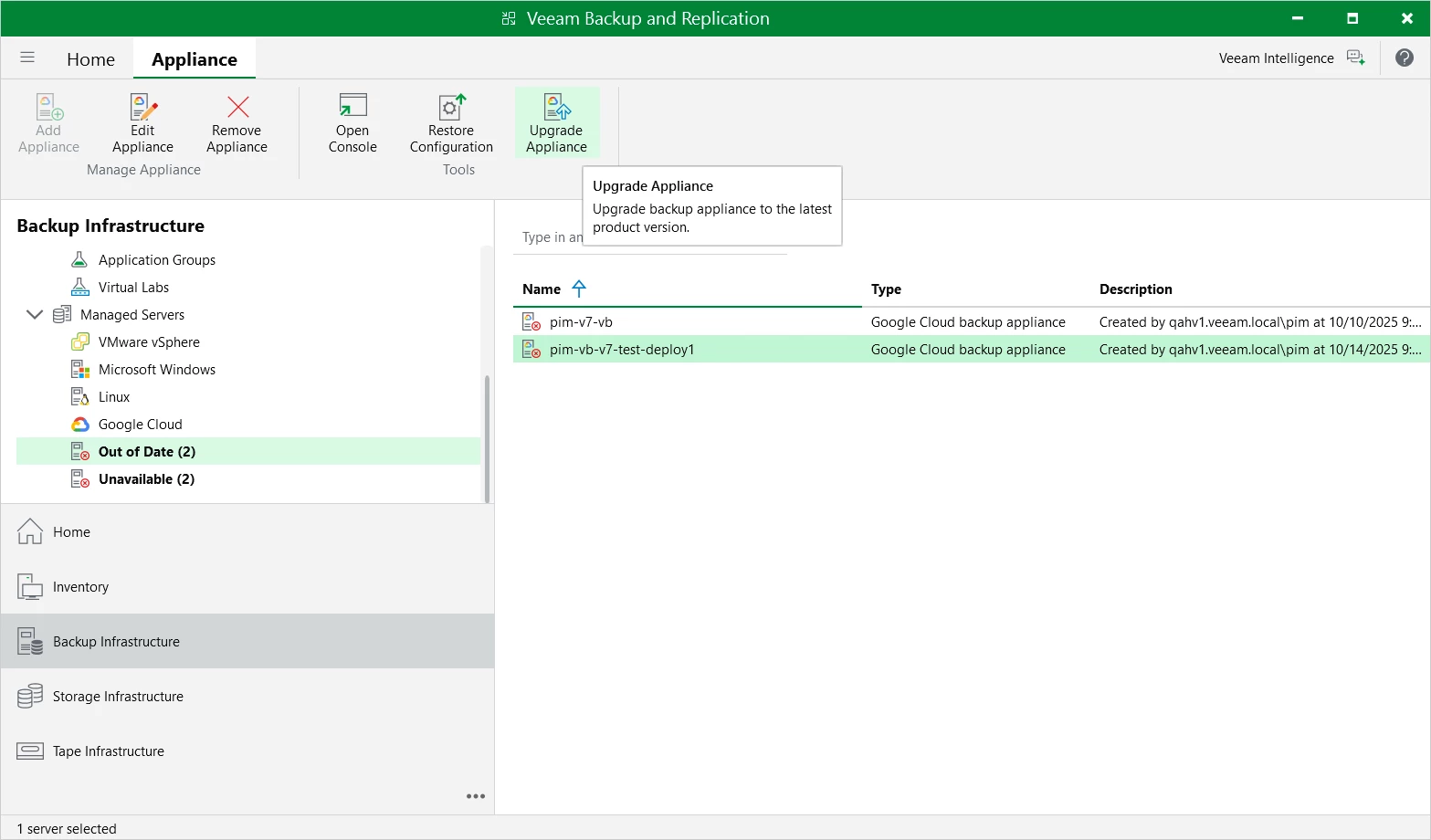
[Snapshot 2: Backup Infrastructure → Managed Servers → select appliance → Upgrade appliance] - Set a Gen4 worker profile for me-central2. In v8, the worker profile lists the C4 family for me-central2 (for example c4-highcpu-4/8/24/32 and the highmem sizes). R&D found that the C4 options appear once you select a specific zone. If some regions or zones still need older types, create a separate profile for them and keep Gen4 for me-central2. The primary profile list only shows machine types that can mount at least 4 TB of attached disk, so size accordingly.
veeam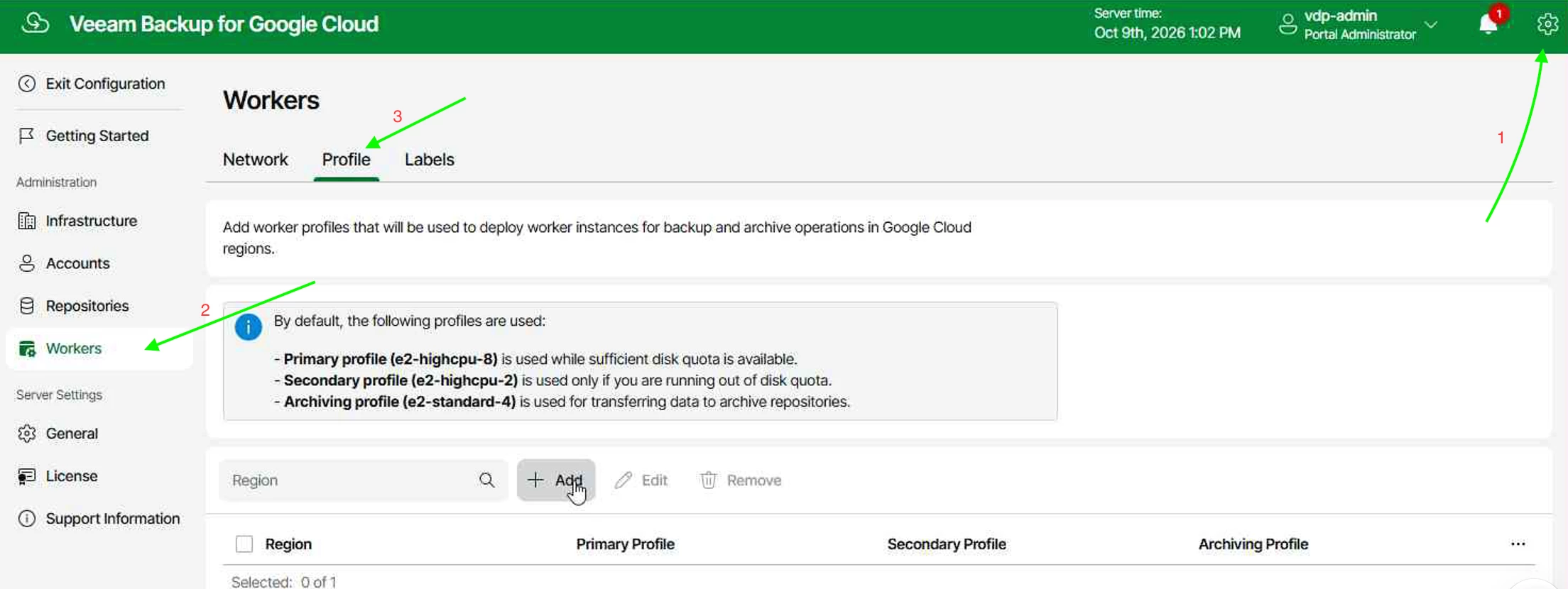
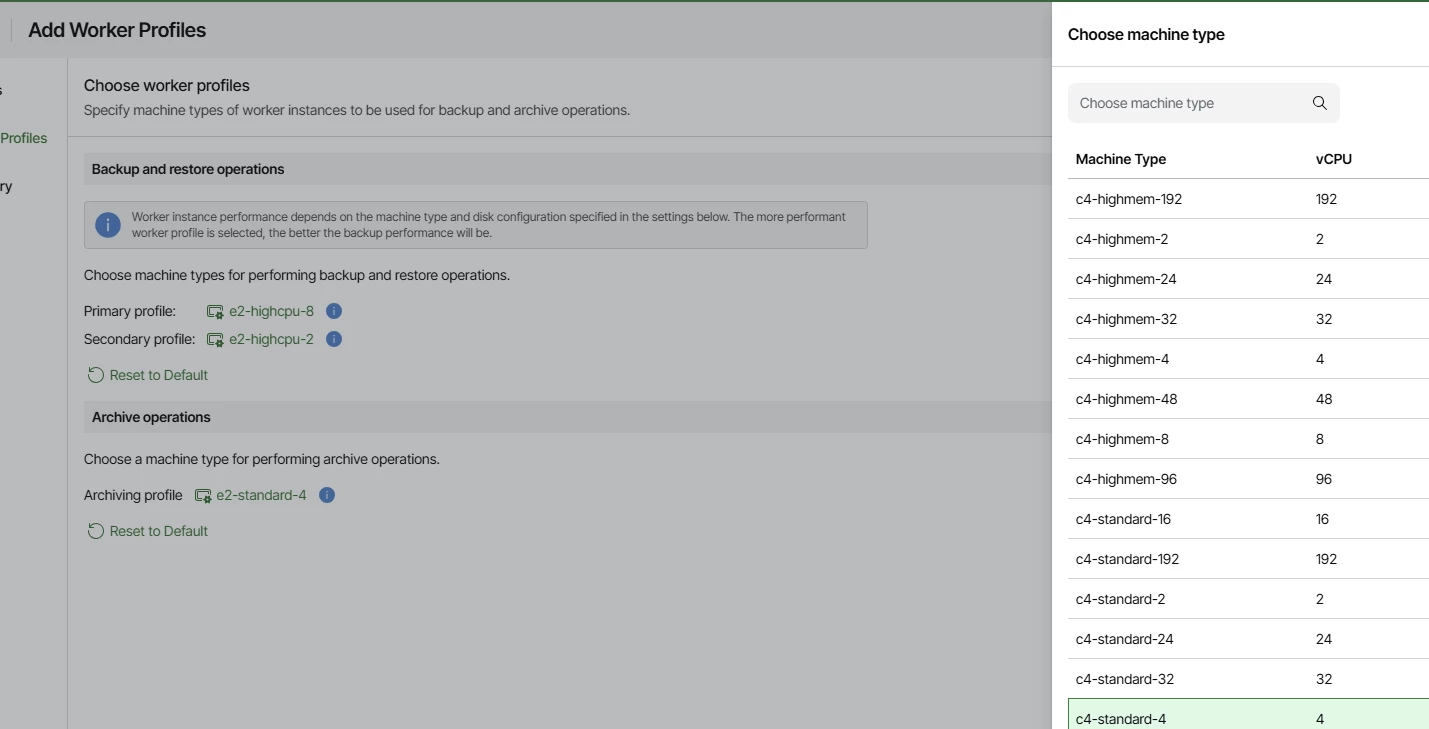
[Snapshot 3: Appliance Web UI → Configuration → Workers → Profile → Edit me-central2 → Worker Profiles step showing C4 types] - Re-run the failed policy manually and confirm the worker launches on the Gen4 type
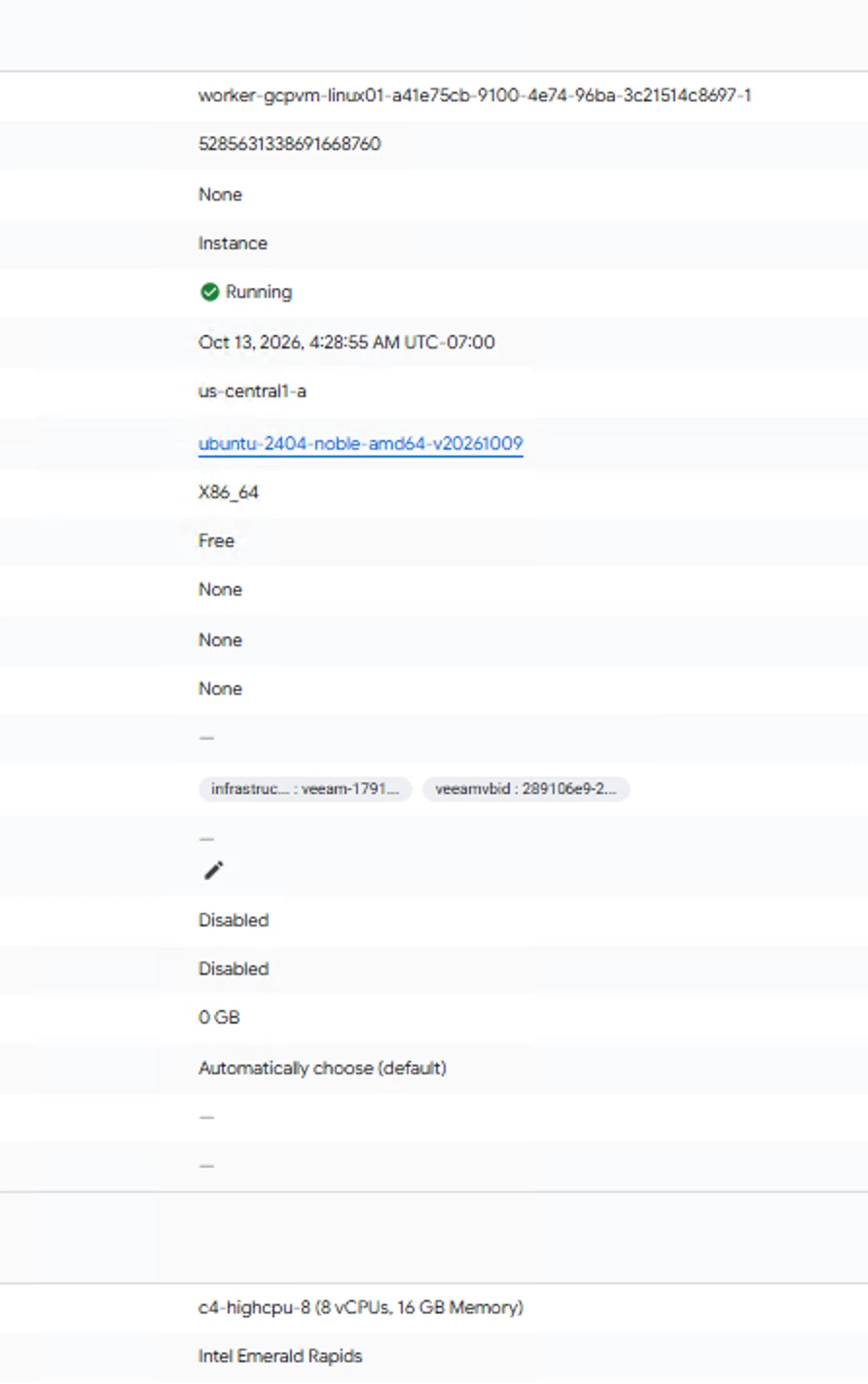
[Snapshot 4: Successful session with Gen4 worker] - Note on restores. Backing up Hyperdisk-based VMs works with Gen2 workers, but restoring Hyperdisk VMs needs a Gen4 worker. That’s another reason to move the profile now.
If you can’t upgrade yet
A temporary option is m3-ultramem-32. In our field tests it was the only Gen3 type that launched reliably in me-central2, but it was limited to roughly 4 concurrent workers. It’s fine for a handful of critical VMs but not for full production windows. Treat it as a bridge to v8, not a fix.
References
- Managing Worker Profiles (v13.1 / v8): https://helpcenter.veeam.com/docs/vbr/userguide/google_managing_worker_profiles.html
- Choose Worker Profiles (4 TB rule): https://helpcenter.veeam.com/docs/vbr/userguide/google_profiles_selection.html
- Worker Instances sizing: https://helpcenter.veeam.com/docs/vbr/userguide/google_worker_recommendations.html
- Upgrading the Plug-In: https://helpcenter.veeam.com/docs/vbr/userguide/google_upgrading_plugin.html
- Version Compatibility: https://helpcenter.veeam.com/docs/vbr/userguide/platform_support_google.html
- ISO Release History
https://www.veeam.com/kb4738#isohistory
If you’re running Veeam Backup for Google Cloud in Dammam, plan the upgrade before your next backup window. Reply here or DM me if you need a hand. #VUGSaudi #VeeamGCP