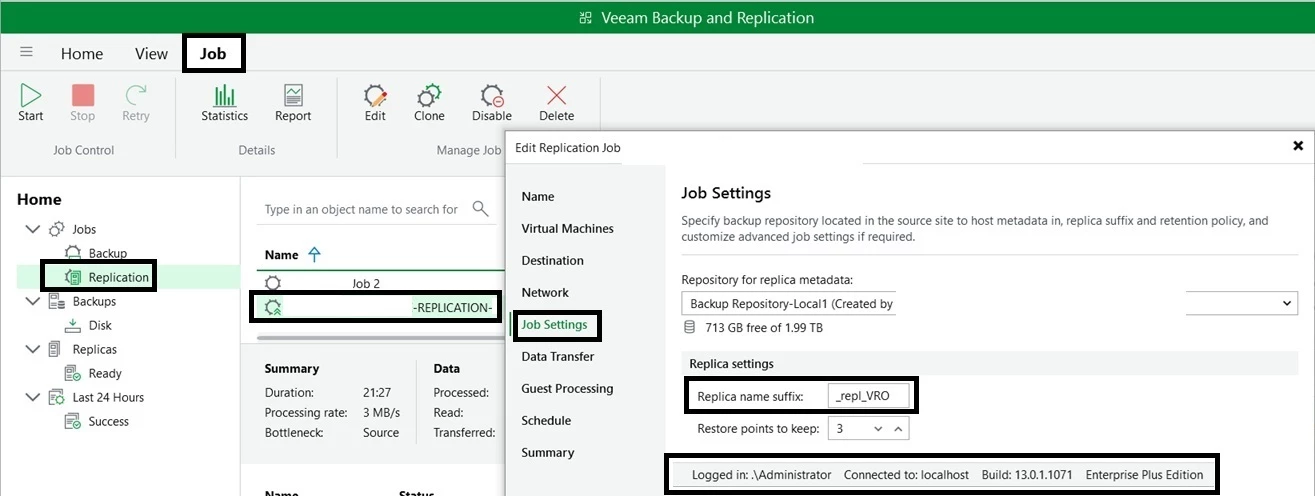
Go to: Select Replication → Select Job Name → Right-click → Properties → Step 5 → Job Settings → Replica Settings.
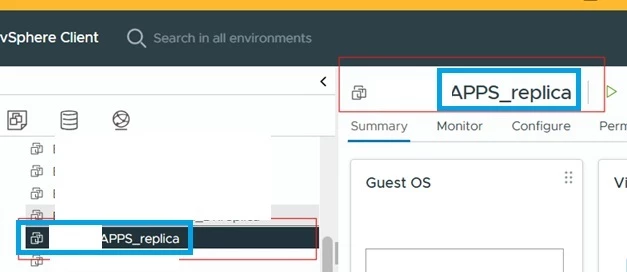
Basically, I set it as _repl_VRO, but it is automatically taking _replica instead.
If anyone else has faced this issue, please feel free to share your experience.
This is from VBR side : Image 1 (Here, you will find the Replica Name Suffix.)
This is from VCenter side : image 2
Regards
Sumit
Best answer by Mohamed Ali
@sumit.saini Are you changing the suffix for a new replication job or for an existing job?
If the job already created the replica VM earlier, changing the suffix later will not take effect. Veeam only uses the suffix when the replica VM is created for the first time
For existing jobs, the replica VM already exists in the target with the _replica name, so the job will continue using that VM
@sumit.saini Are you changing the suffix for a new replication job or for an existing job?
If the job already created the replica VM earlier, changing the suffix later will not take effect. Veeam only uses the suffix when the replica VM is created for the first time
For existing jobs, the replica VM already exists in the target with the _replica name, so the job will continue using that VM