Last week, I did my VMCE+ exam and passed:
Here is a short, practical summary for anyone planning to take it.
The three trainings you finish first
Before you can schedule the exam, you complete three trainings:
- Veeam Backup & Replication: Configure, Manage, and Recover (VBR)
This wasn’t necessary for me, as I carried a current VMCE status already. If you are also VMCE for just one version before V13 (VMCE+2026), aka V12, you can e-mail vmce@veeam.com to set your green check mark for Step 1 on Get Veeam Certified Now!: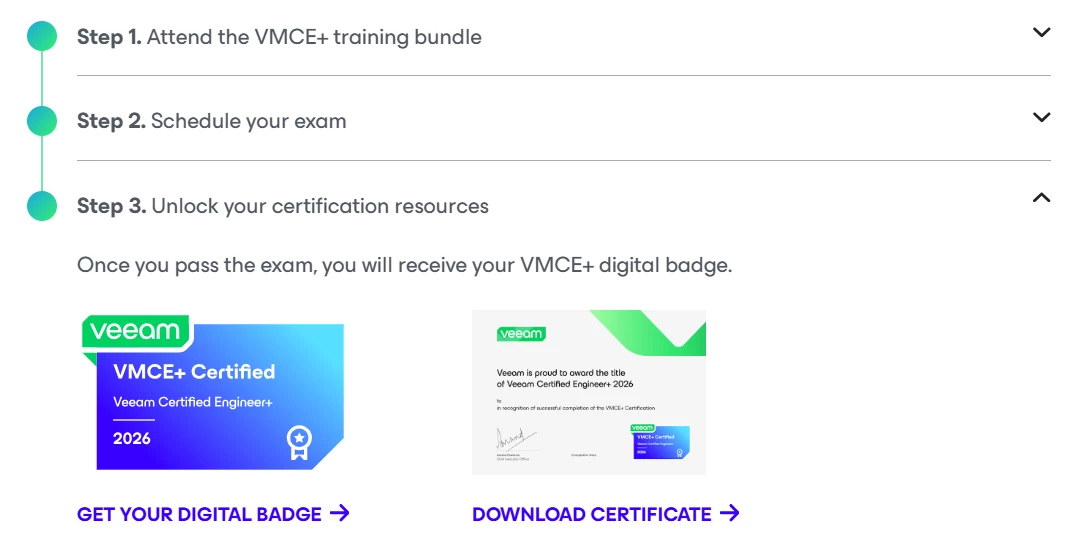
- Veeam Data Platform: Monitor, Manage, Analyze (Veeam ONE)
- Veeam Data Platform: Scale, Automate, Secure (Veeam Recovery Orchestrator)
So, I of course still needed Veeam ONE and Orchestrator, which I finished on Veeam University Pro.
Then, I could schedule my exam in Step 2.
Taking the exam online
I did the exam online, which is convenient for me. You just have to clear your desk a bit. I always use an old laptop with just Windows on it and nothing else installed. That makes it much easier to start the Pearson VUE software, because it scans for other software that could interfere with the exam. Less clutter, fewer problems.
The exam itself
The exam is quite long. You get 150 minutes, and as a non-native English speaker you get 30 extra minutes, so 180 minutes (3 hours) in total. I was finished after roughly 90 minutes. So, more than enough time. There will be questions for which you won’t know the answer no matter how long you think about it.
The exam has 100 questions, and the passing score is 724 out of 900. My result was exactly 800.
I have to admit I did not prepare in any specific way beyond finishing the trainings, including the test exams inside them. That was enough for me. But I have worked with Veeam for many years on a daily basis, so I had a strong practical base going in.
In German, there is a saying “Mut zur Lücke” which roughly translates as “Done is better than perfect”. That’s how I played here. I would say 50% of the things I could not answer had a chance that I could have learned that while the other 50% were so specific that I assume I wouldn’t have been able to answer them anyways.
I general, I would say the exam has more relevance to the actual use of the software than before. A lot of the questions can right away be answered by someone being familiar with the software. It’s very unlikely to pass without any real knowledge of the product. This is a good thing!
My recommendation for part-time Veeam users
If you do not use Veeam every day, I would plan 2 to 3 weeks of preparation, about 1 to 2 hours per day. Use the Veeam Help Center and the best practice guides, and build yourself a home lab. Hands-on practice is what really makes the difference on this exam.
Webinar soon!
There will be a webinar that is going be announced here soon, covering the exam findings of two people who already finished the exam successfully. I’ll be taking part. So, stay tuned for more intel. 😎